
Ọrọ Iṣaaju
This manual provides essential instructions for the proper use, setup, and maintenance of your HOCO X89 Type-C to Lightning Charging Data Cable. Please read this manual thoroughly before using the product to ensure optimal performance and safety.
Ọja Pariview
The HOCO X89 is a high-quality Type-C to Lightning cable designed for efficient charging and data transfer between compatible devices. It features a durable braided wire exterior and aluminum alloy joints for enhanced longevity.
Awọn ẹya pataki:
- Gigun: 1 mita (ẹsẹ 3.2)
- Ìwúwo: 26 giramu
- Ohun elo ode: Braided wire for durability and tangle resistance.
- Joint Material: Aluminum alloy for robust connections.
- Atilẹyin gbigba agbara: Supports Power Delivery (PD) 20W fast charging for compatible Apple devices.
- Asopọmọra: Type-C to Lightning connectors.
Kini o wa ninu apoti:
- 1 x HOCO X89 Type-C to Lightning Charging Data Cable
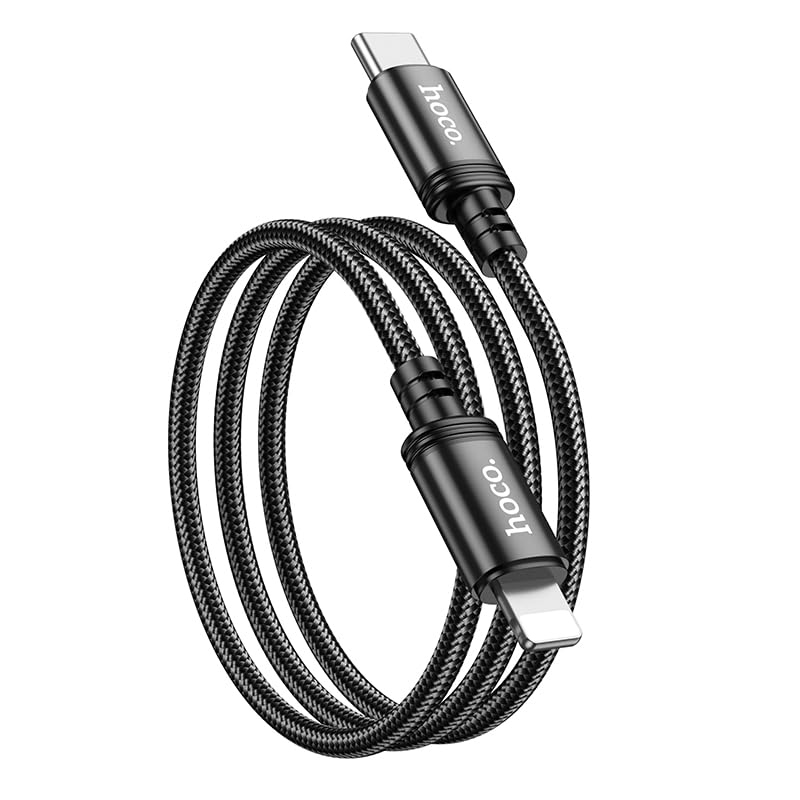
Image: The HOCO X89 cable, coiled, displaying both the Type-C connector and the Lightning connector.
Ṣeto
The HOCO X89 cable is designed for plug-and-play functionality. No software installation is required.
- Ṣe idanimọ Awọn Asopọmọra: The cable has two distinct ends: a USB Type-C connector and a Lightning connector.
- Connect to Power Source/Data Port: Insert the USB Type-C end of the cable into a compatible power adapter (e.g., a PD-enabled wall charger) or a device with a Type-C port (e.g., a laptop, power bank).
- Sopọ si Ẹrọ: Insert the Lightning end of the cable into the charging/data port of your compatible Apple device (e.g., iPhone, iPad).
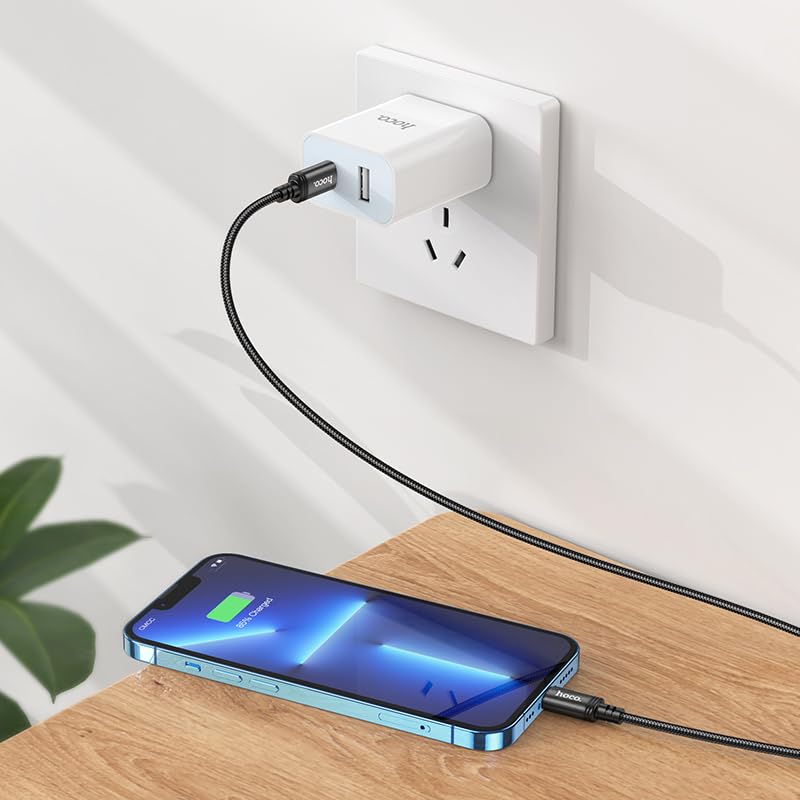
Image: The HOCO X89 cable in use, connecting an iPhone to a wall charger for charging.
Awọn ilana Iṣiṣẹ
Ngba agbara ẹrọ rẹ:
- Ensure the Type-C end is connected to a power source (wall adapter, power bank, computer). For fast charging, use a Power Delivery (PD) compatible adapter.
- Connect the Lightning end to your Apple device.
- The device should indicate that it is charging. The HOCO X89 supports up to 20W PD charging, allowing for faster charging times on compatible devices.
Gbigbe Data:
- Connect the Type-C end to a computer or laptop.
- Connect the Lightning end to your Apple device.
- Kọ̀ǹpútà rẹ yẹ kí ó dá ẹ̀rọ tí a so mọ́ mọ̀, èyí tí yóò jẹ́ kí o lè gbé e lọ sí ibòmíràn files, sync data, or perform backups. Follow your device's operating system instructions for data management.
Itọju ati Itọju
- Ninu: Use a soft, dry cloth to wipe the cable and connectors. Avoid using liquids or abrasive cleaners.
- Ibi ipamọ: Store the cable in a cool, dry place away from direct sunlight and extreme temperatures. Avoid tightly coiling or bending the cable at sharp angles to prevent internal damage.
- Mimu: Máa di orí ìsopọ̀ náà mú nígbà gbogbo nígbà tí o bá ń so okùn náà pọ̀ tàbí tí o bá ń yọ okùn náà kúrò, dípò kí o máa fa okùn náà fúnra rẹ̀.
- Yago fun bibajẹ: Do not expose the cable to water, excessive force, or sharp objects.
Laasigbotitusita
- Ohun elo Ko Ngba agbara:
- Rii daju pe awọn opin mejeeji ti okun naa ni asopọ ni aabo.
- Verify that the power adapter is functioning correctly and plugged into a live outlet.
- Gbiyanju ohun ti nmu badọgba agbara ti o yatọ tabi ibudo USB.
- Ṣàyẹ̀wò bóyá ibudo gbigba agbara ẹ̀rọ rẹ mọ́ tónítóní tí kò sì ní ìdọ̀tí kankan.
- Gbigba agbara lọra:
- Ensure you are using a Power Delivery (PD) compatible wall adapter for fast charging.
- Pa awọn ohun elo ti ko wulo lori ẹrọ rẹ.
- Avoid using your device heavily while charging.
- Awọn ọran Gbigbe Data:
- Ensure the Type-C end is connected to a data-enabled USB port on your computer.
- Restart both your computer and your Apple device.
- Check your device's settings for data transfer permissions.
- Gbiyanju ibudo USB ti o yatọ lori kọnputa rẹ.
Awọn pato
| Orukọ awoṣe | X89_C To I |
| Brand | HOCO |
| Asopọmọra Iru | USB Type-C to Lightning |
| USB Iru | Ngba agbara ati USB Data |
| Gigun | 1 mita (ẹsẹ 3.2) |
| Iwọn | 26g |
| Ohun elo ita | Braided Wire |
| Joint Material | Aluminiomu Alloy |
| Ilana gbigba agbara | Supports Power Delivery (PD) 20W |
| Awọn ẹrọ ibaramu | iPhones (6/6S/7/7+/8/8+/10/11/12/13), iPads, and other Apple devices with Lightning port; Laptops and power adapters with Type-C port. |
| Àwọ̀ | Dudu |
Alaye Aabo
- Do not attempt to disassemble or modify the cable.
- Jeki kuro ni arọwọto awọn ọmọde.
- Yẹra fún àwọn iwọn otutu tó le koko, ọriniinitutu, àti àyíká tó lè ba nǹkan jẹ́.
- If the cable appears damaged, discontinue use immediately.
- Use only with compatible and certified power adapters.
Atilẹyin ọja ati Support
For warranty information and customer support, please refer to the product packaging or contact your retailer. HOCO products are designed for reliability and performance.