
Ọrọ Iṣaaju
Welcome to the user manual for your new Candy Smart Pro Washing Machine. This appliance is designed to provide efficient and convenient laundry care with advanced features such as intelligent KG detection, delayed start, and remote control via the Simply-Fi app. Please read this manual carefully before using the appliance to ensure safe and optimal operation.

Nọmba 1: Iwaju view of the Candy Smart Pro Washing Machine, showcasing its sleek white design and central control panel.
Alaye Aabo
Nigbagbogbo tẹle awọn iṣọra ailewu atẹle lati yago fun ipalara tabi ibajẹ si ohun elo:
- Rii daju pe ohun elo ti wa ni ilẹ daradara.
- Má ṣe jẹ́ kí àwọn ọmọdé máa fi ẹ̀rọ ìfọṣọ ṣeré tàbí kí wọ́n máa ṣiṣẹ́.
- Yọọ ohun elo ṣaaju ṣiṣe mimọ tabi ṣiṣe itọju eyikeyi.
- Má ṣe fọ àwọn ohun tí a ti fi àwọn ohun tí ó lè jóná bàjẹ́.
- Jẹ́ kí agbègbè tó yí ẹ̀rọ ìfọṣọ ká má ṣe ní ìdènà kankan.
Ohun ti o wa ninu Apoti
Upon unpacking your Candy Smart Pro Washing Machine, please ensure all the following components are present:
- Itọsọna olumulo
- Imugbẹ Okun
- Ẹ̀rọ Fọ
Eto ati fifi sori
Fifi sori ẹrọ to dara jẹ pataki fun iṣẹ ṣiṣe ati gigun ti ẹrọ fifọ rẹ. A ṣe iṣeduro lati fi ohun elo sori ẹrọ nipasẹ onisẹ ẹrọ ti o peye.
1. Ṣíṣí àwọn ẹrù àti gbígbé wọn sí ipò wọn
- Fara yọ gbogbo awọn ohun elo apoti kuro.
- Remove the transport bolts from the rear of the machine. These bolts secure the drum during transit and must be removed before operation. Refer to the diagram below for bolt locations.
- Place the washing machine on a firm, level surface. Ensure there is adequate space around the unit for ventilation and access.

Nọmba 2: Dimensions of the washing machine: 85cm height, 60cm width, 53cm depth. Ensure sufficient space for installation.
2. Àwọn ìsopọ̀ omi àti ìṣàn omi
- Connect the water inlet hose to a cold water tap. Ensure a tight seal to prevent leaks.
- Insert the drain hose into a suitable drain pipe or sink, ensuring it is securely positioned to prevent dislodgement during operation.
3. Asopọ Itanna
- Pulọọgi okun agbara sinu iṣan itanna ti ilẹ. Ma ṣe lo awọn okun itẹsiwaju tabi awọn oluyipada.
Awọn ilana Iṣiṣẹ
Your Candy Smart Pro washing machine offers a variety of programs and smart features for optimal laundry care.
Ibi iwaju alabujutoview

Nọmba 3: The control panel features a program selector dial, a digital display, and touch buttons for various functions.
- Ipe oluyan eto: Ti a lo lati yan eto fifọ ti o fẹ.
- Ifihan Digital: Ṣe afihan iye akoko eto, awọn koodu aṣiṣe, ati awọn aṣayan ti o yan.
- Awọn bọtini iṣẹ: Allow selection of temperature, spin speed, delayed start, and other special functions.
ikojọpọ ifọṣọ

Nọmba 4: Open the door and load laundry into the drum, ensuring not to overload the machine.
Open the washing machine door and load your laundry into the drum. Do not overload the machine; leave enough space for clothes to tumble freely. The intelligent KG detector will automatically adjust water and electricity consumption based on the load weight.
Yiyan kan Wẹ Eto
- Turn the program selector dial to choose the appropriate wash program for your laundry type (e.g., Cotton, Synthetics, Delicates).
- Adjust the temperature and spin speed using the corresponding buttons on the control panel if desired.
- Lati lo awọn Idaduro Bẹrẹ function, press the relevant button and set the desired delay time (up to 24 hours).
- Tẹ bọtini Bẹrẹ/Sinmi lati bẹrẹ ọmọ naa.
Simply-Fi App Connectivity
The Candy Smart Pro washing machine can be controlled remotely via the Simply-Fi app (Wi-Fi + BLE connection). This allows you to manage cycles, receive washing advice, and monitor the appliance from your smartphone.
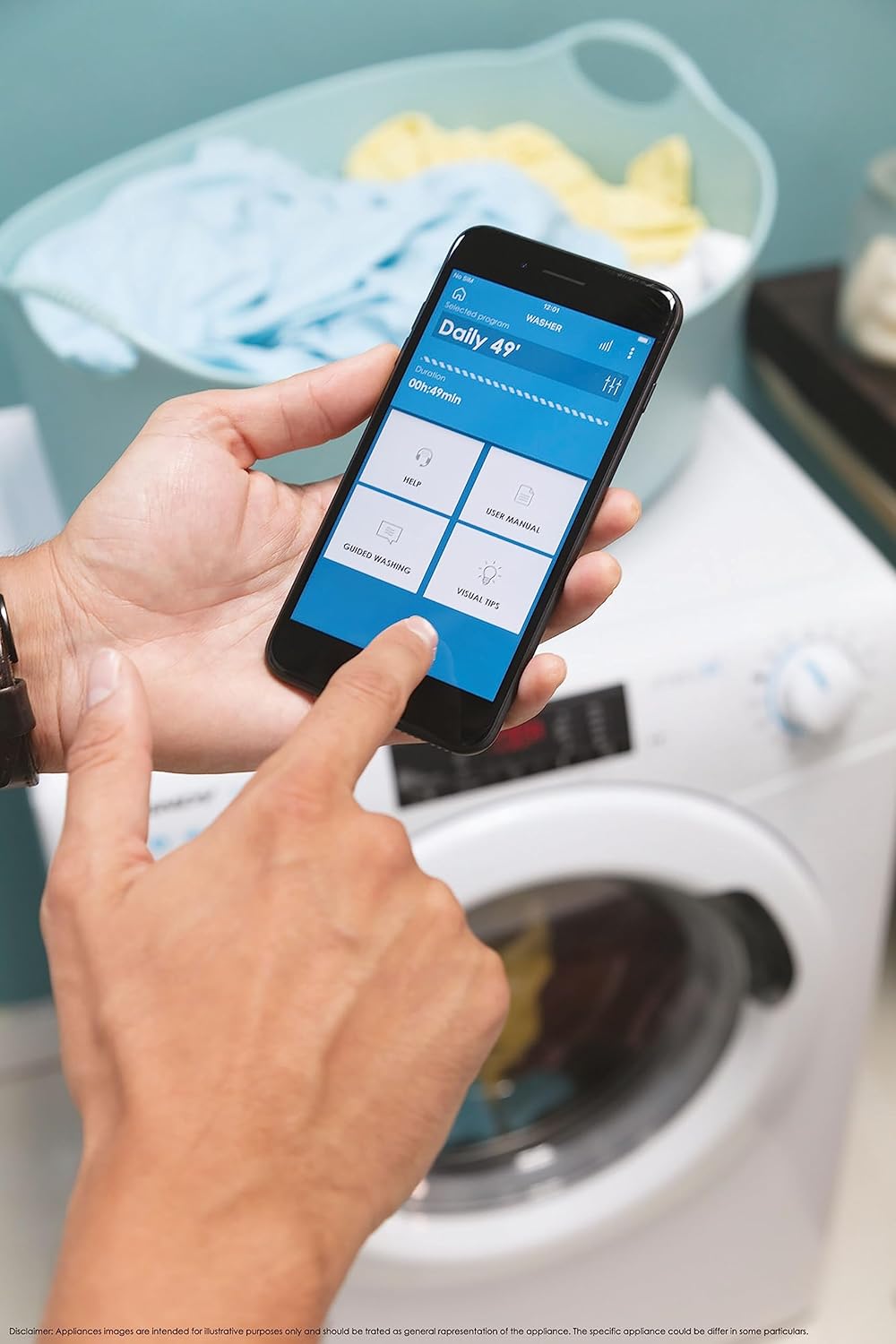
Nọmba 5: Control your washing machine remotely using the Simply-Fi app on your smartphone.
- Download the Simply-Fi app from your smartphone's app store.
- Follow the in-app instructions to connect your washing machine to your home Wi-Fi network.
- Once connected, you can access additional programs, monitor cycle status, and receive maintenance reminders.
Itoju
Regular maintenance ensures the efficiency and extends the lifespan of your washing machine.
Ninu Dispenser Detergent
- Fa idalẹnu dispenser jade.
- Remove any residue and rinse thoroughly under running water.
- Tun atẹwọ sii.
Ninu Ajọ
- Wa ideri àlẹmọ ni isalẹ iwaju ẹrọ naa.
- Gbe eiyan aijinile sisalẹ lati mu eyikeyi omi to ku.
- Unscrew the filter slowly to drain water, then remove and clean it of lint and debris.
- Screw the filter back in securely.
ilu Cleaning
- Run a hot wash cycle with no laundry and a washing machine cleaner or a cup of white vinegar to remove odors and residue.
Smart Check-Up Function
Utilize the Smart Check-Up function via the Simply-Fi app to monitor the health of your washing machine. It provides notifications for errors or malfunctions, helping you maintain the appliance effectively.
Laasigbotitusita
Ṣaaju ki o to kan si iṣẹ alabara, jọwọ tọka si awọn ọran ti o wọpọ wọnyi ati awọn ojutu wọn:
| Isoro | Owun to le Fa | Ojutu |
|---|---|---|
| Ẹrọ ko bẹrẹ | Power cord unplugged, door not closed properly, delayed start active. | Check power connection, ensure door is latched, cancel delayed start. |
| Gbigbọn pupọ/ariwo | Àwọn bulọ́ọ̀tì ìrìnnà kò yọ kúrò, ẹ̀rọ kò tẹ́jú, ẹrù tí kò dọ́gba. | Remove transport bolts, adjust leveling feet, redistribute laundry inside drum. |
| Omi jijo | Hoses loose, drain filter clogged, excessive detergent. | Check hose connections, clean drain filter, use appropriate amount of detergent. |
| App Asopọmọra oran | Wi-Fi signal weak, app not updated, incorrect pairing. | Ensure strong Wi-Fi signal, update app, re-pair device following app instructions. |
Awọn pato
| Ẹya ara ẹrọ | Ẹ̀kúnrẹ́rẹ́ |
|---|---|
| Brand | Suwiti |
| Awoṣe | CSO 1295TW4/1-S |
| Agbara | 9 kilo |
| Awọn iwọn (HxWxD) | 85 x 60 x 53 cm |
| Iwọn | 65 kilo |
| Agbara Agbara Kilasi | B |
| Iyara omo ere Max | 1200 RPM |
| Asopọmọra | Wi-Fi + BLE (Simply-Fi App) |
| Iṣakoso Iru | Fọwọkan, Tẹ |
Atilẹyin ọja ati Support
Your Candy Smart Pro Washing Machine is covered by a manufacturer's warranty. For specific details regarding the warranty period and terms, please refer to the documentation provided with your purchase or visit the official Candy webojula.
For technical assistance, spare parts, or to schedule a service appointment, please contact Candy customer support. Have your model number (CSO 1295TW4/1-S) and serial number ready when contacting support.
Ilana Pada: Tí o bá fẹ́ dá ọjà kan padà láàrín ọjọ́ 30 lẹ́yìn tí o ti gbà á nítorí pé o ti yí èrò rẹ padà, jọ̀wọ́ wo ìlànà ìpadàbọ̀ ọjà lórí ilé ìtajà náà. website. If you have received a defective or damaged product, please refer to the retailer's help page on defective or damaged products.