
1. Ifihan
Thank you for choosing the HOCO EW50 Bluetooth 5.3 TWS Earbuds. These earbuds are designed to provide a high-quality audio experience with features such as Active Noise Cancellation, deep bass, and touch controls. This manual will guide you through the setup, operation, and maintenance of your new earbuds.
2. Alaye Aabo
- Ma ṣe tuka tabi yi ọja pada.
- Keep the earbuds and charging case away from extreme temperatures, humidity, and liquids.
- Yago fun gbigbọ gigun ni awọn ipele iwọn didun giga lati ṣe idiwọ ibajẹ igbọran.
- Clean the earbuds and charging case with a soft, dry cloth. Do not use harsh chemicals.
- Sọ ọja naa ni ifojusọna ni ibamu si awọn ilana agbegbe.
3. Ọja Ipariview
The HOCO EW50 earbuds consist of two wireless earbuds and a portable charging case. The case not only protects the earbuds but also recharges them on the go.
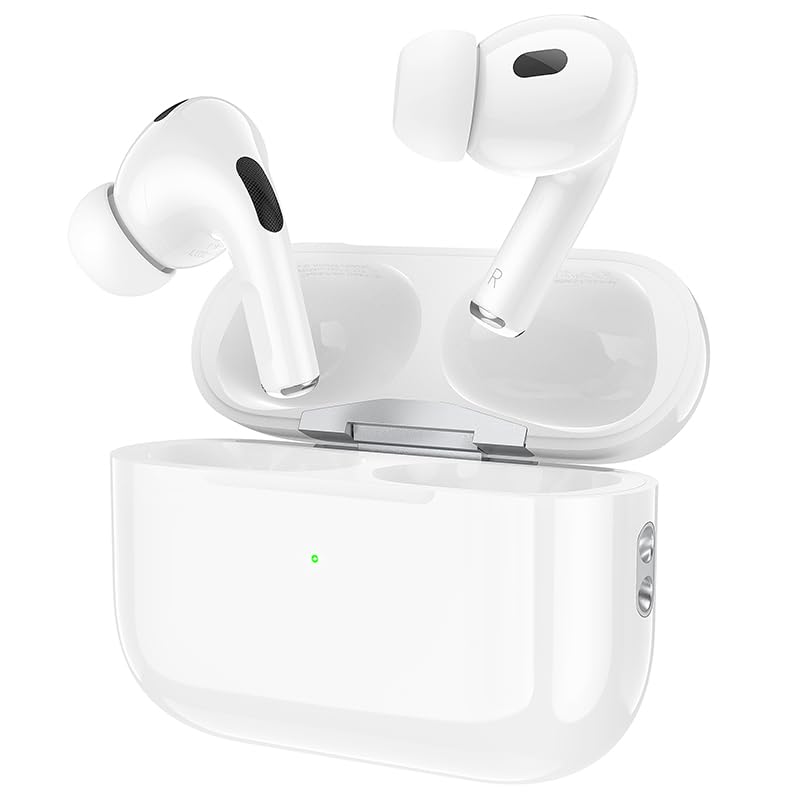
Image: HOCO EW50 Earbuds shown inside their open charging case.
Kini o wa ninu apoti:
- HOCO EW50 Earbuds (Left and Right)
- Alailowaya Ngba agbara Case
- Okun Ngba agbara USB
- Awọn iṣu Eti (oriṣiriṣi titobi)
- Ọran Idaabobo
- Itọsọna olumulo
4. Eto
4.1 Ngba agbara si Earbuds ati Ọran
Before first use, fully charge the earbuds and the charging case. Place the earbuds into the charging case. Connect the charging case to a USB power source using the provided USB cable. The indicator light on the case will show the charging status.
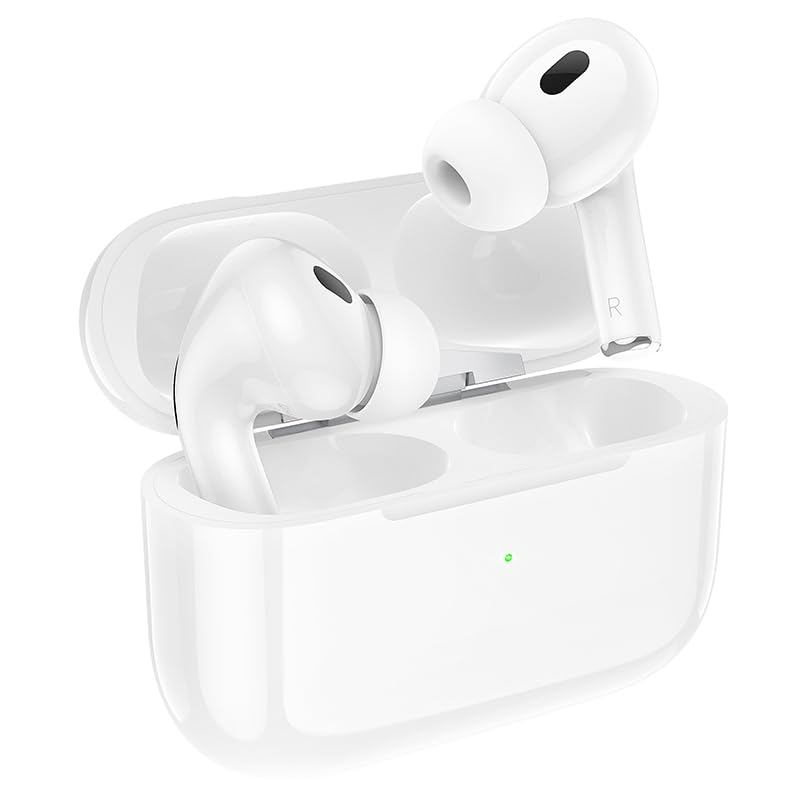
Image: HOCO EW50 Earbuds resting in their charging case, with a visible charging indicator light.
- Batiri Apo Ngba agbara: 300mAh
- Akoko Sisisẹsẹhin Earbuds: Titi di wakati 50 (pẹlu ọran gbigba agbara)
- Akoko gbigba agbara: Approximately 1 hour for full charge.
4.2 Sisopọ pẹlu ẹrọ kan
- Rii daju pe awọn agbekọri ti gba agbara ati gbe sinu apoti gbigba agbara.
- Open the charging case lid. The earbuds will automatically enter pairing mode, and an indicator light will flash.
- Lori ẹrọ rẹ (foonuiyara, tabulẹti, kọǹpútà alágbèéká), mu Bluetooth ṣiṣẹ.
- Wa fun available Bluetooth devices and select "HOCO EW50" from the list.
- Ni kete ti a ti sopọ, itọka ohun kan yoo jẹrisi isọdọkan aṣeyọri.
- Àwọn agbekọri naa yoo so pọ mọ ẹrọ ti a so pọ kẹhin laifọwọyi nigbati a ba mu wọn kuro ninu apoti naa.
5. Awọn ilana Iṣiṣẹ
5.1 Agbara Tan / Pa
- Agbara Tan: Ṣii apoti gbigba agbara, ati awọn agbekọri yoo tan ina laifọwọyi.
- Agbara Pa: Gbe awọn agbekọri naa pada sinu apoti gbigba agbara ki o pa ideri naa. Wọn yoo pa ina laifọwọyi ati bẹrẹ gbigba agbara.
5.2 Fọwọkan Iṣakoso
The HOCO EW50 earbuds feature pressure-sensitive touch controls on each earbud for easy management of music and calls.
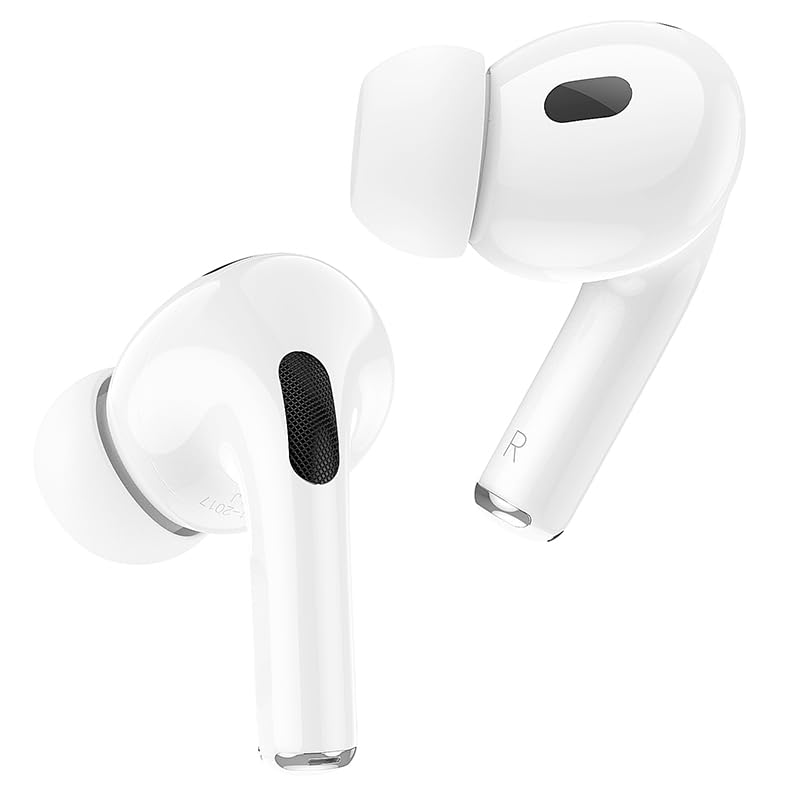
Image: Individual HOCO EW50 Earbuds displayed outside their charging case, highlighting their design.
| Iṣe | Išẹ |
|---|---|
| Tẹ ẹyọkan (osi/ọtun) | Mu orin ṣiṣẹ/Danuduro, Dahun/Pari ipe |
| Tẹ lẹẹmeji (ọtun) | Next Track |
| Tẹ lẹẹmeji (Osi) | Ti tẹlẹ Track |
| Tẹ lẹẹmẹta (Osi/Ọtun) | Muu Iranlọwọ ohun ṣiṣẹ (Siri, Iranlọwọ Google) |
| Tẹ Gigun (Osi/Ọtun) | Yiyipada Ifagile Ariwo Ti Nṣiṣẹ (ANC) / Ipo Ifihan |
| Tẹ Gigun (Ipe ti nwọle) | Kọ Ipe |
5.3 Ìfàsẹ́yìn Ariwo Ti Nṣiṣẹ (ANC) / Ipo Ìfihàn
The HOCO EW50 features Active Noise Cancellation to reduce ambient noise and Transparency Mode to allow you to hear your surroundings. Long press either earbud to cycle through ANC On, Transparency Mode, and ANC Off.
5.4 Awọn ere Awọn Ipo
For an enhanced gaming experience with reduced audio latency, activate Gaming Mode. Refer to the specific instructions for activating Gaming Mode, usually a specific touch gesture or setting within a companion app if available.
5.5 Ṣiṣe / Gbigba awọn ipe
- Idahun Ipe: Fọwọ ba ẹyọkan boya agbekọri.
- Ipe Ipari: Tẹ ẹyọkan boya agbekọri nigba ipe kan.
- Kọ Ipe: Long press either earbud during an incoming call.
- The built-in microphone ensures clear communication during calls.
6. Itọju
6.1 Ninu
- Regularly clean the earbuds and charging case to maintain optimal performance.
- Lo asọ ti o tutu, ti o gbẹ, ti ko ni lint lati nu awọn aaye naa.
- Gently remove any earwax or debris from the earbud mesh and charging contacts using a clean, dry cotton swab or a small, soft brush.
- Do not use liquids, sprays, or chemical cleaners.
6.2 Ibi ipamọ
- Nigbati o ko ba si ni lilo, tọju awọn afikọti sinu apoti gbigba agbara wọn lati daabobo wọn ki o jẹ ki wọn gba agbara.
- Tọju ọja naa ni itura, aye gbigbẹ, kuro lati orun taara ati awọn iwọn otutu to gaju.
6.3 Omi Resistance
The HOCO EW50 earbuds are sweatproof and water-resistant, making them suitable for workouts and outdoor activities. However, they are not waterproof and should not be submerged in water. Avoid exposure to heavy rain or showering with the earbuds.
7. Laasigbotitusita
If you encounter any issues with your HOCO EW50 earbuds, please refer to the following common solutions:
| Isoro | Ojutu |
|---|---|
| Earbuds ko so pọ | Ensure earbuds are charged. Place them in the case, close, then open the lid to re-enter pairing mode. Turn off and on Bluetooth on your device. Forget "HOCO EW50" from your device's Bluetooth list and try pairing again. |
| Ko si ohun lati agbekọri kan | Check battery level of both earbuds. Place both earbuds back in the case, close the lid, then take them out again. Re-pair with your device. |
| Earbuds ko gba agbara | Rí i dájú pé okùn gbigba agbara náà so mọ́ àpótí àti orísun agbára náà dáadáa. Ṣàyẹ̀wò bóyá àwọn ohun tí ó wà lórí àwọn ètí ìgbọ́rọ̀ àti nínú àpótí náà mọ́ tónítóní tí wọn kò sì ní ìdọ̀tí kankan. Gbìyànjú okùn gbigba agbara tàbí adaptà agbára mìíràn. |
| Iwọn kekere tabi didara ohun ko dara | Adjust volume on both your device and the earbuds. Ensure earbud tips are clean and properly seated in your ears for a good seal. Try different sized ear cushions. |
| Awọn iṣakoso ifọwọkan ko dahun | Rii daju pe awọn ika ọwọ rẹ mọ ati gbẹ. Gbiyanju lati tun awọn agbekọri bẹrẹ nipa gbigbe wọn sinu ọran naa ki o tun mu wọn jade lẹẹkansi. |
8. Awọn pato
| Ẹya ara ẹrọ | Ẹ̀kúnrẹ́rẹ́ |
|---|---|
| Orukọ awoṣe | EW50 |
| Asopọmọra Technology | Ailokun (Bluetooth 5.3) |
| Ariwo Iṣakoso | Ti nṣiṣe lọwọ Noise Ifagile |
| Ọna Iṣakoso | Fọwọkan |
| Akoko Sisisẹsẹhin | Titi di Awọn wakati 50 (pẹlu ọran gbigba agbara) |
| Gbigba agbara Case Batiri | 300mAh |
| Omi Resistance Ipele | Alatako Omi |
| Awọn irinše to wa | Cable, Ear Cushions, Protective Case, Wireless Charging Case |
| Iwọn Nkan | 57 giramu |
| Ọja Mefa | 4.5 x 6 x 2 cm |
| Ohun elo | Ṣiṣu |
| Gbigbe Eti | Ninu Eti |
9. Atilẹyin ọja ati Support
The HOCO EW50 Earbuds come with a 1-odun atilẹyin ọja lati ọjọ ti o ra. Atilẹyin ọja yi ni wiwa awọn abawọn iṣelọpọ ati idaniloju ọja rẹ ni ofe lọwọ ohun elo ati awọn abawọn iṣẹ labẹ lilo deede.
For warranty claims, technical support, or any inquiries, please contact your retailer or the HOCO customer service department. Please retain your proof of purchase for warranty validation.