
HOCO EW24
Hoco EW24 True Wireless Earbuds User Manual
Model: EW24 | Brand: HOCO
1. Ọja Ipariview
The Hoco EW24 True Wireless Earbuds offer a seamless and stable audio experience with Bluetooth 5.3 technology. They feature deep bass, clear highs, and Active Noise Cancellation for immersive sound. Designed for user convenience, these earbuds include intuitive touch controls for managing playback and calls. Their sweatproof and water-resistant design ensures durability for various activities.

Image 1: Hoco EW24 True Wireless Earbuds in their open charging case, showcasing the earbuds and the 'hoco.' branding.
2. Key Awọn ẹya ara ẹrọ
- Didara Ohun Didara: Immerse yourself in rich, crystal-clear sound with deep bass and crisp highs.
- Ifagile Ariwo Nṣiṣẹ: Enhances audio immersion by reducing ambient noise.
- Bluetooth 5.3 Asopọmọra: Provides a stable and seamless wireless experience.
- Awọn iṣakoso Fọwọkan Intuitive: Effortlessly manage music, calls, and voice assistants.
- Sweatproof and Waterproof Design: IPX5 rated for sweat and water resistance, suitable for active lifestyles.
- Igbesi aye batiri ti o gbooro sii: Up to 14 hours of playtime for the earbuds, with the charging compartment providing additional power.
- Gbigba agbara yiyara: Just 15 minutes of charging gives you hours of playback time.
- Gaming Mode with Low Latency: Reduces audio delays for an improved gaming experience.
- Atilẹyin Iranlọwọ ohun: Access Siri or Google Assistant with a tap.
3. Ohun ti o wa ninu Apoti
- Hoco EW24 Earbuds
- Alailowaya Ngba agbara Case
- Ngba agbara USB
- Awọn iṣu Eti
- Ọran Idaabobo
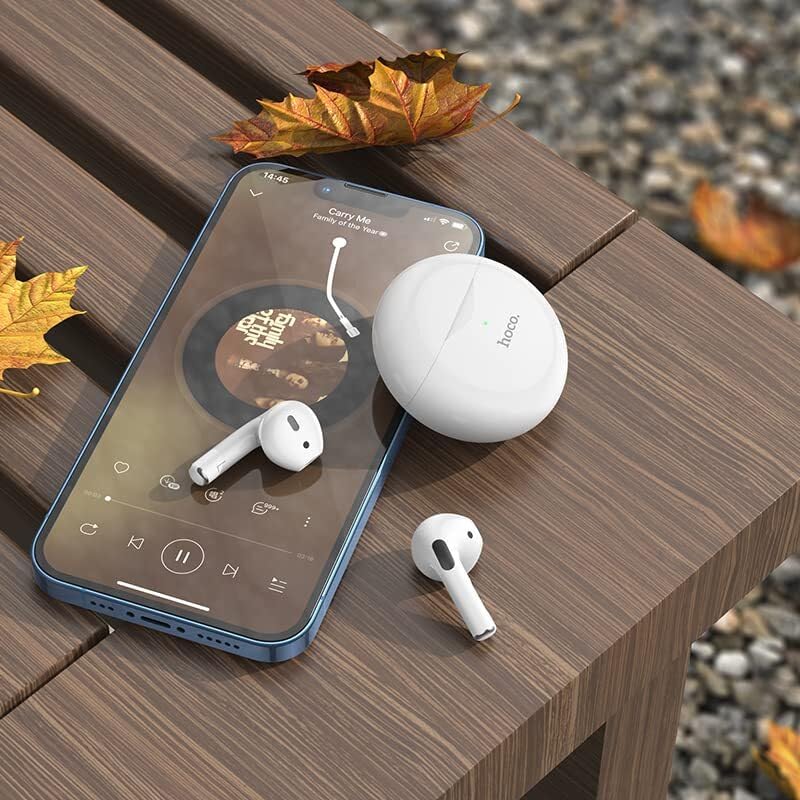
Image 2: Hoco EW24 Earbuds and charging case displayed on a wooden surface next to a smartphone, illustrating the product in a lifestyle setting.
4. Eto ati Bibẹrẹ
4.1 Gbigba agbara akọkọ
- Gbe awọn afikọti mejeeji sinu ọran gbigba agbara.
- Connect the provided charging cable to the charging port on the case and a USB power source.
- Allow the earbuds and case to fully charge before first use. The indicator light on the case will show charging status.
4.2 Sisopọ pẹlu Ẹrọ Rẹ
- Rii daju pe awọn afikọti wa ninu apoti gbigba agbara ati pe ideri ọran wa ni sisi.
- Lori foonuiyara tabi ẹrọ Bluetooth ti o ṣiṣẹ, lọ si awọn eto Bluetooth.
- Select "Hoco EW24" from the list of available devices.
- Ni kete ti a ti sopọ, itọka ohun kan yoo jẹrisi isọdọkan aṣeyọri.
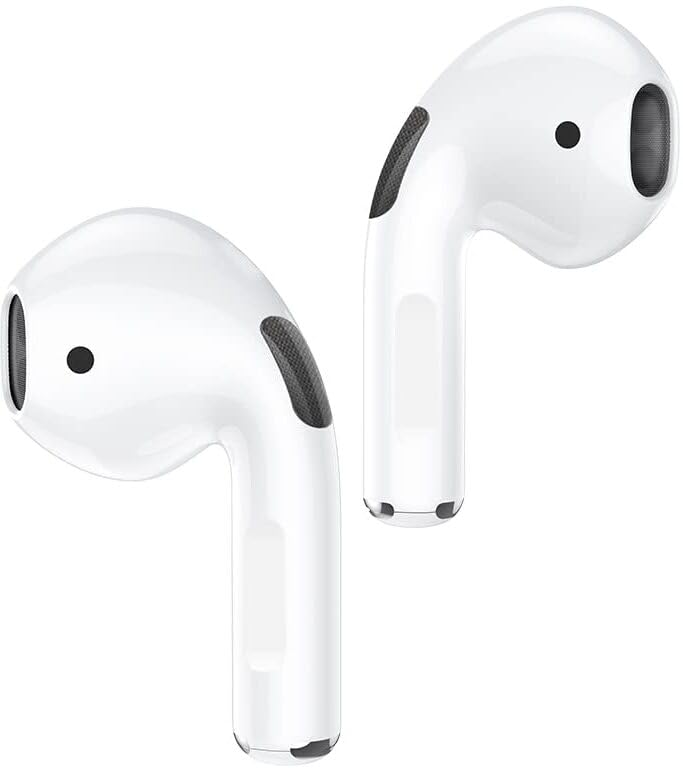
Image 3: Hoco EW24 Earbuds in their charging case, illustrating the pairing readiness or charging status via the indicator light.
5. Awọn ilana Iṣiṣẹ
5.1 Fọwọkan Iṣakoso
The Hoco EW24 earbuds feature intuitive touch controls on each earbud. The following table outlines common functions:
| Iṣe | Išẹ |
|---|---|
| Tẹ ẹyọkan (osi/ọtun) | Mu orin ṣiṣẹ/Danuduro, Dahun/Pari ipe |
| Tẹ lẹẹmeji (ọtun) | Next Track |
| Tẹ lẹẹmeji (Osi) | Ti tẹlẹ Track |
| Tẹ Gigun (Osi/Ọtun) | Mu Oluranlọwọ Ohun ṣiṣẹ, Kọ ipe |
| Tẹ lẹẹmẹta (Osi/Ọtun) | Yiyipada Ifagile Ariwo Ti Nṣiṣẹ (ANC) / Ipo Ifihan |
5.2 Ifagile Ariwo Nṣiṣẹ (ANC)
The Hoco EW24 earbuds feature Active Noise Cancellation to reduce ambient noise. To toggle ANC or Transparency Mode, triple tap either earbud. A voice prompt will confirm the mode change.
5.3 Awọn ere Awọn Ipo
For a low-latency audio experience during gaming, activate Gaming Mode. Refer to the specific touch control sequence in your quick start guide or experiment with long presses or specific tap combinations if not listed above.
Fidio 1: Ipariview of the Hoco EW24 Wireless Earbuds, demonstrating key features and usage.
6. Itọju
- Ninu: Lo asọ ti o gbẹ, asọ ti ko ni lint lati nu afikọti ati apoti gbigba agbara. Maṣe lo awọn kẹmika lile tabi awọn ohun elo abrasive.
- Ibi ipamọ: Nigbati o ko ba si ni lilo, tọju awọn afikọti sinu apoti gbigba agbara wọn lati daabobo wọn ki o jẹ ki wọn gba agbara.
- Omi Resistance: While IPX5 rated (sweat and water resistant), avoid submerging the earbuds in water. Dry them thoroughly if they get wet.
7. Laasigbotitusita
7.1 Earbuds Ko Sopọ
- Rii daju pe awọn agbekọri mejeeji ti gba agbara.
- Pa Bluetooth lori ẹrọ rẹ ki o tan-an pada.
- Forget "Hoco EW24" from your device's Bluetooth settings and attempt to pair again.
- Reset the earbuds (refer to the quick start guide for specific reset instructions if available).
7.2 Ko si Ohun tabi Iwọn kekere
- Ṣayẹwo ipele iwọn didun lori ẹrọ rẹ mejeeji ati awọn agbekọri.
- Rii daju pe awọn agbekọri ti joko daradara ni awọn eti rẹ.
- Nu eyikeyi idoti kuro lati awọn agbohunsoke agbekọri.
8. Awọn pato
| Ẹya ara ẹrọ | Ẹ̀kúnrẹ́rẹ́ |
|---|---|
| Orukọ awoṣe | EW24 |
| Asopọmọra Technology | Ailokun (Bluetooth 5.3) |
| Ariwo Iṣakoso | Ti nṣiṣe lọwọ Noise Ifagile |
| Igbesi aye batiri (Earbuds) | Awọn wakati 14 |
| Earphones Agbara Batiri | 30mAh |
| Gbigba agbara Kompaktimenti | 200mAh |
| Omi Resistance Ipele | IPX5 (Atako omi) |
| Ọna Iṣakoso | Fọwọkan |
| Ohun elo | Ṣiṣu |
| Iwọn Nkan | 110 giramu |
| Ọja Mefa | 10 x 10 x 5 cm |
9. Atilẹyin ọja ati Support
The Hoco EW24 True Wireless Earbuds come with a 1-year warranty. For any support inquiries, technical assistance, or warranty claims, please contact HOCO customer service through their official webaaye tabi alagbata ti o ti ra ọja naa.
Jọwọ ṣe idaduro ẹri rira rẹ fun ijẹrisi atilẹyin ọja.
Ask a question about this manual
Ask about setup, troubleshooting, compatibility, parts, safety, or missing instructions. Manuals+ will review the question and use this page’s manual context to help answer it.