
HiFuture EVENT
Ìwé Ìtọ́sọ́nà Olùlò Agbọrọsọ Bluetooth HiFuture EVENT
Model: EVENT | Brand: HiFuture
Ọrọ Iṣaaju
Thank you for choosing the HiFuture EVENT Bluetooth Speaker. This powerful and portable speaker is designed to deliver exceptional audio quality with vibrant RGB lighting, making it perfect for any event or gathering. This manual provides detailed instructions to help you set up, operate, and maintain your speaker for optimal performance.
Ọja Pariview

olusin 1: Iwaju view of the HiFuture EVENT Bluetooth Speaker, showcasing its sleek black design and dynamic RGB light ring.

Figure 2: An illustrative diagram highlighting the main features of the HiFuture EVENT speaker, including dual DSP, multiple audio inputs, dual-directional sound system, 50W woofer + 30W tweeter, RGB lights, TWS connection option, bass boost function, and power bank functionality.

olusin 3: Isunmọ view of the speaker's internal components, specifically pointing out the 50W Woofer and 30W Tweeter, which contribute to its powerful 80W sound output.

Figure 4: An internal diagram demonstrating the speaker's optimized acoustic design for deep and impactful bass, including the bass port and vibration suppression features.
Key Awọn ẹya ara ẹrọ
- Ijade Olohun ti o lagbara: Equipped with a 50W woofer and 30W tweeter for a total of 80W RMS output, with a maximum peak power of 180 Watts, delivering rich and clear stereo sound.
- Asopọmọra Bluetooth: Seamless wireless connection to your devices.
- Imọlẹ RGB Yiyi: Enhance your listening experience with vibrant, rhythm-synced RGB lights.
- Dual DSP & Multiple Audio Inputs: Advanced Digital Signal Processing for optimized sound and versatile connectivity options.
- Atilẹyin Sitẹrio Alailowaya Otitọ (TWS): Connect two EVENT speakers for an immersive stereo sound experience.
- Bass Boost Function: Dedicated feature to amplify low frequencies for deeper bass.
- Iṣẹ Bank Power: Use the speaker to charge your other devices on the go.
- Apẹrẹ to gbe: Durable acrylic material and table-mount type for easy placement and transport, designed for parties and various events.
Eto Itọsọna
1. Unboxing ati Ni ibẹrẹ idiyele
- Fara yọ agbohunsoke ati gbogbo awọn ẹya ẹrọ kuro ninu apoti.
- Inspect the speaker for any signs of damage.
- Before first use, fully charge the speaker using the provided charging cable. The battery life is approximately 4 hours on a full charge.
2. Agbara lori / Paa
- To power on, press and hold the Power button (location typically on the back or top panel) for a few seconds until you hear an audible prompt or see the indicator lights illuminate.
- Lati pa agbara, tẹ mọlẹ Bọtini Agbara lẹẹkansii titi ti agbọrọsọ yoo ti ku.
Awọn ilana Iṣiṣẹ
1. Sisopọ Bluetooth
- Ensure the speaker is powered on and in Bluetooth pairing mode (usually indicated by a blinking LED light). If not, press the Bluetooth button to activate pairing mode.
- Lori ẹrọ rẹ (foonuiyara, tabulẹti, kọmputa), lọ si awọn eto Bluetooth ki o si mu Bluetooth ṣiṣẹ.
- Wa fun available devices. You should see "HiFuture EVENT" in the list.
- Select "HiFuture EVENT" to connect. Once connected, the speaker will provide an audible confirmation, and the LED light will become solid.
- O le mu ohun ṣiṣẹ bayi lati ẹrọ rẹ nipasẹ agbọrọsọ.
2. Sitẹrio Alailowaya otitọ (TWS) Sisopọ
To pair two HiFuture EVENT speakers for a stereo experience:
- Rii daju pe awọn agbohunsoke mejeeji wa ni titan ati pe wọn ko sopọ si eyikeyi ẹrọ Bluetooth miiran.
- On one speaker (this will be the primary speaker), press and hold the TWS button (refer to your speaker's button layout if unsure).
- Agbọrọsọ akọkọ yoo wa agbọrọsọ keji. Ni kete ti a ti sopọ, awọn agbohunsoke mejeeji yoo pese ijẹrisi igbohunsilẹ.
- Now, connect your device to the primary speaker via Bluetooth as described in the "Bluetooth Pairing" section. Audio will play in stereo through both speakers.
3. Awọn iṣakoso ati Awọn iṣẹ
- Iṣakoso iwọn didun: Use the volume buttons (+/-) on the speaker or your connected device.
- Ṣiṣẹ/Daduro: Tẹ bọtini Play/Sinmi ni ẹẹkan lati mu ṣiṣẹ tabi da ohun duro duro.
- Rekọja Awọn orin: Double-press the Next Track button to skip forward, or the Previous Track button to skip backward.
- Iṣakoso Imọlẹ RGB: Press the Light button to cycle through different lighting modes or turn the lights off.
- Baasi didn: Press the Bass Boost button to activate or deactivate the enhanced bass mode.
- Iṣẹ Bank Power: Connect your device to the speaker's USB output port to charge it.

Figure 5: The HiFuture EVENT speaker displaying its vibrant RGB lighting, which can be controlled to match your mood or music.
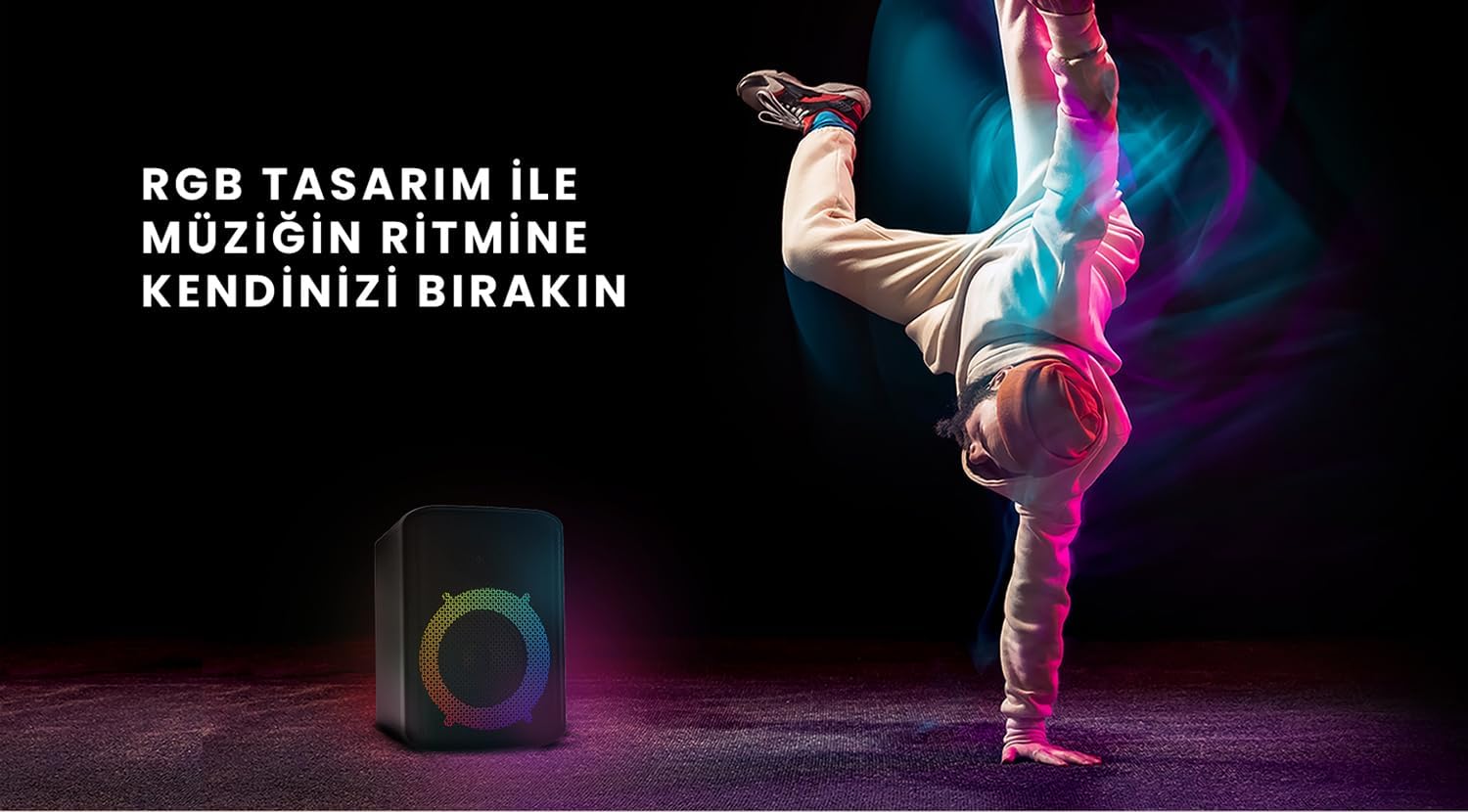
Figure 6: The HiFuture EVENT speaker in a dynamic setting, emphasizing how its RGB lighting enhances the atmosphere for parties and events.
Itoju
- Ninu: Lo asọ ti o rọ, ti o gbẹ lati nu dada ti agbọrọsọ naa. Ma ṣe lo abrasive ose tabi epo.
- Ibi ipamọ: Tọju agbohunsoke ni itura, aye gbigbẹ kuro lati orun taara ati awọn iwọn otutu to gaju.
- Itọju Batiri: Láti mú kí batiri pẹ́ sí i, má ṣe jẹ́ kí batiri náà máa jáde nígbà gbogbo. Gba agbára rẹ̀ déédéé, kódà bí kò bá tiẹ̀ wà fún ìgbà pípẹ́.
- Omi Resistance: While designed for portability, avoid exposing the speaker to excessive moisture or submerging it in water unless explicitly stated as waterproof.
Laasigbotitusita
| Isoro | Owun to le Solusan |
|---|---|
| Agbọrọsọ ko ni agbara lori. | Rii daju pe agbọrọsọ ti gba agbara ni kikun. Sopọ mọ orisun agbara ati gbiyanju lẹẹkansi. |
| Ko le so pọ nipasẹ Bluetooth. |
|
| Ko si ohun tabi iwọn kekere. |
|
| Àwọn iná RGB kò ṣiṣẹ́. | Press the Light button to cycle through modes or turn them on. Ensure the speaker is powered on. |
Awọn pato
| Ẹya ara ẹrọ | Ẹ̀kúnrẹ́rẹ́ |
|---|---|
| Brand | HiFuture |
| Awoṣe | Ìṣẹ̀lẹ̀ |
| O pọju Agbọrọsọ o wu Power | 180 Watts (Peak), 80W RMS (50W Woofer + 30W Tweeter) |
| Asopọmọra Technology | Bluetooth |
| Ipo Ijade Ohun | Sitẹrio |
| Iṣagbesori Iru | Table Mount |
| Ohun elo | Akiriliki |
| Agbọrọsọ Iru | Multimedia |
| Awọn ẹrọ ibaramu | Bluetooth-enabled devices (e.g., smartphones, tablets) |
| Àwọ̀ | Dudu |
| Igbesi aye batiri | Titi di wakati 4 |
Atilẹyin ọja ati Support
The HiFuture EVENT Bluetooth Speaker comes with a standard manufacturer's warranty. Please refer to the warranty card included in your product packaging for specific terms and conditions. For technical support, troubleshooting assistance, or warranty claims, please contact HiFuture customer service through their official webojula tabi alagbata ti o ti ra ọja naa.
Awọn iwe aṣẹ ti o jọmọ - Ìṣẹ̀lẹ̀
 |
HiFuture Event Horizon Тонколона: Ръководство за Потребителя Изчерпателно ръководство за тонколоната HiFuture Event Horizon. Открийте нейните 100W мощност, LED осветление, TWS функционалност, входове за инструменти и дълъг живот на батерията за перфектно аудио изживяване. |
 |
ZONE3 Quick Start Guide - Get Started with Your HiFuture Smartwatch Learn how to set up and use your ZONE3 smartwatch from HiFuture. This quick start guide covers app download, pairing, basic functions, and charging for your ZONE3 device. |
 |
HiFuture Pocket S Quick User Guide - Setup and Operation Get started with your HiFuture Pocket S portable speaker. This quick user guide provides essential information on setup, button functions, pairing, factory reset, and charging instructions. |
 |
HiFuture Tour MkII Wireless & Noise Canceling Headphone User Manual User manual for the HiFuture Tour MkII wireless and noise-canceling headphones. Learn about unboxing, functions, button operations, charging, connectivity, and troubleshooting. |
 |
HiFuture ACTIVE Smartwatch Quick Start Guide Get started quickly with your HiFuture ACTIVE smartwatch. This guide covers app download, setup, pairing, basic operations, and charging. |
 |
HiFuture EVO2 Quick Start Guide Get started quickly with the HiFuture EVO2 smartwatch. This guide provides essential setup, pairing, and usage instructions for your new device, including app download, power management, and navigation. |
Ask a question about this manual
Ask about setup, troubleshooting, compatibility, parts, safety, or missing instructions. Manuals+ will review the question and use this page’s manual context to help answer it.