
1. Ifihan
The TEYES CC3 2K Car Radio Multimedia Player is an advanced in-car entertainment and navigation system designed to enhance your driving experience. This 9.5-inch Android 10 head unit offers a high-resolution 2K in-cell display, powerful processing capabilities, and seamless integration with your vehicle. It is specifically compatible with Renault Duster (2015-2021) and Lada Largus (2021) models.
This manual provides essential information on the installation, operation, and maintenance of your TEYES CC3 2K unit. Please read it thoroughly before use to ensure proper functionality and safety.

Image 1.1: TEYES CC3 2K main unit display showing the user interface.
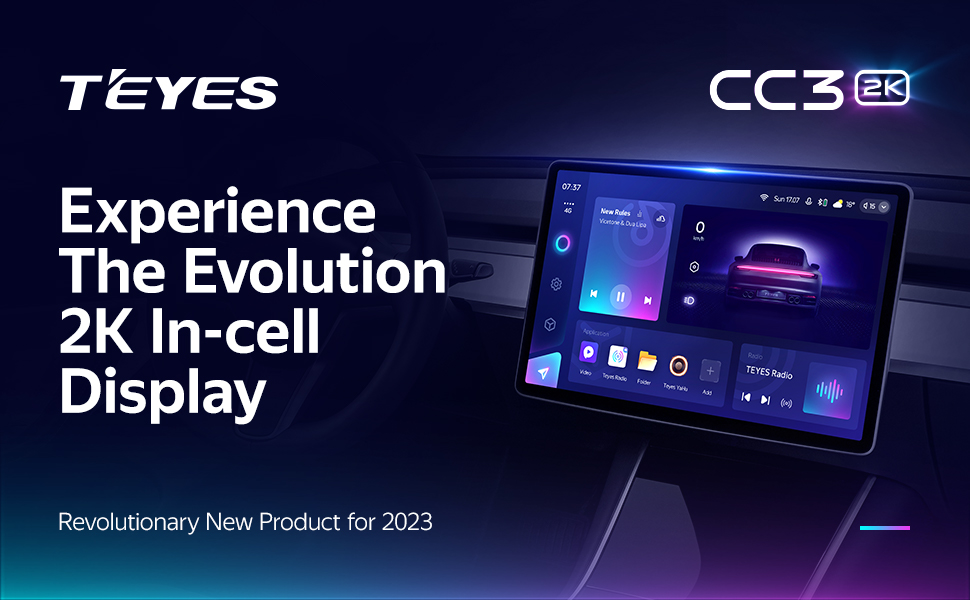
Image 1.2: TEYES CC3 2K unit installed in a car dashboard.
2. Package Awọn akoonu
Verify that all items listed below are included in your product package. If any items are missing or damaged, please contact customer support.

Image 2.1: Visual representation of the TEYES CC3 2K package contents.
- 1x Head Unit (TEYES CC3 2K)
- 1x OEM Panel (Frame)
- 1x okun USB
- 1x eriali GPS
- 1x AUX Cable
- 1x 4G WiFi Antenna
- 1x E-book (Digital Manual)
- 1x Okun Agbara
- 1x AHD 1080p Rear Camera
- 1x Audio & Video Harness + RCA
- 1x Screws & Screwdriver
- 1x USB Harness
- 1x Cleaning Asọ
- 1x Wiring Diagram
3. Itọsọna fifi sori ẹrọ
Installation of the TEYES CC3 2K unit requires technical knowledge and should ideally be performed by a qualified professional. Incorrect installation can lead to damage to the unit or your vehicle's electrical system. Always disconnect the vehicle's battery before starting installation.
3.1 Pre-Fifi sori Ṣayẹwo
- Rii daju pe ina ọkọ ti wa ni pipa ati pe batiri naa ti ge asopọ.
- Jẹrisi gbogbo awọn akoonu ti package wa.
- Review the provided wiring diagram specific to your vehicle model.
3.2 Removing the Original Head Unit
Carefully remove the existing car radio or dashboard panel. Refer to your vehicle's specific service manual for detailed instructions on panel removal to avoid damage.

Image 3.1: Comparison of the dashboard before and after TEYES CC3 2K installation.
3.3 Mounting the Frame and Head Unit
The provided OEM panel (frame) is designed to fit your specific vehicle model. Secure the TEYES CC3 2K head unit into this frame using the supplied screws.
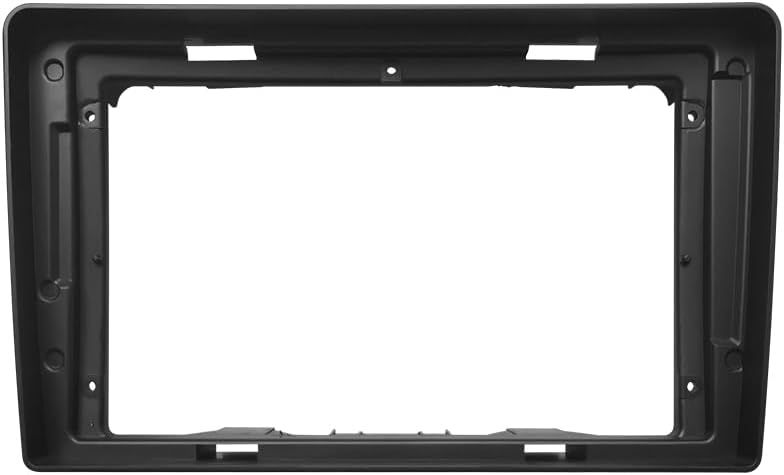
Image 3.2: The OEM panel frame for integrating the head unit into the dashboard.
3.4 Awọn isopọ onirin
Connect the power cable, USB cables, GPS antenna, 4G WiFi antenna, AUX cable, and the AHD rear camera according to the wiring diagram. Ensure all connections are secure to prevent intermittent issues.

Image 3.3: Multiple USB outputs for data transfer and connectivity.
3.5 ik Apejọ
Once all connections are made, carefully re-install the head unit assembly into the dashboard. Reconnect the vehicle battery and test the unit's functionality.
4. Awọn ilana Iṣiṣẹ
The TEYES CC3 2K operates on an Android system, offering a user-friendly interface. Most functions are accessible via the touchscreen.
4.1 Power On/Off and Reset
- Agbara Tan: Ẹ̀rọ náà sábà máa ń ṣiṣẹ́ láìfọwọ́sí pẹ̀lú iná ọkọ̀ náà.
- Agbara Pa: The unit powers off automatically when the vehicle's ignition is turned off.
- Tun: A small 'RST' button (often recessed) is available for a system reset if the unit becomes unresponsive. Use a thin object (like a paperclip) to press it.
4.2 Lilọ kiri Iboju ifọwọkan
Navigate through menus and applications by tapping, swiping, and pinching on the 2K touchscreen. The interface is similar to a standard Android tablet.
4.3 Radio Išė
Access the 'Radio' application to tune into FM/AM stations. The unit supports RDS (Radio Data System) for displaying station information.

Image 4.1: Display showing the premium local radio interface.
4.4 Bluetooth Asopọmọra
Pair your smartphone via Bluetooth for hands-free calling and audio streaming. Go to 'Settings' > 'Bluetooth' to enable and connect devices.
4.5 Alailowaya CarPlay & Android Auto
Connect your iPhone or Android device wirelessly to access CarPlay or Android Auto. This allows for integrated navigation, music, and communication apps directly on the head unit's display.
4.6 Lilọ kiri
The unit comes with pre-installed navigation capabilities. You can also download and use other navigation apps from the Google Play Store.
4.7 idari kẹkẹ idari
The unit supports integration with your vehicle's existing steering wheel controls for convenient operation of audio and other functions.

Image 4.2: Steering wheel with integrated controls for the multimedia system.
5. Key Awọn ẹya ara ẹrọ
The TEYES CC3 2K is equipped with a range of features designed for performance and user convenience:
- Hardware Iṣẹ-giga: Features 6GB RAM and 128GB ROM for smooth operation and ample storage. Powered by an 8-core 2.0GHz processor.
- 2K In-cell Display: A 2K touch screen with 157% gamut coverage provides vivid and accurate colors, integrating the display and touchscreen for a superior visual experience.
- Ilọsiwaju iwe ohun: Incorporates 2*DSP ADAU1701 + ROHM32107 for enhanced sound quality, including optical and coaxial digital audio output. Features a 27-segment EQ for precise sound customization and sound filtering options.
- Upgraded Bluetooth Module: Features a QCC3031QFN Qualcomm Bluetooth module for stable and high-quality wireless connections.
- 4G Internet Support: Stay connected on the go with built-in 4G internet capabilities.
- Real-time Rear View & Video Recording: Ṣe atilẹyin akoko gidi viewing from the included AHD 1080p rear camera and video recording functionality.
- Pipin Ipo iboju: Utilize the 'Freestyle Combination Split Screen Mode' to run two applications simultaneously, such as navigation and music playback.
- Ni wiwo ti o le ṣe adani: Choose from a variety of creative 3D software interfaces, including TEYES Vision and TEYES Yahu, and different color styles to personalize your user experience.

Image 5.1: Interface showing dual DSP audio processing settings.
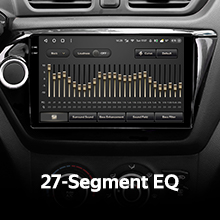
Image 5.2: Display of the 27-segment equalizer for audio tuning.

Image 5.3: Interface indicating optical and coaxial digital audio output options.
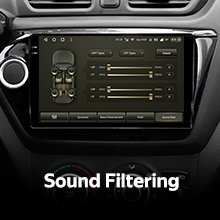
Image 5.4: Screen showing sound filtering adjustments.

Image 5.5: Display showing real-time rear view camera feed and video recording options.

Image 5.6: Screen demonstrating the split-screen functionality with two apps running concurrently.

Image 5.7: Various color styles and themes available for the user interface.
Fidio 5.8: Ipariview of the TEYES CC3 2K Car Radio Multimedia Player, showcasing its design, internal components, and user interface in action within a vehicle. This video highlights the unit's modern display and various functionalities.
6. Itọju
Proper maintenance ensures the longevity and optimal performance of your TEYES CC3 2K unit.
- Ninu iboju: Use the provided cleaning cloth or a soft, lint-free cloth to gently wipe the touchscreen. Avoid abrasive cleaners or solvents that could damage the display.
- Awọn imudojuiwọn sọfitiwia: Periodically check for software updates through the unit's settings or the official TEYES webojú-òpó wẹ́ẹ̀bù láti rí i dájú pé o ní àwọn ẹ̀yà tuntun àti àtúnṣe kòkòrò.
- Yago fun Awọn iwọn otutu to gaju: Má ṣe fi ẹ̀rọ náà sí ooru tàbí òtútù líle, nítorí èyí lè ní ipa lórí iṣẹ́ rẹ̀ àti ìgbésí ayé rẹ̀.
- Dabobo lati Ọrinrin: Keep the unit dry and away from liquids.
7. Laasigbotitusita
If you encounter issues with your TEYES CC3 2K unit, refer to the following common problems and solutions:

Image 7.1: A visual representation of a Frequently Asked Questions (FAQ) section.
- Ko si Agbara:
- Ṣayẹwo gbogbo awọn asopọ agbara ati awọn fiusi.
- Rí i dájú pé batiri ọkọ̀ náà so pọ̀ dáadáa tí ó sì gba agbára.
- Ko si Ohun:
- Ṣe àyẹ̀wò àwọn ìsopọ̀ agbọrọsọ.
- Ṣayẹwo awọn ipele iwọn didun ati awọn eto ipalọlọ.
- Rí i dájú pé a yan orísun ìjáde ohùn tó tọ́.
- Iboju ifọwọkan Ko dahun:
- Perform a system reset using the 'RST' button.
- Rii daju pe iboju jẹ mimọ ati laisi idoti.
- Ti sọnu ifihan agbara GPS:
- Rii daju pe eriali GPS ti fi sii daradara ati pe o ni kedere view ti ọrun.
- Check GPS settings in the unit.
- Awọn oran Asopọ Bluetooth:
- Ensure Bluetooth is enabled on both the unit and your device.
- Pa àwọn ìsopọ̀ ìṣáájú rẹ́ kí o sì gbìyànjú láti tún sopọ̀ mọ́ ara wọn.
- Tun awọn ẹrọ mejeeji bẹrẹ.
For persistent issues, consult the digital e-book manual or contact TEYES customer support.
8. Awọn pato
Detailed technical specifications for the TEYES CC3 2K Car Radio Multimedia Player:
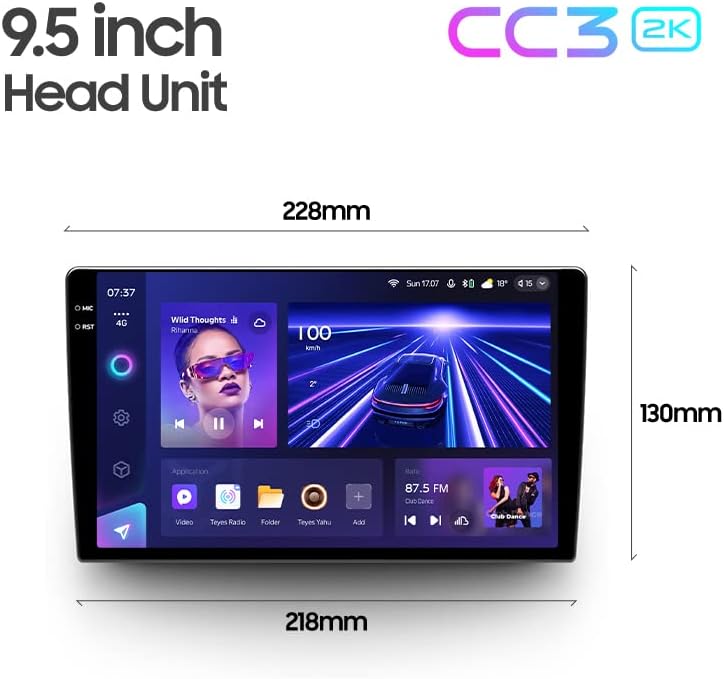
Image 8.1: Dimensions of the TEYES CC3 2K 9.5-inch head unit.
| Ẹya ara ẹrọ | Sipesifikesonu |
|---|---|
| Nọmba awoṣe | CC3 2K |
| Iwọn Ifihan | 9.5 inches |
| Eto isesise | Android |
| Àgbo | 6GB |
| ROM | 128GB |
| isise | 8 Koju 2.0GHz |
| Asopọmọra Technology | Bluetooth, USB, WiFi, Hotspot, 4G |
| Pataki Awọn ẹya ara ẹrọ | Bluetooth, Touchscreen, Wireless CarPlay, Android Auto, RDS, Dual DSP, Optical/Coaxial Audio Output, Real-time Rear View, Video Recording |
| Oriṣi maapu | North America (pre-installed) |
| Ipo Ijade Ohun | Sitẹrio |
| Iṣagbesori Iru | Panel Oke |
9. Atilẹyin ọja ati Support
Your TEYES CC3 2K Car Radio Multimedia Player comes with a 1-odun atilẹyin ọja lati ọjọ ti o ra. Atilẹyin ọja yi ni wiwa awọn abawọn iṣelọpọ ati ailagbara labẹ lilo deede.
For warranty claims, technical assistance, or any product-related inquiries, please contact TEYES customer support through their official webaaye tabi alaye olubasọrọ ti a pese pẹlu iwe rira rẹ.
Manufacturer: Shenzhen TEYES High tech Co., Ltd.


