
HOCO W41_pink
HOCO W41 Bluetooth Headphones User Manual
Model: W41_pink
1. Ifihan
Thank you for choosing the HOCO W41 Bluetooth Headphones. This manual provides detailed instructions for setting up, operating, and maintaining your headphones to ensure optimal performance and longevity. Please read this manual carefully before use and retain it for future reference.
2. Alaye Aabo
- Ma ṣe fi agbekọri han si awọn iwọn otutu to gaju, ọriniinitutu, tabi awọn nkan ti o bajẹ.
- Yago fun sisọ tabi tẹriba awọn agbekọri si awọn ipa to lagbara.
- Ma ṣe tuka tabi yi awọn agbekọri pada. Eyi yoo sọ atilẹyin ọja di ofo.
- Fi aṣọ gbígbẹ tó rọ, tó sì rọ̀ nu àwọn agbekọri náà. Má ṣe lo àwọn kẹ́míkà líle tàbí àwọn ohun èlò tó ń pa ẹnu.
- Tẹtisi ni awọn ipele iwọn didun iwọntunwọnsi lati ṣe idiwọ ibajẹ igbọran.
3. Package Awọn akoonu
Jọwọ ṣayẹwo awọn akoonu ti package lori unboxing:
- HOCO W41 Bluetooth Headphones (Pink)
- Ngba agbara USB
- Okun Olohun (3.5mm)
- Itọsọna olumulo
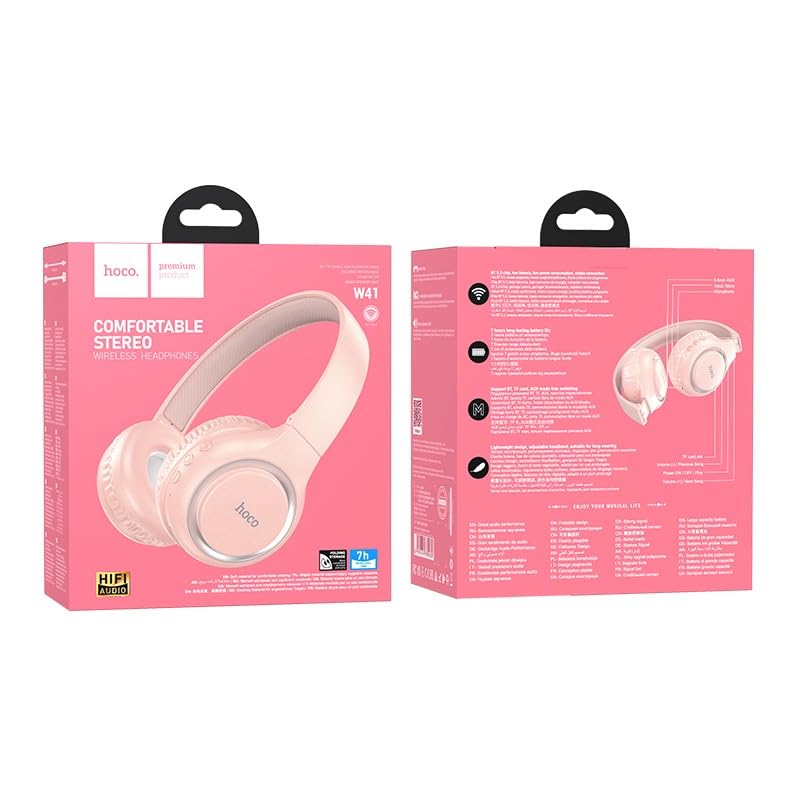
Image: The HOCO W41 Bluetooth Headphones in their retail packaging, showcasing the pink color variant.
4. Ọja Ipariview
Familiarize yourself with the various parts and controls of your HOCO W41 headphones.
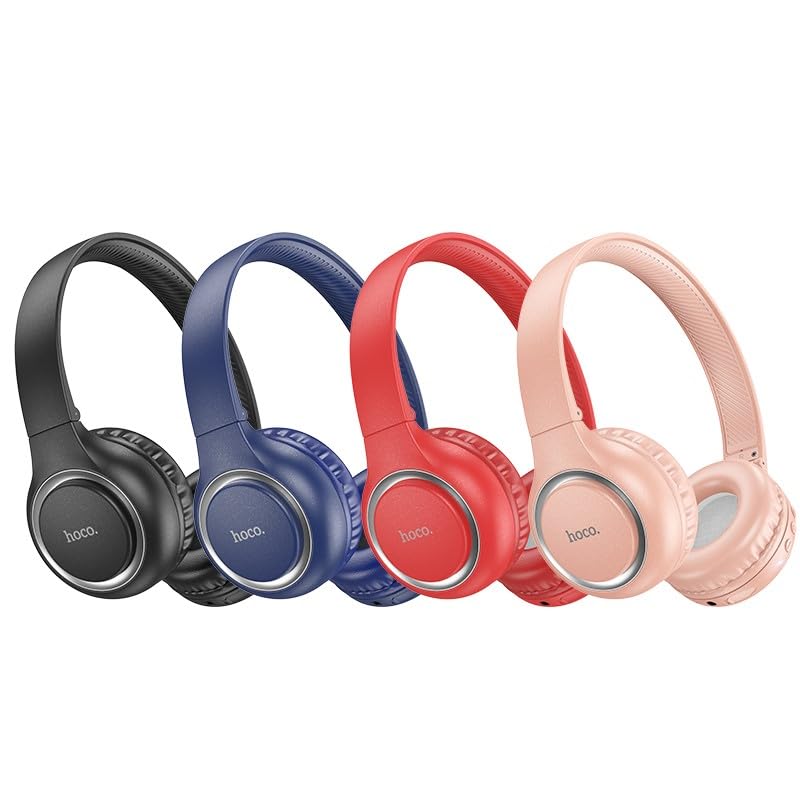
Image: A lineup of HOCO W41 headphones in various colors (black, blue, red, pink), illustrating the overall design.
Awọn iṣakoso ati awọn ibudo:
- Bọtini agbara: Tan/Pa, Mu ṣiṣẹ/Dákẹ́, Dáhùn/Parí ìpè.
- Iwọn didun soke (+): Mu iwọn didun pọ si, Orin ti o tẹle (tẹ ni gigun).
- Iwọn didun isalẹ (-): Dín iwọn didun kù, orin ti o ti kọja (tẹ gigun).
- Gbohungbohun: Fun awọn ipe laisi ọwọ.
- Ibudo gbigba agbara: USB (Type-C, if applicable, otherwise micro USB).
- Jack Audio 3.5mm: Fun asopọ onirin.
- Atọka LED: Ó fi agbára, gbigba agbara, àti ipò ìsopọ̀ hàn.
5. Eto
5.1 Ngba agbara si awọn Agbekọri
- So okùn gbigba agbara pọ mọ ibudo gbigba agbara lori agbekọri naa.
- So opin okun miiran pọ si orisun agbara USB (fun apẹẹrẹ, ibudo USB kọnputa, ohun ti nmu badọgba ogiri).
- The LED indicator will illuminate (e.g., red) during charging and turn off or change color (e.g., blue) when fully charged.
- Idiyele kikun gba to wakati 1.
5.2 Sisopọ Bluetooth
- Rii daju pe awọn agbekọri ti gba agbara ni kikun.
- Press and hold the Power button for approximately 3-5 seconds until the LED indicator flashes rapidly (e.g., blue and red alternately), indicating pairing mode.
- Lori ẹrọ rẹ (foonuiyara, tabulẹti, kọǹpútà alágbèéká), mu Bluetooth ṣiṣẹ ki o wa awọn ẹrọ to wa.
- Select "HOCO W41" from the list of found devices.
- Once paired, the LED indicator will stop flashing and may show a solid blue light. A voice prompt may confirm the connection.
- Àwọn agbekọri naa yoo so pọ mọ ẹrọ ti a so pọ kẹhin laifọwọyi nigbati a ba tan ina, ti Bluetooth ẹrọ naa ba n ṣiṣẹ ati pe o wa laarin ibiti o ti le to.
5.3 Ìsopọ̀ Onífà (Okùn Ohùn 3.5mm)
- Insert one end of the 3.5mm audio cable into the audio jack on the headphones.
- Insert the other end into the 3.5mm audio output jack of your device.
- The headphones will automatically switch to wired mode. Bluetooth functionality will be disabled.
6. Awọn ilana Iṣiṣẹ
6.1 Agbara Tan / Pa
- Agbara Tan: Press and hold the Power button for 3 seconds. The LED indicator will flash blue.
- Agbara Pa: Tẹ mọlẹ bọtini agbara fun iṣẹju-aaya 3. Atọka LED yoo wa ni pipa.
6.2 Sisisẹsẹhin Orin
- Ṣiṣẹ/Daduro: Kukuru tẹ bọtini agbara.
- Iwọn didun Up: Kukuru tẹ bọtini "+".
- Iwọn didun isalẹ: Kukuru tẹ bọtini "-".
- Orin t’okan: Tẹ bọtini "+" gun.
- Tẹlẹ Orin: Tẹ bọtini "-" gun.
6.3 ipe Management
- Idahun/Ipe Ipari: Kukuru tẹ bọtini agbara.
- Kọ Ipe: Gun tẹ bọtini agbara fun awọn aaya 2.
- Nọmba Ikẹhin Tun Tun: Tẹ bọtini agbara lẹẹmeji.
6.4 Iranlọwọ ohun
- Mu Oluranlọwọ Ohun ṣiṣẹ (Siri/Oluranlọwọ Google): Triple-press the Power button.
7. Itọju
- Ninu: Lo asọ, die-die damp cloth to wipe the earcups and headband. Do not use alcohol, benzene, or other chemical cleaners.
- Ibi ipamọ: Nigbati o ko ba wa ni lilo, tọju awọn agbekọri naa ni itura, aye gbigbẹ, kuro lati orun taara ati awọn iwọn otutu to gaju.
- Itọju Batiri: To prolong battery life, charge the headphones regularly, even if not used frequently. Avoid fully discharging the battery for extended periods.
8. Laasigbotitusita
| Isoro | Owun to le Fa | Ojutu |
|---|---|---|
| Awọn agbekọri ko ṣiṣẹ. | Batiri kekere. | Gba agbara si awọn agbekọri ni kikun. |
| Ko le so pọ pẹlu ẹrọ. | Awọn agbekọri ko si ni ipo sisopọ; Ẹrọ Bluetooth kuro; Ju jina lati ẹrọ. | Ensure headphones are in pairing mode (flashing LED). Turn on device Bluetooth. Move headphones closer to device. |
| Ko si ohun. | Ohùn tó lọ sílẹ̀ jù; Kò sopọ̀ mọ́ra; Àṣìṣe ohùn tí a yàn. | Mu iwọn didun pọ si ori agbekọri ati ẹrọ. Tun awọn agbekọri so pọ. Ṣayẹwo awọn eto iṣelọpọ ohun ẹrọ. |
| Iparun ohun. | kikọlu; Ẹrọ ti o jinna pupọ; Batiri kekere. | Lọ kuro ni awọn orisun kikọlu. Sunmọ ẹrọ. Gba agbara si awọn agbekọri. |
9. Awọn pato
| Orukọ awoṣe: | W41_pink |
| Ẹya Bluetooth: | 5.3 |
| Imọ-ẹrọ Asopọmọra: | Ailokun (Bluetooth), Ti firanṣẹ (Jack3.5mm) |
| Igbesi aye batiri: | Up to 12 Wakati Playtime |
| Akoko gbigba agbara: | O fẹrẹ to wakati 1 |
| Apẹrẹ Agbọti: | Lori Eti |
| Gbohungbohun: | Gbohungbohun ti a ṣe sinu |
| Iṣakoso Ariwo: | Iyasọtọ ohun |
| Ipele Resistance Omi: | Alatako Omi |
| Ìwọ̀n Nkan: | 180 g |
| Olupese: | HOCO |
| Ilu isenbale: | China |
10. Atilẹyin ọja ati Support
The HOCO W41 Bluetooth Headphones come with a 1-odun atilẹyin ọja lati ọjọ ti o ra. Atilẹyin ọja yi ni wiwa awọn abawọn iṣelọpọ ati iṣẹ ṣiṣe labẹ lilo deede.
Atilẹyin ọja naa ko ni aabo:
- Ìbàjẹ́ tí a bá lò láìlo ìlànà, ìlòkulò, jàmbá, tàbí àìbìkítà.
- Titunṣe tabi iyipada laigba aṣẹ.
- Deede yiya ati aiṣiṣẹ.
For warranty claims or technical support, please contact your retailer or the HOCO customer service department with your proof of purchase.
Ibi iwifunni: Please refer to the contact details provided on the product packaging or the official HOCO webaaye fun alaye atilẹyin ti ode-ọjọ julọ.
Ask a question about this manual
Ask about setup, troubleshooting, compatibility, parts, safety, or missing instructions. Manuals+ will review the question and use this page’s manual context to help answer it.