
Kinganda Q71
Kinganda Bluetooth Headphones User Manual
Awoṣe: Q71
Àmì ìtajà: Kinganda
Ọrọ Iṣaaju
Thank you for choosing Kinganda Bluetooth Headphones. This user manual provides detailed instructions on how to set up, operate, and maintain your new headphones. Please read this manual thoroughly before use to ensure optimal performance and longevity of your device.
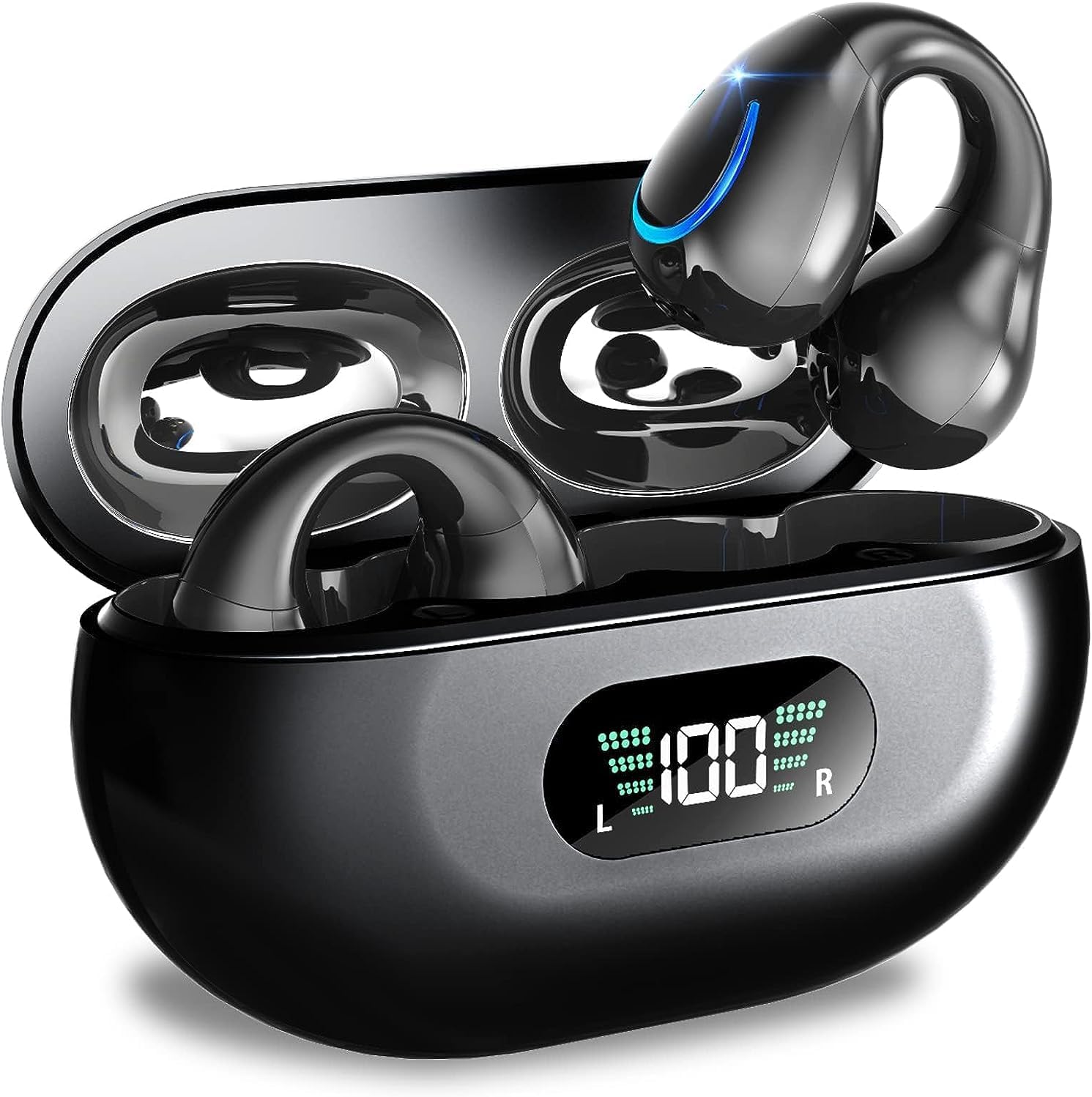
Image: Kinganda Bluetooth Headphones (Model Q71) in their charging case, showcasing the sleek design and LED display.
Ohun ti o wa ninu Apoti
Jọwọ ṣayẹwo awọn akoonu package lati rii daju pe gbogbo awọn ohun kan wa:
- Wireless Headphones (Left and Right)
- Alailowaya Ngba agbara Case
- USB-C Ngba agbara Cable
- Itọsọna olumulo

Image: An illustration showing the Kinganda headphones, charging case, USB-C cable, and user manual, representing the package contents.
Alaye Aabo
To ensure safe operation and prevent damage to your headphones, please observe the following safety guidelines:
- Do not swim underwater or take hot baths with the headphones. Exposure to high temperatures or prolonged submersion can cause damage to the internal components.
- Keep the headphones and charging case away from extreme temperatures, direct sunlight, and high humidity.
- Yago fun sisọ silẹ tabi tẹriba ẹrọ si awọn ipa to lagbara.
- Do not attempt to disassemble, repair, or modify the headphones yourself. Contact qualified service personnel for any repairs.
- Jeki kuro ni arọwọto awọn ọmọde ati awọn ohun ọsin.
Ọja Pariview ati Awọn ẹya ara ẹrọ
The Kinganda Q71 headphones are designed for comfort and high-quality audio, featuring advanced technology for an enhanced listening experience.
Awọn ẹya pataki:
- Imọ-ẹrọ Bluetooth 5.3 ti ilọsiwaju: Ensures a stable, low-latency connection with lower power consumption and faster transmission.
- Comfortable Open Ear Clip Design: Ergonomically designed to fit the contours of the ear, providing a secure and comfortable fit without entering the ear canal. This design allows you to remain aware of your surroundings.
- Akoko ere 36: Enjoy up to 6 hours of continuous playback on a single charge, with an additional 30 hours provided by the compact magnetic charging case.
- LED Digital Ifihan: The charging case features an LED screen that clearly shows the remaining power of both the headphones and the charging case.
- IPX7 Mabomire Rating: Designed to withstand sweat and light rain, making them suitable for various activities.
- Awọn awakọ 10mm: Deliver deep bass and stereo sound for a rich audio experience.
- Built-in ENC Mic: Enhanced Noise Cancellation microphone for clear calls.
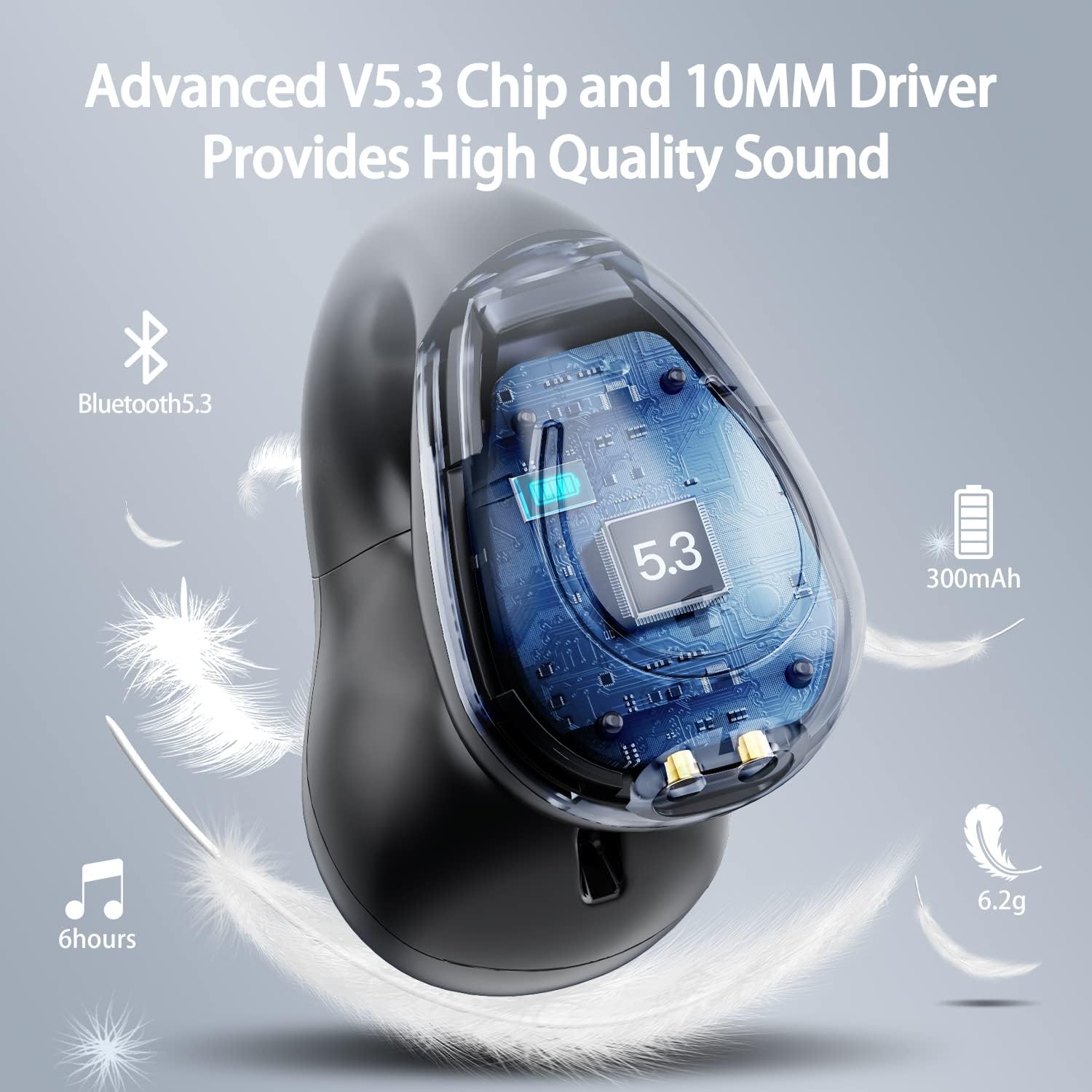
Aworan: A cutaway view of the Kinganda earbud, highlighting the advanced V5.3 chip and 10mm driver for high-quality sound.

Image: A person wearing the Kinganda Q71 headphones, demonstrating the comfortable and secure open-ear clip design.
Ṣeto
Pairing Your Headphones:
- Gba agbara si Awọn Agbekọri: Before first use, ensure both the headphones and the charging case are fully charged. Place the earbuds into the charging case and connect the USB-C cable to a power source. The LED display on the case will indicate charging status.
- Agbara Tan: Ṣii apoti gbigba agbara. Awọn agbekọri naa yoo tan laifọwọyi ati tẹ ipo sisopọ sii.
- Mu Bluetooth ṣiṣẹ: On your device (smartphone, tablet, laptop, etc.), go to the Bluetooth settings and turn on Bluetooth.
- Yan Ẹrọ: In the list of available Bluetooth devices, look for "YYK-Q71" and select it to connect.
- Ìmúdájú: Once connected, you will hear an audio prompt from the headphones, and the device will show "YYK-Q71" as connected.
The headphones are widely compatible with iOS, Android, and Windows devices.

Image: An illustration demonstrating the simple one-step pairing process and wide compatibility of the Kinganda Q71 headphones with various devices.
Awọn ilana Iṣiṣẹ
Charging the Headphones and Case:
- Ngba agbara Ekọti: Place the earbuds back into the charging case. They will automatically begin charging. The LED display on the case will show the charging status of each earbud.
- Ngba agbara ọran: Connect the provided USB-C cable to the charging port on the case and the other end to a USB power adapter (not included). The LED display will show the battery percentage of the case.
- A full charge of the earbuds provides approximately 6 hours of playtime. The charging case provides an additional 30 hours of battery life, allowing for multiple recharges on the go.
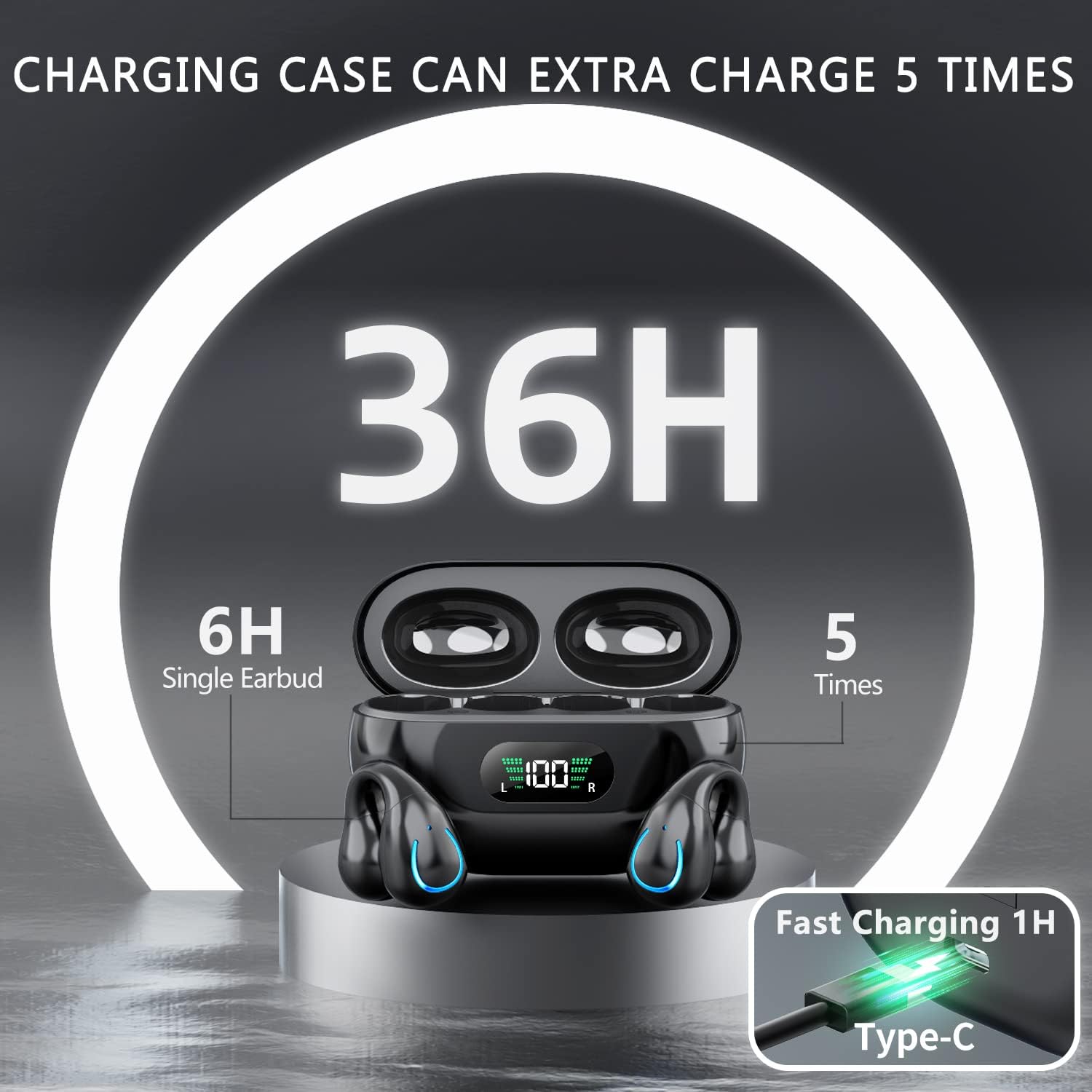
Image: The Kinganda charging case displaying "36H" total playtime, indicating 6 hours from a single earbud charge and 5 additional charges from the case.
Awọn iṣakoso Fọwọkan:
The Kinganda Q71 headphones feature physical buttons for precise control, preventing accidental touches.
| Iṣe | Iṣakoso |
|---|---|
| Titan / Paa | Automatically On/Off when taken out/put into case. |
| Idahun/Pari Ipe | Click 1 time (either earbud) |
| Kọ Ipe | Press and hold (either earbud) |
| Mu ṣiṣẹ/Danu Orin duro | Click 1 time (either earbud) |
| Next Track | Click Right earbud 2 times |
| Ti tẹlẹ Track | Click Left earbud 2 times |
| Muu Iranlọwọ ohun ṣiṣẹ (Siri, Iranlọwọ Google) | Click 3 times (either earbud) |

Image: Diagram illustrating the one-button physical controls for the Kinganda headphones, including call management, music playback, and voice assistant activation.
Itoju
Proper maintenance will extend the life of your Kinganda headphones:
- Ninu: Lo aṣọ rirọ, gbẹ, tí kò ní àwọ̀ láti nu àwọn ètí àti àpótí ìgbóná. Má ṣe lo àwọn kẹ́míkà líle, àwọn ohun èlò ìfọmọ́, tàbí àwọn ohun ìfọṣọ tó lágbára.
- Ibi ipamọ: Nigbati o ko ba si ni lilo, tọju awọn agbekọri sinu apoti gbigba agbara wọn lati daabobo wọn lọwọ eruku ati ibajẹ. Tọju ni itura kan, ibi gbigbẹ.
- Omi Resistance: While the headphones are IPX7 waterproof (resistant to sweat and light rain), they are not designed for swimming or submersion in water. Avoid exposure to hot water or steam.
- Itọju Batiri: To preserve battery life, charge the headphones regularly, even if not used for extended periods. Avoid fully draining the battery frequently.
Laasigbotitusita
Tí o bá ní ìṣòro kankan pẹ̀lú agbekọri rẹ, jọ̀wọ́ wo àwọn ìṣòro àti ìdáhùn tí ó wọ́pọ̀ wọ̀nyí:
Awọn agbekọri ti ko so pọ:
- Rii daju pe awọn agbekọri mejeeji ti gba agbara ni kikun.
- Rii daju pe Bluetooth ti ṣiṣẹ lori ẹrọ rẹ.
- Place the earbuds back into the charging case, close the lid, wait a few seconds, then open the lid again to re-enter pairing mode.
- Forget "YYK-Q71" from your device's Bluetooth list and try pairing again.
- Ensure the headphones are within the effective Bluetooth range (typically 10 meters/33 feet) of your device.
Agbekọri agbekọri kan ṣoṣo ti n ṣiṣẹ:
- Place both earbuds back into the charging case and ensure they are charging correctly.
- Take both earbuds out simultaneously. They should automatically connect to each other.
- Tí ìṣòro náà bá ń bá a lọ, gbìyànjú láti tún àwọn agbekọri náà ṣe (wo ti ilé iṣẹ́ tí ó ṣe é website or contact support for specific reset instructions if not detailed here).
Didara ohun ti ko dara tabi awọn asopọ:
- Ensure there are no obstructions between your device and the headphones.
- Sunmọ ẹrọ rẹ lati dinku idamu.
- Ṣàyẹ̀wò bóyá àwọn ètí ìgbọ́rọ̀ náà mọ́ tónítóní tí wọn kò sì ní ìdọ̀tí kankan.
- Gbiyanju ohun ti ndun lati orisun miiran tabi ohun elo.
Awọn agbekọri ti ko gba agbara:
- Rí i dájú pé okùn gbigba agbara USB-C so mọ́ àpótí àti orísun agbára náà dáadáa.
- Gbiyanju lilo okun USB-C ti o yatọ tabi ohun ti nmu badọgba agbara.
- Fi owú gbígbẹ nu awọn olubasọrọ gbigba agbara lori awọn agbekọri ati inu apoti gbigba agbara naa.
Awọn pato
| Ẹya ara ẹrọ | Ẹ̀kúnrẹ́rẹ́ |
|---|---|
| Nọmba awoṣe | Q71 (YYK-Q71) |
| Brand | Kinganda |
| Asopọmọra Technology | Ailokun (Bluetooth 5.3) |
| Gbigbe Eti | Ṣii Eti |
| Fọọmù ifosiwewe | Agekuru Tan |
| Ariwo Iṣakoso | Sound Isolation (via ENC Mic) |
| Ọja Mefa | 3 x 3 x 3 cm; 6.2 g (per earbud) |
| Awọn batiri | 2 Awọn batiri litiumu polima (pẹlu pẹlu) |
| Awọn irinše to wa | Wireless Headphones, User Manual, USB-C Charging Cable, Wireless Charging Case |
| Àwọ̀ | Dudu |
| Olupese | Kinganda |
Atilẹyin ọja ati Support
Kinganda products are manufactured to the highest quality standards. For any warranty claims or technical support, please contact your original retailer or the manufacturer directly. Please retain your proof of purchase for warranty service.
For further assistance, please refer to the contact information provided with your purchase or visit the official Kinganda webojula.
Ask a question about this manual
Ask about setup, troubleshooting, compatibility, parts, safety, or missing instructions. Manuals+ will review the question and use this page’s manual context to help answer it.