
1. Ọja Ipariview
The Wokyo Portable Mini Projector (Model CA164965161) is a compact and lightweight device designed for displaying media from various sources. Its small form factor allows for easy portability, making it suitable for home cinema, outdoor viewing, or business presentations.
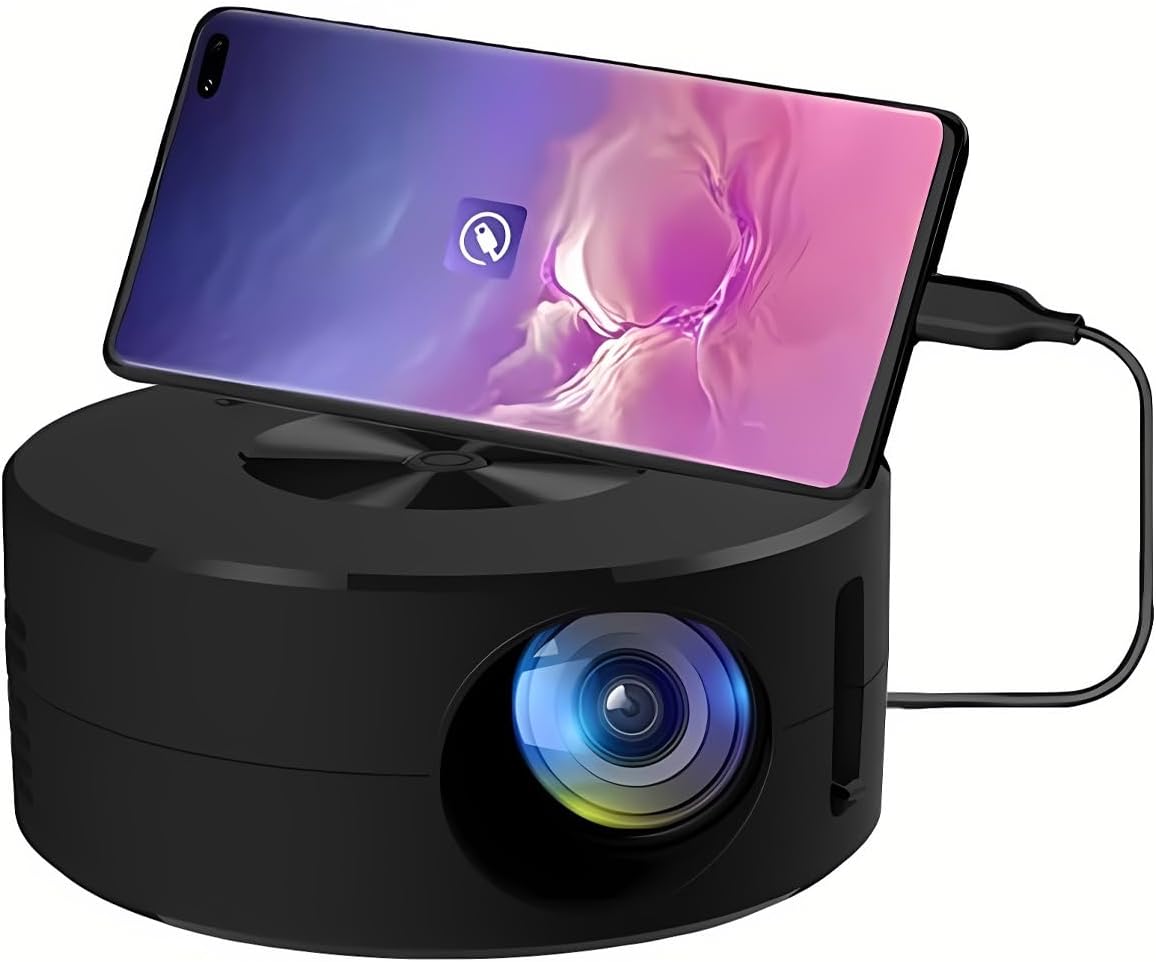
Aworan 1.1: Iwaju view of the Wokyo Portable Mini Projector.
Key features of this projector include:
- Apẹrẹ Iwapọ: Smaller than a typical smartphone, facilitating easy transport.
- Ti firanṣẹ iboju Digi: Supports direct connection to mobile phones and tablets using their charging cables for screen display, eliminating the need for additional adapters.
- High Clarity Support: Capable of supporting resolutions up to 1920x1080p, providing clear image quality.
- Ikole ti o tọ: Manufactured from environmentally friendly ABS material.
- Efficient Light Source: Utilizes an LCD light source for lower energy consumption and extended lifespan.
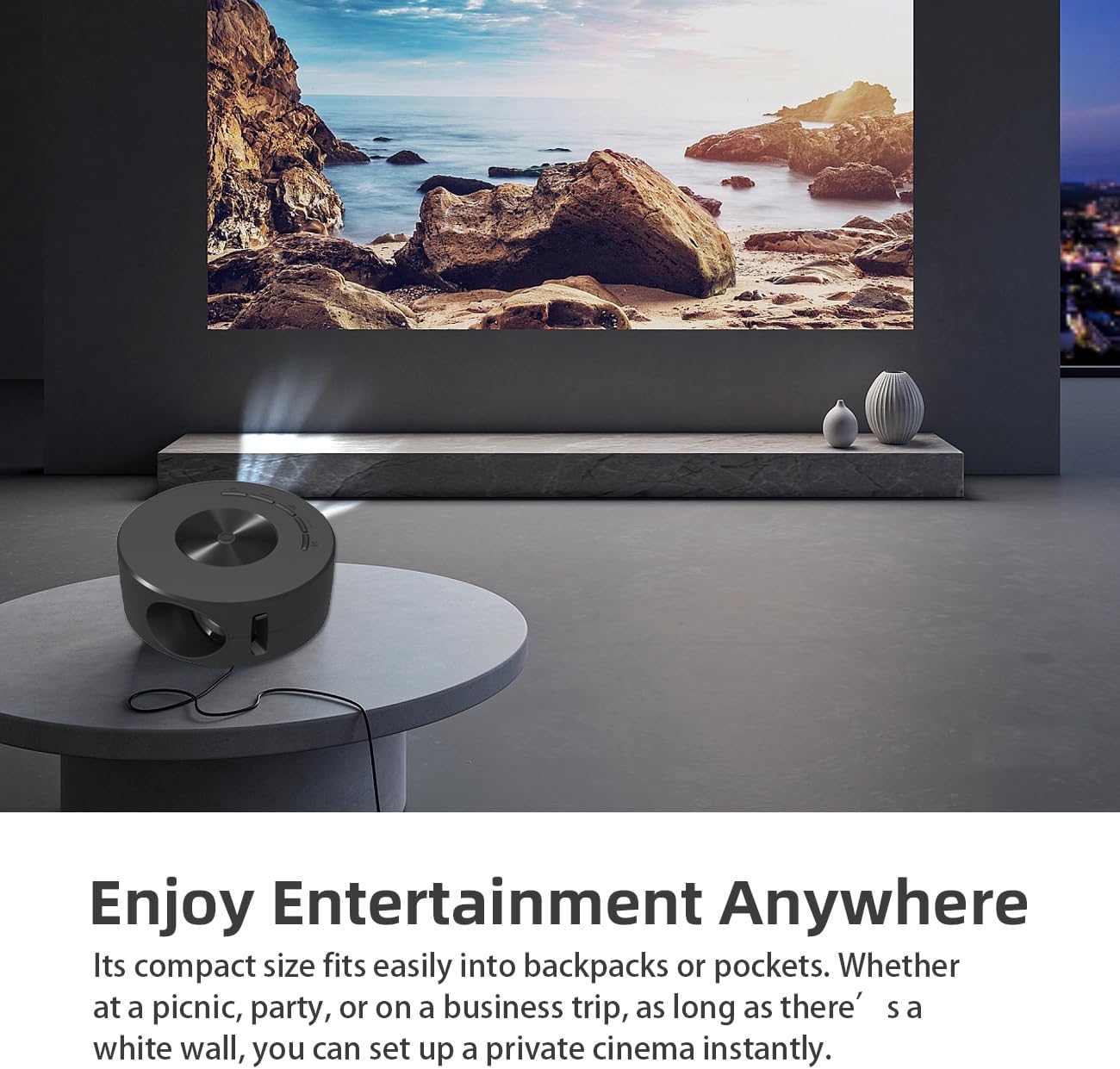
Image 1.2: Projector in use, demonstrating its compact size and projection capability.
2. Package Awọn akoonu
Daju pe gbogbo awọn ohun ti a ṣe akojọ rẹ si isalẹ wa ninu package ọja rẹ:

Image 2.1: All items included in the Wokyo Portable Mini Projector package.
- Wokyo Portable Mini Projector
- Isakoṣo latọna jijin
- Okun USB
- Itọsọna olumulo
- Apoti awọ
- Foomu Apoti
- Parcel Bag
3. Awọn Iwọn ọja
The projector features a compact design for portability.

Image 3.1: Product dimensions of the Wokyo Portable Mini Projector.
- Opin: Approximately 4.33 inches (110mm)
- Giga: Approximately 1.85 inches (47mm)
- Ìwúwo: Isunmọ 10.6 iwon
4. Ni ibẹrẹ Oṣo
4.1 Asopọ agbara
To power the projector, connect it to a suitable power source. The projector requires a 5V 2A power input.

Image 4.1: Power connection options for the projector.
- Ensure your power source (e.g., phone charger, power bank) provides at least 5V 2A output.
- Connect the provided USB cable to the projector's power input port.
- Connect the other end of the USB cable to your chosen power source.
- The projector will power on automatically or can be turned on using the power button.
4.2 Device Connection (Wired Screen Mirroring)
The projector supports wired screen mirroring from mobile phones and tablets using their standard charging cables.
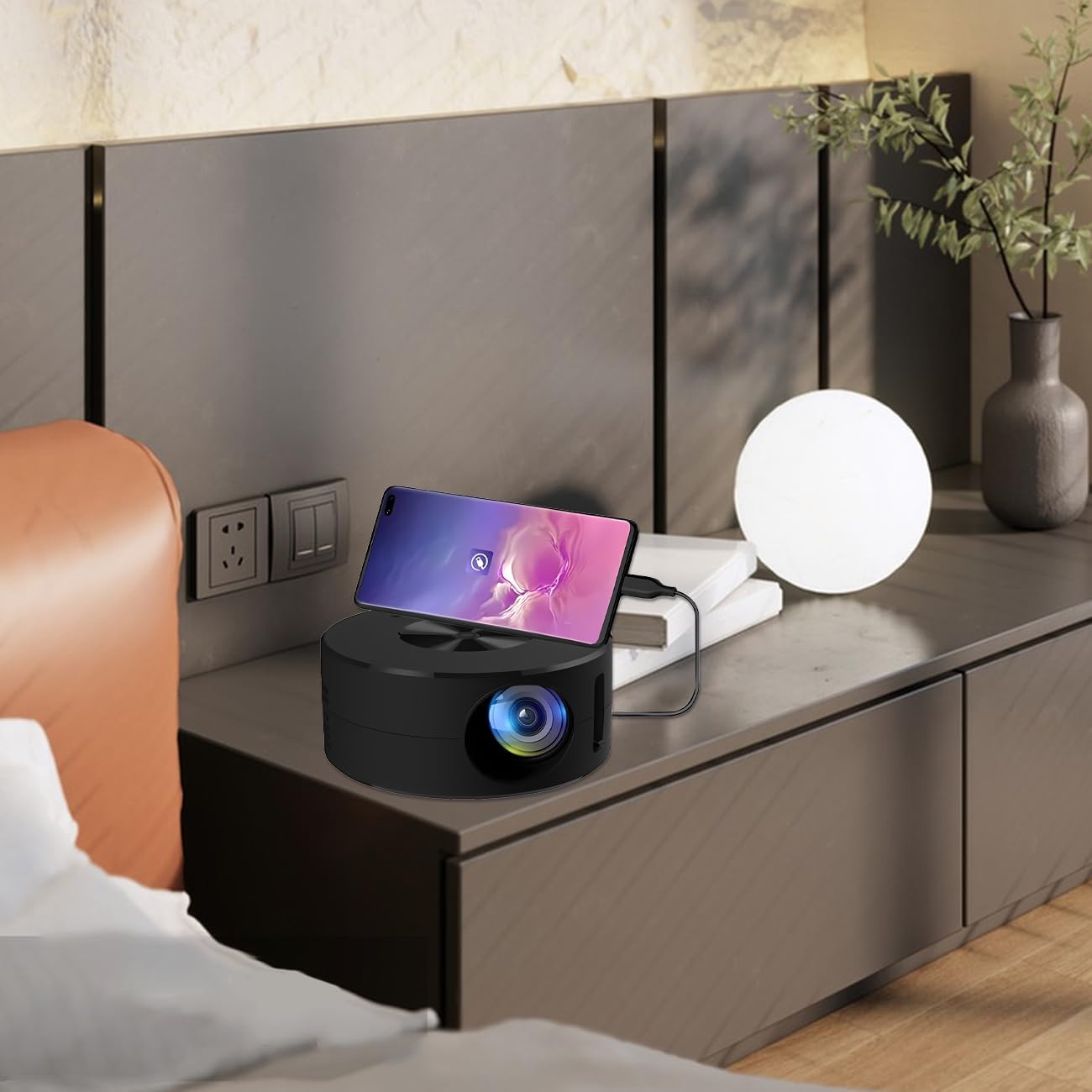
Image 4.2: Smartphone connected to the projector for wired screen mirroring.
- Connect your mobile phone or tablet to the projector using its original charging cable.
- The projector should automatically detect the connection and initiate screen mirroring.
- Follow any on-screen prompts on your device or the projector to confirm the connection.
5. Awọn ilana Iṣiṣẹ
5.1 Basic Controls and Ports
Familiarize yourself with the projector's control buttons and input/output ports.

Aworan 5.1: Pariview of projector ports and controls.
- Bọtini agbara: Yi pirojekito tan/pa.
- Awọn bọtini lilọ kiri (Soke/isalẹ/osi/Ọtun/DARA): Ti a lo lati lilö kiri ni awọn akojọ aṣayan ati jẹrisi awọn aṣayan.
- Ibudo USB: Fun sisopọ awọn ẹrọ ipamọ USB.
- Ibudo agbekọri: Fun sisopọ awọn ohun elo ita gbangba.
- Iṣawọle IR: Fun gbigba awọn ifihan agbara lati iṣakoso latọna jijin.
- 5V 2A Power Input: Fun pọ ipese agbara.
- Agbọrọsọ Sitẹrio ti a ṣe sinu: Pese iwejade ohun.
5.2 Siṣàtúnṣe idojukọ
To achieve a clear image, adjust the focus ring located around the projector lens. Rotate the ring until the projected image appears sharp.
5.3 Lilo isakoṣo latọna jijin
The included remote control allows for convenient operation of the projector from a distance. Ensure the remote has batteries installed and is pointed towards the projector's IR sensor.
6. Itọju
Itọju to dara ṣe idaniloju gigun ati iṣẹ ti o dara julọ ti pirojekito rẹ.
- Fifọ lẹnsi naa: Use a soft, lint-free cloth specifically designed for optical lenses. Avoid abrasive materials or harsh chemicals. Gently wipe the lens to remove dust or smudges.
- Ninu Ode: Mu ese pirojekito nu pẹlu asọ ti o gbẹ. Ma ṣe lo awọn olutọpa omi taara lori ẹrọ naa.
- Afẹfẹ: Rí i dájú pé àwọn ihò afẹ́fẹ́ tí ẹ̀rọ agbéròyìnjáde náà ń ṣí kò dí nígbà tí wọ́n bá ń ṣiṣẹ́ láti dènà ìgbóná jù.
- Ibi ipamọ: When not in use, store the projector in a cool, dry place away from direct sunlight and excessive dust.
7. Laasigbotitusita
Tọkasi tabili atẹle fun awọn ọran ti o wọpọ ati awọn ojutu wọn.
| Isoro | Owun to le Fa | Ojutu |
|---|---|---|
| Ko si aworan akanṣe | Power not connected; Input source not selected; Device not connected properly. | Ensure power is connected (5V 2A). Check device connection. Verify screen mirroring is active on your device. |
| Aworan jẹ blurry | Idojukọ ko tunṣe. | Rotate the focus ring around the lens until the image is clear. |
| Ko si ohun | Volume too low; External audio device connected; Device audio output settings. | Increase projector volume. Disconnect external audio devices if using internal speaker. Check audio settings on the connected source device. |
| Isakoṣo latọna jijin ko ṣiṣẹ | Batteries low/dead; Obstruction between remote and projector; Remote not pointed at IR sensor. | Replace remote batteries. Ensure clear line of sight to the projector's IR sensor. |
8. Imọ ni pato
Detailed specifications for the Wokyo Portable Mini Projector.
| Ẹya ara ẹrọ | Sipesifikesonu |
|---|---|
| Brand | Wokyo |
| Nọmba awoṣe | CA164965161 |
| Iwọn Nkan | 10.6 iwon |
| Ọja Mefa | 4.33 x 4.33 x 1.97 inches |
| Àwọ̀ | Dudu |
| Pataki Ẹya | Gbigbe |
| Asopọmọra Technology | Bluetooth |
| Display Resolution (Native) | 320 x 180 |
| Display Resolution (Maximum Supported) | 1920 x 1080 |
9. Atilẹyin ọja ati Support
For warranty information or technical support, please refer to the contact details provided with your purchase documentation or visit the official Wokyo webojula. Tọju iwe-ẹri rira rẹ bi ẹri rira fun awọn iṣeduro atilẹyin ọja.