
1. Ọja Ipariview
The Liectroux G7 is an advanced 4-in-1 robot vacuum cleaner designed to simplify your home cleaning routine. It integrates vacuuming, sweeping, mopping, and an automatic self-cleaning function. Equipped with smart navigation and app control, it offers efficient and customizable cleaning.

Image 1.1: The Liectroux G7 robot vacuum demonstrating its 4-in-1 cleaning functions.
2. Package Awọn akoonu ati Oṣo
2.1 Kini ni Apoti
Ṣaaju iṣeto, rii daju pe gbogbo awọn paati wa:
- 1 x Liectroux G7 Robot Vacuum
- 1 x Self-Cleaning Charging Base
- 1 x Water and Dust Integrated Reservoir
- 2 x Side Brushes (1 pair, special offer)
- 1 x Fọ́ọ́lù Àárín Gbùngbùn
- 2 x HEPA Filters (1 pair, special offer)
- 2 x Mop Cloths (1 pair, special offer)
- 2 x Dust Bags (1 pair, special offer)
- 1 x Ọpa mimọ
- 1 x Itọsọna olumulo
- 1 x Isakoṣo latọna jijin

Aworan 2.1: alaye view of the Liectroux G7 package contents.
2.2 Ni ibẹrẹ Oṣo
- Yọọ kuro: Ni ifarabalẹ yọ gbogbo awọn paati kuro ninu apoti.
- Fi Awọn Brushes ẹgbẹ sori ẹrọ: Attach the side brushes to the designated slots on the underside of the robot.
- Ibi ipilẹ gbigba agbara: Position the self-cleaning charging base against a wall in an open area, ensuring at least 0.5 meters of clear space on both sides and 1.5 meters in front. Plug the base into a 110V power outlet.
- Robot agbara: Place the robot vacuum onto the charging base. Ensure the charging contacts align. The robot will begin charging automatically. Fully charge the robot before first use (approximately 2 hours).
- Ṣe igbasilẹ Ohun elo: Download the Liectroux app from your smartphone's app store. Follow the in-app instructions to connect your robot to your home Wi-Fi network.
3. Awọn ilana Iṣiṣẹ
3.1 Bibẹrẹ a Cleaning ọmọ
- Ibẹrẹ Afowoyi: Press the power button on the robot or the remote control to start a cleaning cycle.
- Ohun elo Iṣakoso: Use the Liectroux app to start, pause, or stop cleaning, select cleaning modes, and schedule future cleanings.
- Iṣakoso ohun: Connect the robot to Amazon Alexa or Google Assistant. Use voice commands such as "Alexa, turn on robot vacuum" to initiate cleaning.

Image 3.1: Controlling the Liectroux G7 via voice commands with smart assistants.
3.2 Smart Mapping and Customization
The Liectroux G7 features laser navigation and smart mapping technology. It identifies and maps your home's layout, allowing for highly personalized cleaning.
- Fifipamọ Maapu: The robot can save up to 5 different maps, useful for multi-floor homes.
- Isọsọ agbegbe: Select specific rooms or areas for cleaning via the app.
- Isọdọmọ Aami: Direct the robot to clean a particular spot.
- Àwọn Ògiri Àfojúsùn/Àwọn Agbègbè Àìlọ: Set virtual boundaries or restricted areas in the app to prevent the robot from entering certain spaces.
- Orúkọ Yàrá: Customize room names within the app for easier management.
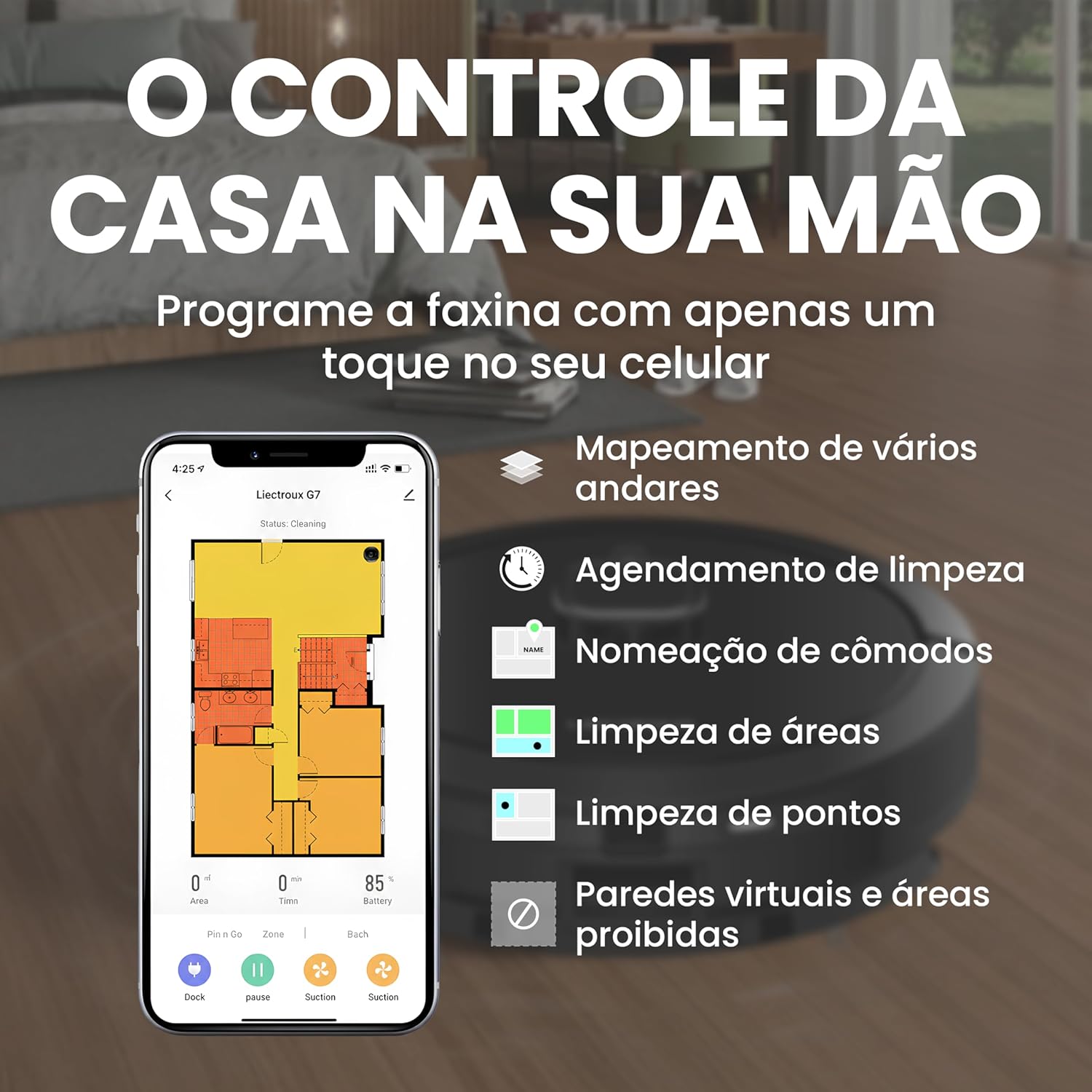
Image 3.2: Liectroux G7 app interface for smart mapping and cleaning customization.
3.3 Àtúnṣe Ìpele Ìfàmọ́ra àti Ìpele Omi
Adjust the suction power and water flow for mopping based on your cleaning needs and floor type. These settings can typically be controlled via the mobile app.
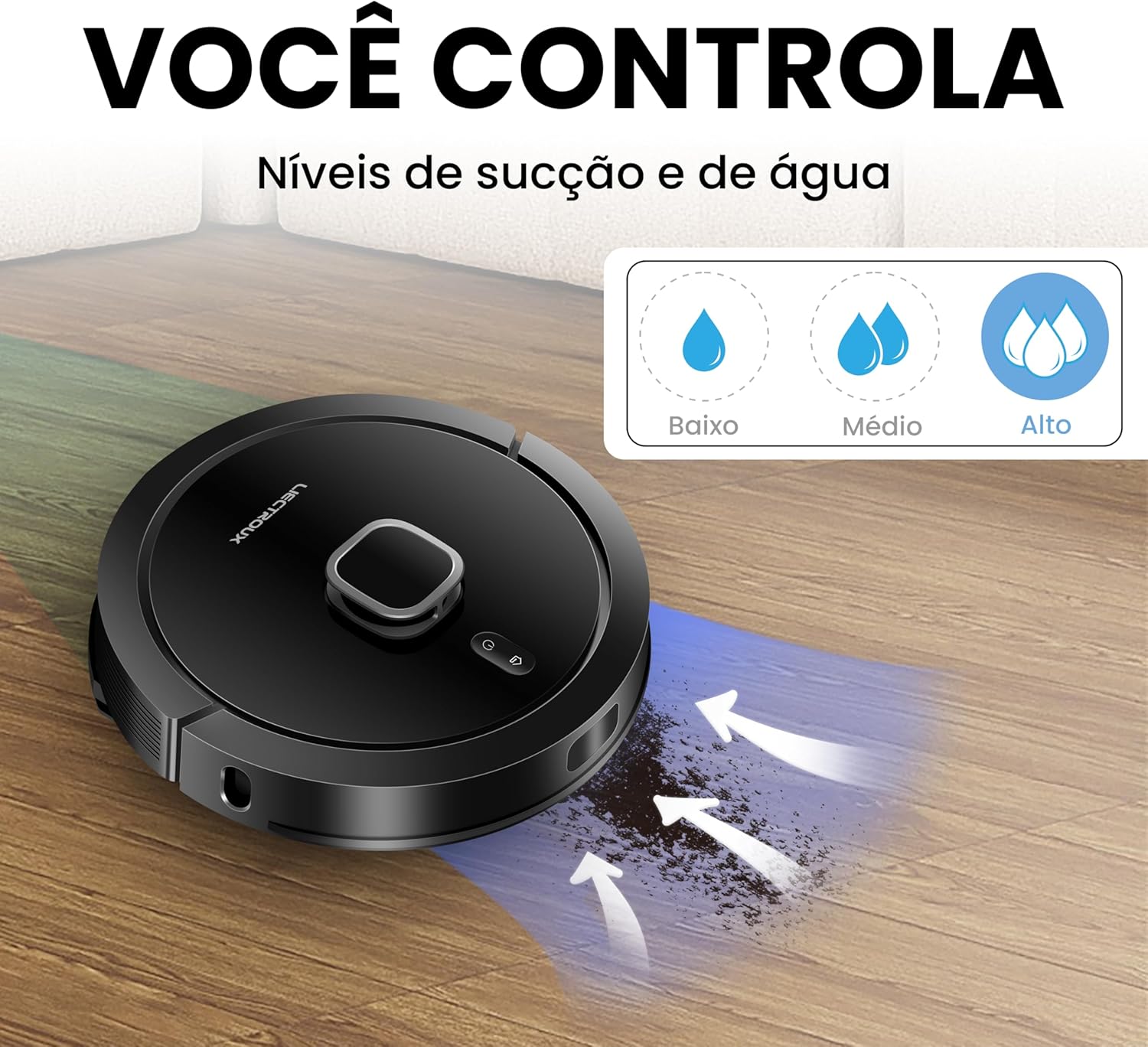
Image 3.3: Adjustable suction and water levels for customized cleaning.
3.4 Carpet Recognition
The robot is equipped with an ultrasonic carpet recognition system. It automatically detects carpets and adjusts suction power for a deeper clean on these surfaces.
4. Itọju
4.1 Self-Cleaning Base
The G7 features an automatic self-cleaning function. After each cleaning cycle, the robot returns to its base, and collected dust and debris are automatically transferred from the robot's dustbin to the larger dust bag in the self-cleaning base. This minimizes manual emptying.

Image 4.1: The self-cleaning base automatically empties the robot's dustbin.
4.2 Rírọ́pò Àpò Eruku
The high-capacity (3L) dust bag in the self-cleaning base can hold debris for up to 60 days, depending on usage. Replace the dust bag when full to maintain optimal performance.

Image 4.2: Replacing the 3L dust bag in the self-cleaning base.
4.3 Ìmọ́tótó Déédéé ti Àwọn Ẹ̀yà Ara
- Fẹlẹ akọkọ: Regularly remove hair and debris from the main brush using the provided cleaning tool.
- Awọn brushes ẹgbẹ: Check and clean side brushes for tangled hair or debris. Replace if worn.
- Ajọ HEPA: Tap the HEPA filter to remove dust. Do not wash. Replace every 3-6 months depending on usage.
- Awọn sensọ: Wipe all sensors (cliff sensors, wall sensors) with a clean, dry cloth to ensure proper navigation.
- Awọn Aṣọ Mop: Wash mop cloths after each use.
- Omi omi: Empty and rinse the water tank after mopping to prevent odors and blockages.

Image 4.3: Underside components requiring regular cleaning.
5. Laasigbotitusita
If you encounter issues with your Liectroux G7, refer to the following common solutions:
| Isoro | Owun to le Fa | Ojutu |
|---|---|---|
| Robot ko bẹrẹ tabi dahun. | Batiri kekere; Pa agbara; Robot di. | Ensure robot is charged; Turn on power switch; Clear obstructions. |
| Robot cannot find charging base. | Base obstructed; Base unplugged; Robot too far. | Ensure clear path to base; Plug in base; Manually place robot near base. |
| Iṣẹ ṣiṣe mimọ ti ko dara. | Full dustbin/dust bag; Clogged brushes/filter; Low suction setting. | Empty dustbin/replace dust bag; Clean brushes and filter; Increase suction power via app. |
| Robot di nigbagbogbo. | Cables/small objects on floor; Uneven surfaces; Dark-colored carpets. | Clear floor of obstacles; Use virtual walls for problematic areas. |
| App asopọ oran. | Incorrect Wi-Fi password; Router too far; Robot offline. | Verify Wi-Fi credentials; Move robot closer to router; Restart robot and app. |
Fun awọn ọran ti o tẹsiwaju, jọwọ kan si atilẹyin alabara.
6. Awọn pato
| Ẹya ara ẹrọ | Ẹ̀kúnrẹ́rẹ́ |
|---|---|
| Brand | LIECTROUX |
| Orukọ awoṣe | Liectroux G7 |
| Voltage | 110 Volts |
| Iṣakoso Iru | App Control, Remote Control, Voice Control |
| Awọn ẹrọ ibaramu | Amazon Echo (Alexa), Google Assistant |
| Pataki Awọn ẹya ara ẹrọ | Scheduling, Self-Cleaning Base, Smart Mapping, Carpet Recognition |
| Àlẹmọ Iru | HEPA |
| Igbesi aye batiri | Awọn wakati 2 |
| Batiri Tiwqn | Litiumu-Iwọn |
| Dustbin Agbara | 300 Mililita (robot) |
| Dust Bag Capacity (Base) | 3 liters |
| Awọn iwọn (L x W x H) | 35 cm x 35 cm x 9.8 cm |
| Iwọn Nkan | 9.93 kilo |
| Niyanju dada | Wood, Tile, Carpet |
7. Atilẹyin ọja ati Support
7.1 Atilẹyin ọja
The Liectroux G7 Robot Vacuum Cleaner typically comes with a 12-month manufacturer's warranty covering defects in materials and workmanship. Extended warranty options may be available for purchase.
- Atilẹyin ọja boṣewa: 12 months against manufacturing defects.
- Awọn aṣayan atilẹyin ọja ti o gbooro sii: 12-month or 24-month extended protection plans may be offered by retailers.
Jọwọ ṣe idaduro ẹri rira rẹ fun awọn iṣeduro atilẹyin ọja.
7.2 Onibara Support
For technical assistance, warranty claims, or general inquiries, please contact Liectroux customer support. Refer to the contact information provided in your product packaging or on the official Liectroux webojula.
O tun le ṣàbẹwò awọn Liectroux Brand Store on Amazon fun afikun oro ati ọja alaye.