
1. Ifihan
The Silvergear Massage Gun Pro Hot & Cold is a percussive therapy device designed to relieve muscle soreness, improve blood circulation, and enhance muscle recovery. Featuring both hot and cold therapy functions, along with multiple massage heads and speed settings, this device offers a versatile solution for targeted muscle relief.
2. Aabo ikilo
- Warm up the device before use.
- Do not use on open wounds or inflamed skin.
- Jeki kuro ni arọwọto awọn ọmọde.
- Maṣe lo lakoko sisun tabi wẹ.
- Consult a physician before use if you have any medical conditions or concerns.
3. Package Awọn akoonu
Jẹrisi pe gbogbo awọn ohun kan wa ninu package:
- Silvergear Massage Gun Pro Hot & Cold
- 4 Interchangeable Massage Heads: Hot & Cold Head, Ball Head, U Head, Bullet Head
- USB-C Ngba agbara Cable
- Ilana itọnisọna

Image: Contents of the Silvergear Massage Gun Pro box, including the massage gun, four massage heads, manual, and USB-C cable, with dimensions.
4. Awọn ẹya Ọja
The Silvergear Massage Gun Pro Hot & Cold is equipped with several features for an effective massage experience:
- Ori Itọju Gbona ati Tutu: Provides both soothing heat (+50°C) to relax muscles and invigorating cold (-10°C) to reduce inflammation and speed up lactic acid breakdown.
- Awọn Ori Massage Ọpọ: Includes a Hot & Cold Head for whole-body relief, a Ball Head for large muscle groups, a U Head for vertebrae and spine, and a Bullet Head for joints and trigger points.
- 4 Awọn ipele iyara: Adjustable intensity from 2400 RPM to 3000 RPM for customized deep tissue massage.
- Batiri Igba pipẹ: Nfunni to awọn wakati 2 ti lilo lemọlemọfún lori idiyele ẹyọkan.
- Ergonomic and Lightweight Design: Comfortable to hold and easy to carry for on-the-go relief.

Image: Massage Gun Pro Hot & Cold with four interchangeable massage heads: Hot & Cold, Ball, U, and Bullet.

Image: Control panel of the Silvergear Massage Gun Pro, illustrating hot and cold therapy benefits.

Image: Diagram showing the four powerful speed levels (2400-3000 RPM), long-lasting battery (2 hours), and high amplitude for deep tissue massage.
5. Eto
5.1 Ngba agbara si Ẹrọ
- Before first use, fully charge the massage gun.
- So okun gbigba agbara USB-C pọ si ibudo gbigba agbara lori ẹrọ naa.
- So opin keji okun USB-C sinu adapter agbara USB ti o baamu (ko si ninu rẹ).
- The LED indicator lights will show the battery power level during charging. Ensure the device is fully charged before use.
5.2 Attaching Massage ori
- Rii daju pe ẹrọ naa ti wa ni pipa ṣaaju ki o to somọ tabi yọ eyikeyi ori ifọwọra kuro.
- Gently push the desired massage head into the opening at the front of the gun until it is securely in place.
- Lati yọọ kuro, rọra fa ori ifọwọra naa taara jade. Ma ṣe lilọ.
6. Awọn ilana Iṣiṣẹ

Image: Detailed diagram of the Silvergear Massage Gun Pro, labeling LED indicators, ON/OFF button, hot/cold indicators, charging port, and hot & cold control button.
6.1 Agbara Titan / Pa ati Iṣatunṣe Iyara
- To turn on the device, press and hold the ON/OFF button (power symbol) for a few seconds until the device starts.
- Once on, short press the ON/OFF button to cycle through the 4 speed levels. The LED indicators will show the current speed.
- To turn off the device, press and hold the ON/OFF button again for a few seconds.
6.2 Using Hot & Cold Modes
The Hot & Cold head must be attached to use these functions.
- After turning on the device, press the Hot & Cold control button (temperature symbol).
- Press once for Hot Mode. The red hot indicator light will illuminate. The head will warm up to +50°C.
- Press again for Cold Mode. The blue cold indicator light will illuminate. The head will cool down to -10°C.
- Press a third time to turn off the hot/cold function.

Image: Hot mode is ideal for warm-up, neck and back pain, muscle stiffness, and abdominal cramps.

Image: Cold mode is ideal for cooling-down, injuries, swellings, and muscle pain.
6.3 Recommended Usage for Massage Heads
- Hot & Cold Head: For general whole-body relief and deeper muscle penetration with temperature therapy.
- Orí Bọ́ọ̀lù: Suitable for large muscle groups like arms, back, hips, and thighs for general relaxation.
- U Ori: Designed for massaging around the vertebrae, neck, and Achilles tendon. Use with caution around bones.
- Ori ọta ibọn: Ideal for targeting specific joints, trigger points, and deep tissue massage for connective tissue.
Apply the massage gun to the desired muscle area. Move the device slowly and gently over the muscles. Do not apply excessive pressure. Limit usage to 15-20 minutes per muscle group per session.
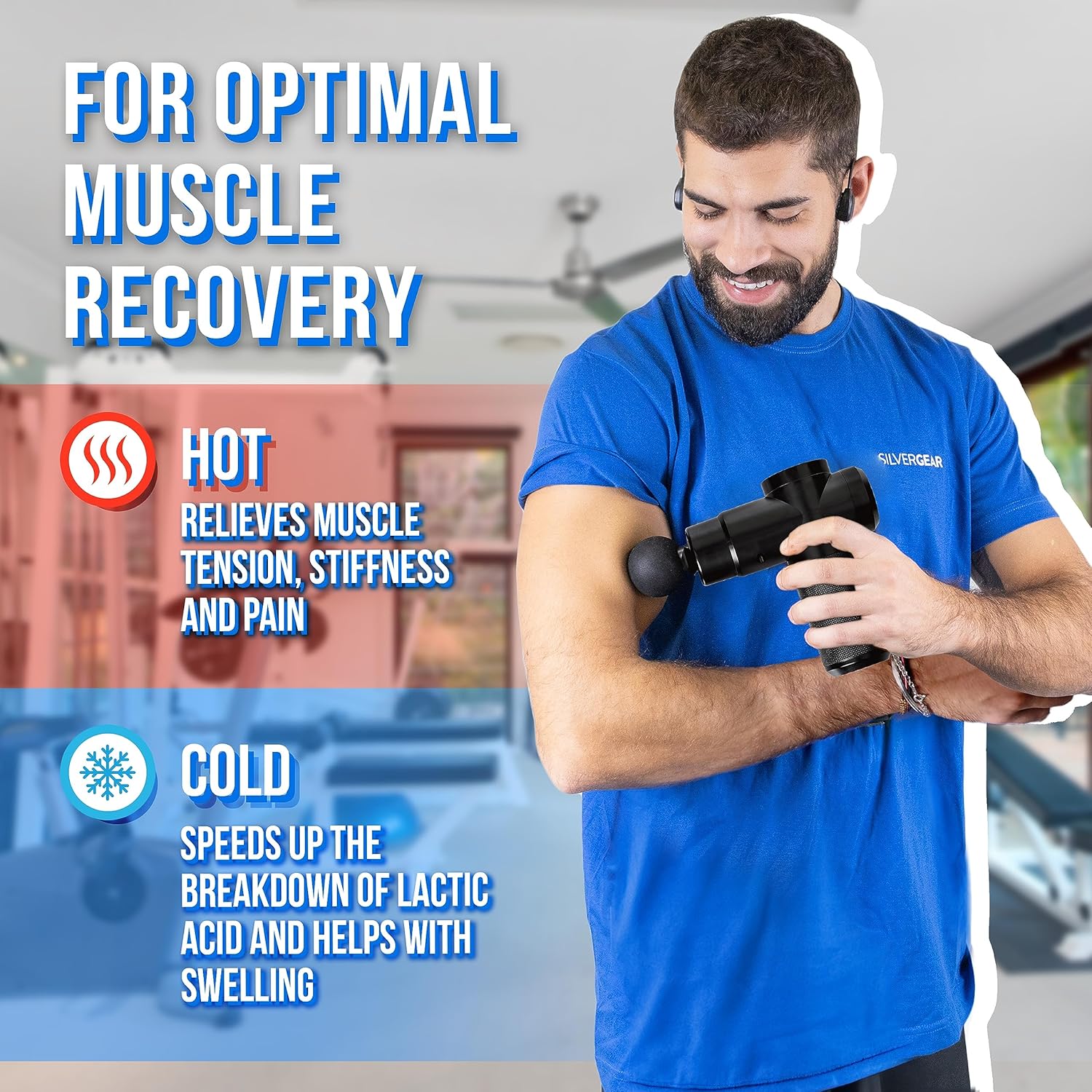
Image: User demonstrating the Silvergear Massage Gun Pro for optimal muscle recovery.
7. Itọju
7.1 Ninu
- Paa nigbagbogbo ati yọọ ẹrọ naa kuro ṣaaju ṣiṣe mimọ.
- Mu ese ẹrọ ati awọn ori ifọwọra pẹlu die-die damp, asọ asọ.
- Ma ṣe lo awọn afọmọ abrasive, nkanmimu, tabi awọn kẹmika lile.
- Rí i dájú pé ẹ̀rọ náà gbẹ pátápátá kí o tó tọ́jú rẹ̀ tàbí kí o tó lò ó.
7.2 Ibi ipamọ
- Tọ́jú ibọn ìfọwọ́ra sí ibi tí ó tutù tí ó sì gbẹ, tí kò sí ìmọ́lẹ̀ oòrùn tààrà àti ooru líle koko.
- Keep the device and accessories in their original packaging or a protective case to prevent damage.
8. Laasigbotitusita
| Isoro | Owun to le Fa | Ojutu |
|---|---|---|
| Ẹrọ ko ni tan-an | Batiri kekere; Ẹrọ naa ko gba agbara daradara | Charge the device fully using the provided USB-C cable. Ensure the power button is pressed and held for a few seconds. |
| Hot/Cold function not working | Hot & Cold head not attached; Function not activated | Ensure the Hot & Cold head is securely attached. Press the Hot & Cold control button to activate the desired mode. |
| Agbara ifọwọra ti ko lagbara | Low speed setting; Low battery | Increase the speed level by short pressing the ON/OFF button. Charge the device if the battery is low. |
9. Awọn pato
- Nọmba awoṣe: 3614
- Brand: Ohun elo fadaka
- Awọn iwọn (L x W x H): 13 x 14 x 5 cm
- Ìwúwo: 100 giramu
- Orisun Agbara: Agbara Batiri
- Ẹya Pataki: Ooru ati Itọju ailera
- Massage Form: Percussion Massage Gun
- Àwọ̀: Dudu
- Ilu isenbale: China
- Awọn anfani Ọja: Muscle Therapy, Improved Blood Circulation, Pain Relief, Firmer Skin
10. Atilẹyin ọja ati Support
For warranty information or technical support, please refer to the retailer where the product was purchased or contact Silvergear customer service directly. Keep your proof of purchase for any warranty claims.