
Ọrọ Iṣaaju
This manual provides comprehensive instructions for the installation, operation, maintenance, and troubleshooting of your Yeelight YLKG07YL Smart Dimmer. Please read this manual thoroughly before use to ensure proper functionality and safety.
Ọja Pariview
The Yeelight YLKG07YL is a mountable smart dimmer designed to control compatible lighting fixtures. It features Wi-Fi connectivity and touch/push-button control for convenient operation.
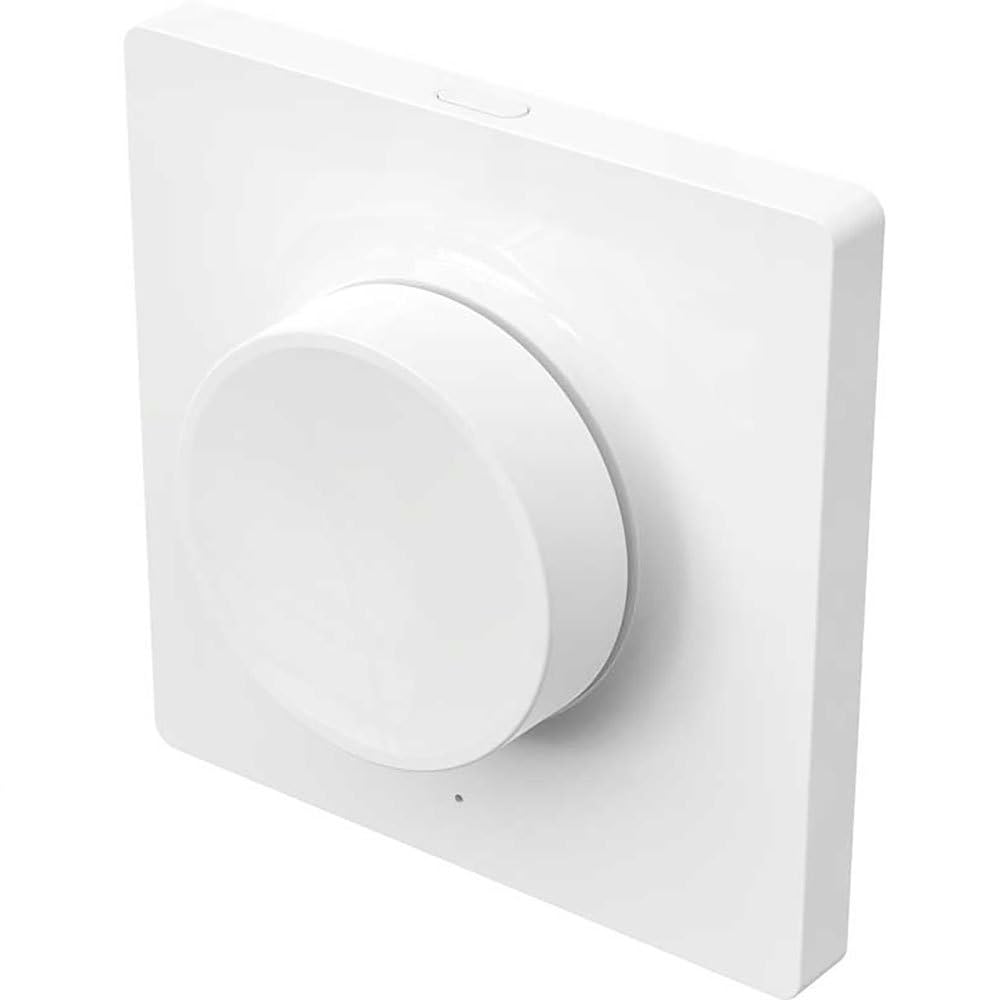
Figure 1: Yeelight YLKG07YL Smart Dimmer. This image displays the front of the dimmer, highlighting its sleek design and touch-sensitive control area.
Alaye Aabo
- Ge asopọ agbara nigbagbogbo ni fifọ Circuit ṣaaju fifi sori ẹrọ tabi itọju.
- Fifi sori yẹ ki o ṣe nipasẹ oṣiṣẹ ina mọnamọna ti o ko ba ni idaniloju.
- Ma ṣe fi ẹrọ naa han si ọrinrin pupọ tabi awọn iwọn otutu to gaju.
- Ensure the dimmer is compatible with your lighting fixtures before installation.
Eto ati fifi sori
- Ge asopọ agbara: Turn off the main power supply to the circuit at the circuit breaker. Verify power is off using a voltage idanwo.
- Yọ Yipada atijọ kuro: Carefully remove the existing wall switch from its electrical box. Disconnect the wires, noting their connections.
- Wire the Dimmer: Connect the wires from the electrical box to the Yeelight YLKG07YL dimmer according to the wiring diagram (refer to product packaging for specific diagrams). Ensure secure connections.
- Oke Dimmer: Gently push the wired dimmer into the electrical box. Secure it with screws. Attach the faceplate.
- Pada Agbara pada: Tan ipese agbara akọkọ pada ni fifọ iyipo.
- Pairing (Wi-Fi): Follow the instructions in the Yeelight app to pair the dimmer with your Wi-Fi network and smart home system.
Awọn ilana Iṣiṣẹ
The Yeelight YLKG07YL Smart Dimmer offers both physical and smart control options.
Physical Control:
- Tan/Pa: Press the main button to toggle the connected lights on or off.
- Dimming: Touch and hold the designated dimming area (if applicable, or use up/down buttons) to adjust brightness.
Smart Control (via Yeelight App):
- Open the Yeelight application on your smartphone or tablet.
- Select the YLKG07YL dimmer from your device list.
- Use the in-app controls to turn lights on/off, adjust brightness, set schedules, or integrate with other smart home devices.
Itoju
- Ninu: Wipe the dimmer's surface with a soft, dry cloth. Do not use abrasive cleaners or solvents.
- Awọn imudojuiwọn famuwia: Regularly check the Yeelight app for available firmware updates to ensure optimal performance and security.
- Awọn ipo Ayika: Rí i dájú pé àyíká iṣẹ́ náà wà láàrín ìwọ̀n otutu àti ọriniinitutu pàtó láti dènà ìbàjẹ́.
Laasigbotitusita
| Isoro | Owun to le Fa | Ojutu |
|---|---|---|
| Dimmer ko fesi | No power, incorrect wiring, device malfunction. | Check circuit breaker. Verify wiring connections. Contact support if issue persists. |
| Lights flicker or do not dim properly | Incompatible bulb type, overloaded circuit, faulty wiring. | Ensure bulbs are dimmable and compatible. Check total wattage. Re-check wiring. |
| Ko le sopọ si Wi-Fi | Incorrect Wi-Fi password, router too far, network issues. | Verify Wi-Fi password. Move router closer or use a Wi-Fi extender. Restart router. |
Awọn pato
- Awoṣe: YLKG07YL
- Awọn iwọn: 10 x 5 x 1.3 cm (L x W x H)
- Ìwúwo: 1 kilogram
- Ohun elo: Plastic (body), Aluminium (contact)
- Asopọmọra: Wi-Fi
- Ọna Iṣakoso: Touch, Push-button
- Iru fifi sori: Ògiri Ògiri
- Idiwon lọwọlọwọ: 1 A
- Iwọn IP: IP65 (International Protection Marking)
Alaye atilẹyin ọja
This Yeelight YLKG07YL Smart Dimmer comes with a 2-odun olupese ká atilẹyin ọja from the date of purchase. This warranty covers defects in materials and workmanship under normal use. It does not cover damage caused by misuse, accidents, unauthorized modifications, or improper installation. Please retain your proof of purchase for warranty claims.
Atilẹyin
For technical assistance, troubleshooting, or warranty inquiries, please visit the official Yeelight website or contact their customer support. You can often find FAQs and additional resources online.
Osise Webojula: www.yeelight.com