
Ọrọ Iṣaaju
This manual provides comprehensive instructions for the setup, operation, maintenance, and troubleshooting of your Timex Men's Command Encounter 45mm Watch. Please read this manual carefully to ensure proper use and longevity of your timepiece.
Ọja Pariview
The Timex Command Encounter is a robust digital watch designed for durability and functionality. It features a 45mm square case, a digital negative display, and is water-resistant up to 100 meters. The watch includes standard timekeeping functions, a chronograph, timer, and alarm.

olusin 1: Iwaju view of the Timex Command Encounter 45mm Watch. This image displays the watch face with its digital negative display, showing the time, date, and various mode indicators like CHRONO, TIMER, and ALARM. The watch features a green case and strap with a camouflage pattern on the display bezel.
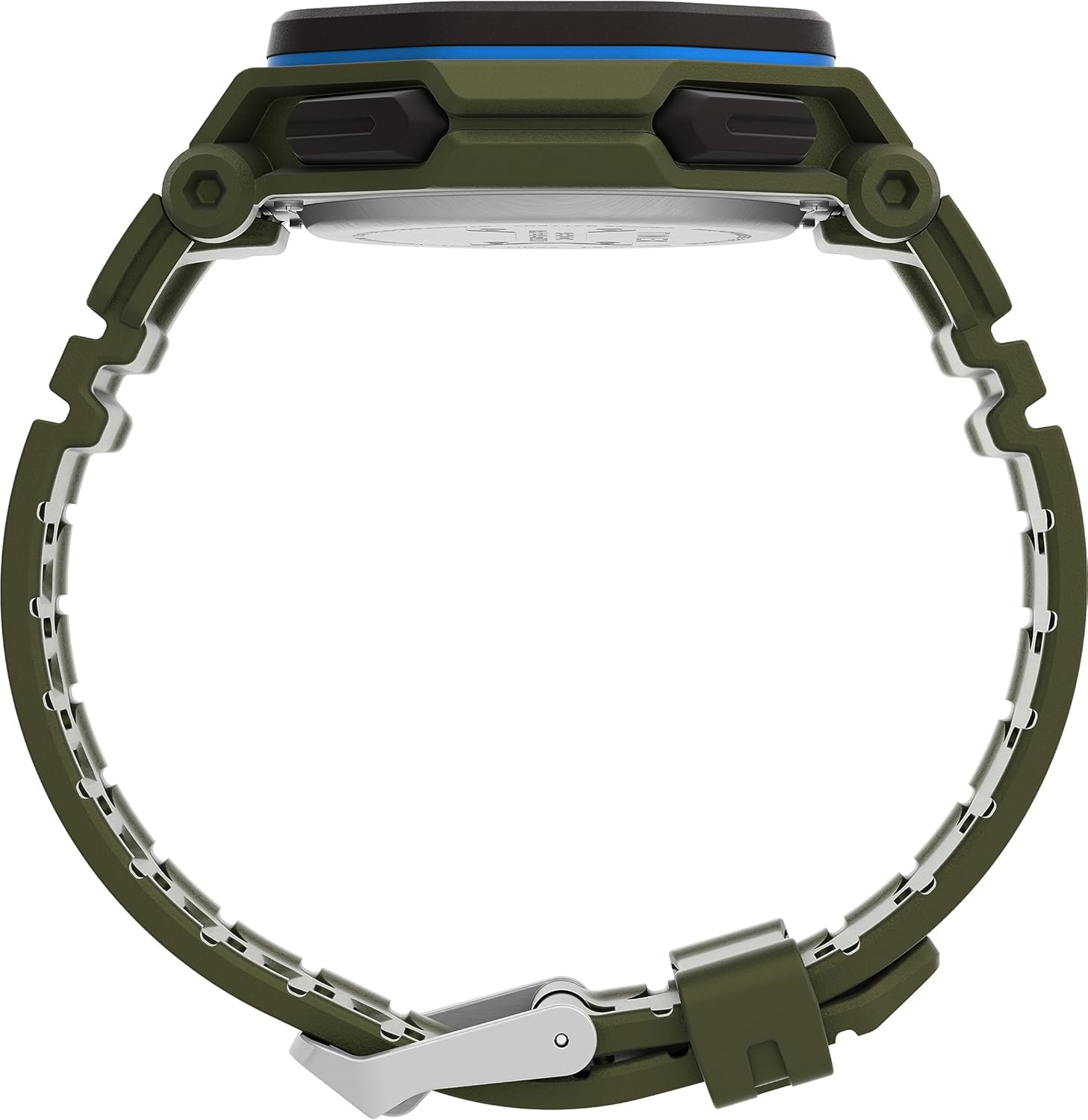
olusin 2: Apa view of the Timex Command Encounter 45mm Watch. This image highlights the profile ti aago, ifihanasing the robust case design and the textured green strap. The buttons on the side of the watch are also visible.

olusin 3: Ẹyìn view of the Timex Command Encounter 45mm Watch. This image focuses on the stainless steel case back, which is engraved with "TIMEX", "SHOCK RESISTANT", "WATER RESISTANT 100M", and "STAINLESS STEEL BACK". The four screws securing the case back are also visible.
Ṣeto
1. Agbára Àkọ́kọ́ àti Bátírì
Your Timex Command Encounter watch comes with a pre-installed Lithium Metal battery (CR2025). The watch should be ready for use upon arrival. If the display is blank, press any button to activate it. If the watch does not power on, the battery may need replacement (refer to the Maintenance section).
2. Eto Aago ati Ọjọ
- Tẹ awọn MODE button (typically on the lower left) repeatedly until the time setting mode is displayed. The seconds digits will likely be flashing.
- Tẹ awọn Tunto button (typically on the lower right) to cycle through the adjustable fields: seconds, hours, minutes, year, month, day.
- Lo awọn BERE button (typically on the upper right) to increase the value of the flashing field. Hold the button to rapidly advance the digits.
- Ni kete ti gbogbo eto ba tọ, tẹ bọtini naa MODE bọtini lati jade kuro ni ipo eto ati pada si ifihan akoko deede.
3. 12/24 Aago kika
While in the time setting mode, when the hour digits are flashing, pressing the BERE button may toggle between 12-hour (with AM/PM indicator) and 24-hour formats. Consult the specific button functions for your model if this does not work as described.
Awọn ilana Iṣiṣẹ
1. Basic Timekeeping
The watch displays the current time (hours, minutes, seconds) and date (month, day, day of week) in its primary mode. The negative display provides clear visibility in various lighting conditions.
2. INDIGLO® Ìmọ́lẹ̀ Alẹ́
Láti mu iná alẹ́ INDIGLO® ṣiṣẹ́, tẹ INDIGLO button (typically on the upper left). The entire display will illuminate for a few seconds, allowing for easy reading in low-light environments.
3. Chronograph (Aago iṣẹju-aaya)
- Tẹ awọn MODE button until "CHRONO" or "STW" appears on the display.
- Tẹ BERE lati bẹrẹ akoko.
- Tẹ BERE again to pause timing. Press BERE lati bẹrẹ pada.
- To record a lap or split time, press SPL/SET while the chronograph is running. The display will momentarily show the lap time.
- To stop the chronograph, press DURO.
- To reset the chronograph to zero, press Tunto lẹhin idaduro.
4. Timer (Countdown)
- Tẹ awọn MODE button until "TIMER" or "TMR" appears on the display.
- Lati ṣeto akoko kika, tẹ Tunto to select the flashing digit (hours, minutes, seconds). Use BERE lati ṣatunṣe iye.
- Tẹ BERE lati bẹrẹ kika.
- Tẹ BERE lẹẹkansi lati da duro. Tẹ BERE lati bẹrẹ pada.
- Nigbati aago ba de odo, itaniji yoo dun. Tẹ bọtini eyikeyi lati da itaniji duro.
5. Itaniji
- Tẹ awọn MODE button until "ALARM" or "ALM" appears on the display.
- Lati ṣeto akoko itaniji, tẹ Tunto to select the flashing digit (hours, minutes). Use BERE lati ṣatunṣe iye.
- To activate or deactivate the alarm, press SPL/SET. Aami itaniji yoo han/farahan loju iboju.
- Tí ìró ìró bá dún, tẹ bọ́tìnnì èyíkéyìí láti pa á lẹ́nu mọ́.
Itoju
1. Ninu Rẹ Watch
Ṣe nu aago rẹ nigbagbogbo pẹlu asọ, damp cloth. For stubborn dirt, a mild soap solution can be used, followed by rinsing with clean water and thorough drying. Avoid using harsh chemicals or abrasive materials, as these can damage the watch case or strap.
2. Omi Resistance
Your Timex Command Encounter watch is water-resistant up to 100 meters (330 feet). This means it is suitable for showering, swimming, and snorkeling. Má ṣe tẹ bọ́tìnì kankan nígbà tí aago náà bá wà nínú omi., as this can compromise the water resistance seal. Avoid exposing the watch to extreme temperature changes, which can also affect the seals.
3. Batiri Rirọpo
The watch uses a CR2025 Lithium Metal battery. Battery life varies depending on usage, especially the frequency of INDIGLO® night-light activation. When the display dims or functions become erratic, it's time to replace the battery. Battery replacement should ideally be performed by a qualified watch technician to ensure the water resistance seal is properly re-seated.
If replacing the battery yourself, carefully remove the four screws on the case back (refer to Figure 3). Gently pry open the case back. Note the battery's orientation before removal. Replace with a new CR2025 battery, ensuring proper polarity. Carefully re-seat the gasket and secure the case back with the screws. Self-replacement may void warranty or compromise water resistance if not done correctly.
Laasigbotitusita
| Isoro | Owun to le Fa | Ojutu |
|---|---|---|
| Ifihan ti ṣofo tabi baibai. | Kekere tabi okú batiri. | Rọpo batiri CR2025. |
| Akoko/ọjọ ko tọ. | Not set correctly or reset due to battery change. | Follow the "Setting Time and Date" instructions in the Setup section. |
| Awọn bọtini ko dahun. | Aago naa le wa ni ipo tiipa tabi batiri naa kere pupọ. | Try pressing all buttons to see if any respond. If not, replace battery. If still unresponsive, contact support. |
| Omi inu aago. | Compromised water resistance seal (e.g., buttons pressed underwater, extreme temperature changes, damaged gasket). | Lẹ́sẹ̀kẹsẹ̀, gbé aago náà lọ sí ibi tí wọ́n ti ń tún aago ṣe dáadáa. Má ṣe gbìyànjú láti gbẹ ẹ́ fúnra rẹ. |
Awọn pato
- Nọmba awoṣe: TW2V93700VQ
- Iwon Case: 45mm
- Ohun elo okun: Green (8 inch)
- Iru ifihan: Digital Negative Display
- Ohun elo lẹnsi: Erupe Gilasi
- Omi Resistance: 100 mita (330 ẹsẹ)
- Iru Batiri: Batiri irin Litiọmu kan (CR2025)
- Awọn ẹya: Chronograph, Timer, Alarm, INDIGLO® Night-Light
- Ilu isenbale: China
Atilẹyin ọja ati Support
A ṣe àwọn aago Timex ní ìwọ̀n gíga, wọ́n sì ní àtìlẹ́yìn tó lopin. Fún àwọn àlàyé àtìlẹ́yìn pàtó, jọ̀wọ́ wo káàdì àtìlẹ́yìn tó wà nínú ohun tí o rà tàbí kí o lọ sí Timex. webojula. Jeki ẹri rira rẹ fun awọn iṣeduro atilẹyin ọja.
For technical support, service, or parts, please contact Timex Customer Service. Contact information can typically be found on the Timex webojula tabi lori apoti.
Timex Iṣẹ́ Webojula: www.timex.com