
Mycket fcd38451-4bd5-4d9f-878a-d20e1d3ef03b
Mycket Digital DAB/DAB+ Radio User Manual
Model: fcd38451-4bd5-4d9f-878a-d20e1d3ef03b
Ọrọ Iṣaaju
Thank you for choosing the Mycket Digital DAB/DAB+ Radio. This versatile device combines a retro FM radio, a powerful Bluetooth speaker, and a rechargeable music player with AUX and U disk support. Designed for both home and portable use, it offers superior sound quality and a wide range of features, including 80 preset stations, an LED display, and a sleep timer. This manual provides essential information for setting up, operating, and maintaining your radio to ensure optimal performance and longevity.

olusin 1: Iwaju view of the Mycket Digital DAB/DAB+ Radio, showcasing its wood finish, display screen, and control buttons.
Ṣeto
Unpacking ati Ibẹrẹ Ayewo
Carefully remove all components from the packaging. Verify that all items listed in the "Included Components" section are present and undamaged. Retain the packaging for future storage or transport.
Agbara ẹrọ naa
The Mycket radio can be powered via two methods:
- Agbara Ifilelẹ: Connect the provided USB Type-C cable to the radio's charging port and plug the other end into a compatible USB power adapter (not included) or a USB port.
- Agbara Batiri: The radio features a built-in 2000 mAh Lithium-ion rechargeable battery. A full charge provides up to 10 hours of listening time. Ensure the battery is fully charged before initial portable use.
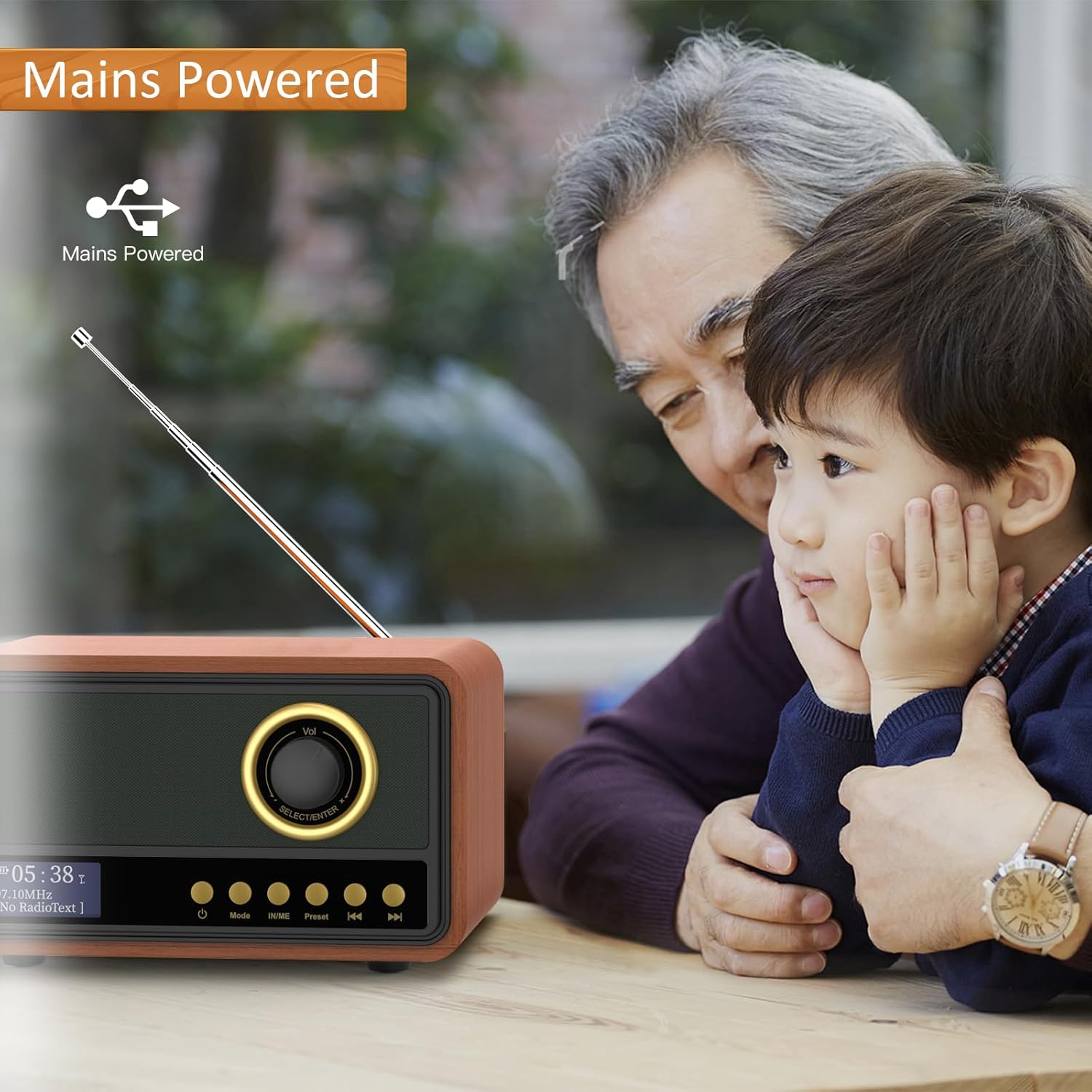
Figure 2: The radio can be powered via mains, suitable for extended listening at home.
Ipo Antenna
For optimal radio signal reception (DAB/DAB+ and FM), extend the integrated telescopic antenna fully. Adjust its position to achieve the clearest sound. The radio is equipped with an ultra-long, highly sensitive antenna for improved reception.
Awọn ilana Iṣiṣẹ
Titan/Pa a
Tẹ mọlẹ Agbara button (usually marked with a power symbol) to turn the radio on or off.
Aṣayan Ipo
Tẹ awọn Ipo button to cycle through available modes: DAB/DAB+ Radio, FM Radio, Bluetooth, AUX Input, and U Disk Playback.
Iṣẹ́ rédíò (DAB/DAB+ àti FM)
- Ṣiṣayẹwo aifọwọyi: Ni DAB tabi FM mode, tẹ awọn Ṣayẹwo or Ṣiṣayẹwo aifọwọyi button (refer to specific button labels on your device) to automatically search for and store available stations. The radio can store up to 80 preset stations (40 DAB, 40 FM).
- Itọsọna Afowoyi: Lo awọn Tune or Yan / Tẹ sii knob/buttons to manually adjust the frequency.
- Awọn ibudo tito tẹlẹ: Lo awọn Tito tẹlẹ button or navigation buttons to recall saved stations.
- Ifihan LED: The integrated LED screen displays station information, time, and other relevant data, making station selection and navigation clear and easy.

Figure 3: The portable radio with its key features highlighted, including 80 preset stations and an LED screen.
Bluetooth Asopọmọra
In Bluetooth mode, the radio will enter pairing mode. Enable Bluetooth on your smartphone, tablet, or other compatible device and select "Mycket Radio" (or similar) from the list of available devices to connect. Once paired, you can stream audio wirelessly to the radio.
Apọju AX
Connect an external audio device (e.g., MP3 player, CD player) to the radio's AUX-in port using a 3.5mm audio cable (not included). Switch the radio to AUX mode to play audio from the connected device.
U Disk Sisisẹsẹhin
Fi awakọ filasi USB (U disk) ti o ni ohun ti o ni ohun sinu files into the radio's USB port. Switch the radio to U Disk mode to play music directly from the drive. The radio supports various audio formats.

Figure 4: Demonstrating USB Disk Playback functionality, allowing users to enjoy music from a USB stick.
Aago orun
The sleep timer allows you to set a duration after which the radio will automatically turn off. This feature is useful for falling asleep to music or radio without worrying about turning off the device manually. Refer to your device's specific button or menu options for setting the sleep timer.
Itoju
Ninu
To clean the radio, gently wipe the exterior with a soft, dry cloth. For stubborn marks, a slightly damp cloth can be used, followed by a dry cloth. Do not use abrasive cleaners, solvents, or strong chemicals, as these may damage the wood finish or electronic components.
Ibi ipamọ
When not in use for extended periods, store the radio in a cool, dry place away from direct sunlight and extreme temperatures. Ensure the battery is partially charged (around 50%) before long-term storage to preserve battery health.
Itọju Batiri
To maximize the lifespan of the built-in Lithium-ion battery:
- Yago fun gbigba agbara si batiri ni kikun nigbagbogbo.
- Avoid leaving the radio connected to power for prolonged periods after it is fully charged.
- Gba agbara si batiri ni iwọn otutu yara.
Laasigbotitusita
If you encounter any issues with your Mycket Digital Radio, please refer to the following common problems and solutions:
| Isoro | Owun to le Fa | Ojutu |
|---|---|---|
| Ko si Agbara / Ko tan | Battery depleted; Power cable not connected properly; Power adapter faulty. | Charge the battery; Ensure USB Type-C cable is securely connected; Try a different USB power adapter. |
| Gbigba Redio ti ko dara | Antenna not extended or positioned correctly; Weak signal area; Interference. | Fully extend and adjust the telescopic antenna; Move the radio to a location with better signal; Avoid placing near other electronic devices. |
| Ikuna Sisopọ Bluetooth | Radio not in Bluetooth mode; Device Bluetooth off; Device too far; Already paired with another device. | Ensure radio is in Bluetooth mode; Turn on Bluetooth on your device; Move device closer to radio; Disconnect from other Bluetooth devices. |
| No Sound from AUX/U Disk | Incorrect mode selected; Cable not connected properly; U disk not formatted correctly or no supported files. | Switch to AUX or U Disk mode; Check cable connections; Ensure U disk is FAT32 formatted and contains compatible audio files. |
Ti iṣoro naa ba wa lẹhin igbiyanju awọn solusan wọnyi, jọwọ kan si atilẹyin alabara.
Awọn pato
| Ẹya ara ẹrọ | Ẹ̀kúnrẹ́rẹ́ |
|---|---|
| Brand | Pupọ |
| Nọmba awoṣe | fcd38451-4bd5-4d9f-878a-d20e1d3ef03b |
| Àwọ̀ | Ipari Igi |
| Asopọmọra Technology | Bluetooth, DAB, USB, FM, DAB+, AUX |
| Pataki Awọn ẹya ara ẹrọ | Built-in Clock, Portable, Integrated Antenna, Rechargeable |
| Awọn ẹrọ ibaramu | Tablet, Smartphone, USB devices |
| Batiri Iru | 1 Lithium-ion (pẹlu) |
| Igbesi aye batiri | Titi di wakati 10 (lori idiyele ẹyọkan) |
| Orisun agbara | Battery Powered, Electric Cable (USB Type-C) |
| Awọn ẹgbẹ Redio ti o ṣe atilẹyin | FM, DAB, DAB+ |
| Awọn ibudo tito tẹlẹ | 80 (40 DAB, 40 FM) |
| Ijade Agbọrọsọ | 5W (integrated) with Bass Reflex subwoofer |
| Ọja Mefa | 20L x 15W x 12H sẹntimita |
| Awọn irinše to wa | 1 DAB radio, 1 USB power cable, 1 user manual |
Atilẹyin ọja ati Support
Mycket is committed to providing high-quality products and excellent customer service. Your Mycket Digital DAB/DAB+ Radio comes with a 12-osu atilẹyin ọja lati ọjọ rira, ibora awọn abawọn iṣelọpọ.
For any inquiries, technical assistance, or warranty claims, please contact our customer support team. We offer 24/7 atilẹyin alabara lati rii daju rẹ itelorun.
Jọwọ ṣe idaduro ẹri rira rẹ fun ijẹrisi atilẹyin ọja.

Àwòrán 5: Àtìlẹ́yìn àti Ìròyìn Àtìlẹ́yìn.
Ask a question about this manual
Ask about setup, troubleshooting, compatibility, parts, safety, or missing instructions. Manuals+ will review the question and use this page’s manual context to help answer it.