
CHUWI GemiBook Plus
Ìwé Ìtọ́sọ́nà Olùlò Kọ̀ǹpútà alágbèéká CHUWI GemiBook Plus
Model: GemiBook Plus
Ọja Pariview
The CHUWI GemiBook Plus is a 15.6-inch business laptop designed for efficient daily computing. It features an Intel N100 CPU, 8GB of LPDDR5 RAM, and a 256GB SSD, running on Windows 11. This laptop is built for portability and performance, suitable for both work and entertainment.

Aworan: Iwaju view of the CHUWI GemiBook Plus laptop displaying the Windows 11 logo on its screen, highlighting its operating system.
Ohun ti o wa ninu Apoti
- CHUWI GemiBook Plus Laptop
- 38Wh Li-ion Battery (integrated)
- Adapter agbara
- Documentation (User Manual, Warranty Card)
Eto Itọsọna
1. Gbigba agbara akọkọ
Before first use, connect the power adapter to the laptop's charging port and a power outlet. Charge the laptop until the battery indicator shows a full charge. This ensures optimal battery performance.
2. Agbara Lori
Press the power button located on the keyboard to turn on the laptop. The power button is typically found in the top right corner of the keyboard area.

Aworan: Oke-isalẹ view of the CHUWI GemiBook Plus laptop, showing the full keyboard layout and touchpad, indicating the power button location.
3. Windows 11 Setup
Follow the on-screen prompts to complete the Windows 11 initial setup. This includes selecting your region, language, connecting to a Wi-Fi network, and creating a user account. Ensure you have an active internet connection for this process.
Awọn ilana Iṣiṣẹ
Keyboard ati Touchpad
The laptop features a full-sized keyboard and a responsive touchpad for navigation. The touchpad supports multi-touch gestures for enhanced control.

Image: A hand demonstrating the use of the touchpad on the CHUWI GemiBook Plus laptop, highlighting its multi-touch capabilities.
Asopọmọra Peripherals
Kọǹpútà alágbèéká ti ni ipese pẹlu awọn ebute oko oju omi pupọ fun sisopọ awọn ẹrọ ita:
- Awọn ibudo USB: Connect USB devices such as mice, keyboards, or external storage drives. The laptop has 1 USB 2.0 port.
- Ibudo HDMI: Sopọ̀ mọ́ ẹ̀rọ amóhùnmáwòrán tàbí tẹlifíṣọ̀n láti lè rí ìfihàn tó tóbi jù.
- Jack Audio: So olokun tabi awọn agbohunsoke ita.
Alailowaya Asopọmọra
The CHUWI GemiBook Plus supports Wi-Fi 6 (802.11ax) for high-speed internet access and Bluetooth 5.2 for connecting wireless accessories like headphones or speakers.
Webcam Privacy Switch
For enhanced privacy, the laptop includes a physical switch to block the webcam lens. Slide the switch to cover or uncover the camera as needed.
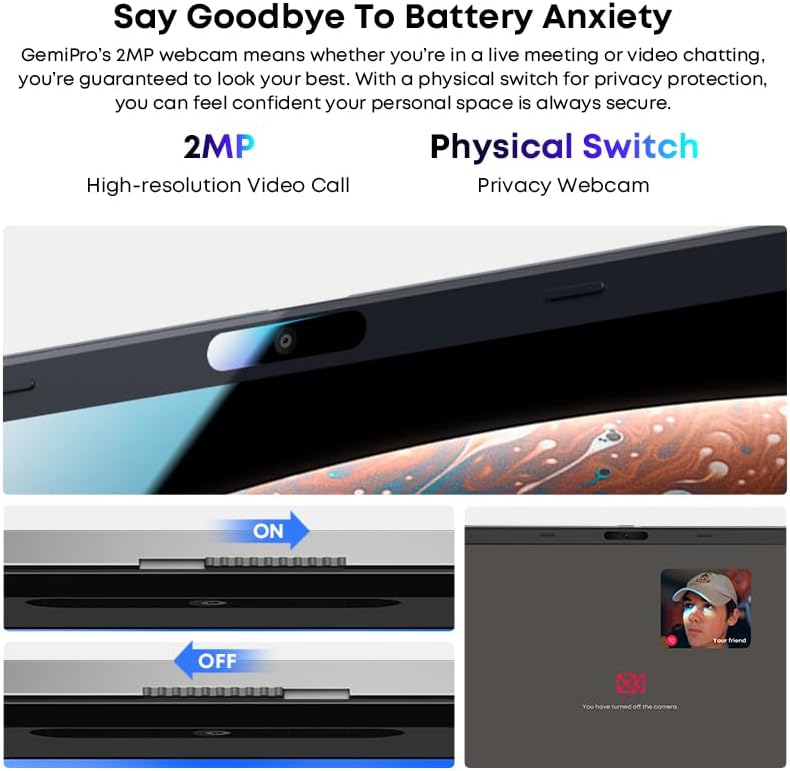
Aworan: Isunmọ view of the laptop's webcam, illustrating the physical privacy switch in both open and closed positions.
Itoju
Ninu Kọǹpútà alágbèéká
Use a soft, lint-free cloth to clean the screen and exterior surfaces. For stubborn marks, slightly dampen awọn asọ pẹlu omi tabi a iboju-ninu ojutu. Yago fun awọn kẹmika lile tabi awọn ohun elo abrasive.
Itọju Batiri
The laptop is equipped with a 38Wh Li-ion battery. To prolong battery life, avoid extreme temperatures and fully discharging the battery frequently. It takes approximately 3 hours for a full recharge.
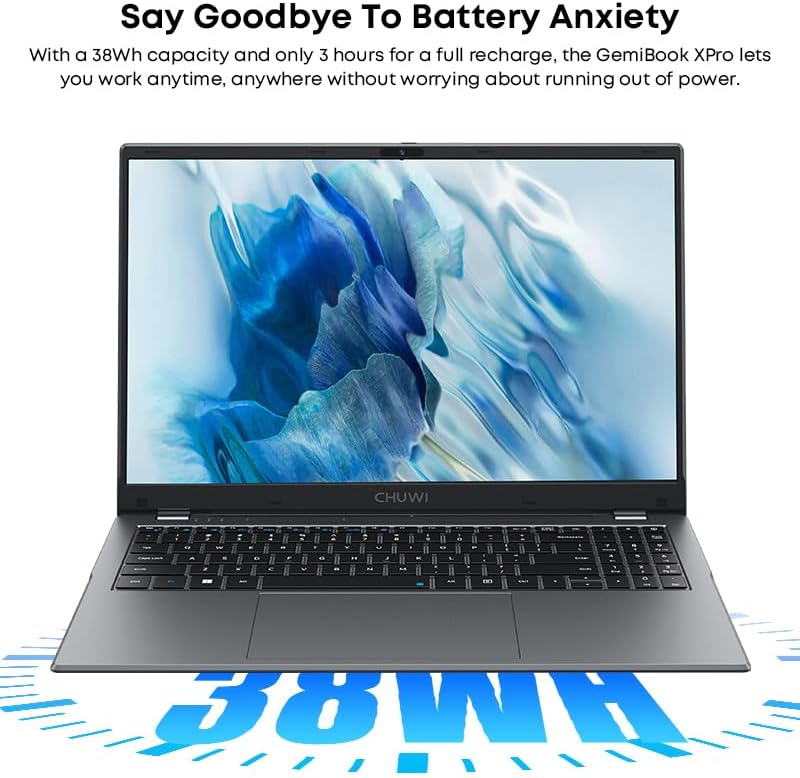
Image: The CHUWI GemiBook Plus laptop with an overlay indicating its 38Wh battery capacity, emphasizing its power endurance.
Awọn imudojuiwọn Software
Ṣe àyẹ̀wò déédéé fún àwọn àtúnṣe Windows àti àwọn àtúnṣe awakọ̀ láti rí i dájú pé iṣẹ́ àti ààbò tó dára jùlọ wà.
Laasigbotitusita
Kọǹpútà alágbèéká kò ṣiṣẹ́
- Rii daju pe ohun ti nmu badọgba agbara ti sopọ ni aabo si kọǹpútà alágbèéká mejeeji ati iṣan agbara iṣẹ kan.
- Ṣayẹwo boya iṣan agbara n ṣiṣẹ nipa sisọ sinu ẹrọ miiran.
- Ti batiri naa ba ti gbẹ patapata, o le gba agbara iṣẹju diẹ ṣaaju ki kọǹpútà alágbèéká le ṣiṣẹ.
Ko si Wi-Fi Asopọmọra
- Ṣe ìdánilójú pé Wi-Fi ti ṣiṣẹ́ nínú àwọn ètò Windows.
- Tun Wi-Fi olulana rẹ ati kọǹpútà alágbèéká bẹrẹ.
- Ensure you are within range of a Wi-Fi network and have entered the correct password.
O lọra Performance
- Pa awọn ohun elo ti ko wulo ti nṣiṣẹ ni abẹlẹ.
- Ṣayẹwo fun ati fi sori ẹrọ eyikeyi awọn imudojuiwọn Windows ni isunmọtosi.
- Run a disk cleanup and defragmentation (for HDD) or optimize drives (for SSD).
- Rii daju pe aaye ọfẹ to to lori SSD.
Awọn pato
| Ẹya ara ẹrọ | Ẹ̀kúnrẹ́rẹ́ |
|---|---|
| Brand | CHUWI |
| Orukọ awoṣe | GemiBook Plus |
| Iwon iboju | 15.6 inches |
| Ipinnu iboju | 1920 x 1080 awọn piksẹli (FHD) |
| isise | Intel N100 CPU (up to 3.4GHz) |
| Àgbo | 8 GB LPDDR5 |
| Dirafu lile | 256 GB SSD (M.2 2280 SSD expansion up to 1TB supported) |
| Eto isesise | Windows 11 |
| Kaadi eya aworan | Integrated Intel UHD Graphics for 12th Gen Intel Processors |
| Alailowaya Iru | Wi-Fi 6 (802.11ax) |
| Bluetooth | Bluetooth 5.2 |
| Awọn ibudo | 1x USB 2.0, HDMI, Audio Jack |
| Iwọn Nkan | 3.85 poun (1.74 kg) |
| Ọja Mefa | 14.1 x 9.5 x 0.78 inches (35.8 x 24.1 x 1.98 cm) |
| Batiri | 38Wh Li-ion Batiri |
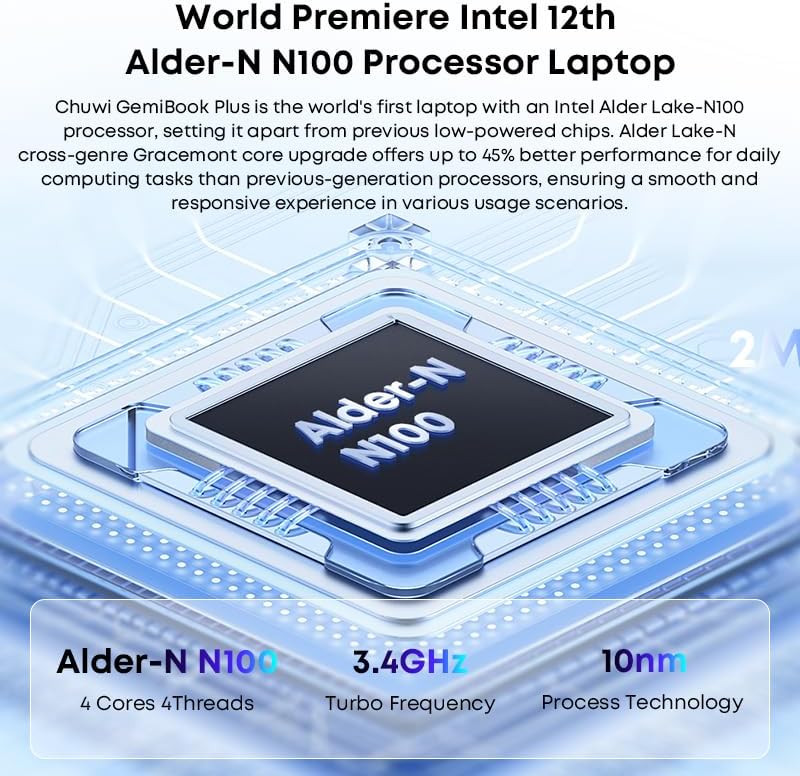
Image: Diagram illustrating the Intel Alder-N N100 processor with details on its 4 Cores 4 Threads, 3.4GHz Turbo Frequency, and 10nm Process Technology.
Atilẹyin ọja ati Support
Alaye atilẹyin ọja
The CHUWI GemiBook Plus laptop comes with a 1-odun atilẹyin ọja valid immediately after purchase. This warranty covers manufacturing defects and ensures product reliability.
Onibara Support
CHUWI offers lifetime factory professional support and 24 hours of online support to assist with any issues or questions you may have. For support, please refer to the contact information provided in your product documentation or visit the official CHUWI webojula.
O tun le ṣàbẹwò awọn CHUWI Store on Amazon fun alaye siwaju sii ati oro.
Ask a question about this manual
Ask about setup, troubleshooting, compatibility, parts, safety, or missing instructions. Manuals+ will review the question and use this page’s manual context to help answer it.