
Ọrọ Iṣaaju
Thank you for choosing the iKF Y3 Wired Retro Headphones. This manual provides essential information for setting up, operating, maintaining, and troubleshooting your headphones. Please read it thoroughly to ensure optimal performance and longevity of your device.

Image: The iKF Y3 Retro Wired Headphones, showcasing their vintage-atilẹyin oniru.
Ọja Pariview
Key Awọn ẹya ara ẹrọ
- Apẹrẹ Retiro: Metal steel bars create a vintage-atilẹyin darapupo.
- Fúyẹ́ àti Ìtùnú: Weighing approximately 50g, with breathable, dense sponge ear pads for extended wear.
- Didara Ohun HiFi: Equipped with 30mm white magnetic speakers for clear, dual-channel stereo audio.
- Flexible and Convenient: Features a retractable body and manually adjustable earcups for a personalized fit.
- Ibamu giga: Connects to devices with a standard 3.5mm audio jack, including phones, tablets, and computers.
Package Awọn akoonu
Rii daju pe gbogbo awọn nkan wa ninu package:
- 1 x iKF Y3 Wired Headphones
- 1 x Itọsọna olumulo
- 2 x Pairs of Replacement Ear Pads (1 Black, 1 Orange)

Image: The iKF Y3 headphones, user manual, and two pairs of ear pads (black and orange) included in the package.
Ṣeto
1. Ṣíṣe àtúnṣe ẹ̀gbẹ́ orí
Gently extend or retract the metal steel bars of the headband to fit your head comfortably. The earcups can also be manually adjusted for optimal positioning over your ears.

Image: The iKF Y3 headphones demonstrating the ergonomic headband design for a pressure-free fit.
2. Sísopọ̀ mọ́ ẹ̀rọ kan
Locate the 3.5mm audio jack on your device (phone, tablet, laptop, PC). Insert the 3.5mm plug of the iKF Y3 headphones firmly into the audio jack. No additional drivers or software are required for basic audio playback.
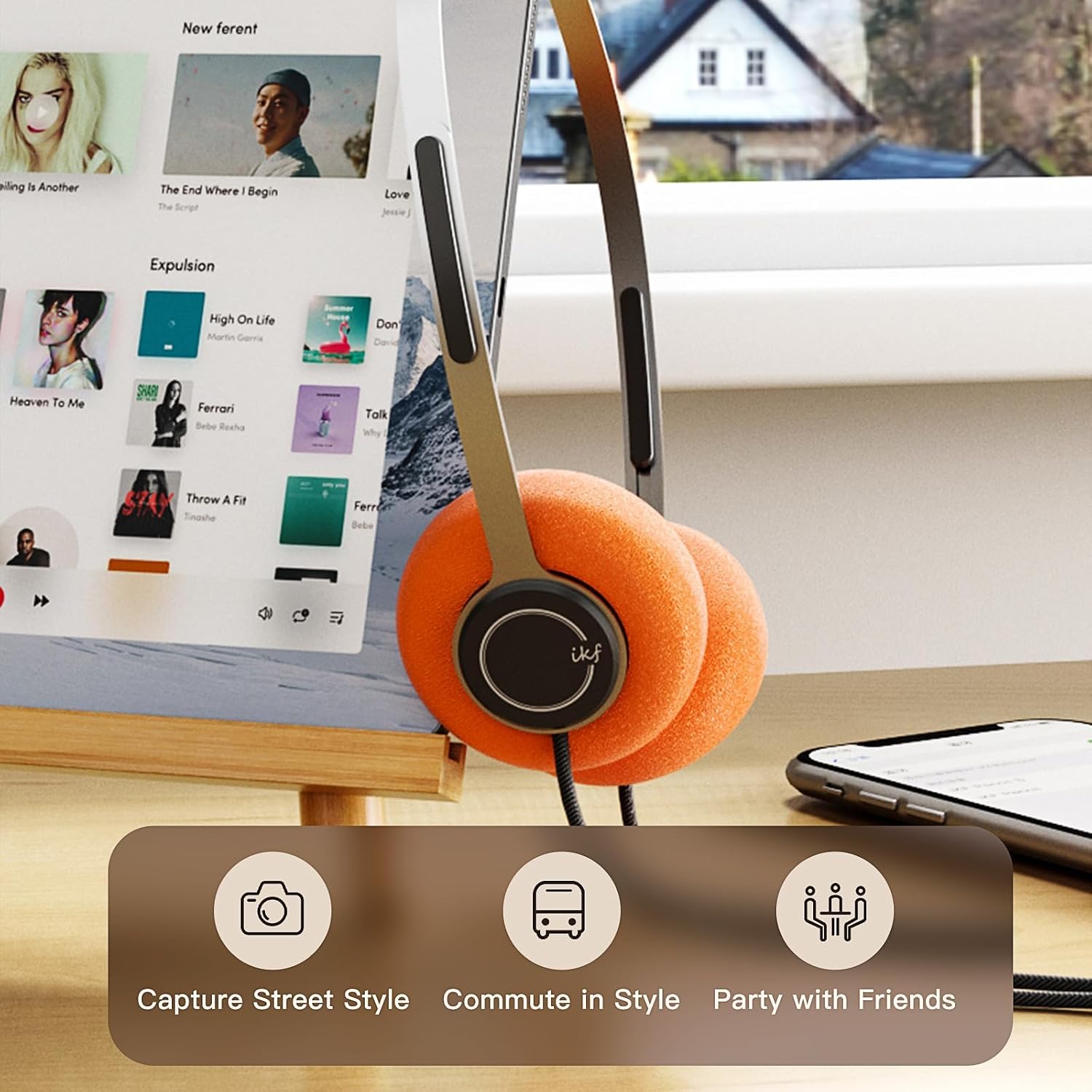
Image: iKF Y3 headphones connected to a tablet, illustrating compatibility with various devices for music and communication.
Awọn ilana Iṣiṣẹ
Iṣakoso iwọn didun
The iKF Y3 headphones feature an inline controller on the cable for convenient volume adjustment:
- Mu iwọn didun pọ si: Slide the volume button upwards.
- Din iwọn didun silẹ: Slide the volume button downwards.
Note: The volume level on your connected device (phone, tablet, PC) will also affect the overall sound output. Adjust both for your preferred listening level.
Call and Media Control
The inline controller also allows for basic call and media management:
- Play/Pause Music / Answer/End Call: Single click the central button.
- Kọ Ipe: Long press the central button.
- Orin t’okan: Double click the central button.
- Tẹlẹ Orin: Triple click the central button.

Image: Close-up of the inline controller on the headphone cable, showing the volume slider and multi-function button for media and call control.
Itoju
Ninu
- Use a soft, dry cloth to wipe the headphones.
- For ear pads, gently wipe with a slightly damp asọ ati gba laaye lati gbẹ patapata ṣaaju lilo.
- Yẹra fun lilo awọn kẹmika lile, awọn nkanmimu, tabi awọn afọmọ abrasive.
Rirọpo Eti paadi
The iKF Y3 headphones come with detachable sponge ear cushions, allowing for easy replacement:
- Gently pull off the existing ear pad from the earcup.
- Align the new ear pad with the earcup and carefully stretch it over the edge until it is securely fitted.

Image: Illustration of the detachable sponge ear cushions, highlighting the ease of switching between different styles (black and orange).
Ibi ipamọ
Store your headphones in a cool, dry place away from direct sunlight and extreme temperatures. Avoid tangling the cable to prevent damage.
Laasigbotitusita
| Isoro | Owun to le Fa | Ojutu |
|---|---|---|
| Ko si ohun | Headphone plug not fully inserted. Device volume too low. Incorrect audio output selected on device. | Ensure 3.5mm plug is fully inserted. Increase volume on both headphones and connected device. Check device audio settings to ensure headphones are selected as output. |
| Ohun ti daru tabi koyewa | Volume too high. Damaged cable or connector. | Lower the volume. Inspect the cable and 3.5mm plug for any visible damage. Try with another device to isolate the issue. |
| Gbohungbohun ko ṣiṣẹ | Microphone input not selected on device. | Check your device's audio input settings and ensure the headphone microphone is selected. |
Awọn pato

Aworan: Ohun exploded view of the iKF Y3 headphone's internal components, highlighting the 30mm neodymium driver for crystal clear sound.
| Ẹya ara ẹrọ | Ẹ̀kúnrẹ́rẹ́ |
|---|---|
| Brand | iKF |
| Orukọ awoṣe | iKF Y3 |
| Àwọ̀ | Brown |
| Asopọmọra Technology | Ti firanṣẹ |
| Jack agbekọri | 3.5 mm Jack |
| Gbigbe Eti | Lori Eti |
| Ipalara | 32 ohms |
| Gbigbọn ohun | Iyasọtọ ohun |
| Audio Driver Type | Ìmúdàgba |
| Audio Driver Iwon | 30 millimeters |
| Iwọn Igbohunsafẹfẹ | 20 Hz si 20,000 Hz |
| Iwọn Ọja | Isunmọ. 50g |
| Awọn ẹrọ ibaramu | Kọ̀m̀pútà, Kọ̀m̀pútà alágbèéká, Foonu alágbéká |
| Ọja Awọn ẹya ara ẹrọ | Adjustable Headband, Retro Design, Lightweight, HiFi Sound Quality |
| Iṣakoso Iru | Media Control (Inline Controller) |
| Ilu isenbale | China |
Atilẹyin ọja ati Support
For warranty information and customer support, please refer to the documentation provided with your purchase or contact iKF customer service through their official webojula. Jeki ẹri rira rẹ fun awọn iṣeduro atilẹyin ọja.