
1. Ifihan
This manual provides instructions for the GP RECYKO GP B441 USB Charger and the accompanying D451 Docking Station, designed for charging AA and AAA NiMH rechargeable batteries. This compact charging unit offers intelligent safety features and techniques to ensure efficient and safe battery charging.
Package Awọn akoonu
Daju pe gbogbo awọn nkan wa ninu apo rẹ:
- 1 x GP B441 USB Charger
- 4 x GP ReCyko AA 2100mAh NiMH Rechargeable Batteries
- 1 x D451 Docking Station
- 1 x Okun Ngba agbara USB
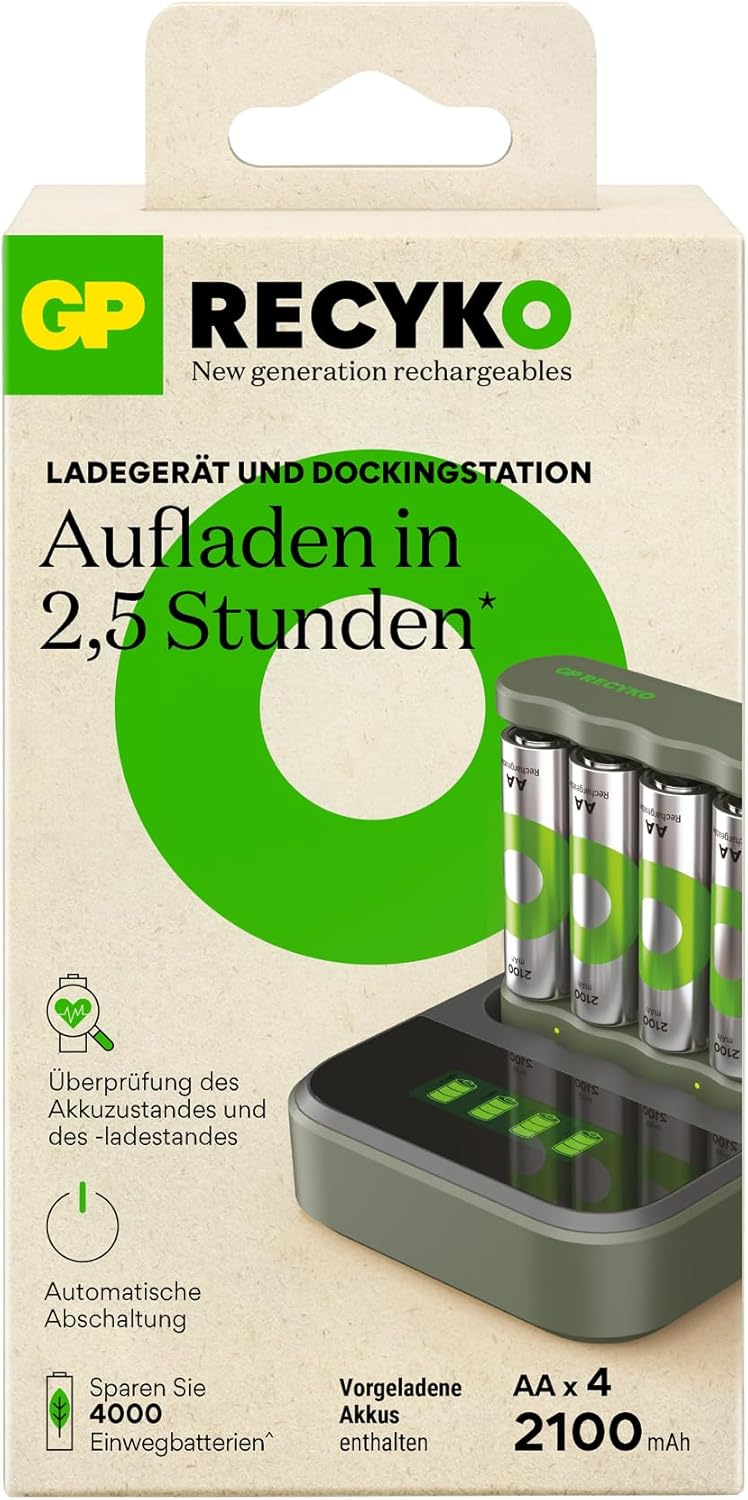
Figure 1: Package Contents - GP B441 USB Charger, 4 AA batteries, Docking Station, and USB Cable.

Figure 2: GP B441 USB Charger with Docking Station and Batteries.
2. Eto
Nsopọ Ṣaja
- Connect the provided USB charging cable to the GP B441 USB Charger.
- Plug the other end of the USB cable into a compatible USB power source (e.g., computer USB port, USB wall adapter, or power bank) with a minimum output of DC 5V/1A.
- The charger can be used independently or placed into the D451 Docking Station for enhanced charging and display features.
Fifi awọn batiri sii
The GP B441 charger supports charging up to four AA or AAA NiMH rechargeable batteries simultaneously.
- Ensure the batteries are NiMH rechargeable type. Do not attempt to charge disposable batteries.
- Insert the batteries into the charging slots, observing the correct polarity (+ and -) as indicated on the charger.

Figure 3: Charger compatible with AA and AAA batteries.
3. Awọn ilana Iṣiṣẹ
Ilana gbigba agbara
Nígbà tí a bá ti fi àwọn bátìrì sí i dáadáa tí a sì ti so ààjá náà mọ́ orísun agbára, ìlànà gbígbà á bẹ̀rẹ̀ láìfọwọ́sí.
- The device charges 4 x AA 2100 mAh batteries in approximately 3 hours via a USB port.
- Charging time for 2100mAh AA batteries is approximately 180 minutes (with input min. DC 5.0V 1.0A min., 2 batteries).
- Charging time for 850mAh AAA batteries is approximately 180 minutes (with input min. DC 5.0V 1.0A min., 2 batteries).

Figure 4: Fast charging capability of the GP B441 charger.
LED Ifi
The LED display provides visual feedback on the charging status and battery condition:
- Green LED on for 0.5 seconds after USB power connection: Indicates the charger has received power.
- Awọn filasi LED alawọ ewe laiyara: Batteries are currently charging.
- Green LED illuminated (solid): Awọn batiri ti gba agbara ni kikun.
- Green LED flashes fast: Indicates defective batteries or disposable batteries have been inserted.

Figure 5: LED Charge Status Display.
Battery Status Check Function
The charger includes a function to quickly check the battery status. This allows you to determine if your batteries are sufficiently charged or require recharging, helping to avoid unexpected situations with empty batteries and unnecessary charging.
4. Awọn ẹya ara ẹrọ ailewu
The GP B441 charger incorporates multiple safety mechanisms to protect both the batteries and the user:
- Automatic Shut Off Timer: Prevents overcharging. The timer is 5 hours when using 1 channel or 10 hours when using 2 channels.
- Full Charge Detection (-DV): Automatically detects when batteries are fully charged and stops the charging process.
- Temperature Interruption: Monitors battery temperature during charging and stops if overheating is detected.
- Primary Battery Protection: Prevents charging of non-rechargeable (disposable) batteries.
- Idaabobo Polarity yiyipada: Protects against damage if batteries are inserted incorrectly.
- These features collectively prevent overcharging, over-voltage, short circuits, and help extend battery life.

Figure 6: Automatic shut-off feature for fully charged batteries.
5. Itọju
To ensure optimal performance and longevity of your GP RECYKO charger and batteries, follow these maintenance guidelines:
- Keep the charger and docking station clean and dry. Use a soft, dry cloth to wipe surfaces.
- Yẹra fún fífi ohun èlò náà sí àwọn iwọn otutu tó le koko, oòrùn tààrà, tàbí ọriniinitutu gíga.
- Store the charger and batteries in a cool, dry place when not in use.
- Do not attempt to disassemble or modify the charger or docking station.
6. Laasigbotitusita
Ti o ba pade awọn iṣoro pẹlu ṣaja rẹ, tọka si awọn igbesẹ laasigbotitusita ti o wọpọ wọnyi:
- Batteries not charging / LED flashes fast:
- Ensure batteries are correctly inserted with the correct polarity.
- Verify that the batteries are NiMH rechargeable type. The fast flashing green LED indicates that defective or disposable batteries have been inserted.
- Check the USB cable connection and ensure the power source is providing sufficient power (DC 5V/1A minimum).
- Try charging fewer batteries at a time to see if the issue persists.
- Ṣaja ko ṣiṣẹ lori:
- Ensure the USB cable is securely connected to both the charger and the power source.
- Try a different USB cable or power source to rule out a faulty component.
Ti awọn iṣoro ba wa, kan si atilẹyin alabara fun iranlọwọ siwaju.
7. Awọn pato
GP B441 USB Charger
| Ẹya ara ẹrọ | Sipesifikesonu |
|---|---|
| Awoṣe | B441 |
| Awọn iwọn (L x W x H) | 68 x 75 x 21.3 mm |
| Iwọn | Isunmọ. 38 g |
| Number of Slots/Channels | 4 slots / 2 channels |
| Agbara Input USB | DC 5V / 1A |
| O wujade Voltage/Charging Current (1-2 AA) | DC 2.8V / 770mA |
| O wujade Voltage/Charging Current (3-4 AA) | DC 2.8V / 300mA |
| O wujade Voltage/Charging Current (1-4 AAA) | DC 2.8V / 400mA |
| Charging Time (2x 2100mAh AA) | Approx. 180 minutes (input min. DC 5.0V 1.0A) |
| Charging Time (2x 850mAh AAA) | Approx. 180 minutes (input min. DC 5.0V 1.0A) |
| Aabo Awọn ẹya ara ẹrọ | Timer Protection, -DV Full Charge Detection, Temperature Interruption, Primary Battery Protection, Reverse Polarity Protection |
| LED Ifi | Power On, Charging, Fully Charged, Defective/Disposable Battery |
GP D451 Docking Station
| Ẹya ara ẹrọ | Sipesifikesonu |
|---|---|
| Awoṣe | D451 |
| Awọn iwọn (L x W x H) | 82 x 82 x 27 mm |
| Iwọn | Isunmọ. 71 g |
| Awọn ṣaja ibaramu | GP B441, M452, P461 4-Slot USB Chargers |
| Agbara Input USB | DC 5V / 1A |
| O wujade Voltage/Charging Current | DC 5V / 1A |
| Charging Time Improvement (B441 with Dock) | ~150/300 min for 1-2/3-4 AA 2100mAh batteries ~150/200 min for 1-2/3-4 AAA 850mAh batteries |
| Ifihan | Built-in LCD display for individual battery charging status |
8. Atilẹyin ọja ati Support
Information regarding product warranty and customer support details is not available in the provided product data. Please refer to the product packaging or the manufacturer's official website for warranty terms and contact information for support.