
1. Ifihan
This manual provides detailed instructions for the setup, operation, and maintenance of your ENUOSUMA S05 Fitness Tracker Watch. Please read this manual thoroughly before using the device to ensure proper function and to maximize your user experience.
2. Alaye Aabo
- Consult your doctor before starting any new exercise program or if you have pre-existing health conditions.
- This device is not a medical device and is not intended for use in the diagnosis, treatment, or prevention of any disease. All health data is for reference only.
- Jeki ẹrọ naa kuro ni iwọn otutu ti o pọju, imọlẹ orun taara, ati awọn olomi ibajẹ.
- Má ṣe gbìyànjú láti tú tàbí tún ẹ̀rọ náà ṣe fúnra rẹ. Èyí yóò sọ àtìlẹ́yìn náà di òfo.
- Ensure the charging contacts are clean and dry before charging to prevent corrosion or damage.
3. Package Awọn akoonu
Jọwọ ṣayẹwo package fun awọn nkan wọnyi:
- ENUOSUMA S05 Fitness Tracker Watch (1 unit)
- Okun gbigba agbara (ẹyọkan 1)
- Itọsọna olumulo (ẹyọkan 1)
4. Eto
4.1 Ngba agbara si Ẹrọ
Before first use, fully charge your ENUOSUMA S05 Fitness Tracker Watch. Connect the charging cable to the charging contacts on the back of the watch and plug the USB end into a standard USB power adapter (5V/1A recommended) or a computer USB port. A full charge typically takes approximately 2.5 hours.
4.2 App fifi sori ati so pọ
- Download the DaFit App: Scan the QR code in the manual (if provided) or search for 'DaFit' in the Apple App Store (for iOS) or Google Play Store (for Android).
- Fi sori ẹrọ ati Ṣii: Install the app on your smartphone and open it.
- Mu Bluetooth ṣiṣẹ: Rii daju pe Bluetooth ti ṣiṣẹ lori foonuiyara rẹ.
- So Ẹrọ naa pọ: In the DaFit app, navigate to the 'Device' section and tap 'Add Device'. Select 'S05' from the list of available devices. Follow the on-screen prompts to complete the pairing process.
- Awọn igbanilaaye fifunni: Allow the app necessary permissions (e.g., notifications, location) for full functionality.
4.3 Ni ibẹrẹ Eto
After successful pairing, set up your personal profile within the DaFit app, including gender, age, height, and weight. This information helps improve the accuracy of activity and health data.
5. Ṣiṣẹ ẹrọ naa
5.1 Ipilẹ Lilọ kiri
- Afi ika te: Swipe left/right to navigate between main functions. Swipe up/down to view notifications or quick settings.
- Bọtini ẹgbẹ: Press to wake the screen, return to the main watch face, or long-press to power on/off.
5.2 Abojuto Ilera
The ENUOSUMA S05 provides comprehensive health monitoring features. Ensure the watch is worn snugly on your wrist for accurate readings.

Image: Advanced Health Monitoring features on the ENUOSUMA S05 Fitness Tracker Watch, displaying charts for Heart Rate, Blood Pressure, Blood Oxygen, and Sleep Tracking.
- Abojuto Oṣuwọn Ọkàn: The watch continuously monitors your heart rate 24/7. View real-time data on the watch or detailed trends in the DaFit app.
- Atẹgun ẹjẹ (SpO2) Abojuto: Measure your blood oxygen saturation levels. Access this function from the watch menu.
- Abojuto Ipa Ẹjẹ: Monitor your blood pressure. This feature is for reference and not for medical diagnosis.
- Titele orun: The watch automatically tracks your sleep patterns, including deep sleep, light sleep, and awake times. Review your sleep quality analysis in the DaFit app.

Image: The ENUOSUMA S05 Fitness Tracker Watch displaying scientific sleep analysis, showing durations for deep sleep and light sleep.
5.3 Iṣẹ-ṣiṣe Àtòjọ
Track your daily activities and workouts with the ENUOSUMA S05.

Image: A man running outdoors, illustrating the all-day activity tracking capabilities of the ENUOSUMA S05 Fitness Tracker Watch, with data for step count, distance, calories, and heart rate.
- Iṣẹ́ ojoojúmọ́: The watch records steps, distance, and calories burned throughout the day.
- Awọn ọna idaraya: Choose from 8 built-in sport modes to track specific activities. These modes provide real-time data relevant to your chosen exercise.
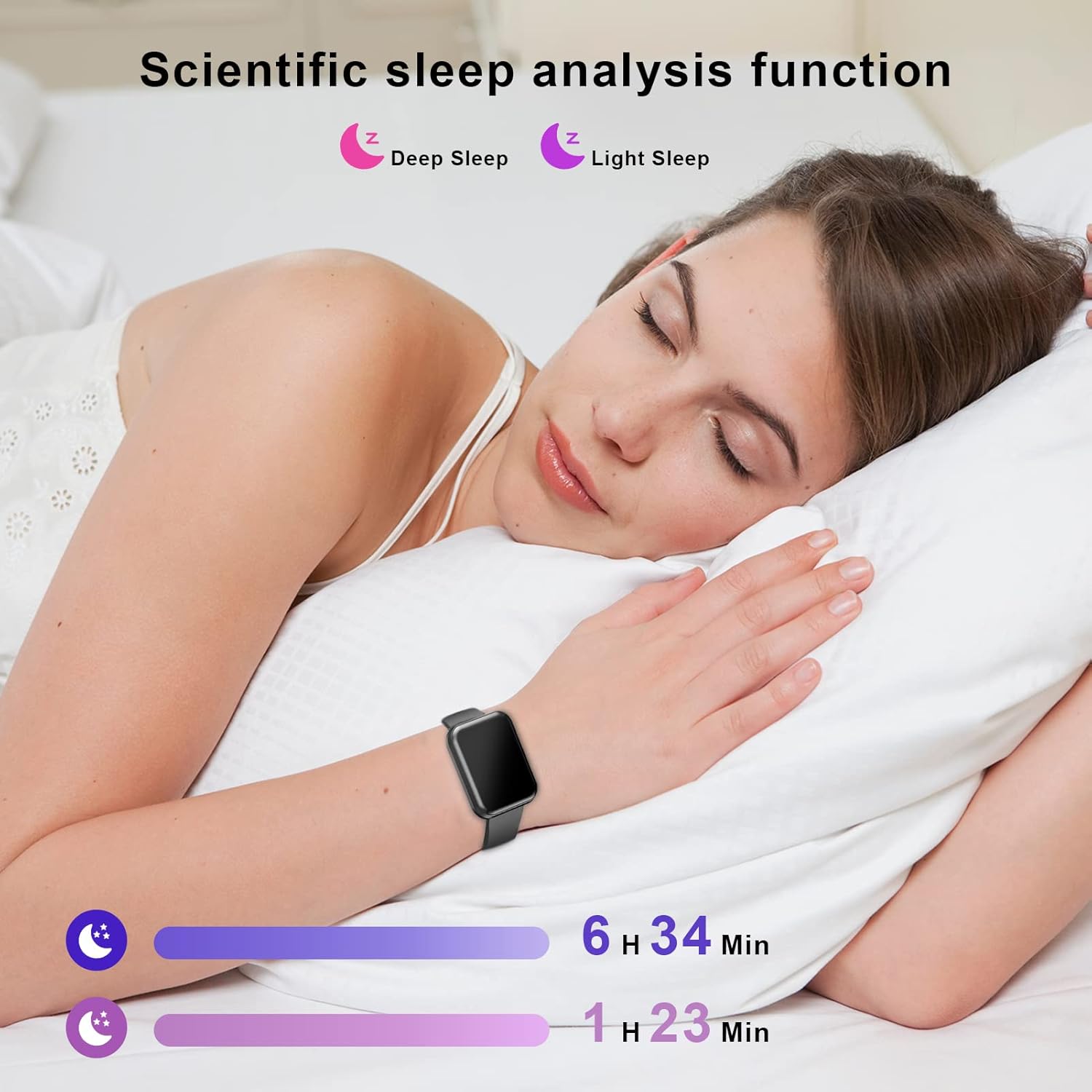
Image: A collage depicting various sports activities such as running, cycling, and racket sports, illustrating the 8 sport modes offered by the ENUOSUMA S05 Fitness Tracker Watch.
5.4 Smart Functions
Connect your ENUOSUMA S05 to your smartphone for enhanced smart features.

Image: A woman working on a laptop, with social media application icons displayed, symbolizing the smart notification capabilities of the ENUOSUMA S05 Fitness Tracker Watch.
- Awọn iwifunni: Receive call, SMS, and app notifications (WhatsApp, Facebook, Messenger, Instagram, etc.) directly on your watch.
- Iṣakoso Orin: Control music playback on your smartphone (play, pause, skip tracks) from your watch.
- Iṣakoso kamẹra: Lo aago rẹ gẹ́gẹ́ bí ohun tí ó ń dènà àgbékalẹ̀ fún kámẹ́rà fóònù rẹ.
- Ifihan oju ojo: View awọn ipo oju ojo lọwọlọwọ ati awọn asọtẹlẹ.
- Aago itaniji: Ṣeto awọn itaniji taara lori aago tabi nipasẹ ohun elo naa.
- Aago iṣẹju-aaya: Utilize the built-in stopwatch function for timing activities.
- Olurannileti Iduroṣinṣin: Receive alerts to remind you to move after periods of inactivity.
- Atunse Imọlẹ: Adjust the screen brightness for optimal visibility.

Aworan: Afihan akojọpọasing various practical functions of the ENUOSUMA S05 Fitness Tracker Watch, such as Stopwatch, Sedentary Reminder, Weather, Camera Control, Music Control, and Brightness Adjustment.
6. Itọju
6.1 Ninu
Ṣe nu aago rẹ nigbagbogbo ati okun pẹlu asọ, damp cloth. Avoid using harsh chemicals or abrasive materials. Ensure the watch is dry before charging.
6.2 Omi Resistance (IPX68)
The ENUOSUMA S05 is IPX68 waterproof, meaning it is resistant to dust and can withstand immersion in water up to 1.5 meters for up to 30 minutes. It is suitable for daily use, hand washing, and light rain. However, it is not recommended for hot showers, saunas, or diving, as steam and high water pressure can damage the device.
6.3 batiri Itọju
- Lati pẹ aye batiri, yago fun gbigba agbara si batiri ni kikun nigbagbogbo.
- Tọju ẹrọ naa ni itura, aye gbigbẹ ti ko ba lo fun awọn akoko gigun.
- Lo okun gbigba agbara ti a pese nikan.
7. Laasigbotitusita
- Wo ti ko tan: Rii daju pe aago naa ti gba agbara ni kikun. Sopọ mọ ṣaja fun o kere 10 iṣẹju.
- Ko le so pọ pẹlu foonu:
- Rii daju pe Bluetooth ti ṣiṣẹ lori foonu rẹ.
- Make sure the watch is within Bluetooth range (typically 10 meters).
- Tun foonu rẹ ati aago bẹrẹ mejeeji.
- Gbiyanju lati yọ asopọ kuro ki o si tun so ẹrọ naa pọ nipasẹ ohun elo DaFit.
- Awọn alaye ilera ti ko pe: Rii daju pe aago naa ti wọ snugly lori ọwọ ọwọ rẹ, kii ṣe ju tabi alaimuṣinṣin pupọ. Nu sensọ lori ẹhin aago naa.
- Awọn iwifunni ko gba:
- Check if notifications are enabled in the DaFit app for specific applications.
- Ensure your phone's notification settings allow the DaFit app to send alerts.
- Keep the DaFit app running in the background.
8. Awọn pato
| Brand | ENUOSUMA |
| Awoṣe | S05 |
| Iwọn Ifihan | 1.39 inches |
| Eto isesise | Android Wear (Compatible with Android 5.0+ and iOS 9.0+) |
| Asopọmọra Technology | Bluetooth 4.0, Wi-Fi |
| Agbara Batiri | 179.99 Amp Awọn wakati (Polima litiumu) |
| Igbesi aye batiri | Títí dé ọjọ́ mẹ́wàá (lílo déédé), ọjọ́ ọgbọ̀n (ní ìdúró) |
| Akoko gbigba agbara | Isunmọ. wakati meji 2.5 |
| Omi Resistance | IPX68 |
| Pataki Awọn ẹya ara ẹrọ | Heart Rate Monitor, Blood Pressure Monitor, Blood Oxygen Monitor, Sleep Monitor, Activity Tracker, Sedentary Reminder, Notifications, Music Control, Camera Control, Weather, Alarm, Stopwatch, Brightness Adjustment |
9. Atilẹyin ọja ati Support
For warranty information and customer support, please refer to the documentation included with your purchase or contact the retailer. Keep your proof of purchase for any warranty claims.