
Ọrọ Iṣaaju
Thank you for choosing the TFA Dostmann XENA HOME Radio Thermometer, Model 30.3074.10. This device provides accurate indoor temperature and humidity readings, along with outdoor temperature transmitted wirelessly from an external sensor. It also features a radio-controlled clock with date display and min/max value memory. This manual will guide you through the setup, operation, and maintenance of your new thermometer.
Alaye Aabo
- Jeki itọnisọna itọnisọna yii fun itọkasi ojo iwaju.
- Ma ṣe fi ẹrọ naa han si awọn iwọn otutu to gaju, gbigbọn, tabi awọn ipaya.
- Yago fun orun taara ati ọrinrin.
- Maṣe fi ẹrọ naa bọ inu omi.
- Use only specified batteries. Ensure correct polarity.
- Jeki awọn batiri kuro ni arọwọto awọn ọmọde.
- Dispose of depleted batteries and the device according to local regulations.
Package Awọn akoonu
- TFA Dostmann XENA HOME Main Display Unit (Model 30.3074.10)
- Sensọ Ita gbangba Alailowaya
- Ilana itọnisọna
Ṣeto
1. Fifi sori batiri
Ẹrọ naa nilo awọn batiri 4 AA (kii ṣe pẹlu).
- Ẹ̀yà Ìfihàn Pàtàkì: Open the battery compartment cover on the back of the main unit. Insert 2 AA batteries, observing the correct polarity (+/-). Close the cover.
- Sensọ ita gbangba alailowaya: Open the battery compartment cover on the back of the sensor. Insert 2 AA batteries, observing the correct polarity (+/-). Close the cover.

Ẹyìn view of the TFA Dostmann XENA HOME main display unit, showing the battery compartment and wall-mounting hole.

The external wireless sensor for the TFA Dostmann XENA HOME thermometer, designed for outdoor temperature transmission.
2. Ibi sensọ
Place the wireless outdoor sensor in a sheltered location outdoors, away from direct sunlight and rain, to ensure accurate temperature readings. The maximum transmission range is 100 meters in open areas.
3. Amuṣiṣẹpọ akọkọ
After inserting batteries, the main unit will automatically search for the outdoor sensor and the radio-controlled time signal. This process may take a few minutes. Ensure both units are within range of each other.
4. Aago ati Eto Ọjọ
The radio-controlled clock will automatically set the time and date. If manual adjustment or time zone correction is needed:
- Tẹ awọn SET button to enter settings mode.
- Lo awọn +/- awọn bọtini lati ṣatunṣe iye.
- Tẹ SET again to confirm and move to the next setting (e.g., time zone, 12/24 hour format, date format).
Awọn ilana Iṣiṣẹ
1. Ifihan Loriview

Iwaju view of the TFA Dostmann XENA HOME main display unit, showing the time, date, indoor temperature, humidity, and outdoor temperature.
The large LCD display shows:
- Oke: Radio-controlled time and date.
- Middle (IN): Indoor temperature and humidity, with a comfort level indicator (smiley face).
- Bottom (OUT): Outdoor temperature received from the wireless sensor.
2. Min/Max Values
Tẹ awọn MAX/+ button once to display the maximum recorded indoor/outdoor temperature and humidity. Press it again to view the minimum recorded values. The display will also show the time and date when these values were recorded. To reset the min/max values, press and hold the MIN/- bọtini nigba ti viewing the min/max values. The values automatically reset at 0:00h daily.
3. Adding Additional Sensors
The thermometer can be expanded with up to 3 additional wireless transmitters (models 30.3255.02 or 30.3250.02). To add a new sensor:
- Install batteries in the new sensor.
- On the main unit, press the CHANNEL button to cycle through available channels.
- The main unit will automatically search for and connect to the new sensor on an unoccupied channel.
Itoju
Ninu
Nu ẹrọ naa pẹlu asọ, damp asọ. Ma ṣe lo abrasive ose tabi epo. Rii daju pe ko si ọrinrin wọ inu ẹrọ naa.
Batiri Rirọpo
When the low battery indicator appears on the display, replace all batteries in the respective unit (main unit or sensor) with new ones. Always replace all batteries at the same time to ensure optimal performance.
Ibi ipamọ
Tí wọn kò bá lo ẹ̀rọ náà fún ìgbà pípẹ́, yọ àwọn bátìrì náà kúrò kí ó má baà jẹ́ kí ó jò tàbí kí ó ba jẹ́.
Laasigbotitusita
| Isoro | Owun to le Fa | Ojutu |
|---|---|---|
| No outdoor temperature display. | Sensor out of range, low sensor batteries, interference. | Move sensor closer to the main unit. Replace sensor batteries. Relocate units to avoid interference. Perform a manual search for the sensor. |
| Ifihan akoko ti ko tọ. | Radio signal interference, time zone incorrect. | Move the main unit to a location with better signal reception. Manually adjust the time zone setting. |
| Ifihan ti wa ni baibai tabi òfo. | Awọn batiri akọkọ kekere. | Rọpo awọn batiri akọkọ kuro. |
Awọn pato
- Awoṣe: 30.3074.10
- Brand: TFA Dostmann
- Orisun Agbara: Battery powered (4 x AA batteries, not included)
- Imọ-ẹrọ Asopọmọra: 433 MHz, wireless
- Yiye iwọn otutu: 0.5 °C
- Yiye kika iwọn otutu: +/- 1 ° C
- Upper Operating Temperature: 60 °C
- Iru ifihan: LCD
- Iru nkan elo: Ṣiṣu
- Àwọ̀: Grẹy
- Item Dimensions (Depth x Width x Height): 2.7D x 8.2W x 14H cm
- Ìwọ̀n Nkan: 128 giramu
- Awọn ẹya pataki: High precision, Large display, Low battery indicator, High accuracy, Non-contact sensor technology.
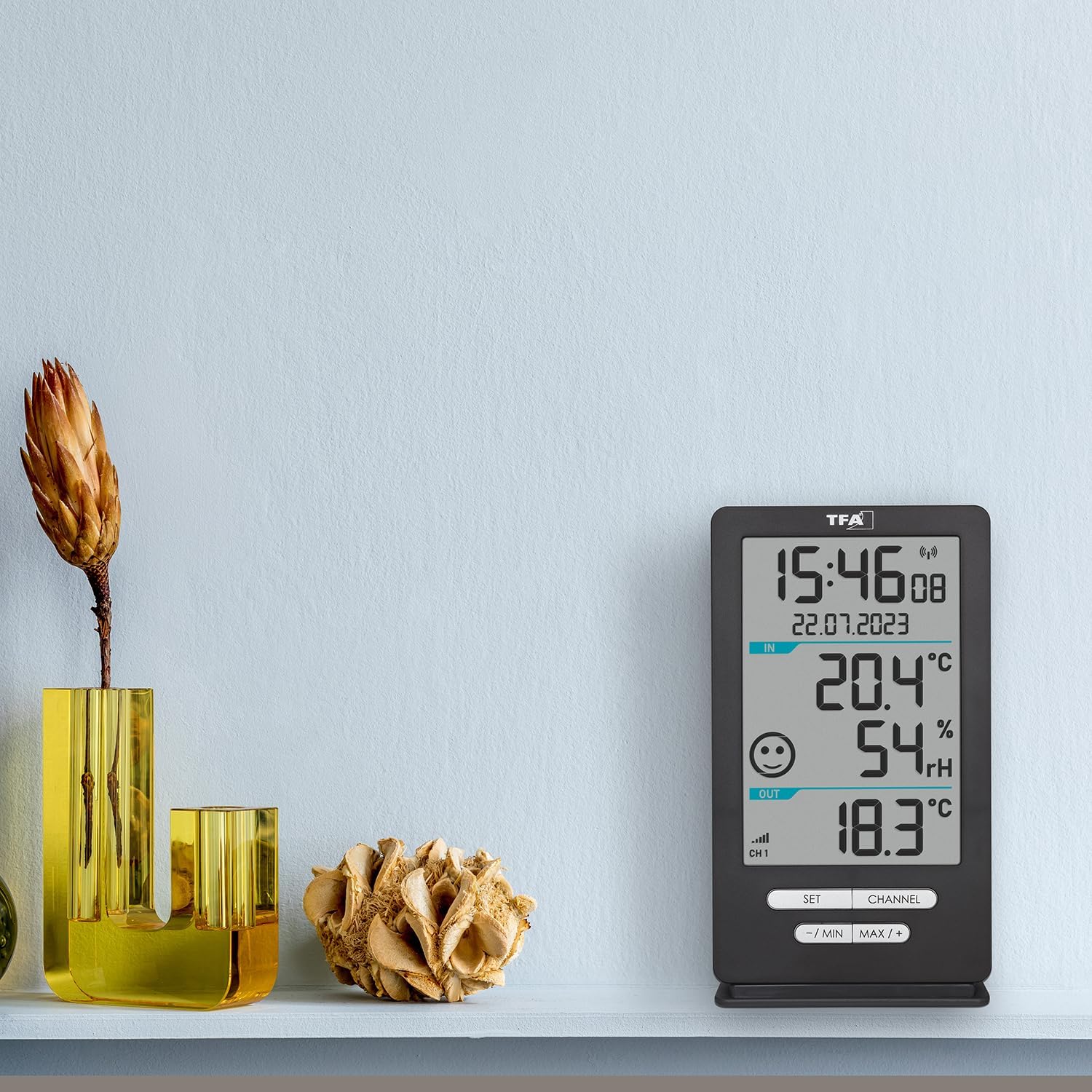
The TFA Dostmann XENA HOME main display unit placed on a shelf in a living space, demonstrating its compact size and clear display.

Apa view of the external wireless sensor with approximate dimensions: 18cm height, 9cm width, 7cm depth.
Atilẹyin ọja ati Support
This product is manufactured by TFA Dostmann. For support or warranty inquiries, please refer to the contact information provided with your purchase documentation or visit the official TFA Dostmann website. The EU spare parts availability duration for this product is 1 year.