
Ọrọ Iṣaaju
Thank you for choosing the VGR V-353 Professional Electric Shaver. This manual provides essential information for the safe and effective use, maintenance, and troubleshooting of your new shaver. Please read these instructions carefully before first use and retain them for future reference.
Ohun ti o wa ninu Apoti
- VGR V-353 Electric Shaver Unit
- Fila Idaabobo
- Okun Ngba agbara USB
- Fifọ Fẹlẹ

Image: The VGR V-353 shaver in green and black, alongside its accessories: a clear protective cap, a small cleaning brush, and a USB charging cable.
Awọn Itọsọna Aabo
To reduce the risk of electric shock, injury, or damage, please observe the following safety precautions:
- Ka gbogbo awọn itọnisọna ṣaaju lilo ohun elo yii.
- Do not immerse the shaver in water or use it in a shower or bath if not explicitly stated as waterproof. This model is designed for wet and dry use, but avoid prolonged submersion.
- Jeki ohun elo kuro lati ọdọ awọn ọmọde.
- Do not disassemble the shaver. Refer all servicing to qualified personnel.
- Lo okun gbigba agbara USB ti a pese nikan.
- Do not use the shaver if the foil or blades are damaged, as this may cause injury.
- Avoid using on irritated, damaged, or infected skin.
- Yọọ ohun-irun ṣaaju ki o to sọ di mimọ.
Ṣeto
Gbigba agbara ni ibẹrẹ
Before first use, fully charge the shaver. Connect the USB charging cable to the shaver's charging port and plug the other end into a compatible USB power source (e.g., computer, laptop, power bank, or USB wall adapter).
- Gbigba agbara ni kikun gba to wakati mẹta.
- A fully charged shaver provides up to 60 minutes of cordless operation.
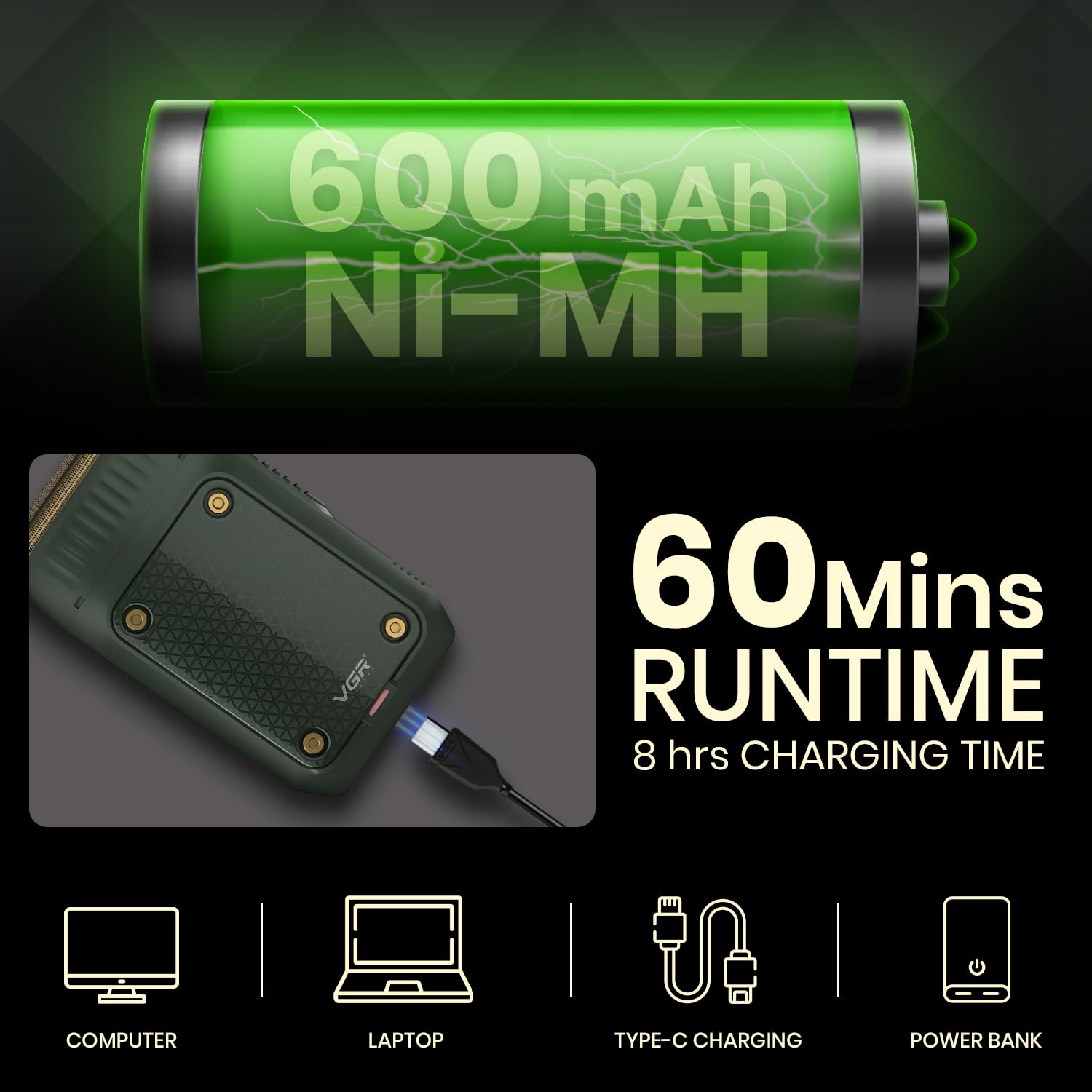
Image: The VGR V-353 shaver being charged via USB, highlighting its 600mAh Ni-MH battery, 60 minutes runtime, and 8 hours charging time.
Awọn ilana Iṣiṣẹ
Titan / Paa
Locate the On/Off switch on the side of the shaver. Slide the switch to turn the shaver on or off.

Aworan: A alaye view of the VGR V-353 shaver, pointing out the foil shaver, pop-up trimmer, on/off switch, and USB charging port.
Lilo awọn Foil Shaver
The VGR V-353 features a high-strength ultra-thin metal net slice combined with an ultra-thin reciprocating floating blade for a close and comfortable shave. It supports both wet and dry shaving.
- Gbigbe Gbigbe: Ensure your face is clean and dry. Hold the shaver at a right angle to your skin and move it against the direction of hair growth.
- Fí irun omi tutu: Apply shaving foam or gel to your face. Shave as you would with a dry shave, then rinse your face and the shaver head thoroughly.

Image: The shaver's foil blades are highlighted, with two inset images demonstrating a man performing a wet shave and a dry shave.

Image: A man shaving his face with the VGR V-353 shaver, demonstrating its use for a close and clean shave.
Lilo Pop-Up Trimmer
The integrated pop-up trimmer is ideal for shaping sideburns, moustaches, and achieving perfect edges.
- Láti mu trimmer náà ṣiṣẹ́, gbé bọ́tìnì ìtújáde trimmer sókè.
- Fara balẹ̀ gé àwọn agbègbè tí o fẹ́.
- Push the trimmer back down to retract it when finished.

Aworan: Isunmọ views demonstrating the pop-up trimmer mechanism and its application for fine-tuning facial hair.
Itoju
Ninu awọn Shaver
Ṣiṣe mimọ nigbagbogbo ṣe idaniloju iṣẹ ti o dara julọ ati mimọ.
- Lẹhin lilo kọọkan: Turn off the shaver. Remove the foil head. Use the provided cleaning brush to brush away any loose hair from the foil and the inner blade assembly.
- Wet Cleaning (for wet/dry use): After dry brushing, you can rinse the foil head and blade assembly under running water. Ensure the shaver is turned off and unplugged before rinsing. Allow parts to air dry completely before reassembling or storing.
- Ma ṣe lo awọn olutọpa abrasive tabi awọn kemikali simi.
Ibi ipamọ
When not in use, store the shaver with its protective cap on to prevent damage to the foil and blades. Keep it in a dry place, away from direct sunlight and extreme temperatures.
Laasigbotitusita
| Isoro | Owun to le Fa | Ojutu |
|---|---|---|
| Abẹ́ irun kì í tan | Batiri ti bajẹ | Gba agbara si shaver fun wakati 8. |
| Irun irun ti ko dara | Foil or blades are dirty or worn | Clean the shaver head thoroughly. Consider replacing the foil and blades if performance does not improve. |
| Irun irun ko gba agbara | Okun USB tabi orisun orisun agbara | Ensure the USB cable is securely connected. Try a different USB port or power adapter. |
Awọn pato
- Awoṣe: V-353
- Batiri: 600mAh Ni-MH
- Akoko ṣiṣe: Titi di iṣẹju 60
- Akoko gbigba agbara: O fẹrẹ to awọn wakati 8
- Orisun Agbara: Agbara Batiri (Agbara USB)
- Ohun elo abẹfẹlẹ: Irin ti ko njepata
- Ori oriṣi: Fọọmu
- Nọmba ti Awọn abẹfẹlẹ: 1
- Awọn iwọn Ọja (LxWxH): 12.5 x 8.3 x 3.5 cm
- Ìwọ̀n Nkan: 200 g
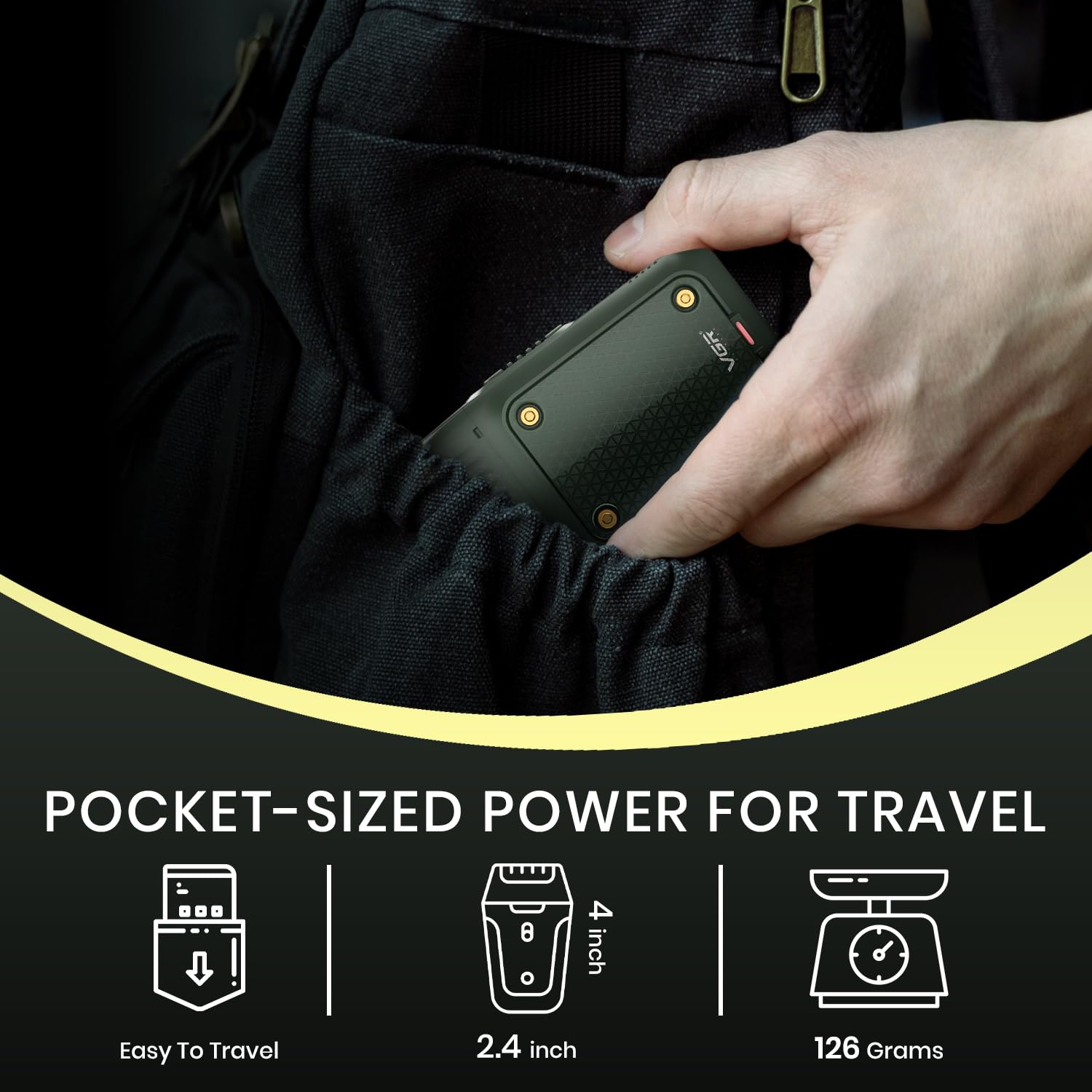
Image: The VGR V-353 shaver being slipped into a pocket, illustrating its compact, travel-friendly size and approximate dimensions.
Atilẹyin ọja ati Support
Alaye atilẹyin ọja
The VGR V-353 Electric Shaver comes with a 12-osu didara atilẹyin ọja from the date of original purchase (invoice required). This warranty covers defects in materials and workmanship. It does not cover intentional or unintentional damage caused by the user.
For more information regarding warranty claims, please visit www.vgrofficial.in.
Bibẹrẹ Ipejọ Atilẹyin ọja
To initiate a warranty claim, contact VGR customer support with a clear description of your concern, associated pictures or videos, and a copy of your original invoice. Our dedicated customer support team will assist you.
Upon verification, the company will either repair or exchange the product at its discretion. Doorstep pickup of your defective product and delivery of the repaired or exchanged product are provided free of charge under the warranty claim policy.
Ibi iwifunni
- Imeeli: customercare@vgrofficial.in
- Phone (Whatsapp): 9667796722
- Owo-ọfẹ: 18002578939
- Webojula: www.vgrofficial.in
- Awọn wakati iṣẹ: Monday to Saturday, 10:00 AM to 6:00 PM