
Ọrọ Iṣaaju
This manual provides comprehensive instructions for the Edifier X3 Lite True Wireless Earbuds. Designed for a superior audio experience, these earbuds feature advanced AI call noise cancellation, Bluetooth 5.3 connectivity, and IP55 water resistance, ensuring comfort and reliability for daily use. Please read this manual thoroughly to ensure proper usage and maintenance of your device.
Ohun ti o wa ninu Apoti
Upon unboxing your Edifier X3 Lite True Wireless Earbuds, please verify that all the following components are included:
- 1 x Pair of Edifier X3 Lite Earbuds
- 1 x Ọran gbigba agbara
- 1 x Okun gbigba agbara Iru-C
- 3 Sets of Silicone Ear Gels (Small, Medium, Large)
- 1 x Itọsọna olumulo (iwe yii)

Image: The Edifier X3 Lite earbuds resting inside their charging case, showcasing their compact design and the charging pins.
Eto Itọsọna
1. Gbigba agbara akọkọ
Before first use, fully charge the earbuds and the charging case. Connect the provided Type-C charging cable to the charging port on the case and a power source. The indicator light on the case will show charging status.
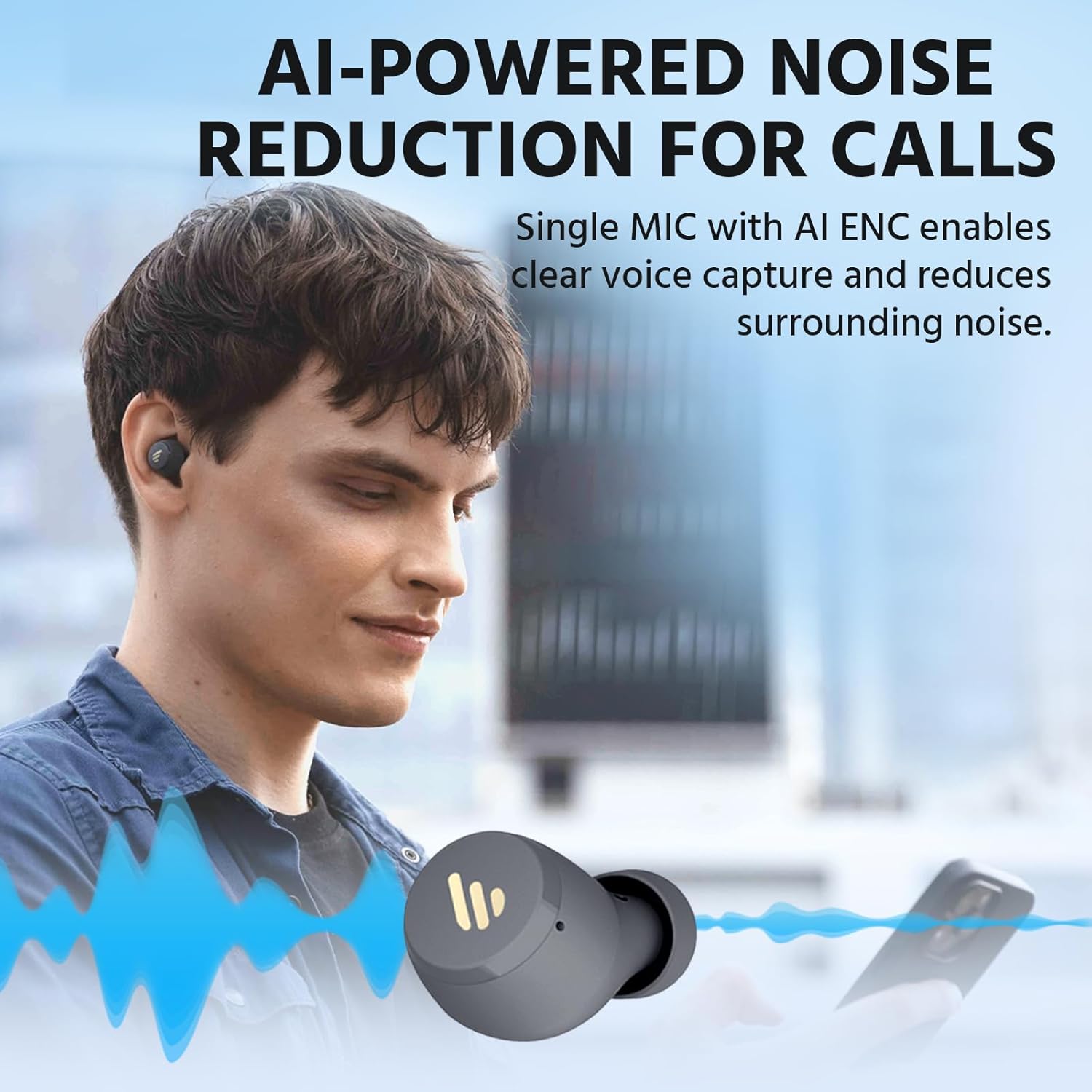
Image: A close-up of the Edifier X3 Lite charging case, highlighting the USB-C charging port at the bottom.
2. Sisopọ Bluetooth
- Ṣii apoti gbigba agbara. Awọn agbekọri yoo tẹ ipo isọpọ sii laifọwọyi.
- Lori ẹrọ rẹ (foonuiyara, tabulẹti, ati be be lo), jeki Bluetooth.
- Wa fun "EDIFIER X3 Lite" in the list of available Bluetooth devices and select it to connect.
- Ìpè ohùn kan yoo jẹrisi isopọmọ aṣeyọri.

Image: An illustration of a Bluetooth 5.3 chip, symbolizing the stable and fast connectivity of the earbuds.
3. App Customization
For enhanced control and customization, download the Edifier Connect App from your device's app store. The app allows you to personalize touch controls, adjust sound effects, and access other features.

Image: Screenshots of the Edifier Connect App interface, showing options for control settings and sound effects.
Awọn ilana Iṣiṣẹ
Awọn iṣakoso ifọwọkan
The Edifier X3 Lite earbuds feature intuitive touch controls on each earbud. Functions such as play/pause, skipping tracks, answering/ending calls, and activating voice assistant can be managed with simple taps. Refer to the Edifier Connect App for detailed customization of these controls.
Didara ohun
Equipped with 6mm dynamic drivers, the earbuds deliver a balanced audio profile with clear highs, rich mids, and powerful bass. This design ensures an immersive listening experience across various music genres.

Image: A graphic illustrating "Melodious Sound" with two earbuds and sound waves, emphasizing the 6mm dynamic driver for crisp trebles and powerful bass.
AI Ipe Noise Ifagile
The built-in AI-powered noise reduction technology effectively distinguishes human voices from background noise, ensuring crystal-clear calls even in noisy environments. This feature enhances communication clarity for both parties.

Image: A man wearing an earbud, with a graphic overlay indicating AI-powered noise reduction for clear calls.
IP55 mabomire Rating
With an IP55 rating, the Edifier X3 Lite earbuds are protected against dust and water splashes from any direction. This makes them suitable for workouts and outdoor activities, providing reliable performance even with sweat exposure.

Image: A woman smiling outdoors, wearing an earbud, with "IP55 Waterproof" text, indicating the earbuds' resistance to sweat and splashes.
Afikun Sisisẹsẹhin Time
Enjoy up to 6 hours of continuous listening on a single charge. The compact charging case provides an additional 18 hours of battery life, totaling approximately 24 hours of combined playback, ensuring your music lasts throughout the day.

Image: A graphic showing the earbuds and charging case, with icons for "Approx. 6H single battery life" and "Approx. 24H total battery life," emphasizing the extended playback time.
Itura Fit
Each earbud weighs only 4g, providing a lightweight and secure fit. The ergonomic design ensures comfort during prolonged listening sessions, making them ideal for various activities.

Image: A graphic illustrating the lightweight nature of the earbuds, showing "4g" and feathers, indicating a comfortable fit.
Game Mode (Low Latency)
Activate Game Mode via the Edifier Connect App for ultra-low latency audio, reducing delay to approximately 60ms. This feature is beneficial for gaming and video playback, ensuring synchronized audio and visuals.

Image: A person playing a mobile game with earbuds, with "60ms" text, indicating the low-latency game mode.
Itoju
Ninu
- Mọ awọn agbekọri nigbagbogbo, paapaa awọn imọran eti ati awọn olubasọrọ gbigba agbara, pẹlu asọ ti o gbẹ, ti ko ni lint.
- Yọ awọn imọran eti kuro ki o sọ wọn di mimọ pẹlu ọṣẹ kekere ati omi ti o ba jẹ dandan. Rii daju pe wọn ti gbẹ patapata ṣaaju ki o to tun ṣe.
- Use a cotton swab to gently clean the charging contacts on both the earbuds and the case.
Ibi ipamọ
- Máa fi àwọn ètítíkì sínú àpótí ìgbóná wọn nígbà tí wọn kò bá lò wọ́n láti dáàbò bò wọ́n kí wọ́n sì rí i dájú pé wọ́n ń gba agbára.
- Tọju ọran naa ati awọn afikọti ni itura, aye gbigbẹ, kuro lati awọn iwọn otutu ti o ga julọ ati oorun taara.
Laasigbotitusita
| Isoro | Owun to le Fa | Ojutu |
|---|---|---|
| Earbuds ko so pọ | Bluetooth not enabled on device; earbuds not in pairing mode; previously paired with another device. | Ensure Bluetooth is on. Place earbuds in case, close, then open to re-enter pairing mode. Forget "EDIFIER X3 Lite" on your device and re-pair. |
| Ko si ohun tabi iwọn didun kekere | Volume too low on device/earbuds; earbuds not properly seated; low battery. | Adjust volume on both device and earbuds. Ensure earbuds are securely in ears. Charge earbuds and case. |
| Gbohungbohun ko ṣiṣẹ | Microphone blocked; app settings. | Ensure microphone holes are clear. Check microphone permissions in Edifier Connect App. |
| Earbuds ko gba agbara | Charging contacts dirty; cable faulty; case battery empty. | Clean charging contacts. Try a different Type-C cable. Charge the case. |
Awọn pato
| Ẹya ara ẹrọ | Ẹ̀kúnrẹ́rẹ́ |
|---|---|
| Orukọ awoṣe | X3 Lite |
| Asopọmọra Technology | Ailokun (Bluetooth 5.3) |
| Audio Driver Type | Yiyi Awakọ |
| Audio Driver Iwon | 6 millimeters |
| Iwọn Igbohunsafẹfẹ | 20Hz - 20KHz |
| Igbesi aye batiri (Earbuds) | Isunmọ. wakati meji 6 |
| Lapapọ Igbesi aye Batiri (pẹlu Ọran) | Isunmọ. wakati meji 24 |
| Omi Resistance Ipele | IP55 (Mabomire) |
| Ọna Iṣakoso | Fọwọkan, Iṣakoso ohun elo |
| Ìwúwo Ohun kan (etí kọ̀ọ̀kan) | 4 giramu |
| Awọn agbekọri Jack | USB-C (for charging case) |
Atilẹyin ọja ati Support
Alaye atilẹyin ọja
This Edifier X3 Lite product comes with a one-year warranty from the date of purchase. This warranty covers manufacturing defects and ensures the performance of the product under normal use. Please retain your proof of purchase for warranty claims.
Onibara Support
For technical assistance, troubleshooting, or warranty inquiries, please visit the official Edifier website or contact their customer support. You can find detailed support resources, FAQs, and contact information at www.edifier.com.