
Ọrọ Iṣaaju
This manual provides detailed instructions for the setup, operation, and maintenance of your KSIX Compass Smartwatch. Designed for active lifestyles, this smartwatch features integrated GPS, call functionality, notification alerts, and comprehensive health monitoring. Please read this manual thoroughly to ensure proper use and to maximize your device's capabilities.
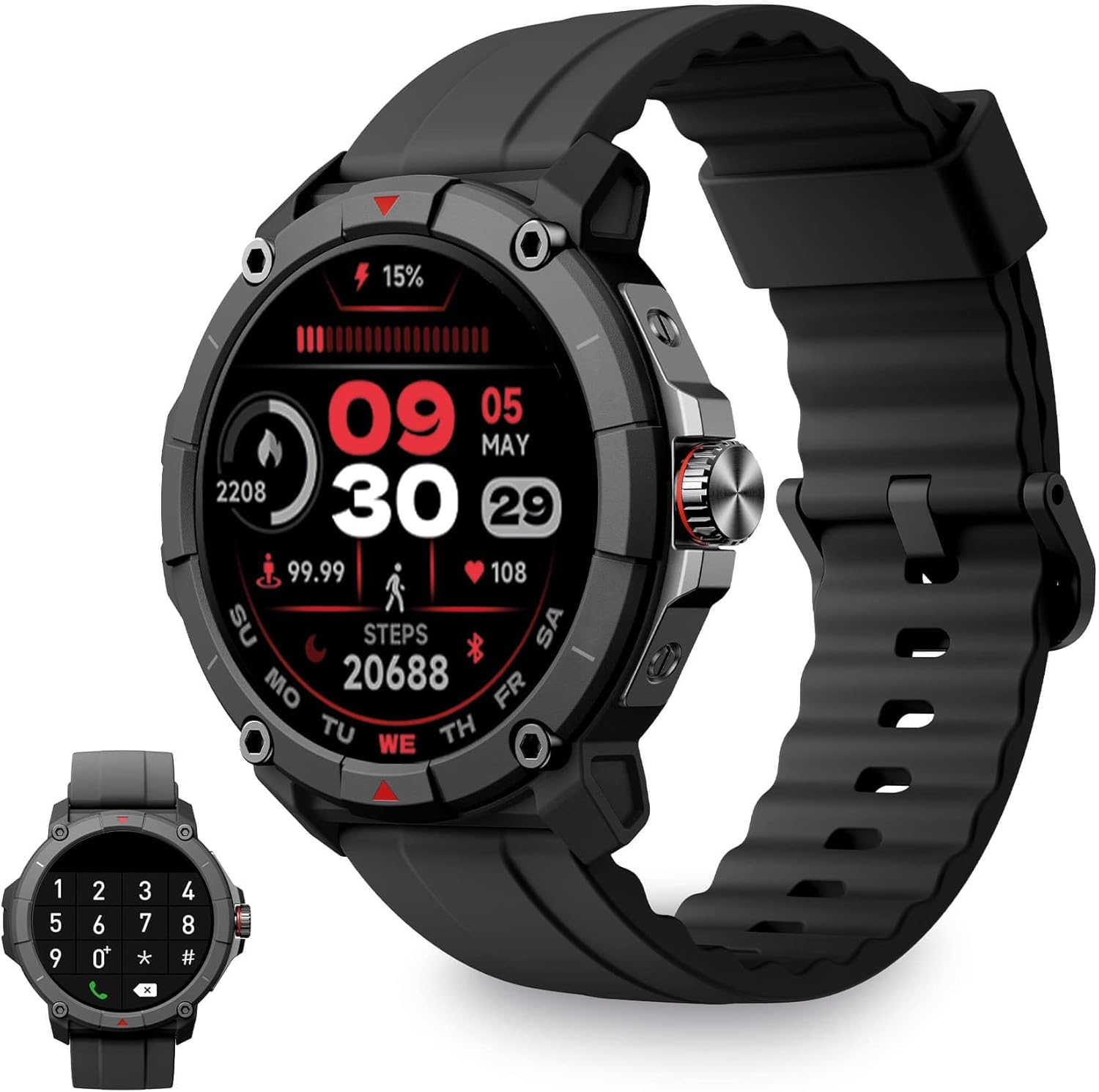
Image: KSIX Compass Smartwatch, front view showing the round display with a digital watch face, and the black silicone strap. A smaller inset image shows the dial pad on the watch screen.
1. Eto
1.1 Ngba agbara si Ẹrọ
Before initial use, fully charge your KSIX Compass Smartwatch.
- So okun gbigba agbara pọ si ibudo gbigba agbara lori ẹhin smartwatch.
- So opin okun miiran pọ si ohun ti nmu badọgba agbara USB (kii ṣe pẹlu) tabi ibudo USB ti kọnputa kan.
- Ifihan aago naa yoo fihan ipo gbigba agbara.
A gba agbara ni kikun ojo melo gba to wakati meji 2.5 and provides up to 7 ọjọ of battery life, depending on usage.

Image: Close-up of the KSIX Compass Smartwatch's side, highlighting the rotating crown. Text overlays indicate "Charging Time: 2.5h" and "Battery Life: 7 days".
1.2 Sisopọ pọ pẹlu Foonuiyara Foonuiyara rẹ
To unlock all features, pair your smartwatch with the companion app.
- Gba awọn Gidigidi Fit app from the App Store (iOS 9.0 and above) or Google Play Store (Android 6.0 and above).
- Rii daju pe Bluetooth ti ṣiṣẹ lori foonuiyara rẹ.
- Ṣii ohun elo VeryFit ki o tẹle awọn ilana loju iboju lati ṣẹda akọọlẹ kan tabi wọle.
- Select "Add Device" or similar option within the app and choose your KSIX Compass Smartwatch from the list of available devices.
- Jẹrisi ibeere sisopọ lori mejeeji foonuiyara rẹ ati smartwatch naa.
The watch uses Wireless BLE 5.3 for a stable connection.
2. Awọn ilana Iṣiṣẹ
2.1 Ipilẹ Lilọ kiri
- Afi ika te: Ra osi, sọtun, soke, tabi isalẹ lati lọ kiri nipasẹ awọn akojọ aṣayan ati awọn ẹya. Fọwọ ba lati yan.
- Adé tí ń yípo: Rotate the crown on the side of the watch to scroll through lists or adjust settings. Press the crown to return to the home screen or confirm selections.

Image: The KSIX Compass Smartwatch displaying its 1.38-inch full-color TFT-LCD touchscreen. Several customizable watch faces are shown below, demonstrating different layouts and information displays.
2.2 Ipe iṣẹ
The KSIX Compass Smartwatch allows you to make and receive calls directly from your wrist using its built-in microphone and speaker.
- Ṣiṣe awọn ipe: Access the dial pad or contact list on the watch screen to initiate a call.
- Gbigba Awọn ipe: Nigbati ipe ba wọle, o le dahun tabi kọ taara lati aago.
2.3 iwifunni
Receive notifications from various applications (e.g., WhatsApp, Instagram, Twitter) directly on your smartwatch when connected to your phone.

Image: The KSIX Compass Smartwatch displaying a call screen with options for frequent contacts and a dial pad. Below, icons for various social media and messaging apps (WhatsApp, Instagram, Twitter, Facebook, Gmail) are shown, representing notification capabilities.
2.4 Iranlọwọ ohun
The smartwatch is compatible with your preferred voice assistant (Alexa, Siri, or Google Assistant). Activate the voice assistant feature on your watch and speak your commands.
2.5 Sport Modes and GPS Tracking
The KSIX Compass Smartwatch includes integrated GPS for tracking your routes during outdoor activities like running and hiking. It supports over 100 sport modes.
- Yan ipo ere idaraya ti o fẹ lati inu akojọ iṣọ.
- Ensure GPS connection is successful before starting your activity.
- Track your route and performance data in real-time.
- Review detailed activity logs in the VeryFit app after your workout.

Image: The KSIX Compass Smartwatch display showing "GPS connection successful" with a green pin icon, ready to start an activity. A blurred outdoor path is visible in the background.
2.6 Abojuto Ilera
Monitor various health metrics directly from your wrist.
- Atẹle Oṣuwọn ọkan: Tẹsiwaju tọpasẹ oṣuwọn ọkan rẹ.
- Atẹgun ẹjẹ (SpO2) Atẹle: Ṣe iwọn awọn ipele itẹlọrun atẹgun ẹjẹ.
- Atẹle titẹ ẹjẹ: Pese awọn kika titẹ ẹjẹ.
- Atẹle oorun: Tọpa awọn ilana oorun ati didara.
- Pedometer: Counts steps taken throughout the day.
- Stress Meter: Monitors stress levels.
- Awọn adaṣe Mimi: Guides you through relaxation breathing.
- Àtòjọ Ìyípo Osu: Helps track and predict menstrual cycles.
Gbogbo data ilera le jẹ viewed in detail within the VeryFit app.
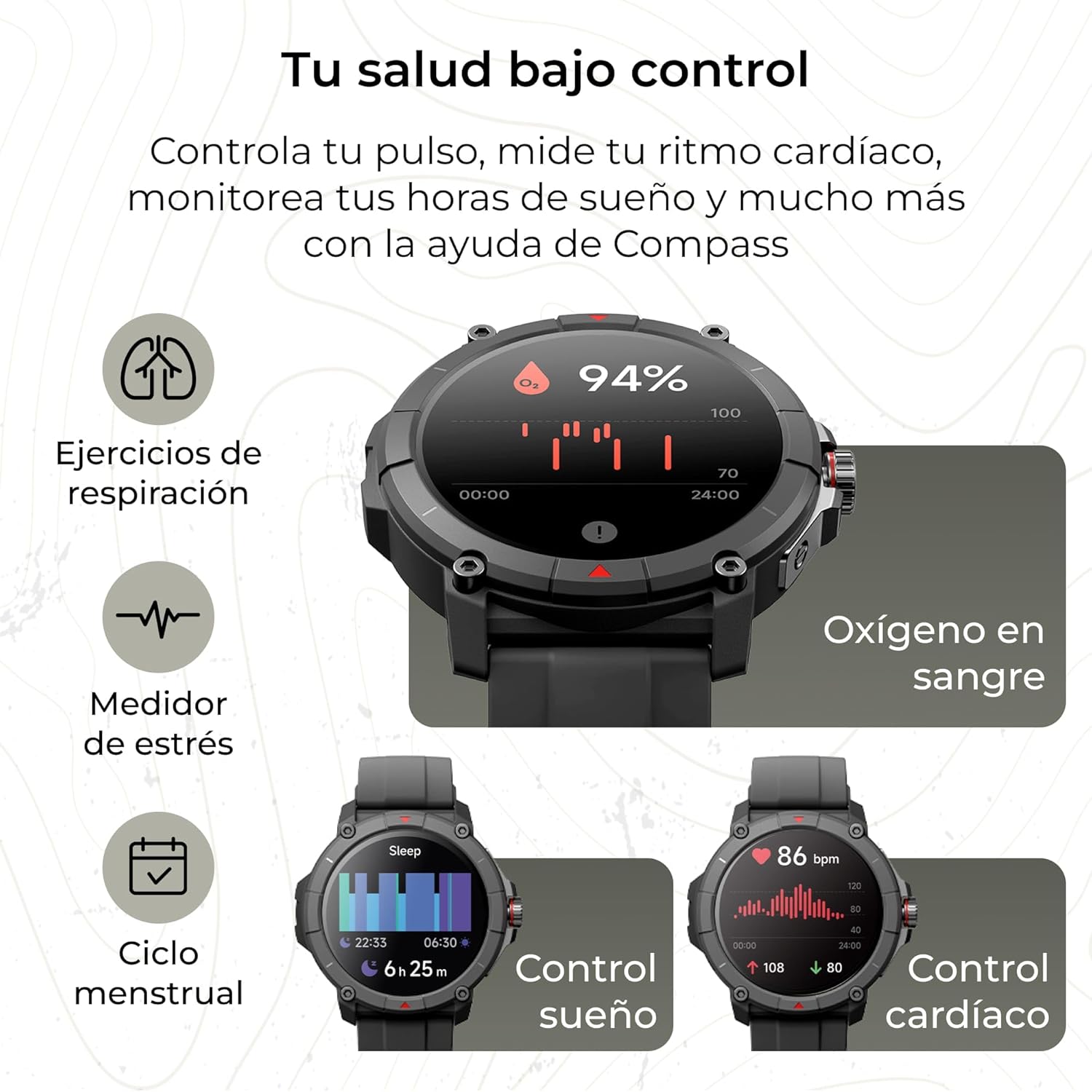
Image: The KSIX Compass Smartwatch displaying various health monitoring features. These include blood oxygen saturation (94%), heart rate control (86 bpm), sleep tracking (6h 25m), stress measurement, breathing exercises, and menstrual cycle tracking.
2.7 Afikun Awọn ẹya ara ẹrọ
- Imọlẹ ina: Access a quick flashlight function.
- Latọna Kamẹra: Control your smartphone's camera remotely.
- Àwọn ìpè tí a lè ṣe àtúnṣe: Choose from multiple watch faces to personalize your device.
3. Itọju
3.1 Ninu rẹ Smartwatch
Regularly clean your smartwatch to ensure optimal performance and hygiene.
- Pa iboju ati ara rẹ pẹlu asọ ti ko ni lint.
- Fun idoti alagidi, die-die dampen awọn asọ pẹlu omi.
- Yago fun lilo awọn kẹmika lile tabi awọn ohun elo abrasive.
- Rii daju pe awọn olubasọrọ gbigba agbara jẹ mimọ ati ki o gbẹ ṣaaju gbigba agbara.
3.2 Omi Resistance
The KSIX Compass Smartwatch is water-resistant up to 2 meters for 30 minutes, with an IP68 and 2ATM protection rating.
- It is suitable for daily use, such as hand washing, rain, and shallow swimming.
- Avoid hot water, saunas, or high-pressure water jets.
- Do not press buttons or operate the touchscreen underwater.
- Gbẹ aago naa daradara lẹhin ti o ba fi omi han.

Àwòrán: Ìfihàn àwòrán alápapọ̀asing various features of the KSIX Compass Smartwatch. Key elements include "100+ Sport Modes", "Integrated GPS", "2ATM Submersible" (with an image of the watch partially submerged in water), "7 Days Battery Life", "Hands-free Calling", "Customizable Dials", "Voice Assistants", and "24h Health Monitoring".
4. Laasigbotitusita
4.1 Asopọmọra Oran
- Wo Awọn Ge asopọ Nigbagbogbo:
- Rí i dájú pé smartwatch náà wà láàárín ibi tí Bluetooth wà nínú foonu rẹ.
- Check if the VeryFit app is running in the background and has necessary permissions.
- Restart both your phone's Bluetooth and the smartwatch.
- If issues persist, try unpairing and re-pairing the device through the VeryFit app.
- Ko le So pọ:
- Make sure the smartwatch is charged.
- Rí i dájú pé Bluetooth ti ṣiṣẹ́ lórí fóònù rẹ.
- Ensure no other devices are currently paired with the smartwatch.
- Restart your phone and the smartwatch, then try pairing again.
4.2 GPS Yiye
- Inaccurate GPS Readings:
- Rii daju pe o wa ni agbegbe ita gbangba ti o ṣii pẹlu mimọ view ti ọrun fun ti aipe GPS ifihan agbara gbigba.
- Wait for the "GPS connection successful" message before starting your activity.
- Sync the watch with the VeryFit app regularly to update GPS assistance data.
4.3 Ṣíṣe àtúnṣe ìgbésí ayé bátírì
- Din imọlẹ iboju din.
- Dá ìṣàyẹ̀wò ìlù ọkàn dúró nígbà gbogbo tí kò bá pọndandan.
- Ṣe opin si iye awọn iwifunni ohun elo.
- Turn off "Always-On Display" if available.
- Use power-saving modes if offered by the device.
5. Awọn pato
| Brand | KSIX smart your tech |
| Orukọ awoṣe | Kompasi |
| Nọmba awoṣe | BXSW18N |
| Àwọ̀ | Dudu |
| Eto isesise | Wear OS [UNCERTAIN] (Compatible with iOS 9.0+ and Android 6.0+) |
| Iwon iboju | 1.38 Inches (TFT-LCD Touchscreen) |
| Asopọmọra | Wireless Bluetooth (BLE 5.3) |
| Pataki Awọn ẹya ara ẹrọ | Compass, GPS, Heart Rate Monitor, SpO2, Blood Pressure, Sleep Tracker, Pedometer, Voice Assistant, Call Functionality, Notifications, Flashlight, Camera Remote |
| Awọn ẹrọ ibaramu | Foonuiyara, Tabulẹti |
| Batiri Tiwqn | Litiumu-dẹlẹ |
| Igbesi aye batiri | Títí di ọjọ́ 7 (lílò déédéé) |
| Akoko gbigba agbara | Isunmọ. wakati meji 2.5 |
| Omi Resistance | 2ATM, IP68 (up to 2 meters for 30 minutes) |
6. Alaye Aabo
Jọwọ tẹle awọn itọnisọna ailewu wọnyi:
- Ma ṣe gbiyanju lati tunto tabi yi ẹrọ naa pada.
- Jeki ẹrọ naa kuro ni iwọn otutu ti o ga julọ ati oorun taara.
- Yago fun ṣiṣafihan ẹrọ naa si awọn ipa ti o lagbara tabi ju silẹ.
- Consult a medical professional before starting any new exercise regimen or if you have health concerns. The health monitoring features are for informational purposes and not for medical diagnosis.
- Sọ ẹrọ naa ati batiri rẹ ni ifojusọna ni ibamu si awọn ilana agbegbe.


