
1. Ifihan
This manual provides instructions for the installation, operation, and maintenance of your Wokyo Electric Sofa Remote Hand Control Replacement. This remote is designed for use with power recliners and lift chairs that utilize a 5-pin connector system. Please read this manual thoroughly before use to ensure proper function and safety.
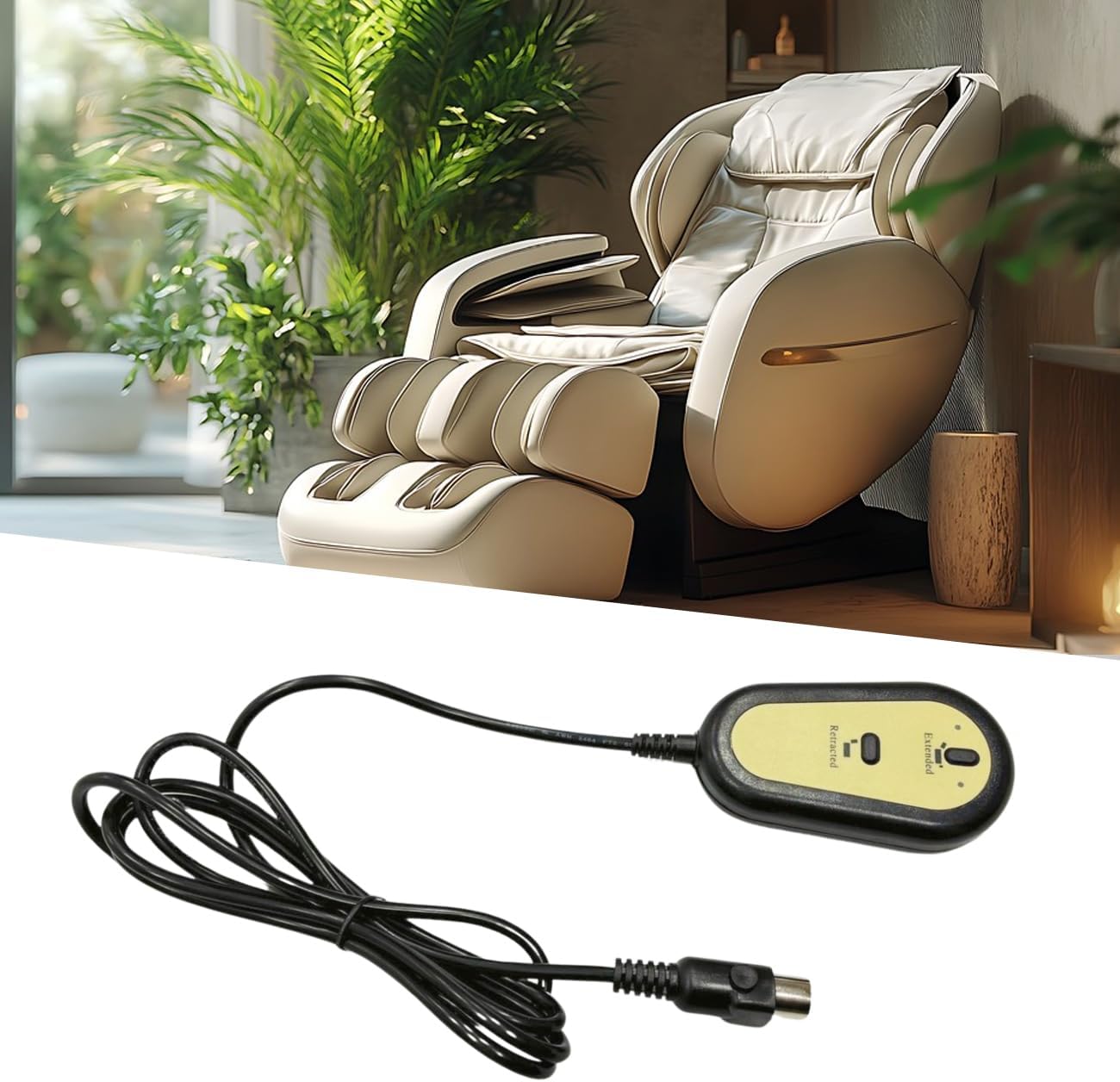
Image 1.1: Wokyo Electric Sofa Remote Hand Control with a power recliner in the background.
2. Alaye Aabo
- Ensure the power supply to the furniture is disconnected before installation or maintenance.
- Má ṣe fi ohun èlò ìṣiṣẹ́ latọna jijin hàn sí omi tàbí ọrinrin tó pọ̀ jù.
- Yẹra fún jíjá sílẹ̀ tàbí fífi agbára mú kí àwọn nǹkan tó lágbára láti lo remote náà.
- Keep out of reach of children to prevent accidental operation.
- If the cable or connector is damaged, discontinue use and replace the unit.
3. Ọja Ipariview
The Wokyo Electric Sofa Remote Hand Control features a simple two-button design for extending and retracting your furniture, along with a convenient USB charging port. It is compatible with various brands of power recliners and lift chairs that use a round 5-pin connector.
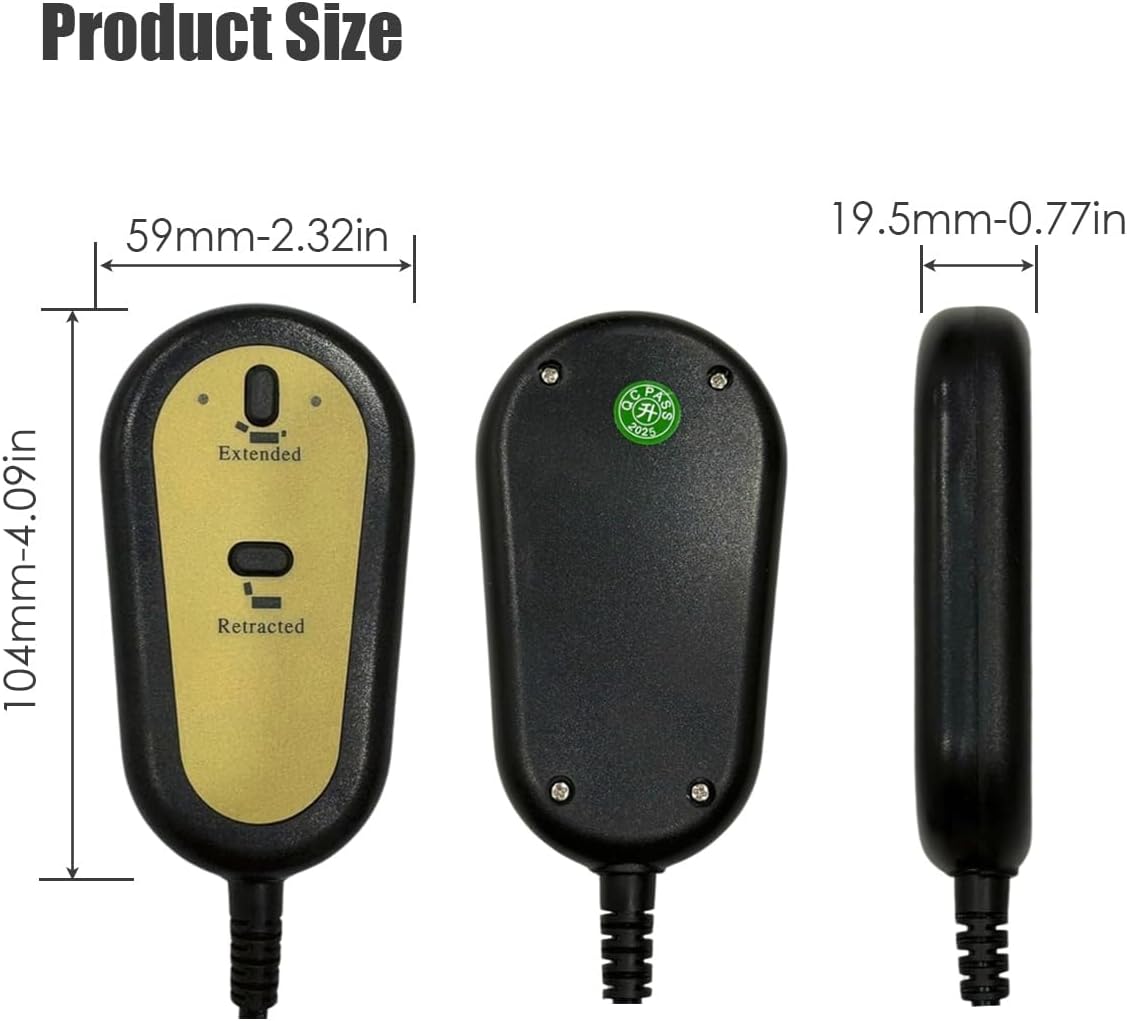
Àwòrán 3.1: Iwájú, ẹ̀yìn, àti ẹ̀gbẹ́ views of the Wokyo Electric Sofa Remote Hand Control, showing dimensions.
Awọn ẹya pataki:
- Ibamu Agbaye: Designed for brands with a round 5-pin connector and 2-button (up/down) function.
- Ibudo USB ti a dapọ: Allows for convenient charging of mobile devices.
- Ikole ti o tọ: Made from high-quality ABS material for safety and longevity.
- Plug-and-Play: Simple installation without complex wiring.

Image 3.2: Close-up details of the Wokyo remote, highlighting the 5-pin plug, two control buttons, and thick cable.
4. Eto
- Ge Agbara: Before beginning, ensure the power cord of your recliner or lift chair is unplugged from the wall outlet.
- Wa Asopo to wa tẹlẹ: Identify the existing remote control cable and its 5-pin connector, typically located near the motor or control box under the furniture.
- Remove Old Remote (if applicable): Carefully disconnect the old remote by pulling the 5-pin connector straight out. Do not twist or force it.
- Connect New Remote: Align the 5-pin connector of the Wokyo replacement remote with the corresponding port on your furniture's control system. Push firmly until it clicks into place. Ensure the connection is secure.
- Pada Agbara pada: Once the new remote is securely connected, plug your furniture's power cord back into the wall outlet.
The remote is now ready for use.

Aworan 4.1: alaye view of the 5-pin straight head connector, control buttons, and cable length of the Wokyo remote.
5. Awọn ilana Iṣiṣẹ
The Wokyo Electric Sofa Remote Hand Control features two primary buttons for operation:
- "Extended" Button: Press and hold this button to extend the recliner or lift the chair. Release the button to stop movement at the desired position.
- "Retracted" Button: Press and hold this button to retract the recliner or lower the chair. Release the button to stop movement at the desired position.
Ibudo Gbigba agbara USB:
The integrated USB port allows you to charge compatible devices. Simply plug your device's USB charging cable into the port on the remote control. Charging functionality is active when the furniture is powered on.

Image 5.1: Wokyo remote control showing 'Extended' and 'Retracted' buttons next to a recliner chair, illustrating adjustable positions.
6. Itọju
- Ninu: Mu ese isakoṣo latọna jijin kuro pẹlu asọ ti o gbẹ. Ma ṣe lo abrasive ose tabi epo.
- Ayẹwo USB: Periodically check the cable for any signs of wear, cuts, or damage. If damage is found, replace the remote immediately.
- Ṣayẹwo Asopọmọra: Ensure the 5-pin connector remains securely plugged into the furniture's control system.
7. Laasigbotitusita
| Isoro | Owun to le Fa | Ojutu |
|---|---|---|
| Latọna jijin ko dahun. | No power to furniture. Loose or disconnected 5-pin connector. Damaged remote or cable. | Check if furniture is plugged into a working outlet. Ensure 5-pin connector is fully inserted. Inspect cable for damage; replace remote if necessary. |
| Ibudo USB ko gba agbara. | Furniture not powered on. USB gbigba agbara ẹrọ jẹ aṣiṣe. USB port on remote is damaged. | Ensure furniture is plugged in and powered on. Gbiyanju okun USB ti o yatọ tabi ẹrọ. Contact support if the port is damaged. |
| Furniture moves intermittently. | Ìsopọ̀ 5-pin tí ó dínkù. Internal wiring issue in furniture. | Securely re-insert the 5-pin connector. Consult your furniture's manual or a professional technician. |
8. Awọn pato
| Ẹya ara ẹrọ | Ẹ̀kúnrẹ́rẹ́ |
|---|---|
| Brand | Wokyo |
| Nọmba awoṣe | d9199f4f-3b67-4c4f-bb63-de9201f3bc28 |
| Asopọmọra Iru | 5 Pin, Straight Head |
| Awọn bọtini | 2 (Extended, Retracted) |
| Afikun Awọn ẹya ara ẹrọ | Ibudo Ngba agbara USB |
| Ohun elo | ABS (Acrylonitrile Butadiene Styrene) |
| Awọn iwọn Ọja (L x W x H) | 7.87 x 2.76 x 1.97 inches (isunmọ.) |
| Iwọn Nkan | 0.66 iwon (isunmọ.) |
9. Atilẹyin ọja ati Support
Wokyo provides a 60-ọjọ agbapada imulo ati a 12-osu atilẹyin ọja for this product. If you encounter any issues or have questions regarding your Electric Sofa Remote Hand Control, please contact our customer support for assistance.
For support, please refer to the contact information provided with your purchase or visit the official Wokyo store on Amazon.