
1. Ifihan
Thank you for choosing the TONGOU TO-Q-SY1-ZigBee 25A Smart ZigBee Switch. This device is designed to transform your conventional appliances into smart, connected devices, offering remote control, voice control, energy monitoring, and advanced timing functions. For optimal performance and safety, please read this manual thoroughly before installation and use.
2. Ọja Ipariview
The TONGOU TO-Q-SY1-ZigBee Smart Switch integrates seamlessly into your smart home ecosystem, provided you have a compatible TUYA ZigBee hub. It allows for intelligent control and monitoring of connected devices.
Awọn ẹya pataki:
- Ilana ZigBee 3.0: Requires a TUYA ZigBee hub/gateway for connectivity.
- Universal Connected Home DIY Module: Easily convert small home appliances (lamps, fans, heaters) to smart devices in under 10 minutes.
- APP Isakoṣo latọna jijin: Control appliances via the "Smart Life" or "TUYA" APP from anywhere, anytime.
- Electricity Consumption Monitoring: Real-time and historical analysis of energy consumption, displaying current, voltage, and power, with data recording (hours, days, months, years).
- Iṣakoso ohun: Ni ibamu pẹlu Amazon Alexa ati Oluranlọwọ Google fun iṣẹ ti ko ni ọwọ.
- Awọn iṣẹ akoko: Features timing modes to prevent energy waste and optimize device operation.
- Easy Installation and Use: Simple wiring process with push-in terminals and screw tightening/loosening.
- Ohun elo Ere: Constructed with high-quality, flame-retardant PA66 material and good conductivity copper for enhanced safety and durability.
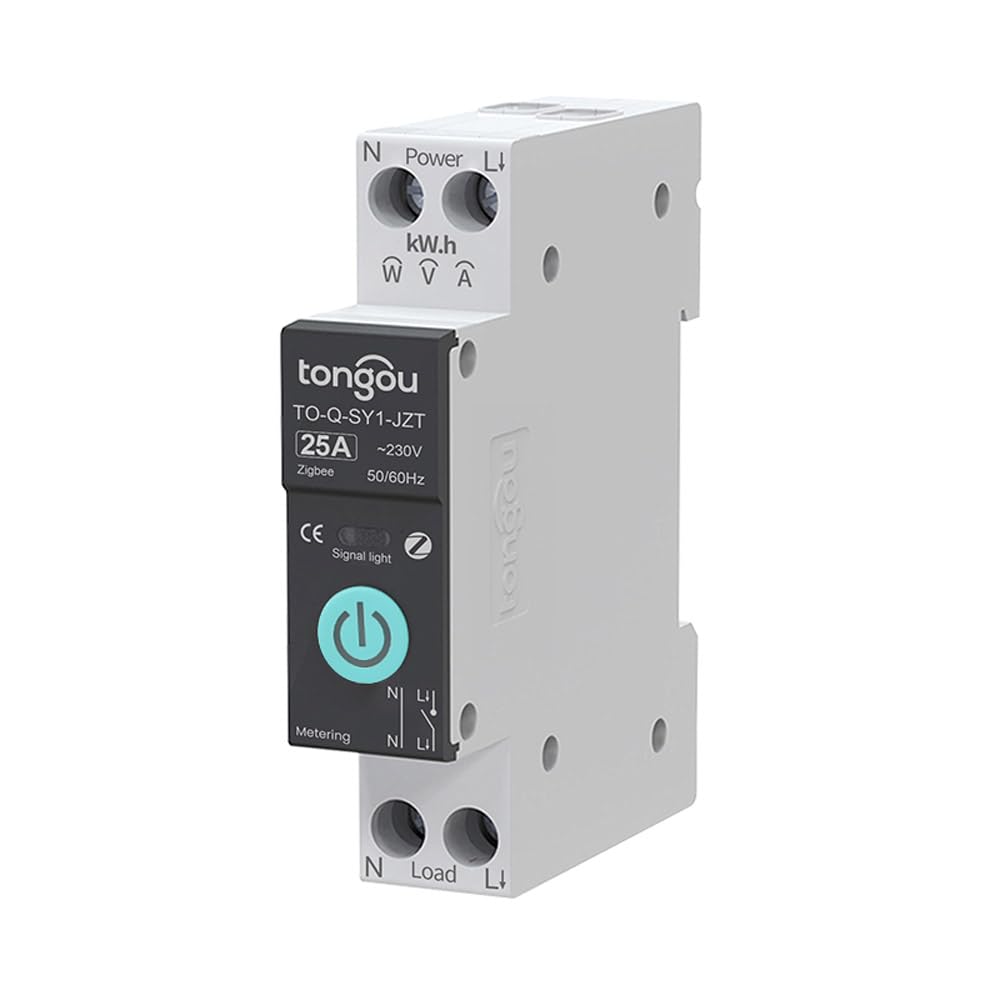
Image 2.1: TONGOU TO-Q-SY1-ZigBee Smart Switch highlighting its features like timer, countdown, circulate, and metering.
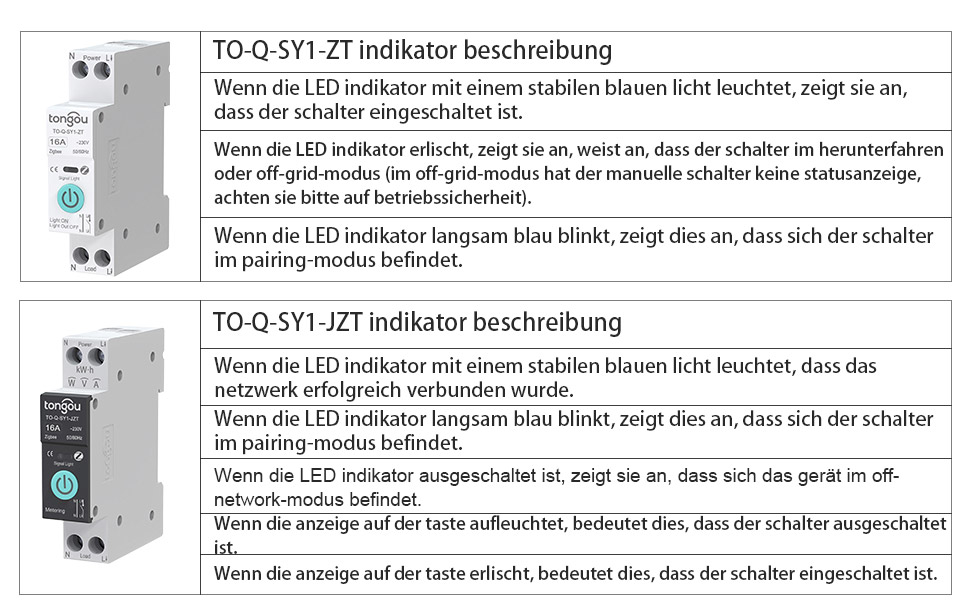
Image 2.2: Diagram illustrating the TONGOU TO-Q-SY1-ZigBee Smart Switch's connectivity and control options.
3. Alaye Aabo
WARNING: Electrical shock hazard. Installation should only be performed by a qualified electrician.
- Máa yọ agbára kúrò ní ibi tí ẹ̀rọ ìdènà náà ti ń bàjẹ́ kí o tó fi sí tàbí ṣe àtúnṣe sí i.
- Ensure the switch's voltage and current ratings match your electrical system.
- Má ṣe lo ìyípadà náà pẹ̀lú ọwọ́ tó tutu tàbí ní damp awọn ipo.
- Jeki kuro ni arọwọto awọn ọmọde.
- Má ṣe gbìyànjú láti tún ẹ̀rọ náà ṣe tàbí ṣe àtúnṣe rẹ̀. Kan si olùrànlọ́wọ́ oníbàárà fún ìrànlọ́wọ́.
4. fifi sori
The TONGOU TO-Q-SY1-ZigBee Smart Switch is designed for DIN rail mounting. Follow these steps for safe and correct installation:
- Agbara Pa: Turn off the main power supply at your circuit breaker to prevent electrical shock.
- Iṣagbesori: Securely mount the switch onto a standard 35mm DIN rail in your electrical box.
- Asopọmọra: Connect the live (L) and neutral (N) wires to the input terminals (Power L and Power N) of the switch. Connect the load wires to the output terminals (Load L and Load N). Ensure all connections are tight and secure. The switch supports simple push-in cable insertion and screw tightening.
- Agbara Tan: Once all wiring is complete and secure, restore power at the circuit breaker.

Aworan 4.1: Example wiring diagram for the TONGOU TO-Q-SY1-ZigBee Smart Switch with a light bulb and a Tuya ZigBee hub.

Image 4.2: Dimensions of the TONGOU TO-Q-SY1-ZigBee DIN Rail Switch for installation planning.
5. Setup (App Pairing)
To enable smart features, the switch must be paired with a TUYA ZigBee 3.0 hub and the Smart Life/TUYA app.
- Ṣe igbasilẹ Ohun elo: Download the "Smart Life" or "TUYA" app from the App Store (iOS) or Google Play (Android).
- Fi Ibudo kun: Open the app and add your TUYA ZigBee 3.0 hub if you haven't already.
- Tẹ Ipo Sisopọ: On the TONGOU Smart Switch, press and hold the button for 5 seconds until the indicator light blinks blue. This indicates pairing mode.
- Ṣawari Ẹrọ: In the Smart Life/TUYA app, navigate to your ZigBee hub and select "Add sub-device" or "Wa fun device." The app will discover the switch.
- Jẹrisi Isopọpọ: Follow the on-screen prompts to confirm pairing. Once successfully paired, the indicator light on the switch will stop blinking and remain solid blue.
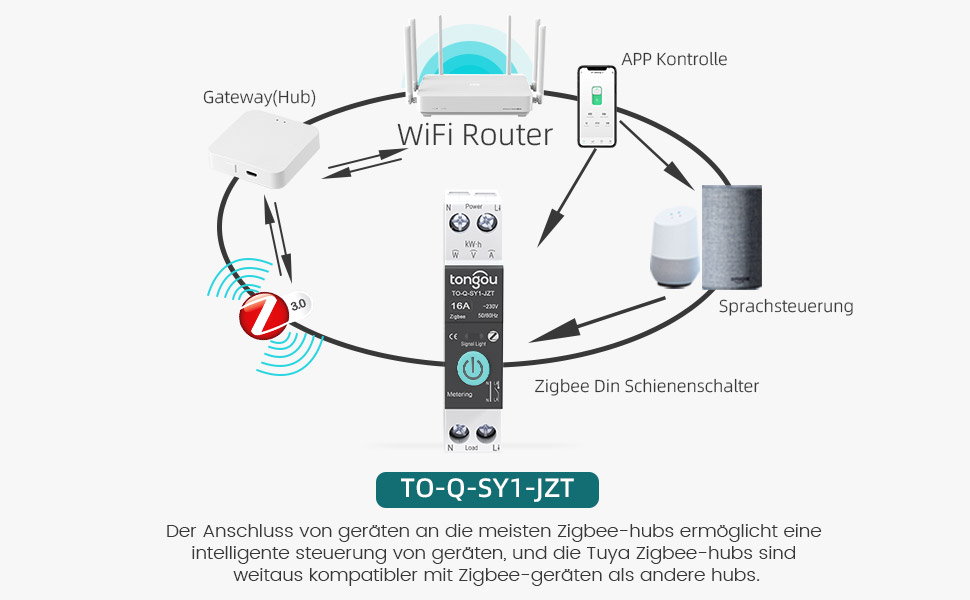
Image 5.1: Diagram showing the connection of the TONGOU TO-Q-SY1-ZigBee Smart Switch to a WiFi router via a ZigBee hub for app and voice control.
Video 5.1: This video demonstrates the pairing process of the TONGOU TO-Q-SY1-ZigBee Smart Switch with a Tuya ZigBee hub and the Smart Life app, including initial setup and basic control functions.
6. Isẹ
6.1. Iṣakoso Afowoyi
The switch can be operated manually by pressing the physical button on the device. Press once to turn ON, press again to turn OFF.
6.2. APP Remote Control
After successful pairing, open the Smart Life/TUYA app. You will see the added switch. Tap the switch icon to toggle power ON/OFF. The app also provides real-time status updates.
6.3. Electricity Consumption Monitoring
Within the app, navigate to the switch's details page. Here you can view data akoko gidi fun lọwọlọwọ, voltage, and power. Historical data for energy consumption (kWh) is also available, broken down by day, month, and year.
6.4. Iṣakoso ohun
Integrate the Smart Life/TUYA app with Amazon Alexa or Google Assistant. Once linked, you can use voice commands to control your connected appliances. For example, "Alexa, turn on the living room light" or "Hey Google, turn off the fan."
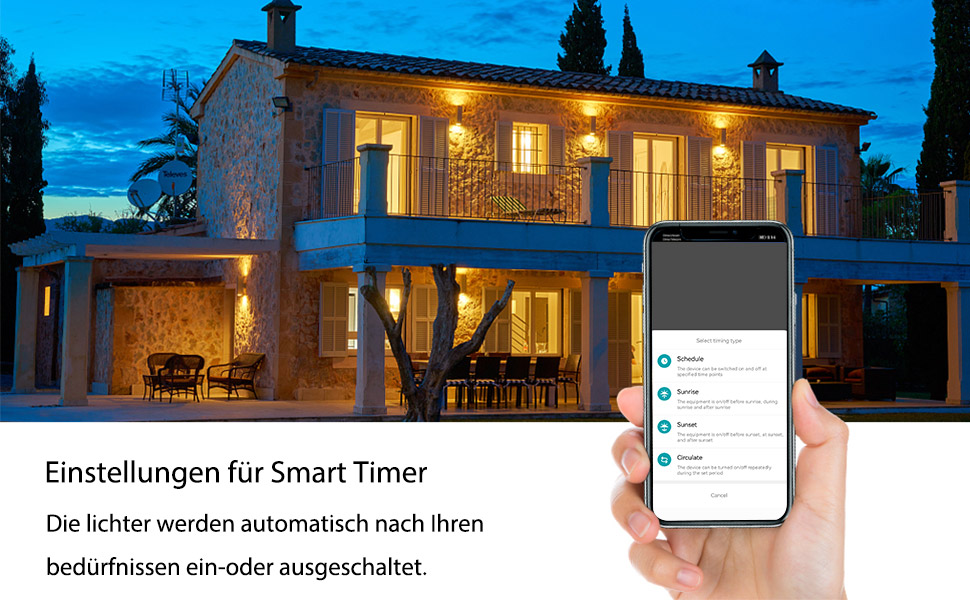
Image 6.1: Screenshot showing smart timer settings within the app, allowing users to schedule device operation.
6.5. Awọn Iṣẹ́ Àkókò
The app offers various timing options:
- Eto: Set specific ON/OFF times for your devices on selected days.
- Kika: Ṣètò aago kan fún ẹ̀rọ náà láti tan tàbí láti pa lẹ́yìn àkókò pàtó kan.
- Yi kaakiri: Program the device to cycle ON and OFF repeatedly for set intervals.
7. Itọju
- Ninu: Fi aṣọ gbígbẹ àti aṣọ rírọ nu ẹ̀rọ náà lọ́ra. Má ṣe lo àwọn kẹ́míkà líle tàbí àwọn ohun ìfọmọ́ tí ó máa ń pa ara.
- Ṣayẹwo Asopọmọra: Lokọọkan ṣayẹwo awọn asopọ onirin lati rii daju pe wọn wa ni aabo.
- Awọn imudojuiwọn famuwia: Keep the Smart Life/TUYA app updated to receive the latest firmware for your switch, which may include performance improvements and new features.
8. Laasigbotitusita
- Ẹrọ ko so pọ:
- Ensure your TUYA ZigBee hub is powered on and connected to your network.
- Verify the switch is in pairing mode (blinking blue indicator light).
- Move the switch closer to the ZigBee hub.
- Reset the switch by holding the button for 10 seconds until the light turns off, then try pairing again.
- Ko si iṣakoso latọna jijin:
- Check your internet connection and the ZigBee hub's connection.
- Ensure the Smart Life/TUYA app is up to date.
- Verify the switch is still connected to the ZigBee network in the app.
- Iṣakoso ohun ko ṣiṣẹ:
- Confirm that your Alexa or Google Assistant device is properly linked to your Smart Life/TUYA account.
- Check if the device name in the app matches the name you are using in voice commands.
- Inaccurate energy monitoring:
- Ensure the switch is correctly wired and the load is within its rated capacity.
- Kan si atilẹyin alabara ti ọrọ naa ba wa.
9. Awọn pato
| Olupese | Ọ́ŃGÙ |
| Nọmba awoṣe | TO-Q-SY1-ZigBee |
| Ohun elo | With measurement 25A (PA66 flame-retardant) |
| Voltage | 240 Volts |
| Agbara | 6000 Wattis |
| Ti isiyi Rating | 25 A |
| Yipada Iru | Single-phase, Touchpad |
| Iṣagbesori Iru | DIN Rail Oke |
| Ipo Iṣiṣẹ | TAN, PAA |
| Asopọmọra | ZigBee 3.0 (requires Tuya ZigBee Hub) |
| Awọn iwe-ẹri | CE |
| Package Mefa | 8.5 x 7.1 x 2.2 cm; 110 giramu |
| Ilu isenbale | China |
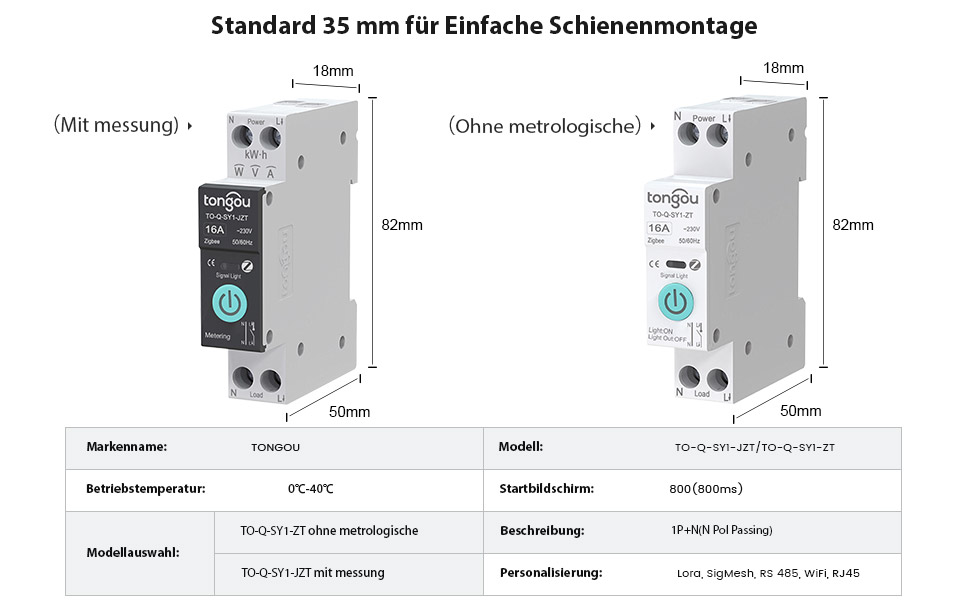
Image 9.1: Detailed product parameters for the TONGOU TO-Q-SY1-ZigBee Smart Switch.
10. Atilẹyin ọja ati Support
This TONGOU Smart ZigBee Switch comes with a meji-odun atilẹyin ọja lati ọjọ ti o ra. Atilẹyin ọja yi ni wiwa awọn abawọn ninu awọn ohun elo ati iṣẹ ṣiṣe labẹ lilo deede.
For technical support, warranty claims, or any questions regarding your product, please contact TONGOU customer service through your retailer or the official TONGOU website. Please have your purchase receipt and product model number (TO-Q-SY1-ZigBee) ready when contacting support.
Alaye wiwa awọn ẹya ara ko si lọwọlọwọ.