
1. Ifihan
O ṣeun fun riraasing the Lehmann LHOHH-2013A Wall Heater. This manual provides important information regarding the installation, operation, and maintenance of your new appliance. Please read this manual thoroughly before use and keep it for future reference.
2. Awọn Ilana Aabo pataki
Nigbati o ba nlo awọn ohun elo itanna, awọn iṣọra ipilẹ yẹ ki o tẹle nigbagbogbo lati dinku eewu ina, mọnamọna, ati ipalara si awọn eniyan.
- Ka gbogbo awọn ilana ṣaaju lilo ẹrọ igbona.
- IKILO: This heater is not intended for use in bathrooms or damp areas. Do not install in locations where it may come into contact with water.
- Rii daju voltage itọkasi lori awọn Rating aami ni ibamu si rẹ mains voltage.
- Do not cover the heater. Overheating may occur.
- Keep combustible materials, such as furniture, pillows, bedding, papers, clothes, and curtains at least 1 meter (3 feet) from the front of the heater and away from the sides and rear.
- Maṣe ṣiṣẹ ẹrọ igbona eyikeyi pẹlu okun ti a ti bajẹ tabi pulọọgi tabi lẹhin awọn ašiše ẹrọ ti ngbona, ti lọ silẹ tabi bajẹ ni eyikeyi ọna.
- Ma ṣe fi sii tabi gba awọn ohun ajeji laaye lati wọ inu afẹfẹ eyikeyi tabi ṣiṣi eefin nitori eyi le fa ina mọnamọna tabi ina, tabi ba ẹrọ igbona jẹ.
- Yọọ ẹrọ igbona nigbagbogbo nigbati o ko ba wa ni lilo.
- Ohun elo yii kii ṣe ipinnu fun lilo nipasẹ awọn eniyan (pẹlu awọn ọmọde) pẹlu idinku ti ara, imọlara tabi awọn agbara ọpọlọ, tabi aini iriri ati imọ, ayafi ti wọn ba ti fun wọn ni abojuto tabi itọnisọna nipa lilo ohun elo nipasẹ eniyan ti o ni iduro fun aabo wọn.
3. Package Awọn akoonu
Jọwọ ṣayẹwo apoti fun awọn nkan wọnyi:
- Lehmann LHOHH-2013A Wall Heater
- Isakoṣo latọna jijin
- Afowoyi Olumulo (iwe-ipamọ yii)
- Ohun elo iṣagbesori (awọn skru, awọn ìdákọró ogiri)
4. Ọja Ipariview & Awọn ẹya
The Lehmann LHOHH-2013A is an advanced wall-mounted electric heater designed for efficient and convenient heating.

Figure 4.1: Lehmann LHOHH-2013A Wall Heater with remote and app interface.
Awọn ẹya pataki:
- Iṣakoso Iṣakoso: Equipped with an LED display for intuitive operation and includes a remote control for convenient adjustments from a distance.
- Wi-Fi Asopọmọra: Control your heater remotely via your smartphone or tablet using the dedicated app (e.g., Tuya Smart Life app), allowing temperature adjustments and programming even when you are away from home.

Figure 4.2: Remote control via smartphone app.
- Meji-Stage Power Regulation: Choose between 1000W or 2000W heating power to adapt to your current needs, offering flexibility and energy savings.

Figure 4.3: Power regulation options.
- Iṣẹ Oscillation: The heater features an oscillation function that distributes heat evenly throughout the room, ensuring consistent temperature without needing to reposition the device.
- Ṣii Wiwa Window: An intelligent sensor detects if a window or door is open. If a draft is detected, the heater automatically reduces its heating power to save energy and maintain the desired room temperature.
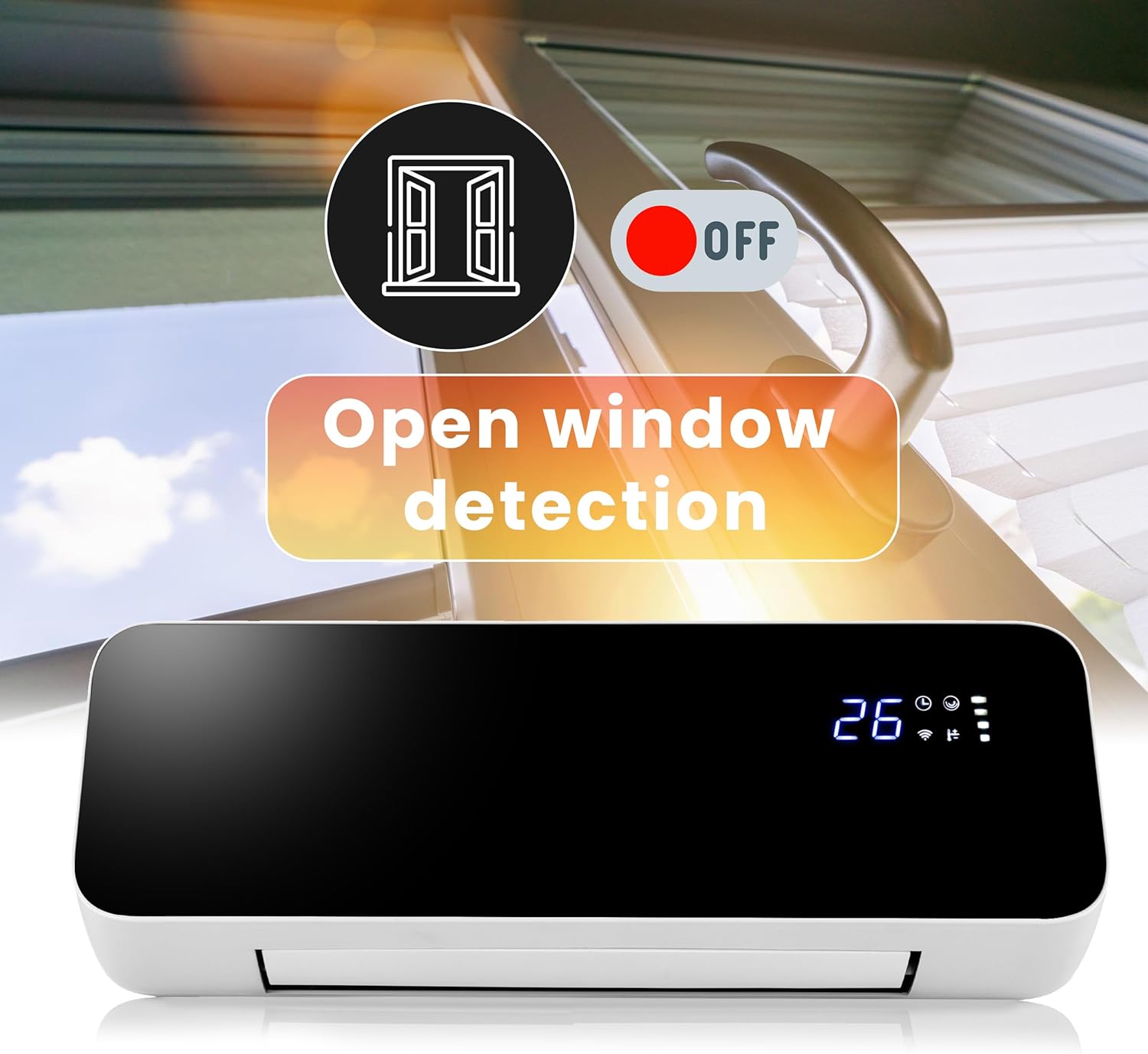
Figure 4.4: Open window detection feature.
- Lilo Gbogbo Ọdun: Can be used for heating in winter and as a fan for air circulation in summer.

Figure 4.5: Winter heating and summer fan modes.
Awọn Irinṣẹ Ọja:
- Ifihan LED: Shows current temperature, Wi-Fi status, timer, and power settings.

Figure 4.6: LED Display.
- Oju-afẹfẹ: Located at the bottom, with adjustable louvers for oscillation.
- Agbara Yi pada: Main power switch located on the side/back of the unit.

olusin 4.7: Ẹyìn view with power switch and mounting points.
- Olugba Iṣakoso Latọna jijin: Fun gbigba awọn ifihan agbara lati iṣakoso latọna jijin.
5. fifi sori
Iṣagbede ogiri:
The Lehmann LHOHH-2013A is designed for wall mounting. Choose a suitable location, ensuring it is not in a damp area and has sufficient clearance from combustible materials.
- Select a wall location that is sturdy and can support the weight of the heater (approx. 2.88 kg).
- Mark the drilling points on the wall using the heater's mounting holes as a template. Ensure the marks are level.
- Drill holes at the marked positions. Insert wall anchors if necessary (e.g., for drywall).
- Secure the mounting bracket (if separate) or the heater directly to the wall using the provided screws.
- Ensure the heater is securely fastened to the wall before plugging it in.
Asopọ agbara:
Plug the power cord into a standard 230V electrical outlet. Ensure the outlet is easily accessible for disconnecting power if needed.
6. Awọn ilana Iṣiṣẹ
Agbara Ibẹrẹ Tan:
- After installation, ensure the heater is securely mounted and plugged in.
- Flip the main power switch on the side/back of the unit to the 'ON' position. The LED display will illuminate.
Lilo Iṣakoso Latọna jijin:
The remote control allows full functionality from a distance.

Figure 6.1: Remote control in use.
- Bọtini agbara (⏻): Yi ẹrọ ti ngbona Tan tabi PA.
- Bọtini ipo (M): Cycles through heating modes (e.g., 1000W, 2000W, Fan only).
- Atunṣe iwọn otutu (+ / -): O mu tabi dinku eto iwọn otutu ti o fẹ.
- Bọtini Oscillation (⟳): Ó ń mú iṣẹ́ ìṣiṣẹ́ náà ṣiṣẹ́ tàbí ó ń mú kí ó má ṣiṣẹ́.
- Bọtini aago (◷): Ṣeto aago iṣẹ.
- Open Window Detection Button: Toggles the open window detection feature.
Wi-Fi Asopọmọra & Ohun elo Iṣakoso:
For advanced control and scheduling, connect your heater to your home Wi-Fi network and use the compatible smart home app (e.g., Tuya Smart Life).
- Ṣe ìgbàsókè àpù 'Tuya Smart' tàbí 'Smart Life' láti inú ìtajà àpù fóònù alágbèéká rẹ (iOS tàbí Android).
- Forukọsilẹ tabi wọle si àkọọlẹ rẹ.
- Ensure your heater is powered on and in pairing mode (refer to the app's instructions for specific pairing steps, usually involves holding a button on the heater or remote for a few seconds until a Wi-Fi indicator blinks).
- In the app, tap 'Add Device' or the '+' icon and select 'Heater' or 'Air Conditioner' from the device list.
- Follow the on-screen instructions in the app to connect the heater to your Wi-Fi network.
- Once connected, you can control the heater's power, temperature, mode, oscillation, timer, and set schedules from anywhere via the app.
7. Itọju
Ninu:
Yọọ ẹrọ ti ngbona nigbagbogbo ki o jẹ ki o tutu patapata ṣaaju ṣiṣe mimọ.
- Mu ese ita gbangba pẹlu asọ, damp asọ. Ma ṣe lo abrasive ose tabi epo.
- Ma ṣe fi ẹrọ igbona sinu omi tabi omi miiran.
- Clean the air inlet and outlet vents regularly with a vacuum cleaner or a soft brush to prevent dust buildup.
Ibi ipamọ:
If the heater is not used for extended periods, store it in a cool, dry place, preferably in its original packaging, away from direct sunlight and moisture.
8. Laasigbotitusita
If you experience issues with your heater, please refer to the following common problems and solutions:
| Isoro | Owun to le Fa | Ojutu |
|---|---|---|
| Alagbona ko ni tan-an. | Kò sí ìpèsè agbára; A pa agbára àkọ́kọ́; Ààbò ooru púpọ̀ ti ṣiṣẹ́. | Check power outlet; Ensure main power switch is ON; Unplug, wait 30 mins, then plug in again. |
| Alagbona nmu ooru ti ko to. | Low power setting; Room too large; Open window detection active. | Increase power setting to 2000W; Ensure room size is appropriate for heater capacity; Close windows/doors or disable open window detection. |
| Ohun èlò ìgbóná náà ń pariwo. | Normal fan operation; Loose components; Dust buildup. | Some fan noise is normal; Check for loose parts (if safe); Clean air vents. |
| Isakoṣo latọna jijin ko ṣiṣẹ. | Batteries dead; Obstruction between remote and heater. | Rọpo awọn batiri; Rii daju pe ila oju ti o han. |
| Awọn oran asopọ Wi-Fi. | Incorrect Wi-Fi password; Router too far; App issues. | Re-enter password; Move heater closer to router; Restart app/router; Consult app's troubleshooting guide. |
Ti iṣoro naa ba wa lẹhin igbiyanju awọn solusan wọnyi, jọwọ kan si atilẹyin alabara.
9. Awọn pato
| Sipesifikesonu | Iye |
|---|---|
| Brand | Lehmann |
| Nọmba awoṣe | LHOHH-2013A |
| Ijade agbara | 1000W / 2000W |
| Voltage | 230 folti |
| Iwọn Nkan | 2.88 kg |
| Ọja Mefa | 15.8D x 58.5B x 23H centimeters |
| Àwọ̀ | Dudu |
| Agbara Orisun | Okun Itanna |
| Iṣagbesori Iru | Ògiri Ògiri |
| Pataki Awọn ẹya ara ẹrọ | Oscillating, Adjustable Temperature, Remote Control, Digital Display, Adjustable Speed, Wi-Fi, Open Window Detection |
| Niyanju Lilo | Garage, Terrace, Office, Home (Indoor use only) |
10. Atilẹyin ọja ati Support
Lehmann products are manufactured to the highest quality standards. This product comes with a standard manufacturer's warranty. Please refer to the warranty card included in your package for specific terms and conditions.
For technical support, troubleshooting assistance, or warranty claims, please contact Lehmann customer service through the retailer where you purchased the product or visit the official Lehmann webojula fun alaye olubasọrọ.