
Ọrọ Iṣaaju
This manual provides comprehensive instructions for the safe and efficient use of your DOOGEE N50PRO smartphone. Please read this manual thoroughly before operating your device and retain it for future reference. The DOOGEE N50PRO is an Android 13 smartphone equipped with an Octa-Core processor, a 6.52-inch HD+ display, a 50MP main camera, a 4200mAh battery, and supports 4G Dual SIM, Face ID, and Fingerprint ID.
Package Awọn akoonu
Daju pe gbogbo awọn nkan wọnyi wa ninu akopọ ọja rẹ:
- DOOGEE N50PRO Smartphone
- Apoti apoti
- Ṣaja (9V / 2A)
- USB Iru-C USB
- PIN kaadi SIM
- Pre-applied TP Protective Film
- Afowoyi Olumulo (iwe-ipamọ yii)
Ṣeto
1. Fifi Kaadi SIM ati Kaadi TF sori ẹrọ
The DOOGEE N50PRO supports dual Nano SIM cards or one Nano SIM card and one TF (MicroSD) card for expandable storage up to 1TB. Ensure the device is powered off before inserting or removing cards.
- Wa atẹ kaadi SIM ni ẹgbẹ foonu naa.
- Fi PIN kaadi SIM sinu iho kekere ti o wa nitosi atẹ naa lati jade kuro ninu rẹ.
- Fara fa jade ni atẹ.
- Place your Nano SIM card(s) and/or TF card into the designated slots on the tray. Ensure the gold contacts face downwards.
- Rọra Titari atẹ naa pada sinu foonu titi ti o fi tẹ sinu aaye.
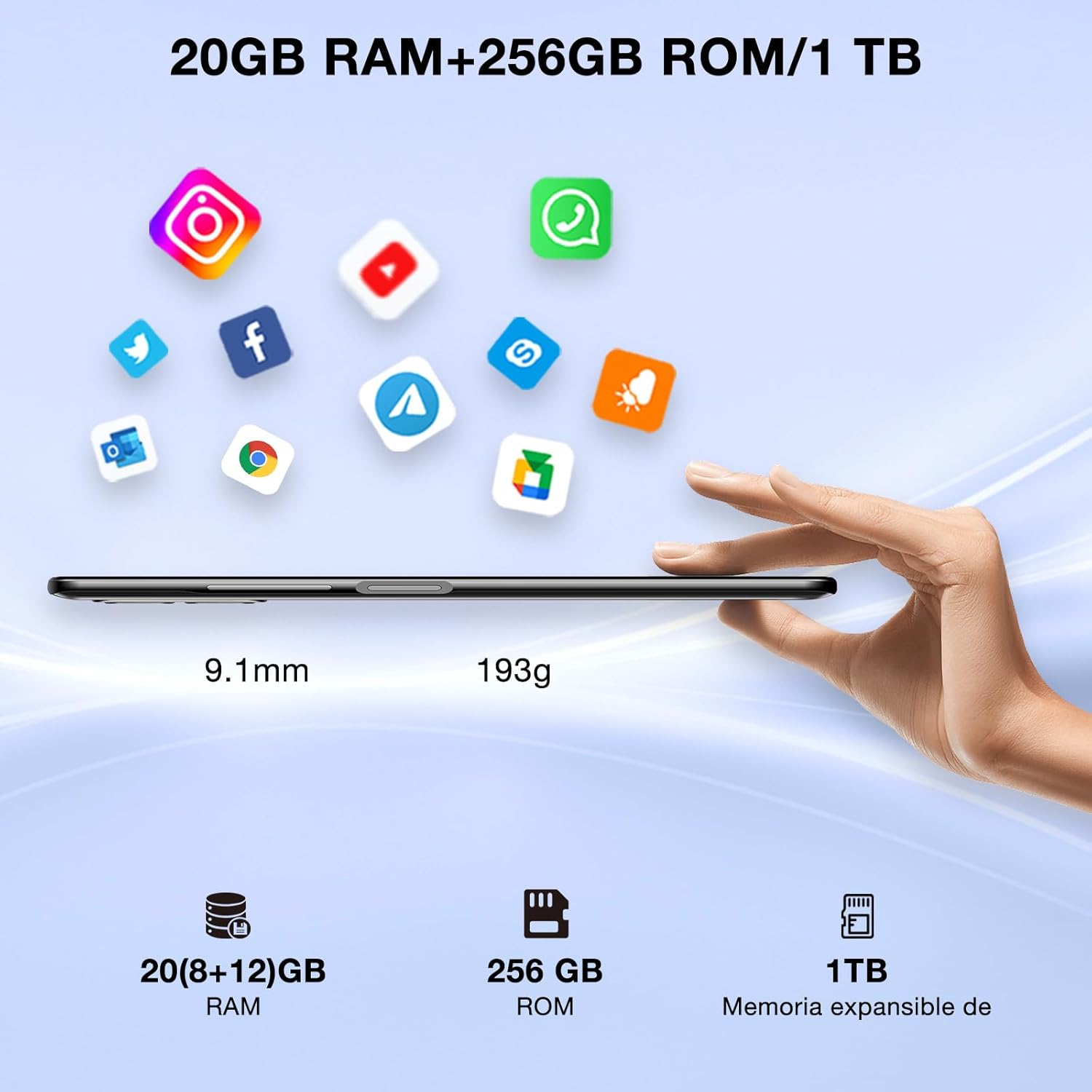
Image: DOOGEE N50PRO smartphone showing its slim profile (9.1mm), weight (193g), and memory configuration (20GB RAM, 256GB ROM, 1TB expandable memory).
2. Agbara akọkọ Lori
Press and hold the Power button located on the side of the device until the DOOGEE logo appears. Follow the on-screen prompts to complete the initial setup, including language selection, Wi-Fi connection, and Google account setup.
3. Ngba agbara si Batiri naa
Before first use, it is recommended to fully charge the device. Connect the USB Type-C cable to the phone's charging port and the other end to the provided 9V/2A charger. Plug the charger into a power outlet. The charging indicator will appear on the screen.

Image: DOOGEE N50PRO connected to a charger, illustrating its 4200mAh battery capacity and 18W fast charging capability. The image also highlights OTG reverse charging.
Awọn ilana Iṣiṣẹ
1. Basic Navigation and Android 13 Features
Your DOOGEE N50PRO runs on Android 13, offering an intuitive user experience. Swipe down from the top of the screen to access the notification panel and quick settings. Customize your control center and direct access operations for efficient use of various functions.

Image: Visual representation of the DOOGEE N50PRO's internal components, highlighting the Spreadtrum T606 Octa-Core processor with 1.6GHz high frequency and 12nm advanced technology, running on Android 13.
2. Security Features: Face ID and Fingerprint ID
Enhance your device's security and convenience with advanced biometric authentication:
- ID oju: Register your face to unlock the phone by simply looking at the front camera.
- ID ìka ọwọ́: Register your fingerprint(s) to unlock the phone or authorize purchases with a touch. The fingerprint sensor is typically located on the side or back of the device.

Image: A user demonstrating Face ID unlock and a close-up of the Fingerprint ID sensor on the DOOGEE N50PRO, showcasing its multi-function security features.
3. Lilo kamẹra
The DOOGEE N50PRO features a triple camera system:
- 50 MP Main Camera: For high-resolution photos.
- 8 MP Front Camera: Fun selfies ati awọn ipe fidio.
- 2 MP Macro Camera: Fun alaye isunmọ-soke Asokagba.
Access the Camera app from your home screen or app drawer. Explore various modes such as Panorama, Portrait, and Night mode to capture different scenes effectively.

Image: Diagram illustrating the DOOGEE N50PRO's dual AI camera setup, featuring a 50MP main camera, an 8MP front camera, and a 2MP macro camera. Sample photos taken with the 50MP main and 8MP front cameras are also shown.
4. Asopọmọra
- Wi-Fi: Supports 2.4G/5G Wi-Fi for fast and stable internet connection. Go to Settings > Network & internet > Wi-Fi to connect to available networks.
- Bluetooth 5.0: For connecting wireless accessories like headphones or speakers. Go to Settings > Connected devices > Bluetooth.
- OTG (Lórí Ọ̀nà): Allows the phone to act as a host to connect USB devices like flash drives or external keyboards. It also supports reverse charging for other devices.
- Lilọ kiri: Integrated GPS, GLONASS, BeiDou, and Galileo for accurate location services.
- Redio FM: Use the built-in FM radio feature (requires headphones to act as an antenna).
- Jack agbekọri 3.5mm: For wired audio accessories.
5. Ìṣàkóso Àwọn Òbí
The device includes parental control features, allowing you to monitor and manage screen time and application usage for children. Access these settings through the device's system settings to balance usage effectively.
Itoju
1. Itọju batiri
- Yago fun ṣiṣafihan batiri si awọn iwọn otutu pupọ (gbona tabi tutu).
- Do not fully discharge the battery frequently. Charge it before it drops below 20%.
- Use only the provided charger and cable to prevent damage.
2. Ninu
Lo aṣọ rirọ, ti ko ni awọ lati nu iboju ati ara foonu naa. Yẹra fun lilo awọn kemikali lile tabi awọn ohun elo ti o npa. Fun awọn idoti lile, di diẹ ninu.ampen awọn asọ pẹlu omi tabi a iboju regede apẹrẹ fun Electronics.
3. Software imudojuiwọn
Máa ṣàyẹ̀wò kí o sì fi àwọn àtúnṣe sọ́fítíwètì sí i déédéé láti rí i dájú pé ẹ̀rọ rẹ ní àwọn ẹ̀yà tuntun, àwọn àtúnṣe ààbò, àti àwọn àtúnṣe iṣẹ́. Lọ sí Ètò > Ètò > Àtúnṣe sọ́fíètì.
Laasigbotitusita
- Ẹrọ ko ṣiṣẹ lori: Rii daju pe batiri ti gba agbara. So ṣaja pọ ki o duro fun iṣẹju diẹ ṣaaju igbiyanju lati tan-an lẹẹkansi.
- Iboju ko dahun: Gbiyanju lati tun ẹrọ naa bẹrẹ nipa titẹ bọtini agbara mu fun iṣẹju-aaya 10-15.
- Awọn oran nẹtiwọki: Check if your SIM card is properly inserted. Try toggling Airplane Mode on and off. If issues persist, contact your mobile service provider.
- Awọn ohun elo ikọlu: Clear the cache of the problematic app (Settings > Apps > [App Name] > Storage & cache > Clear cache). If the issue continues, consider reinstalling the app.
- Iṣẹ ṣiṣe ti o lọra: Close unused apps, clear cache, or consider a factory reset as a last resort (back up your data first).
Awọn pato
| Ẹya ara ẹrọ | Sipesifikesonu |
|---|---|
| Orukọ awoṣe | DOOGEE N50PRO |
| Eto isesise | Android 13.0 |
| isise | Octa-Core (Spreadtrum T606) |
| Àgbo | 20 GB (Extended Memory) |
| Ibi ipamọ inu (ROM) | 256 GB |
| Expandable Ibi ipamọ | Títí dé 1 TB (Káàdì TF) |
| Iwọn Ifihan | 6.52 inches |
| Ipinnu Ifihan | HD+ (720x1600) |
| Kamẹra akọkọ | 50 MP |
| Kamẹra iwaju | 8 MP |
| Kamẹra Makiro | 2 MP |
| Agbara Batiri | 4200 mAh |
| Gbigba agbara | Gbigba agbara iyara Iru-C 18W |
| Cellular Technology | 4G |
| Kaadi SIM Iru | Nano SIM (Dual SIM support) |
| Asopọmọra | Wi-Fi (2.4G/5G), Bluetooth 5.0, OTG, FM Radio |
| Lilọ kiri | GPS, GLONASS, BeiDou, Galileo |
| Aabo Awọn ẹya ara ẹrọ | Face ID, Fingerprint ID |
| Awọn iwọn | 165.8 x 76.2 x 9.1 mm |
| Iwọn | 187 g |
| Jack agbekọri | 3.5 mm |
| Aago Ọrọ | Titi di awọn wakati 16 |

Image: The DOOGEE N50PRO's 6.52-inch Waterdrop HD+ display, showing its 720x1600 resolution, 20:9 aspect ratio, and 86% screen-to-body ratio.
Atilẹyin ọja ati Support
1. atilẹyin ọja Information
Your DOOGEE N50PRO smartphone comes with a two-year official warranty from the date of purchase. Please retain your proof of purchase for warranty claims. This warranty covers manufacturing defects and malfunctions under normal use conditions.
2. Onibara Support
For technical assistance, warranty claims, or further inquiries, please contact DOOGEE customer support through their official website or the contact information provided with your purchase. Ensure you have your device model number and proof of purchase ready when contacting support.