
Ọrọ Iṣaaju
Thank you for choosing Micool T35 Open Ear Headphones. These headphones are designed to provide a comfortable and safe listening experience, allowing you to enjoy high-quality audio while remaining aware of your surroundings. Featuring Bluetooth 5.3 connectivity, IPX6 waterproofing, and a long-lasting battery, they are ideal for sports and daily use.
Package Awọn akoonu
Jọwọ ṣayẹwo package fun awọn nkan wọnyi:
- Micool T35 Open Ear Headphones
- Alailowaya Ngba agbara Case
- USB Iru-C Ngba agbara USB
- Itọsọna olumulo
Ọja Pariview
The Micool T35 headphones feature an open-ear design with earhooks for secure and comfortable wear. The charging case protects and recharges your headphones.

Image: Micool T35 Open Ear Headphones and Charging Case. The image displays the charging case with one earbud inside and the other earbud placed next to it, showcasing the open-ear design and earhook.
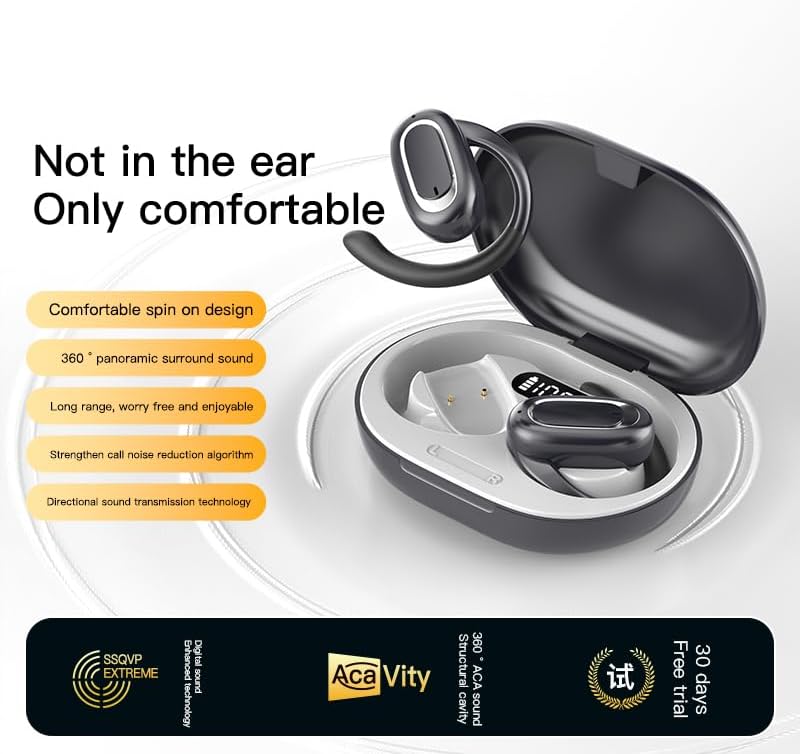
Image: Micool T35 Open Ear Headphones. This image shows both left and right earbuds with their earhooks, highlighting their ergonomic shape.
Awọn ẹya pataki:
- Ṣi i Apẹrẹ Eti: Rests gently on the ear without blocking the ear canal, reducing ear fatigue and maintaining environmental awareness.
- Bluetooth 5.3: Ṣe idaniloju Asopọmọra alailowaya iduroṣinṣin ati lilo daradara.
- Ergonomic Earhooks: Provides a secure and comfortable fit, even during extended use or physical activity.
- IPX6 mabomire: Resistant to sweat and splashes, suitable for sports.
- Igbesi aye batiri gigun: Up to 12 hours of playback on a single charge, extended to 34 hours with the charging case.
- Gbigbe Ohun Itọsọna: Minimizes sound leakage while delivering clear audio.
Ṣeto
1. Ngba agbara si awọn Agbekọri ati Case
Ṣaaju lilo akọkọ, gba agbara ni kikun awọn agbekọri ati apoti gbigba agbara.
- Fi awọn agbekọri sinu apoti gbigba agbara.
- So okun USB Iru-C pọ si ibudo gbigba agbara lori ọran ati orisun agbara kan.
- The charging case takes approximately 1-2 hours to fully charge.
- A full charge provides up to 12 hours of listening time for the headphones, with the charging case extending total playback to 34 hours.
2. Sisopọ Bluetooth
To connect your Micool T35 headphones to a device:
- Rí i dájú pé àwọn agbekọri náà ti gba agbára àti pé wọ́n wà nínú àpótí gbigba agbára.
- Ṣí àpótí ìgbara. Àwọn agbekọri náà yóò wọ inú ipò ìsopọ̀ láìfọwọ́sí, tí ìmọ́lẹ̀ LED tí ń tàn lórí àwọn agbekọri náà fi hàn.
- Lori ẹrọ rẹ (foonuiyara, tabulẹti, ati bẹbẹ lọ), lọ si awọn eto Bluetooth.
- Wa fun available devices and select "Micool T35" from the list.
- Once connected, the LED indicator on the headphones will stop flashing.
- Àwọn agbekọri náà yóò tún so mọ́ ẹ̀rọ tí a so pọ̀ kẹ́yìn nígbà tí a bá yọ wọ́n kúrò nínú àpótí náà, tí Bluetooth bá wà lórí ẹ̀rọ náà.
Awọn ilana Iṣiṣẹ
1. Wọ awọn Agbekọri
The Micool T35 headphones are designed for an open-ear fit with rotatable earhooks.
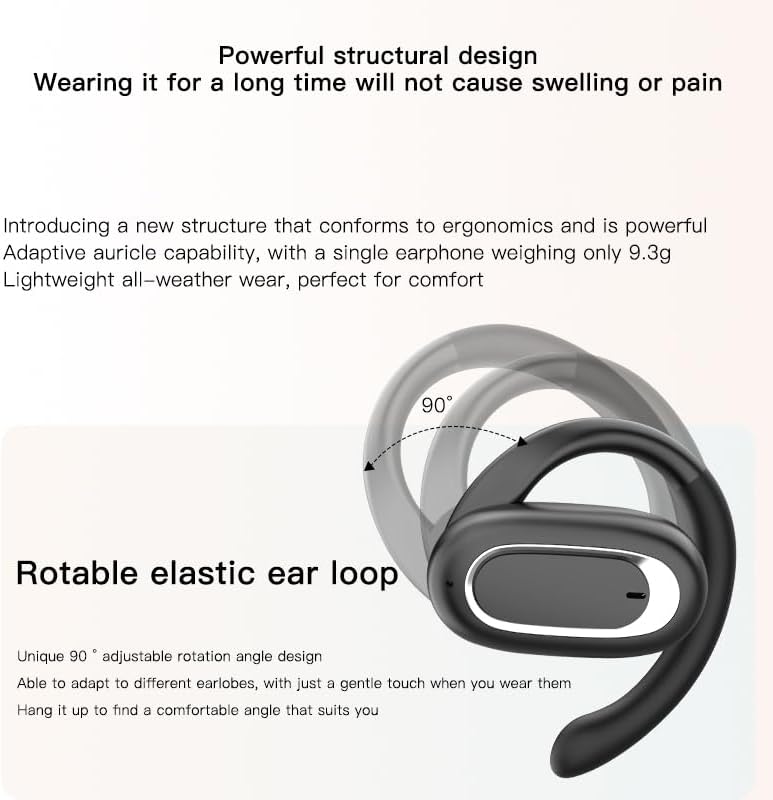
Image: Micool T35 Headphones: Rotatable Earhook Adjustment. The image illustrates the 90-degree rotation capability of the earhook for a customized fit.
- Gently place the earbud on your ear, ensuring the earhook wraps securely around the back of your ear.
- Adjust the rotatable earhook to find the most comfortable and stable position for your earlobe.
- The open-ear design ensures comfort and allows you to hear your surroundings.

Image: Micool T35 Headphones: Usage Scenarios. This image shows individuals using the headphones in various settings: during fitness activities, in an office environment, outdoors while running, and during leisure time.
2. Awọn iṣakoso ifọwọkan
The Micool T35 headphones feature intuitive touch controls on each earbud.
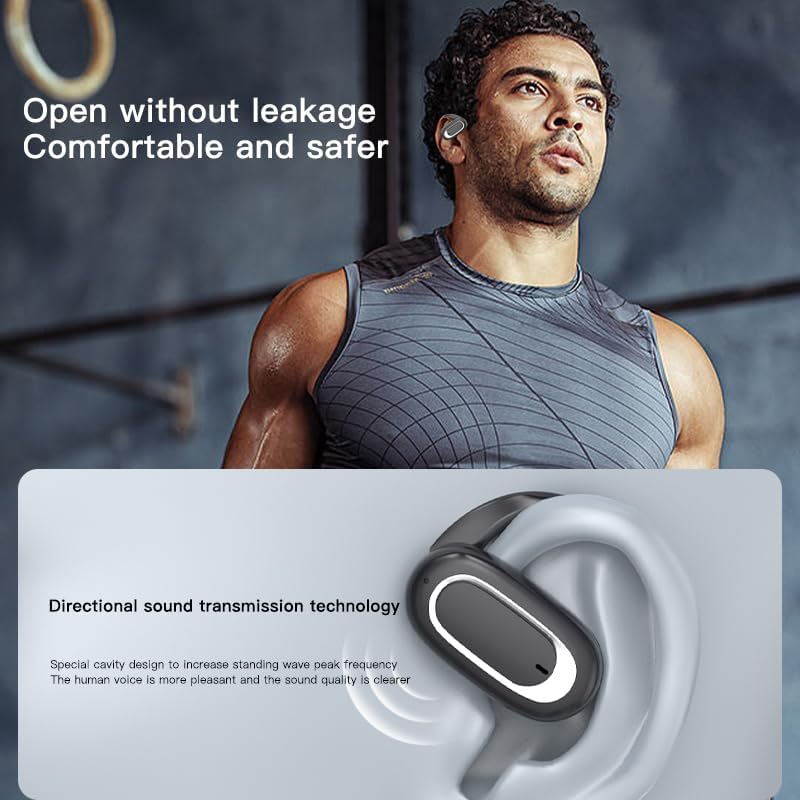
Image: Micool T35 Headphones: Touch Controls Diagram. This diagram illustrates the touch-sensitive area on the earbud and lists the corresponding functions for single tap, double tap, triple tap, and long press.
- Music Playback/Pause: Tap the function key once.
- Idahun/Ipe Ipari: Click the function key.
- Pe Olùrànlọ́wọ́ Ohùn: Long press the function key for 2 seconds.
- Ijusilẹ Ipe: Long press the function key for 2 seconds during an incoming call.
- Switching Up/Down Tracks: Triple click the left/right ear function keys.
- Ilọsoke/Dinku: Double click the right/left ear function keys.
3. Ipo ere
The Micool T35 headphones support a low-latency game mode for improved audio-video synchronization.

Image: Micool T35 Headphones: Low Latency Game Mode. The image shows a smartphone displaying a mobile game, indicating the headphones' capability for synchronized audio and video during gaming.
To activate game mode, refer to the specific instructions provided in the quick start guide or product packaging, as this feature often requires a specific touch gesture or setting within the connected device.
Itoju
Ìtọ́jú tó péye ń jẹ́ kí àwọn agbekọri rẹ pẹ́ títí àti iṣẹ́ wọn.
- Ninu: Lo aṣọ rirọ, gbẹ, tí kò ní ìfọ́ láti nu agbekọri ati apoti gbigba agbara. Maṣe lo awọn ohun elo fifọ tabi awọn ohun elo olomi.
- Omi Resistance: The headphones are IPX6 waterproof, meaning they are resistant to strong jets of water. They are suitable for use during workouts and in light rain, but should not be submerged in water. Dry them thoroughly before placing them back in the charging case.
- Ibi ipamọ: Nigbati o ko ba si ni lilo, tọju awọn agbekọri sinu apoti gbigba agbara wọn lati daabobo wọn lọwọ eruku ati ibajẹ. Tọju ni itura, ibi gbigbẹ kuro lati awọn iwọn otutu to gaju.
- Itọju Batiri: To preserve battery life, charge the headphones regularly, even if not used for extended periods. Avoid fully discharging the battery frequently.
Laasigbotitusita
If you encounter issues with your Micool T35 headphones, try the following solutions:
- Ko si Ohun:
- Rii daju pe awọn agbekọri ti gba agbara.
- Ṣayẹwo boya awọn agbekọri naa ti so pọ daradara pẹlu ẹrọ rẹ.
- Adjust the volume on both the headphones and your device.
- Gbiyanju ohun ti ndun lati ohun elo ti o yatọ tabi orisun.
- Ikuna Pipọpo:
- Pa Bluetooth lori ẹrọ rẹ ki o tan-an pada.
- Forget "Micool T35" from your device's Bluetooth list and attempt to pair again.
- Rí i dájú pé àwọn agbekọri náà wà ní ipò ìsopọ̀ (ìmọ́lẹ̀ LED).
- Gbe awọn agbekọri naa sunmọ ẹrọ rẹ.
- Awọn ọran gbigba agbara:
- Rii daju pe okun gbigba agbara ti sopọ ni aabo si ọran mejeeji ati orisun agbara.
- Gbiyanju okun USB Iru-C ti o yatọ tabi ohun ti nmu badọgba agbara.
- Clean the charging contacts on the headphones and inside the case with a dry cotton swab.
- Didara ipe ti ko dara:
- Rii daju pe gbohungbohun ko ni idinamọ.
- Gbe lọ si agbegbe pẹlu ariwo ayika ti o dinku.
- Ṣayẹwo ifihan agbara nẹtiwọọki ẹrọ rẹ.
Awọn pato
| Brand | Micool |
| Orukọ awoṣe | T35 |
| Asopọmọra Technology | Ailokun (Bluetooth 5.3) |
| Gbigbe Eti | Ṣii Eti |
| Fọọmù ifosiwewe | On Ear (with earhooks) |
| Mabomire Rating | IPX6 |
| Akoko Sisisẹsẹhin | Titi di wakati 12 (idiyele kan), wakati 34 (pẹlu apoti gbigba agbara) |
| Gbigba agbara Port | USB Iru-C |
| Iṣakoso Iru | Iṣakoso Media (Fọwọkan) |
| Ohun elo | Ṣiṣu |
| Awọn ẹrọ ibaramu | Awọn foonu alagbeka |
Atilẹyin ọja ati Support
Micool T35 Open Ear Headphones come with a 1-year limited warranty from the date of purchase. This warranty covers manufacturing defects and workmanship under normal use.
For technical support, warranty claims, or any questions regarding your product, please contact Micool customer service through the retailer where you purchased the product or visit the official Micool brand store:
Please have your purchase receipt and product model number (T35) ready when contacting support.