
1. Ọja Ipariview
The Roku 40" Select Series 1080p Full HD Smart RokuTV offers a seamless entertainment experience with its integrated Roku platform. Enjoy bright, full HD picture quality and clear audio. The customizable home screen provides quick access to streaming apps, inputs, and free live TV. This model features a bezel-less design and comes with a voice remote for easy navigation.
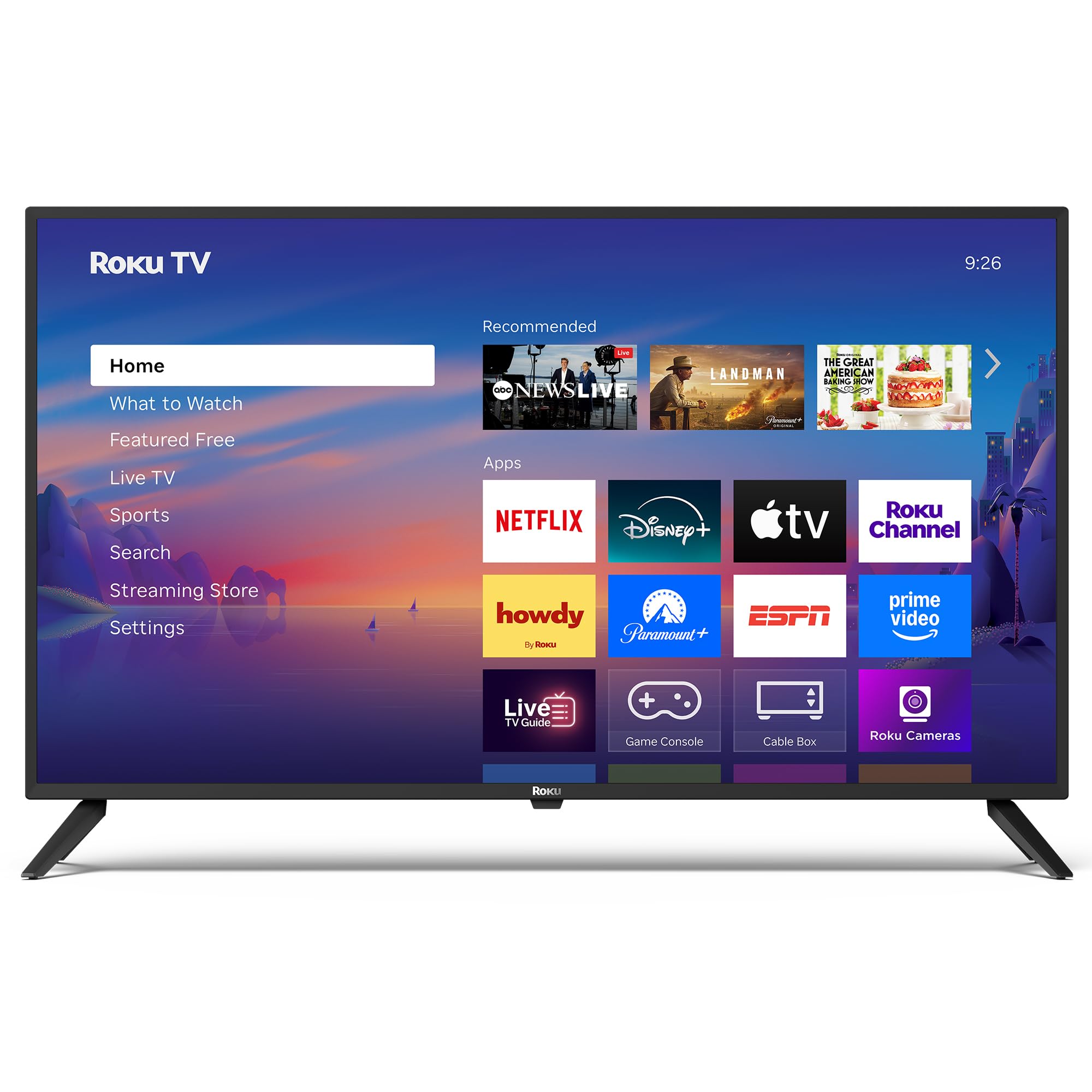
Aworan: Iwaju view of the Roku 40" Select Series Full HD Smart TV.
2. Ohun ti o wa ninu Apoti
- Roku 40” Select Series Full HD Smart TV
- Roku voice remote with batteries
- Iduro TV (2)
- Stand screws (4)
- Afowoyi Olumulo (iwe-ipamọ yii)

Image: Diagram illustrating the components included in the Roku TV package.
3. Eto Itọsọna
3.1 So awọn iduro TV
- Farabalẹ gbe iboju TV si isalẹ lori rirọ, dada ti o mọ lati ṣe idiwọ awọn ikọlu.
- Ṣe deede iduro TV kọọkan pẹlu awọn ihò skru ti o baamu ni isalẹ ti TV.
- Insert the provided screws into the holes and tighten them securely with a screwdriver.
- Ensure both stands are firmly attached before proceeding.
3.2 Nsopọ Agbara ati Eto Ibẹrẹ
- Connect the power cord to the TV and then to a standard electrical outlet (100-240 VAC, 50-60 Hz).
- Insert the AAA batteries into the Roku voice remote.
- Tẹ bọtini agbara lori isakoṣo latọna jijin lati tan TV.
- Follow the on-screen instructions to select your language, connect to your Wi-Fi network, and activate your Roku account.
- The TV will guide you through adding your preferred streaming apps and setting up any connected devices.

Aworan: Isunmọ view of the TV's side panel, showing various input ports like HDMI, USB, and antenna connection.
4. Operating Your Roku TV
4.1 Home iboju Lilọ kiri
The Roku home screen provides a centralized hub for all your entertainment. Easily access streaming apps, connected devices (like game consoles or cable boxes), and free live TV channels. The interface is designed for quick and intuitive navigation using your Roku voice remote.

Image: The Roku TV home screen, showing a grid of streaming applications and input selections.
4.2 Lilo Iṣakoso Ohun
The included voice remote simplifies your TV experience. Use voice commands to search for movies, shows, or songs across thousands of streaming apps. Dedicated shortcut buttons provide instant access to popular services like Netflix, Disney+, and Apple TV. Volume controls are conveniently located on the side of the remote.

Image: Close-up of the Roku voice remote, highlighting the voice command button and dedicated app shortcuts.
4.3 Aworan ati Ohun Eto
The Roku TV delivers a bright, full HD picture with exceptional clarity. It features direct LED backlighting for better brightness and uniformity. Enhanced audio output is provided by built-in speakers. You can adjust picture modes, screen brightness, and other advanced settings through the TV's menu to optimize your viewiriri iriri.
4.4 Smart Home Integration
The Roku TV is compatible with various smart home ecosystems, including Apple AirPlay 2, Apple Home, Alexa, and Google Home. This allows for integrated control and seamless interaction with your existing smart devices.

Image: Icons representing compatibility with various smart home platforms.
5. Itọju
To ensure the longevity and optimal performance of your Roku TV, follow these maintenance guidelines:
- Ninu iboju: Use a soft, lint-free cloth specifically designed for electronics. Gently wipe the screen to remove dust and smudges. Avoid harsh chemicals or abrasive materials.
- Ninu Ode: Wipe the TV's exterior with a soft, dry cloth. Do not use liquid cleaners directly on the TV.
- Afẹfẹ: Rí i dájú pé àwọn ihò afẹ́fẹ́ inú tẹlifíṣọ̀n kò dí láti dènà ìgbóná jù. Jẹ́ kí àyè tó wà ní àyíká tẹlifíṣọ̀n náà tó fún ìṣàn afẹ́fẹ́.
- Isakoso Agbara: Yọ TV kuro ni iṣan agbara lakoko awọn iji itanna tabi nigba ti yoo wa ni aibikita fun igba pipẹ.
6. Laasigbotitusita
If you encounter issues with your Roku TV, try the following basic troubleshooting steps:
- Ko si Agbara: Ensure the power cord is securely plugged into both the TV and the electrical outlet. Check if the outlet is functioning by plugging in another device.
- Ko si Aworan/Ohun: Verify that the correct input source is selected on the TV. Check all cable connections (HDMI, AV, etc.) for looseness.
- Latọna jijin Ko Dahun: Replace the batteries in the remote. Ensure there are no obstructions between the remote and the TV. Re-pair the remote if necessary (refer to the on-screen instructions during initial setup or the Roku support site).
- Awọn oran Isopọ nẹtiwọki: Restart your Wi-Fi router and modem. Go to the TV's network settings to reconnect to your Wi-Fi network.
- Dídì/Fífọ́ ohun èlò: Restart the specific app. If the issue persists, restart the TV by unplugging it from the power outlet for 30 seconds and then plugging it back in.
For more detailed troubleshooting or persistent issues, visit the official Roku support webojula.
7. Awọn pato
| Ẹya ara ẹrọ | Ẹ̀kúnrẹ́rẹ́ |
|---|---|
| Iwon iboju | 40 inches |
| Brand | Roku |
| Nọmba awoṣe | 40R2A5R |
| Ifihan ọna ẹrọ | LED |
| Ipinnu | 1080p ni kikun HD |
| Oṣuwọn sọtun | 60 Hz |
| Eto isesise | Roku OS |
| Pataki Awọn ẹya ara ẹrọ | Bezel-Less Design, Voice Remote |
| Asopọmọra Technology | HDMI, USB, Wi-Fi |
| Lapapọ HDMI Ports | 3 |
| Total USB 3.0 Ports | 1 |
| Ipo Ijade Ohun | Imudara |
| Ọna Iṣakoso | App Control, Remote Control, Voice Control |
| Screen Mirroring Technology | AirPlay 2, Miracast |
| Awọn iwọn Ọja (D x W x H) | 8.7"D x 35.5"W x 22.6"H |
| Item Weight Without Stand | 11.2 iwon |
| Boṣewa VESA Mount | 200 x 100 mm |
8. Atilẹyin ọja ati Support
8.1 Atilẹyin ọja to lopin
Roku warrants the hardware of this device against defects in materials and workmanship under normal use for a period of one (1) year from the date of purchase ("Warranty Period"), provided it is used in accordance with the provided documentation. If a hardware defect is determined during the Warranty Period, Roku's sole obligation and your exclusive remedy will be to either repair or replace the unit with a new or rebuilt device, at Roku's option.
Important information about warranty returns and replacements is available on the Roku support site.
8.2 ọja Padà
You may return a device for any reason, subject to the terms of the applicable return policy:
- Within thirty (30) days from the date of purchase from Roku.
- Within the applicable return period if purchased from an authorized reseller or distributor.
Additional details regarding product returns can be found on the Roku support site.