
Ọja Pariview
The Roxicosly Super Strong Vibrating Alarm Clock, Model CR1027, is a compact, cordless, and USB-rechargeable device designed to provide effective wake-up alerts. It is particularly suitable for heavy sleepers, individuals with hearing impairments, and travelers. Key features include adjustable vibration intensity, dual alarm settings with weekday/weekend modes, a snooze function, and a child lock to prevent accidental changes.

Image: The Roxicosly vibrating alarm clock, designed for heavy sleepers, shown with its strong vibration feature.
Ṣeto
Ngba agbara si Ẹrọ
The alarm clock is equipped with a powerful 3000mAh rechargeable battery. Before initial use, or when the battery indicator shows low power, connect the device using the provided USB-C cable to a suitable power source (e.g., USB wall adapter, computer USB port). A full charge can last up to 160 days on the lowest vibration and alarm setting.

Image: The alarm clock connected via USB-C cable for charging, highlighting its 3000mAh battery.

Image: Close-up of the alarm clock display showing the battery indicator.
Ṣiṣeto Akoko naa
- Long press the "TIME/SNOOZE" button to enter time setting mode.
- Press "+" or "-" to set the day of the week, then press "TIME/SNOOZE" to save.
- Press "+" or "-" to set the hour, then press "TIME/SNOOZE" to save.
- Press "+" or "-" to set the minute, then press "TIME/SNOOZE" to save.
Video: Demonstrates how to set the time, including day, hour, and minute, on the Roxicosly alarm clock.
Setting AM/PM and Daylight Saving Time (DST)
- Press the "+" button to toggle Daylight Saving Time (DST) on/off.
- Press the "-" button to switch between AM and PM time formats (12H/24H).
Video: Illustrates how to adjust AM/PM and DST settings on the alarm clock.
Awọn ilana Iṣiṣẹ
Ṣiṣeto Itaniji kan
- Press the "Alarm 1" button to turn on Alarm 1. Press "Alarm 1" again to enter alarm setting mode.
- Press "+" or "-" to set the desired alarm time (hour and minute), then press "Alarm 1" to save.
- Press "+" or "-" to select the alarm mode: Ohun Nikan, Gbigbọn nikan, tabi Ohun + Gbigbọn. Press "Alarm 1" to save.
- Press "+" or "-" to set the alarm volume (U01-U05), then press "Alarm 1" to save.
The device supports dual alarms (Alarm 1 and Alarm 2) and allows customization for all 7 days, weekdays (Mon-Fri), or weekends (Sat-Sun).

Image: A man sleeping with the vibrating alarm clock under his pillow, illustrating the three available alarm modes: Buzzer Only, Vibrator Only, and Buzzer + Vibrator.

Image: The alarm clock displaying dual alarm settings and options for all 7 days, weekdays, or weekends.
Video: Guide on how to set an alarm, including time, mode (sound/vibration), and volume.
Siṣàtúnṣe iwọn gbigbọn
The vibration intensity can be customized to High, Medium, or Low to suit individual preferences and sleeping habits. This setting is adjusted during the alarm setup process.
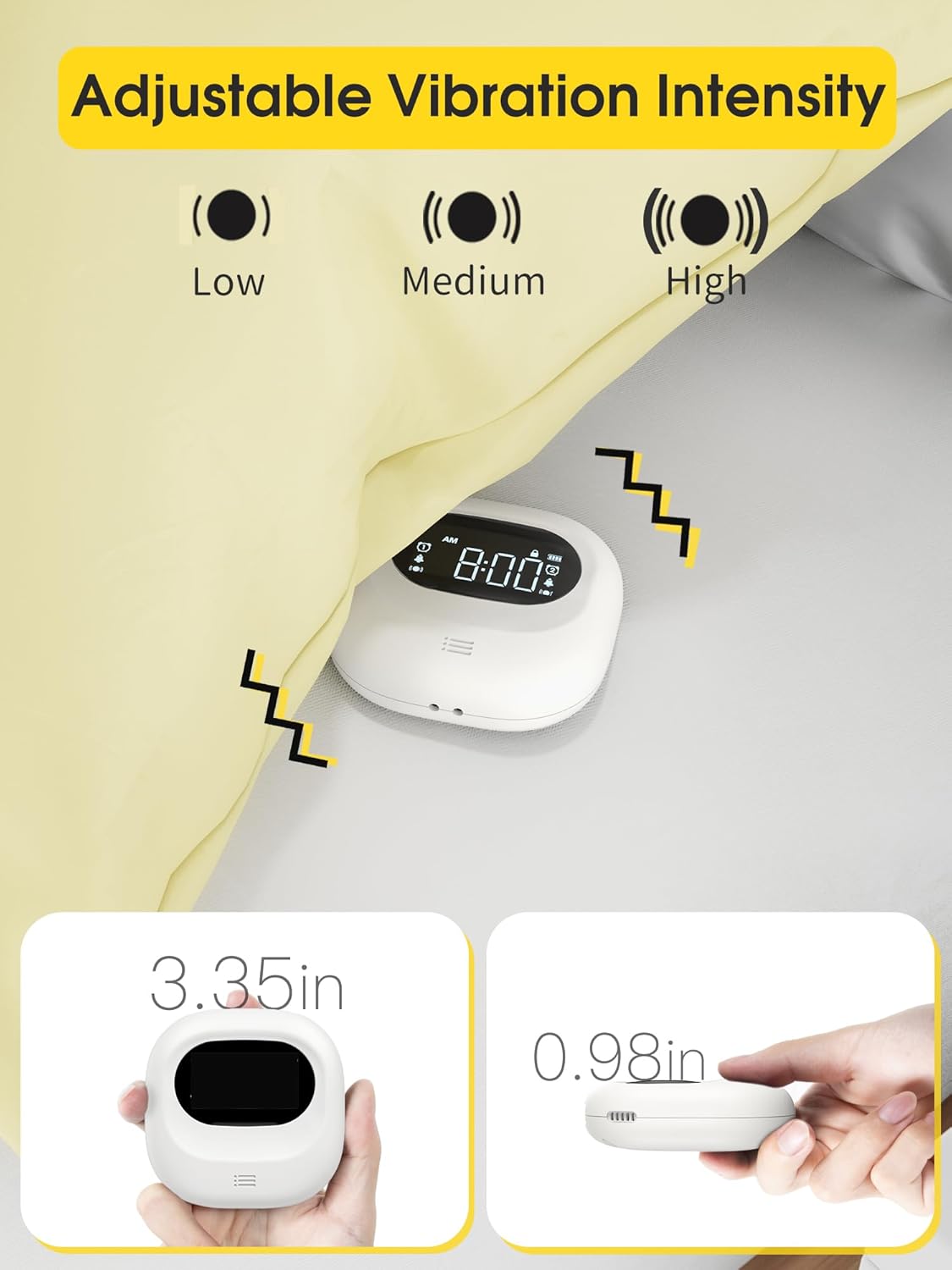
Image: The alarm clock illustrating the three adjustable vibration intensity levels: Low, Medium, and High.
Išẹ lẹẹkọọkan
When the alarm sounds, press the "TIME/SNOOZE" button to activate the snooze function. The snooze icon will flash on the display, providing a temporary pause before the alarm sounds again.
Video: Demonstrates how to use the snooze function and turn off the alarm for the day.
Titiipa ọmọ
To prevent accidental button presses or changes to settings, especially while sleeping, engage the child lock feature. This is typically a sliding switch located on the back of the device.

Image: The alarm clock highlighting the child lock feature to prevent unintended adjustments.
Laifọwọyi Ifihan Pa
The display automatically turns off after 30 seconds to avoid disturbing sleep with light, ensuring a dark sleeping environment.

Image: The alarm clock display transitioning to off after 30 seconds to ensure no light disturbance at night.
Itoju
- Ninu: Fi aṣọ rírọrùn àti gbígbẹ nu ẹ̀rọ náà. Yẹra fún lílo àwọn ohun ìfọṣọ tàbí àwọn ohun èlò ìfọṣọ.
- Itọju Batiri: Recharge the device when the low battery indicator appears. Avoid fully depleting the battery frequently to prolong its lifespan.
- Ibi ipamọ: Store the alarm clock in a cool, dry place when not in use for extended periods.
Laasigbotitusita
| Isoro | Owun to le Fa | Ojutu |
|---|---|---|
| Alarm not sounding/vibrating | Alarm is off, volume is too low, vibration mode not selected, or low battery. | Ensure alarm is activated, check volume settings, verify vibration mode is on, and charge the device. |
| Ifihan ti wa ni baibai tabi pa | Auto display off feature is active, or low battery. | Press any button to temporarily illuminate the display. Charge the device if the battery is low. |
| Ko le yi eto pada | Child lock is engaged. | Disengage the child lock switch on the back of the device. |
| Time format is incorrect (e.g., military time) | Incorrect time format setting. | Refer to the "Setting AM/PM/DST" section to adjust the 12H/24H time format. |
Awọn pato
- Brand: Roxicosly
- Nọmba awoṣe: CR1027
- Àwọ̀: Funfun
- Iru ifihan: LCD
- Orisun Agbara: Battery Operated, Rechargeable Battery (3000mAh Lithium Polymer, included)
- Awọn iwọn ọja: 3"W x 3"H (approx. 3.35" x 3.35" x 1" as per feature bullets)
- Ìwọ̀n Nkan: 0.3 lbs / 4.8 iwon
- Ohun elo: Acrylonitrile Butadiene Styrene
- Awọn ẹya pataki: Adjustable Volume, Battery Indicator, Cordless, Dual Alarm, Loud Alarm, Adjustable Vibration Intensity, Child Lock, Auto Display Off, 12/24H Time Format, DST
- Olupese: Wuhan Luekefang E-commerce Co., Ltd
Atilẹyin ọja ati Support
The Roxicosly Super Strong Vibrating Alarm Clock comes with an 18-osu atilẹyin ọja from the date of purchase, covering manufacturing defects. For product support, technical assistance, or warranty claims, please contact the manufacturer or seller directly through your purchase platform. Please retain your proof of purchase for warranty validation.
Contact information for the seller (Wismco) can typically be found on your order details page or the product listing on the platform where it was purchased.