
FASTWD L361
FASTWD L361 Android 13 Tablet User Manual
Model: L361 | Brand: FASTWD
1. Ifihan
Welcome to the user manual for your new FASTWD L361 Android 13 Tablet. This guide provides essential information to help you set up, operate, and maintain your device. The FASTWD L361 features a vibrant 14-inch 2K Incell FHD display, powered by Android 13, with robust 5G WiFi connectivity, an 11580mAh battery, 19GB RAM, and 256GB of internal storage.
2. Package Awọn akoonu
Jọwọ ṣayẹwo apoti fun awọn nkan wọnyi:
- FASTWD L361 Android 13 Tablet
- Ọran Idaabobo
- Okun Ngba agbara USB
- Adapter agbara
- Afowoyi Olumulo (iwe-ipamọ yii)
3. Ẹrọ Loriview
Mọ ararẹ pẹlu awọn paati ti ara ti tabulẹti rẹ.

Aworan 3.1: Iwaju ati sẹhin view of the FASTWD L361 Tablet, showcasing awọn oniwe-aso oniru ati kamẹra placement.
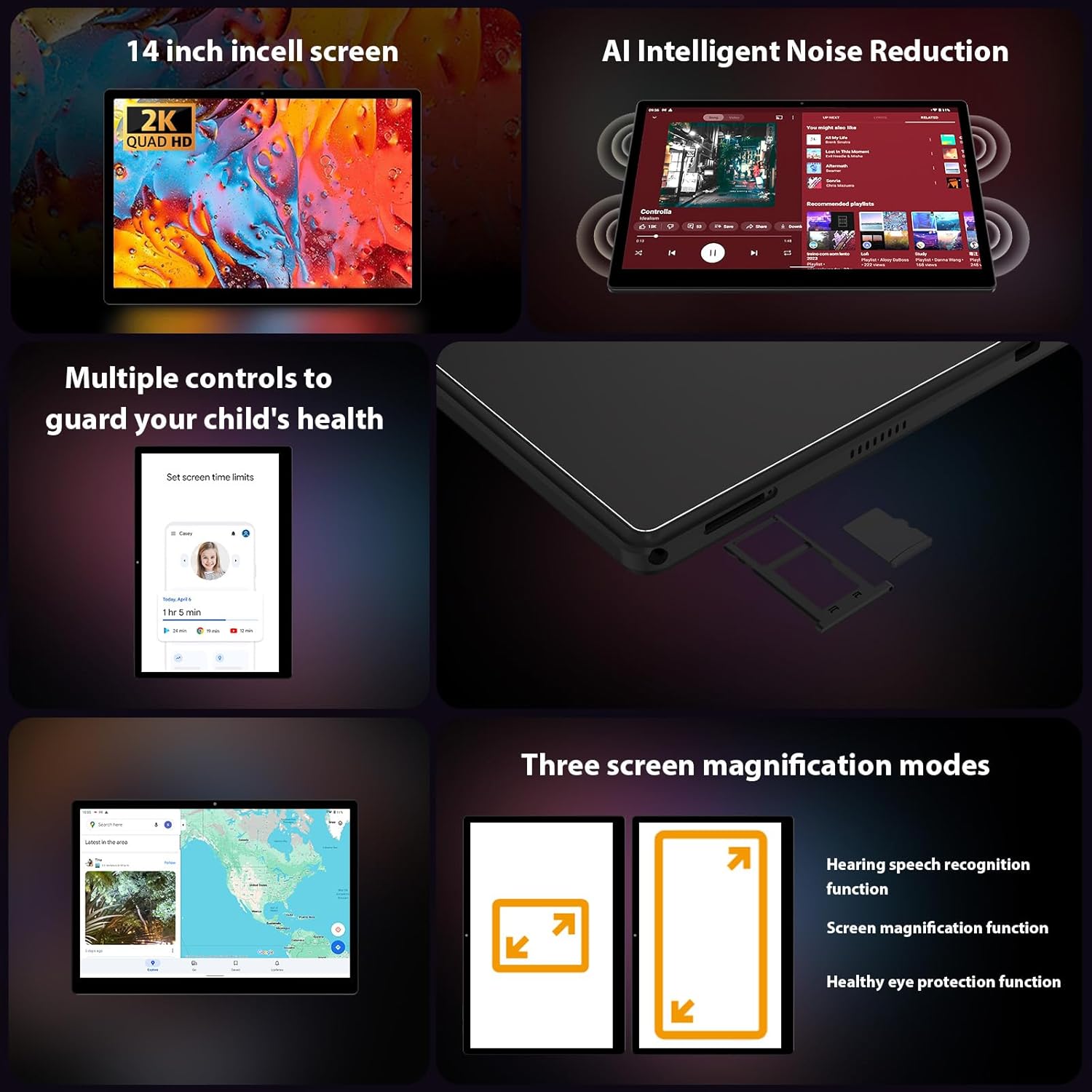
Aworan 3.2: Apa view of the FASTWD L361 Tablet, highlighting the USB port, power button, volume controls, and the SIM/MicroSD card slot.
Awọn eroja pataki:
- Bọtini agbara: Press and hold to turn on/off or restart. Press briefly to wake/sleep the screen.
- Awọn bọtini iwọn didun: Ṣatunṣe iwọn didun ohun.
- Ibudo USB: Fun gbigba agbara ati gbigbe data.
- Kamẹra iwaju: For video calls and selfies (8MP).
- Kamẹra Tẹhin: For photos and videos (13MP + 2MP Macro).
- Iho kaadi MicroSD: Expand storage up to 1TB.
- Awọn agbọrọsọ: Fun igbejade ohun.
4. Ni ibẹrẹ Oṣo
4.1 Gbigba agbara si tabulẹti
Before first use, fully charge your tablet. Connect the USB charging cable to the tablet's USB port and the power adapter, then plug the adapter into a power outlet. The tablet supports 12W fast charging.

Image 4.1: Illustration of the FASTWD L361 Tablet being charged, highlighting its 11580mAh battery and 12W fast charging capability.
4.2 Titan / Pa a
- Lati Fi agbara: Press and hold the Power button until the FASTWD logo appears.
- Lati Paarẹ: Tẹ ki o si mu awọn Power bọtini, ki o si yan "Power pipa" lati awọn aṣayan loju iboju.
- Lati Tun bẹrẹ: Tẹ mọlẹ bọtini agbara, lẹhinna yan "Tun bẹrẹ" lati awọn aṣayan.
4.3 Iṣeto ni ibẹrẹ
Lori agbara akọkọ, tẹle awọn itọnisọna loju iboju lati ṣeto tabulẹti rẹ:
- Yan ede ti o fẹ.
- Sopọ si nẹtiwọki Wi-Fi kan.
- Wọle pẹlu akọọlẹ Google rẹ tabi ṣẹda tuntun kan.
- Review ati ki o gba awọn ofin ati ipo.
- Ṣeto titiipa iboju (PIN, apẹrẹ, ọrọ igbaniwọle, tabi ID Oju).
4.4 Fi kaadi MicroSD sii
To expand storage, insert a MicroSD card (up to 1TB) into the designated slot on the side of the tablet. Ensure the tablet is powered off before inserting or removing the card.
5. Ṣiṣẹ rẹ tabulẹti
5.1 Ìfihàn àti Ààbò Ojú
The FASTWD L361 features a 14-inch Incell FHD display with a resolution of 2000 x 1200 pixels. It is TÜV certified for eye protection, reducing eye strain during prolonged use.
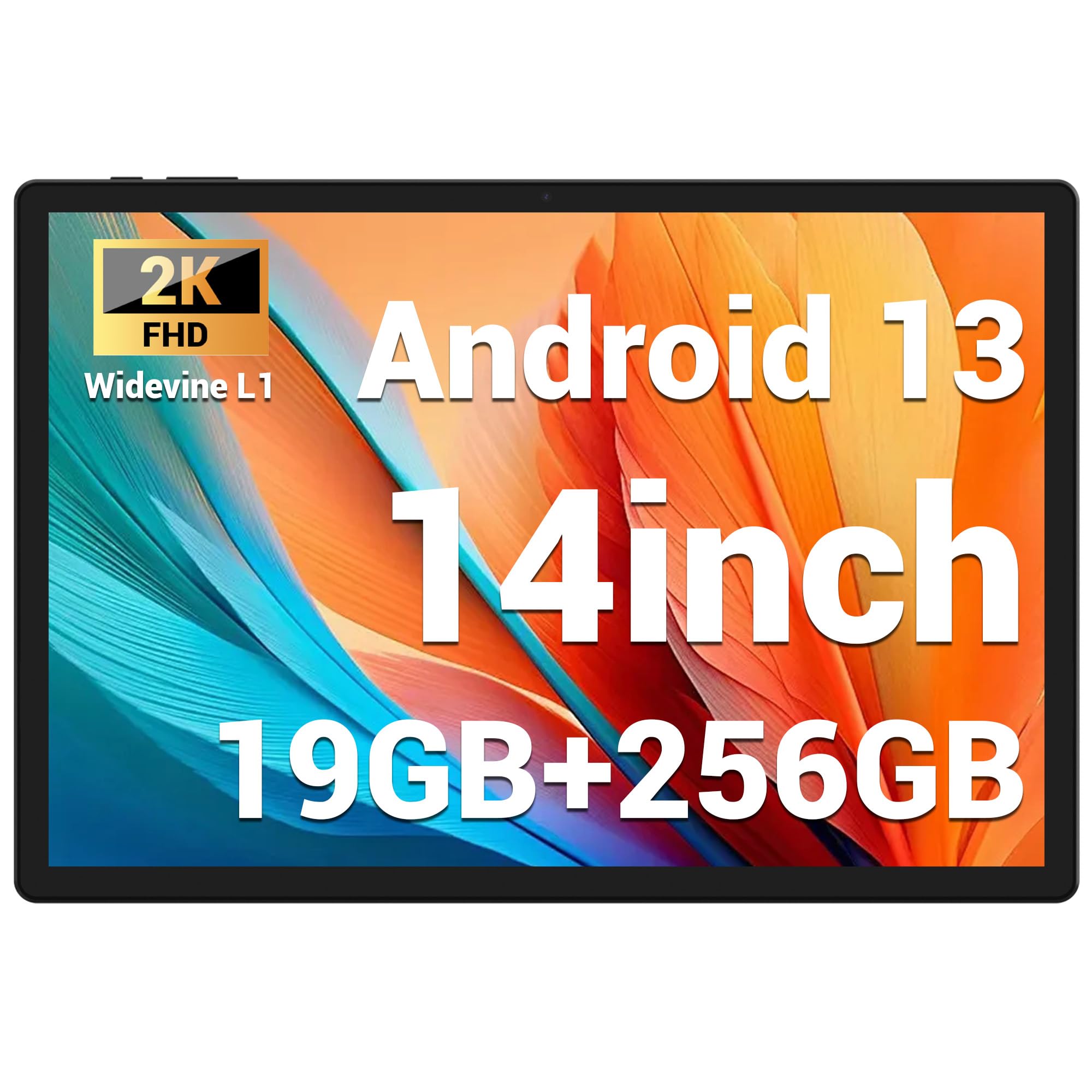
Image 5.1: Visual representation of the FASTWD L361 Tablet's 14-inch 2K Incell FHD display, highlighting its 2000x1200 resolution and TÜV eye protection certification.
5.2 Asopọmọra
Your tablet supports advanced wireless connectivity:
- 5G WiFi: Connect to high-speed wireless networks for fast internet access.
- Bluetooth 5.0: Papọ pẹlu agbekọri alailowaya, awọn agbohunsoke, ati awọn ẹrọ Bluetooth-ṣiṣẹ miiran.

Image 5.2: Depiction of the FASTWD L361 Tablet's 5G WiFi capabilities, 19GB RAM, 256GB ROM, and support for 1TB MicroSD expansion.
5.3 Awọn kamẹra
Awọn tabulẹti ni ipese pẹlu awọn kamẹra meji:
- Kamẹra iwaju: 8 Megapixels, ideal for video calls and self-portraits.
- Kamẹra Tẹhin: 13 Megapixels with a 2 Megapixel Macro lens, suitable for capturing detailed photos and videos.

Image 5.3: Visuals demonstrating the FASTWD L361 Tablet's 8MP front camera, 13MP rear camera, and the process for setting up Face ID for secure unlocking.
5.4 ID oju
Unlock your tablet securely using Face ID. To set up:
- Lọ si Eto > Aabo > Ṣii silẹ oju.
- Tẹle awọn ilana loju iboju lati forukọsilẹ oju rẹ.
5.5 Idinku Ariwo Ọlọgbọn AI
The tablet integrates AI Intelligent Noise Reduction technology to filter out ambient sounds, enhancing audio clarity during calls and media playback.
5.6 Ṣíṣe iṣẹ́ púpọ̀ pẹ̀lú Fèrèsé Púpọ̀
Utilize the multi-window feature to run two applications simultaneously, enhancing productivity and user experience.

Image 5.4: The FASTWD L361 Tablet displaying its multi-window and split-screen capabilities, allowing users to operate multiple applications simultaneously.
6. Itọju
6.1 Ninu tabulẹti
Lo aṣọ rirọ, ti ko ni lint lati nu iboju ati ara tabulẹti naa. Yẹra fun lilo awọn kemikali lile tabi awọn ohun elo ti o le ba oju naa jẹ.
6.2 batiri Itọju
Bátìrì náà ní bátìrì 11580mAh. Láti mú kí bátìrì pẹ́ sí i:
- Yago fun ṣiṣafihan tabulẹti si awọn iwọn otutu to gaju.
- Ma ṣe jẹ ki batiri naa ṣan patapata ṣaaju gbigba agbara nigbagbogbo.
- Use the provided charger for optimal charging performance.
6.3 Software imudojuiwọn
Ensure your tablet's software is up to date to benefit from the latest features and security enhancements. Go to Eto> Eto> Imudojuiwọn eto lati ṣayẹwo ati fi awọn imudojuiwọn sori ẹrọ.
7. Laasigbotitusita
Ti o ba pade awọn ọran pẹlu tabulẹti rẹ, tọka si awọn solusan ti o wọpọ wọnyi:
| Isoro | Ojutu |
|---|---|
| Tabulẹti ko ni tan-an | Rii daju pe batiri ti gba agbara. Tẹ mọlẹ bọtini Agbara fun o kere ju iṣẹju 10. |
| Awọn oran asopọ Wi-Fi | Restart your Wi-Fi router and the tablet. Check Wi-Fi settings on the tablet to ensure it's connected to the correct network. |
| Tablet is slow or unresponsive | Close unnecessary apps running in the background. Clear cache from apps. Restart the tablet. If issues persist, consider a factory reset (back up data first). |
| Face ID not working | Ensure your face is well-lit and not obstructed. Re-register your face in settings if necessary. |
7.1 Atunto ile-iṣẹ
If troubleshooting steps do not resolve the issue, you may need to perform a factory reset. This will erase all data on your tablet, so ensure you back up important files ṣaaju ki o to tẹsiwaju.
- Lọ si Eto> Eto> Tun awọn aṣayan.
- Yan Pa gbogbo data rẹ (atunṣe ile-iṣẹ).
- Jẹrisi ipinnu rẹ.
8. Awọn pato
| Ẹya ara ẹrọ | Ẹ̀kúnrẹ́rẹ́ |
|---|---|
| Awoṣe | L361 |
| Eto isesise | Android 13 |
| Ifihan | 14-inch Incell FHD, 2000 x 1200 pixels, TÜV Certified |
| Iyara isise | 2 GHz |
| Àgbo | 19 GB (8GB + 11GB virtual) |
| Ibi ipamọ inu | 256 GB |
| Expandable Ibi ipamọ | Up to 1 TB MicroSD |
| Agbara Batiri | 11580 mAh |
| Gbigba agbara | 12W Yara Ngba agbara |
| Kamẹra iwaju | 8 MP |
| Kamẹra ẹhin | 13 MP + 2 MP Macro |
| Asopọmọra | 5G WiFi, Bluetooth 5.0 |
| Aabo Awọn ẹya ara ẹrọ | ID oju |
| Pataki Awọn ẹya ara ẹrọ | AI Noise Reduction, GMS Certified |
| Awọn iwọn | 41.79 x 25.1 x 3.7 cm |
| Iwọn | 2.08 kilo |
9. Atilẹyin ọja ati Support
Your FASTWD L361 Tablet comes with a standard manufacturer's warranty. For specific warranty terms and conditions, please refer to the warranty card included in your package or visit the official FASTWD webojula.
For technical support, product inquiries, or warranty claims, please contact FASTWD customer service through the contact information provided on the official webojula tabi rẹ ra iwe.
Ask a question about this manual
Ask about setup, troubleshooting, compatibility, parts, safety, or missing instructions. Manuals+ will review the question and use this page’s manual context to help answer it.