
EBTOOLS EBTOOLS1756ogbieh-12
User Manual for EBTOOLS YEEMI K21+ 4G Flip Phone
Àwòṣe: EBTOOLS1756ogbieh-12
Ọrọ Iṣaaju
This manual provides comprehensive instructions for the operation, maintenance, and troubleshooting of your EBTOOLS YEEMI K21+ 4G Flip Phone. Designed with seniors in mind, this phone features large buttons, dual screens, and essential functions like SOS and GPS for enhanced safety and ease of use. Please read this manual carefully to ensure proper use and to maximize the phone's capabilities.
1. Eto
1.1 Package Awọn akoonu
Ṣaaju ki o to bẹrẹ, jọwọ rii daju pe gbogbo awọn nkan wa ninu package:
- EBTOOLS YEEMI K21+ 4G Flip foonu
- Batiri
- Okun USB
- Afowoyi Olumulo (iwe-ipamọ yii)

Image: The phone, battery, and USB cable included in the package.
1.2 Fi kaadi SIM ati batiri sii
- Ṣí ìbòrí ẹ̀yìn: Fi ọwọ́ rọra ṣí ideri ẹ̀yìn fóònù náà.
- Fi kaadi SIM sii: Locate the SIM card slot(s). This phone supports dual SIM. Carefully insert your 4G compatible SIM card(s) into the designated slot(s) with the gold contacts facing down.
- Fi Batiri sii: Align the battery contacts with the phone's contacts and gently press the battery into place.
- Ti ideri ẹhin pa: Rọpo ideri ẹhin, rii daju pe o tẹ si ipo rẹ lailewu.

Image: The phone in its open position, ready for SIM card and battery insertion.
1.3 Ngba agbara si Batiri naa
Ṣaaju lilo akọkọ, gba agbara si batiri foonu ni kikun.
- Connect the small end of the USB cable to the phone's charging port.
- So opin keji okun USB pọ si ohun ti nmu badọgba agbara USB ibaramu (kii ṣe pẹlu) tabi ibudo USB ti kọnputa kan.
- Atọka gbigba agbara loju iboju yoo fi ipo gbigba agbara han.
2. Awọn ilana Iṣiṣẹ
2.1 Agbara Tan / Pa
- Lati Fi agbara: Tẹ ki o si mu bọtini Ipe Agbara/Ipari (bọtini pupa) di titi iboju yoo fi tan.
- Lati Paarẹ: Press and hold the Power/End Call button until the power off options appear, then select "Power Off".
2.2 Ṣiṣe ati gbigba awọn ipe
- Npe Ipe:
- Enter the phone number using the large keypad buttons.
- Press the Call button (green button) to dial.
- Gbigba Ipe kan:
- When the phone rings, open the flip to answer, or press the Call button.
- To end a call, press the Power/End Call button.

Aworan: Ifihan foonu naaasing its dual display feature, with the internal screen open and the external screen visible when closed.
2.3 Dual Screens and Large Font
The phone features a 2.6-inch high-definition main screen and a 1.77-inch external color high-definition screen. The external screen displays important information like time, date, and incoming call notifications without needing to open the phone. Large fonts and icons are used throughout the interface for improved readability.

Aworan: A sunmọ-soke view of the phone's external screen, highlighting its dual SIM dual standby capability.
2.4 SOS and GPS Functionality
For emergencies, the phone is equipped with an SOS button and GPS positioning.
- Ṣiṣeto Awọn olubasọrọ SOS: Navigate to the SOS settings in the phone's menu to add emergency contact numbers.
- Ṣiṣẹ SOS: In an emergency, press and hold the dedicated SOS button (usually located on the back or side of the phone). The phone will automatically call and send an emergency message with your GPS location to the pre-set SOS contacts.
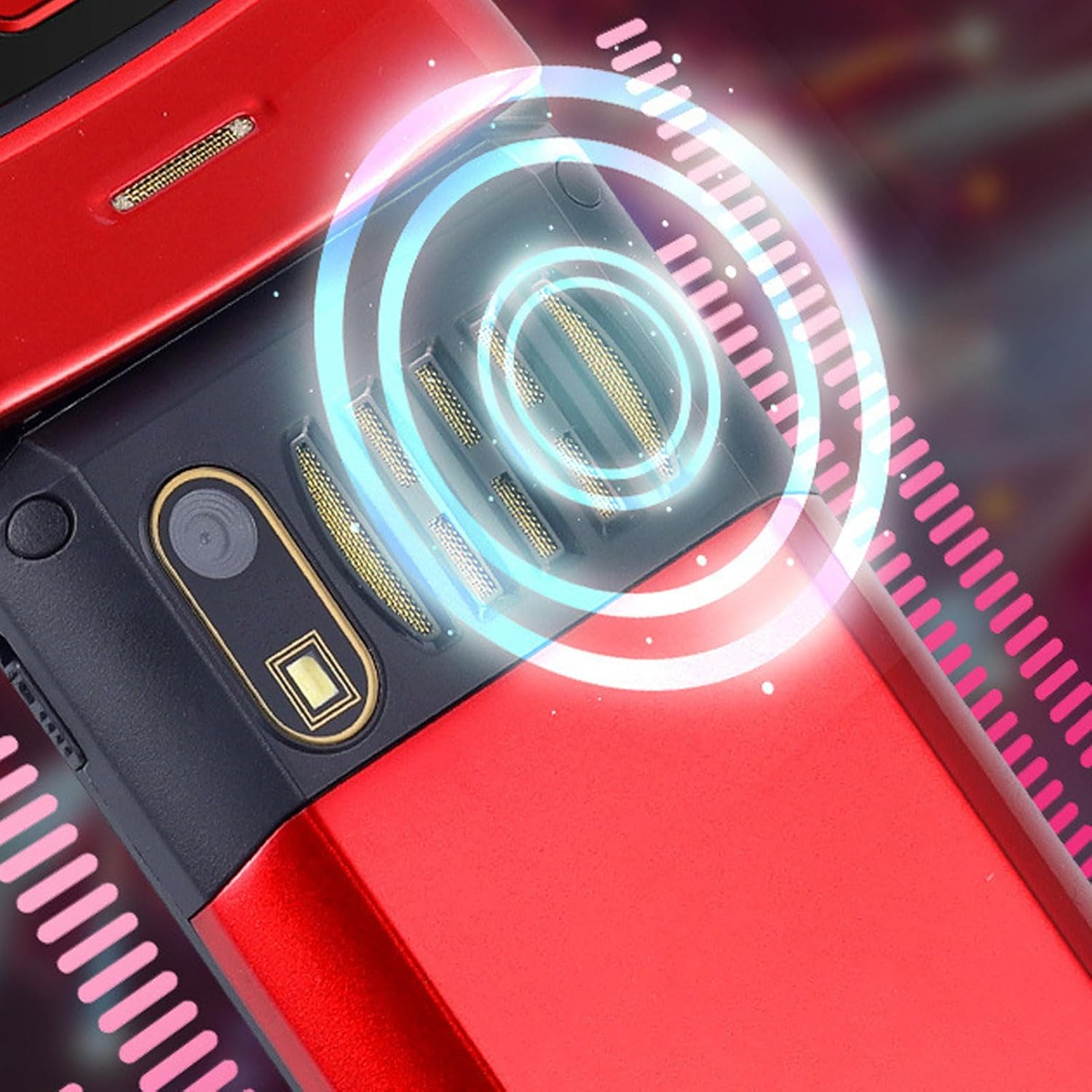
Image: The back of the phone, highlighting the speaker area, which contributes to clear sound for emergency calls.
2.5 Awọn bọtini ipe iyara ati ọna abuja
The phone supports 9 speed dial buttons for quick dialing of family numbers and 3 dedicated shortcut buttons for frequently used functions.
- Setting Speed Dial: Refer to the phone's menu for instructions on assigning contacts to speed dial numbers (typically 2-9).
- Lilo Awọn bọtini Ọna abuja: The dedicated shortcut buttons provide quick access to features like Camera, Messaging, or FM Radio.
3. Itọju
3.1 batiri Itọju
- Yago fun ṣiṣafihan batiri si awọn iwọn otutu to gaju.
- Ma ṣe puncture, tuka, tabi kukuru-yipo batiri naa.
- Ti foonu ko ba ni lo fun igba pipẹ, gba agbara si batiri si iwọn 50% ṣaaju ki o to tọju rẹ.
3.2 Ninu foonu rẹ
- Lo aṣọ rirọ, ti ko ni awọ lati nu iboju foonu ati ara rẹ.
- Má ṣe lo àwọn kẹ́míkà líle, àwọn ohun èlò ìfọmọ́, tàbí àwọn ohun èlò ìpara.
- Keep the charging port and speaker grilles free of dust and debris.
4. Laasigbotitusita
Tí o bá ní ìṣòro pẹ̀lú fóònù rẹ, jọ̀wọ́ wo àwọn ìṣòro àti ìdáhùn tí ó wọ́pọ̀ wọ̀nyí:
| Isoro | Owun to le Fa | Ojutu |
|---|---|---|
| Foonu ko ṣiṣẹ. | Battery is drained or not properly inserted. | Gba agbara si batiri. Rii daju pe o ti fi batiri sii daradara. |
| Ko le ṣe tabi gba awọn ipe wọle. | Kò sí káàdì SIM, kò sí káàdì SIM tí a fi sí i dáadáa, tàbí kò sí àmì ẹ̀rọ ìbánisọ̀rọ̀. | Ensure SIM card is inserted correctly. Check network signal strength. Contact your service provider. |
| Didara ipe ti ko dara. | Weak network signal, or speaker/microphone obstruction. | Move to an area with better signal. Clean speaker and microphone openings. |
| Iṣẹ́ SOS kò ṣiṣẹ́. | SOS contacts not set up, or no network signal. | Verify SOS contacts are correctly configured in settings. Ensure phone has network signal. |
5. Awọn pato
Key technical specifications for the EBTOOLS YEEMI K21+ 4G Flip Phone:
- Awoṣe: EBTOOLS1756ogbieh-12
- Asopọmọra: 4G (supports 2G, 3G, and 4G network bands including GSM and CDMA)
- Iboju akọkọ: 2.6-inch High Definition
- Iboju ita: 1.77-inch Color High Definition
- Agbara Batiri: 4800mAh (Long Standby Time)
- Awọn ẹya: Large Buttons, Dual Screens, SOS with GPS Positioning, 9 Speed Dial Buttons, 3 Dedicated Shortcut Buttons, Clear Sound Speaker
- Awọn iwọn: Isunmọ 5.51 x 3.15 x 2.76 inches (Awọn iwọn idii)
- Ilu isenbale: China
6. Atilẹyin ọja ati Support
Your EBTOOLS YEEMI K21+ 4G Flip Phone comes with a standard manufacturer's warranty. Please refer to the warranty card included in your package for specific terms and conditions. For technical support, troubleshooting assistance beyond this manual, or warranty claims, please contact the seller or manufacturer directly.
Olupese: EBTOOLS
Fun iranlọwọ siwaju sii, o le ṣabẹwo si Ìtajà EBTOOLS lórí Amazon.
Ask a question about this manual
Ask about setup, troubleshooting, compatibility, parts, safety, or missing instructions. Manuals+ will review the question and use this page’s manual context to help answer it.