
TYLT 4902Q
Ìwé Àtọ́sọ́nà Olùlò TYLT MagSafe Wireless Charger Oruka Iduro
Awoṣe: 4902Q
Orúkọ ìtajà: TYLT
1. Ifihan
Thank you for choosing the TYLT MagSafe Wireless Charger Ring Stand. This device combines powerful MagSafe wireless charging with the convenience of a built-in kickstand, designed to seamlessly power and prop up your iPhone 12, 13, 14, and 15 series devices. This manual provides essential information for the proper setup, operation, and maintenance of your new charger.
2. Ọja Ipariview
The TYLT MagSafe Wireless Charger Ring Stand is a compact and versatile charging solution. It features a magnetic charging pad with an integrated ring kickstand.
2.1 irinše
- Magnetic Wireless Charging Pad with Integrated Ring Stand
- 4-foot USB-C Cable (attached)
2.2 Ọja Views

olusin 2.2.1: Top view of the TYLT MagSafe Wireless Charger Ring Stand. This image displays the circular charging pad with its black surface and the surrounding grey metallic ring. The TYLT logo and product information are visible on the black surface.

olusin 2.2.2: Iwaju view of the TYLT MagSafe Wireless Charger Ring Stand. This image shows the smooth, unadorned black charging surface with a subtle TYLT logo, highlighting its sleek design.

olusin 2.2.3: Apa view of the TYLT MagSafe Wireless Charger Ring Stand with the kickstand extended. This angle demonstrates how the integrated ring stand props up the charger, ready to support a phone for hands-free viewing.

olusin 2.2.4: Angled view of the TYLT MagSafe Wireless Charger Ring Stand with the kickstand extended. This perspective highlights the charger's profile and the integrated USB-C cable connection point.

Figure 2.2.5: The TYLT MagSafe Wireless Charger Ring Stand magnetically attached to the back of an iPhone. This image illustrates the secure MagSafe connection and how the kickstand supports the phone in a vertical orientation.
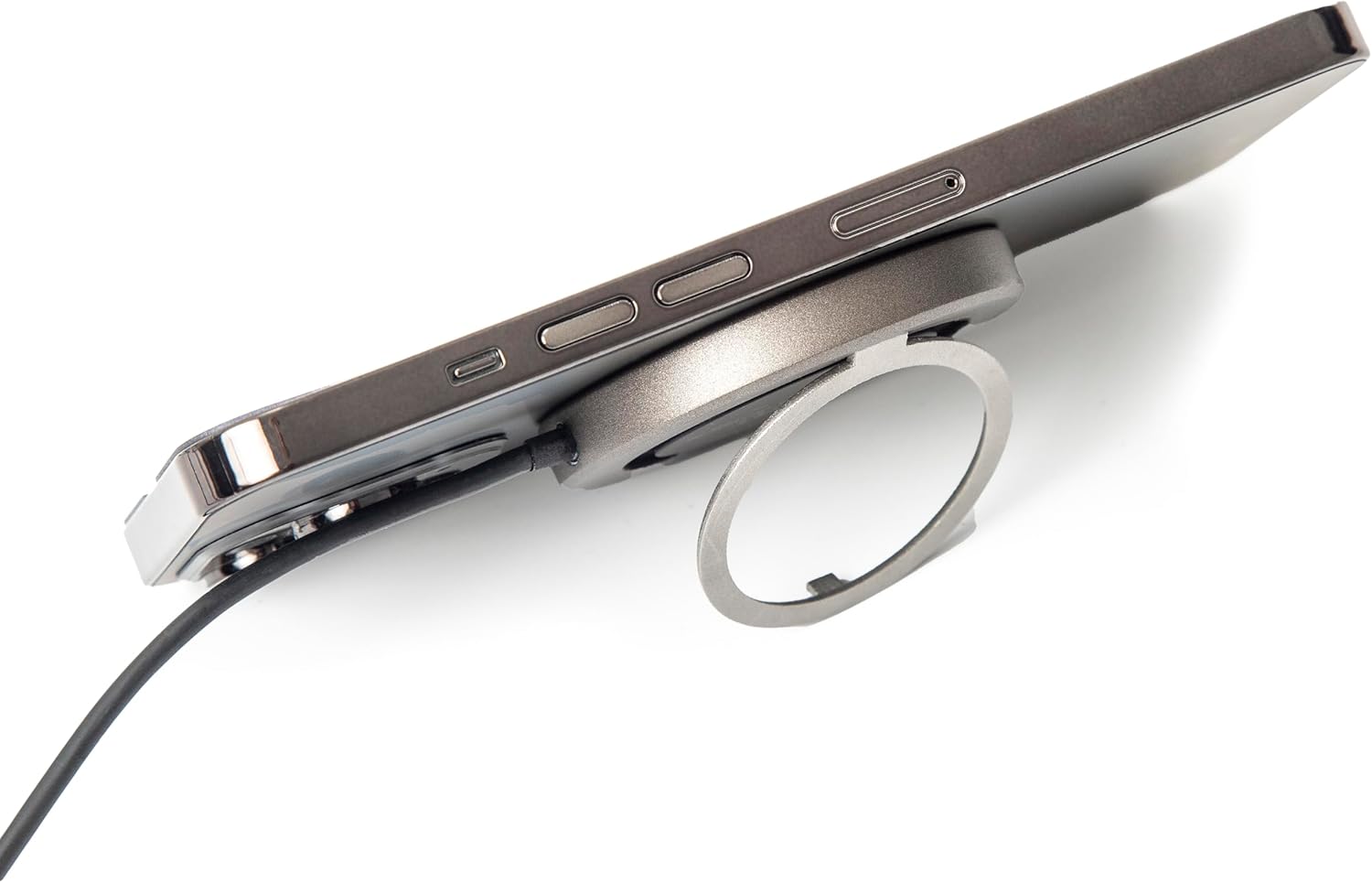
olusin 2.2.6: Apa view of the TYLT MagSafe Wireless Charger Ring Stand attached to an iPhone. This image emphasizes the slim profile of the charger when connected to a device, maintaining portability.

Figure 2.2.7: The TYLT MagSafe Wireless Charger Ring Stand with an iPhone attached, positioned on a desk. This image showcases the charger's functionality as a stand for hands-free viewing in a typical usage scenario.
3. Eto
- Sopọ si Agbara: Plug the USB-C connector of the attached 4-foot cable into a compatible USB-C power adapter (not included). For optimal 15W fast charging, use a power adapter that supports Power Delivery (PD) with an output of at least 9V/1.8A or 12V/1.67A.
- Agbara Tan: Once connected to a power source, the charger is ready for use. There is no power button.
4. Awọn ilana Iṣiṣẹ
4.1 Ngba agbara Alailowaya
- Align Your Device: Place your MagSafe-compatible iPhone (iPhone 12, 13, 14, or 15 series) onto the black charging surface of the TYLT charger. The charger will magnetically snap into place, ensuring proper alignment for efficient charging.
- Itọkasi gbigba agbara: Your iPhone's screen will indicate that charging has begun. The charger is designed to work with most MagSafe-compatible phone cases, eliminating the need for case removal.
- Gbigba agbara to dara julọ: Ensure no foreign objects (e.g., metal plates, credit cards) are between your phone and the charger, as this can interfere with wireless charging.
4.2 Lilo Iduro Apapo
- Extend the Kickstand: Gently pull out the integrated ring from the back of the charger.
- Ṣatunṣe Viewigun Angle: The ring can rotate and adjust to multiple viewing angles, allowing you to prop up your phone in either portrait or landscape orientation for hands-free viewing of videos, video calls, or other content.
- Retract the Kickstand: When not in use, fold the ring back into its recess on the charger for a compact and portable form factor.
5. Itọju
- Ninu: Disconnect the charger from the power source before cleaning. Use a soft, dry, lint-free cloth to wipe the surface of the charger. Do not use harsh chemicals, cleaning solvents, or strong detergents.
- Ibi ipamọ: Tọju ṣaja ni itura, aye gbigbẹ kuro lati orun taara ati awọn iwọn otutu to gaju.
- Mimu: Yago fun sisọ ṣaja silẹ tabi fifisilẹ si awọn ipa to lagbara. Ma ṣe tuka ẹrọ naa.
6. Laasigbotitusita
| Isoro | Owun to le Fa | Ojutu |
|---|---|---|
| Ẹrọ kii ṣe gbigba agbara tabi gbigba agbara laiyara. |
|
|
| Kickstand does not hold phone securely. |
|
|
| Ṣaja kan lara gbona nigba lilo. |
|
|
7. Awọn pato
| Ẹya ara ẹrọ | Ẹ̀kúnrẹ́rẹ́ |
|---|---|
| Nọmba awoṣe | 4902Q |
| Iṣawọle | 5V–2A, 9V–1.8A, 12V–1.67A |
| Abajade | 15W (O pọju) |
| Asopọmọra Technology | USB-C (attached cable) |
| Awọn ẹrọ ibaramu | iPhone 12, 13, 14, 15 Series (MagSafe compatible) |
| Ọja Mefa | 10 x 8 x 1 inches |
| Iwọn Nkan | 3.17 iwon |
| Àwọ̀ | Dudu |
8. Alaye Aabo
Jọ̀wọ́ ka gbogbo ìlànà ààbò kí o tó lo ọjà yìí láti dènà ìpalára tàbí ìbàjẹ́.
- Do not expose the device to liquids, moisture, or humidity.
- Ma ṣe fi ẹrọ naa han si awọn iwọn otutu to gaju.
- Jeki ẹrọ naa kuro ni awọn aaye oofa ti o lagbara.
- Ma ṣe gbiyanju lati ṣajọ, tunṣe, tabi tunse ẹrọ naa.
- Jeki kuro ni arọwọto awọn ọmọde.
- Use only with compatible power adapters.
9. Atilẹyin ọja ati Support
For information regarding warranty coverage, returns, or technical support, please refer to the original purchase documentation or contact TYLT customer service directly.
Ilana Pada: This product typically has a 30-day return/replacement policy from the date of purchase. Please check with your retailer for specific details.
Olupese: TYLT
For further assistance, visit the official TYLT webaaye tabi kan si awọn ikanni atilẹyin wọn.
Ask a question about this manual
Ask about setup, troubleshooting, compatibility, parts, safety, or missing instructions. Manuals+ will review the question and use this page’s manual context to help answer it.