
Defy Gemini Thermofan+ DBO767 Double Oven User Manual
Model: DBO767
1. Ifihan
This manual provides essential information for the safe and efficient operation, installation, and maintenance of your Defy Gemini Thermofan+ DBO767 Mirror Glass Gourmet Multifunction Double Oven with Airfire Technology. Please read these instructions thoroughly before using the appliance and retain them for future reference.
The Defy Gemini Thermofan+ DBO767 is designed to offer versatile cooking options with its double oven configuration, Thermofan+ technology for even heat distribution, and Airfire Technology for enhanced cooking results. Its mirror glass finish provides a modern aesthetic.
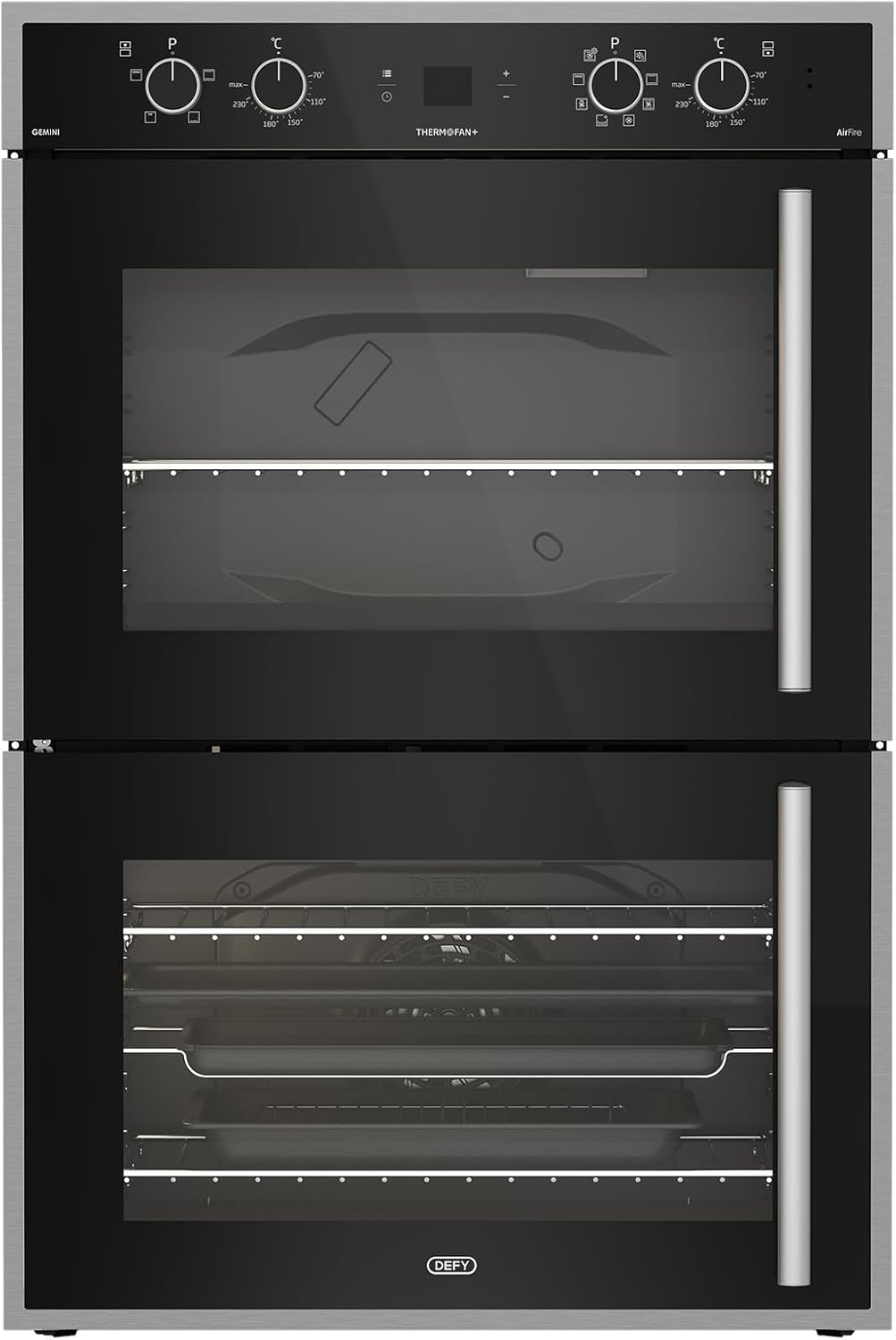
Aworan 1.1: Iwaju view of the Defy Gemini Thermofan+ DBO767 Double Oven.
2. Alaye Aabo
Nigbagbogbo faramọ awọn iṣọra ailewu atẹle lati ṣe idiwọ ipalara ti ara ẹni tabi ibajẹ si ohun elo naa.
- Aabo Itanna: Ensure the oven is correctly installed by a qualified electrician and connected to a suitable power supply. Do not use adapter plugs or extension cords.
- Awọn oju gbigbona: The oven and its accessible parts become hot during use. Exercise caution to avoid touching heating elements. Keep children away from the appliance.
- Abojuto: Never leave the oven unattended during operation, especially when using high-temperature functions or grilling.
- Awọn ohun elo ina: Ma ṣe tọju awọn ohun elo ina sinu tabi nitosi adiro.
- Ninu: Always switch off the appliance and allow it to cool before cleaning. Use appropriate cleaning agents as recommended in this manual.
- Afẹfẹ: Rí i dájú pé afẹ́fẹ́ tó péye wà ní àyíká ẹ̀rọ náà gẹ́gẹ́ bí a ti sọ nínú ìlànà fífi sori ẹ̀rọ náà.
3. Fifi sori ẹrọ ati Oṣo
Proper installation is crucial for the safe and efficient operation of your oven. It is strongly recommended that installation be performed by a qualified technician.
3.1 Ṣiṣii silẹ
Fi ìṣọ́ra yọ gbogbo ohun èlò ìdìpọ̀ kúrò. Ṣe àyẹ̀wò ààrò fún èyíkéyìí àmì ìbàjẹ́. Sọ fún olùtajà rẹ lẹ́sẹ̀kẹsẹ̀.
3.2 Ipo ipo
The oven must be installed in a suitable cabinet opening, ensuring proper ventilation as per the installation diagram provided with the appliance. Ensure the oven is level.
3.3 Itanna Asopọ
Connect the oven to the mains power supply according to local wiring regulations. The appliance must be earthed. Refer to the wiring diagram provided with the oven.
3.4 First Use Burn-Off
Before cooking food, operate the empty oven for approximately 30-60 minutes at its maximum temperature setting (e.g., 230°C) using the conventional or fan-assisted function. This process helps to burn off any manufacturing residues and odors. Ensure the kitchen is well-ventilated during this period.

Image 3.1: The Defy Gemini Thermofan+ DBO767 Double Oven with both doors open, revealing the interior racks and trays of both oven cavities.
4. Awọn ilana Iṣiṣẹ
Your Defy Gemini Thermofan+ DBO767 oven features intuitive controls for various cooking functions.

Aworan 4.1: Isunmọ view of the control panel for the Defy Gemini Thermofan+ DBO767 Double Oven, showing knobs and digital display.
4.1 Iṣakoso igbimo Loriview
Pánẹ́ẹ̀lì ìṣàkóso sábà máa ń ní:
- Function Selector Knobs: Used to select the desired cooking function for each oven cavity.
- Temperature Selector Knobs: Ti a lo lati ṣeto iwọn otutu sise.
- Digital Display/Timer: Shows the time, cooking duration, and other settings.
- Awọn bọtini Iṣakoso: For setting the timer, adjusting settings, and other specific functions.
4.2 Ṣiṣeto Aago naa
Lori asopọ akọkọ tabi lẹhin agbara outage, the clock will flash. Use the control buttons (refer to your specific model's button layout) to set the current time. Confirm the setting to stop the flashing.
4.3 Selecting a Cooking Function and Temperature
- Turn the Function Selector knob for the desired oven cavity to the required cooking function (e.g., Thermofan+, Grill, Conventional, Airfire).
- Turn the Temperature Selector knob to set the desired cooking temperature.
- The oven will begin to heat up. The indicator light will typically turn off once the set temperature is reached.
4.4 Understanding Key Technologies
- Thermofan+ Technology: This feature utilizes a redesigned fan and improved venting system to ensure consistent heat distribution throughout the oven cavity. This is ideal for multi-level cooking and achieving even results for dishes like roasts and cakes.
- Airfire Technology: This combines the power of circulating hot air with grilling elements. It is suitable for achieving crispy textures, similar to air frying, for a wide variety of dishes, from snacks to main meals.
4.5 Using the Double Oven
The double oven allows for simultaneous cooking of different dishes at varying temperatures or using different functions. Each oven cavity has its own set of controls. Ensure you select the correct function and temperature for each cavity independently.

Aworan 4.2: inu view of the upper oven cavity, showing the heating elements and a wire rack.
5. sise Itọsọna
This section provides general guidance for using the various cooking functions. Specific cooking times and temperatures may vary based on food type, quantity, and personal preference.
- Yiyan ti aṣa: Ideal for single-shelf baking of cakes, pastries, and bread. Preheat the oven to the recommended temperature.
- Thermofan+ (Fan-Assisted): Excellent for multi-level cooking, roasting meats, and baking dishes that require even browning. Temperatures may need to be slightly lower than conventional settings.
- Yiyan: Use for browning, toasting, or cooking thin cuts of meat. Always preheat the grill for a few minutes. Place food on the top rack for best results.
- Airfire Technology: Suitable for achieving crispy results on items like chips, chicken pieces, or vegetables. Follow recipe guidelines for optimal results.
- Sise Steam: Refer to specific instructions for using the steam function, which typically involves a water reservoir. This function is ideal for retaining moisture in food.
6. Itọju ati Cleaning
Ninu deede ati itọju yoo pẹ igbesi aye adiro rẹ ati rii daju iṣẹ ṣiṣe to dara julọ.
6.1 Gbogbogbo Cleaning
- Rí i dájú pé ààrò náà tutù nígbà gbogbo kí o tó fi mọ́.
- Use a soft cloth and mild detergent for general cleaning of the exterior and interior surfaces.
- Avoid abrasive cleaners, scourers, or harsh chemicals, as these can damage the surfaces.
6.2 Mirror Glass Cleaning
For the mirror glass surfaces, use a glass cleaner specifically designed for kitchen appliances and a soft, lint-free cloth to avoid streaks and scratches.
6.3 Oven Interior
For stubborn food residues, use a specialized oven cleaner, following the manufacturer's instructions carefully. Ensure adequate ventilation during and after use. Remove oven racks and trays for easier cleaning.
6.4 Rírọ́pò Ààrò Lamp
Ensure the oven is disconnected from the power supply. Unscrew the protective glass cover, replace the bulb with a new one of the same type (heat-resistant, typically 25W), and reattach the cover.
7. Laasigbotitusita
Ṣaaju ki o to kan si iṣẹ alabara, tunview awọn oran ti o wọpọ wọnyi ati awọn solusan ti o pọju wọn.
| Isoro | Owun to le Fa | Ojutu |
|---|---|---|
| Lọla ko gbona | No power supply; Timer not set; Function/temperature not selected. | Check circuit breaker; Set the clock; Ensure function and temperature knobs are correctly set. |
| Unneven sise | Incorrect rack position; Overcrowding; Door opened too frequently. | Use recommended rack positions; Avoid overcrowding; Minimize door opening. Utilize Thermofan+ for even heat. |
| Imọlẹ adiro ko ṣiṣẹ | Boolubu aṣiṣe tabi alaimuṣinṣin. | Rọpo adiro lamp (tọka si Abala 6.4). |
| Excessive smoke/odor during first use | Awọn iṣẹku iṣelọpọ sisun ni pipa. | This is normal. Ensure good ventilation. It will subside after initial use. |
8. Awọn pato
| Ẹya ara ẹrọ | Ẹ̀kúnrẹ́rẹ́ |
|---|---|
| Brand | Kọja |
| Nọmba awoṣe | DBO767 |
| Àwọ̀ | Dudu |
| Package Mefa | 74 x 68 x 56 cm |
| Iwọn Nkan | 46.5 kg |
| Lọla Iru | Double Oven, Multifunction |
| Imọ ọna ẹrọ | Thermofan+, Airfire Technology |
| Iṣakoso Iru | Knobs, Digital Display |
9. Atilẹyin ọja ati Support
For warranty information, please refer to the warranty card supplied with your appliance or contact Defy customer service directly. Keep your proof of purchase for any warranty claims.
For technical assistance, spare parts, or service requests, please contact Defy customer support. Contact details can typically be found on the Defy official website or in the documentation provided with your oven.
Akiyesi: Spare part availability duration information was not available or provided at the time of this manual's creation.


