
1. Ọja Ipariview
The YUHANUS Electric Drop Bolt Lock is designed for use in access control systems, providing enhanced security for various door types. This model operates in NO Mode (Fail-Security), meaning the lock is in a locked state by default when power is off. It will only unlock when power is applied and an authorized signal (e.g., from a push button or remote controller) is received. It features a time delay function for controlled access.
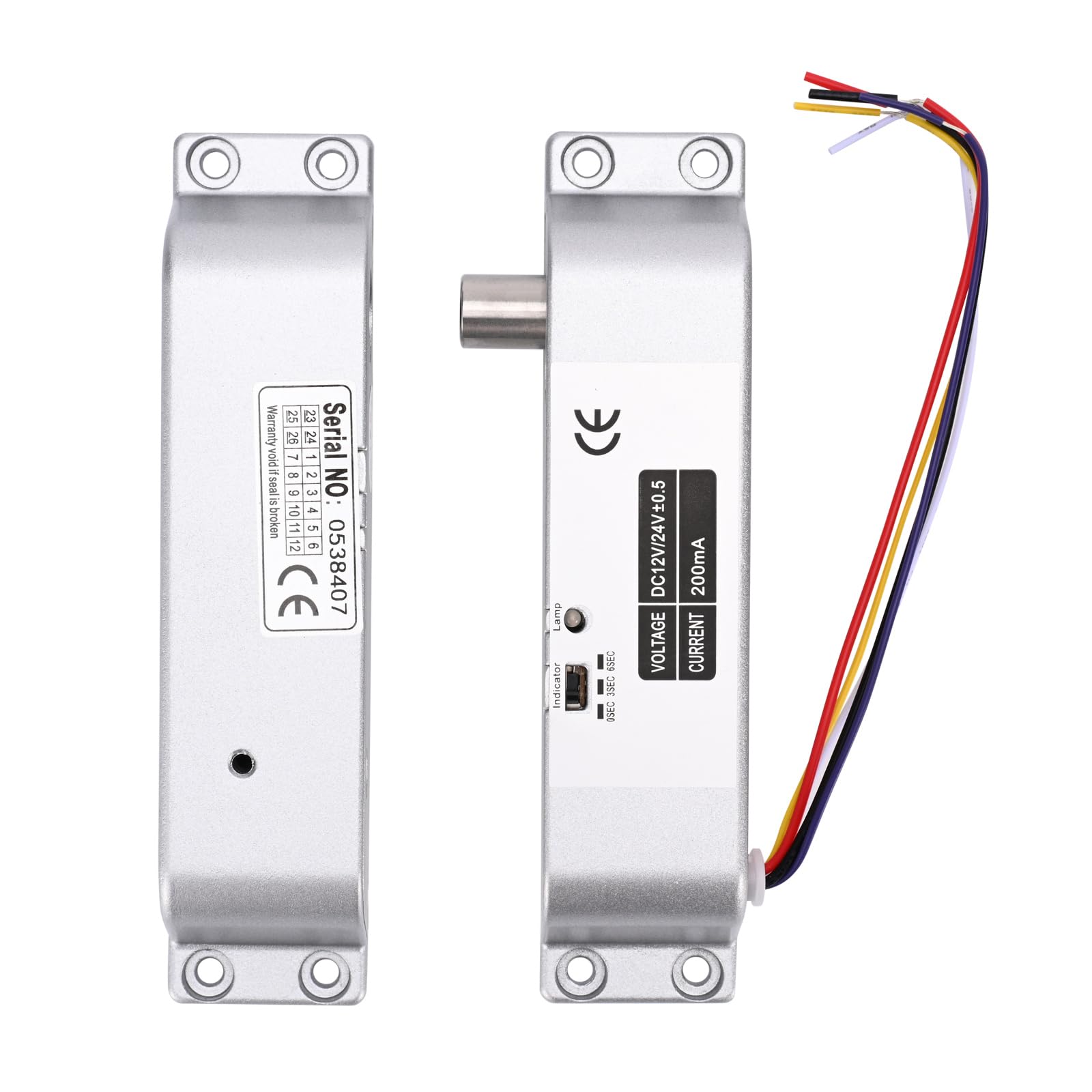
Image 1.1: The YUHANUS Electric Drop Bolt Lock, showcasing its compact design and wiring.
2. Alaye Aabo
- Ensure all power is disconnected before installation or maintenance to prevent electrical shock.
- Installation should be performed by qualified personnel or under professional supervision.
- Daju pe voltage (DC 12V) and current specifications before connecting to a power source. Incorrect voltage le ba ẹrọ naa jẹ.
- Do not expose the lock to excessive moisture or extreme temperatures.
- Tẹle awọn koodu itanna agbegbe ati ilana nigbagbogbo.
3. Package Awọn akoonu
Jọwọ ṣayẹwo package lati rii daju pe gbogbo awọn nkan wa:
- Electric Mortise Lock Unit
- Iboju Iboju
- Induction Lock Component
- Mounting Screws (Set)
- Itọsọna Afowoyi (Iwe yii)
- Iwe-ẹri Ibamu
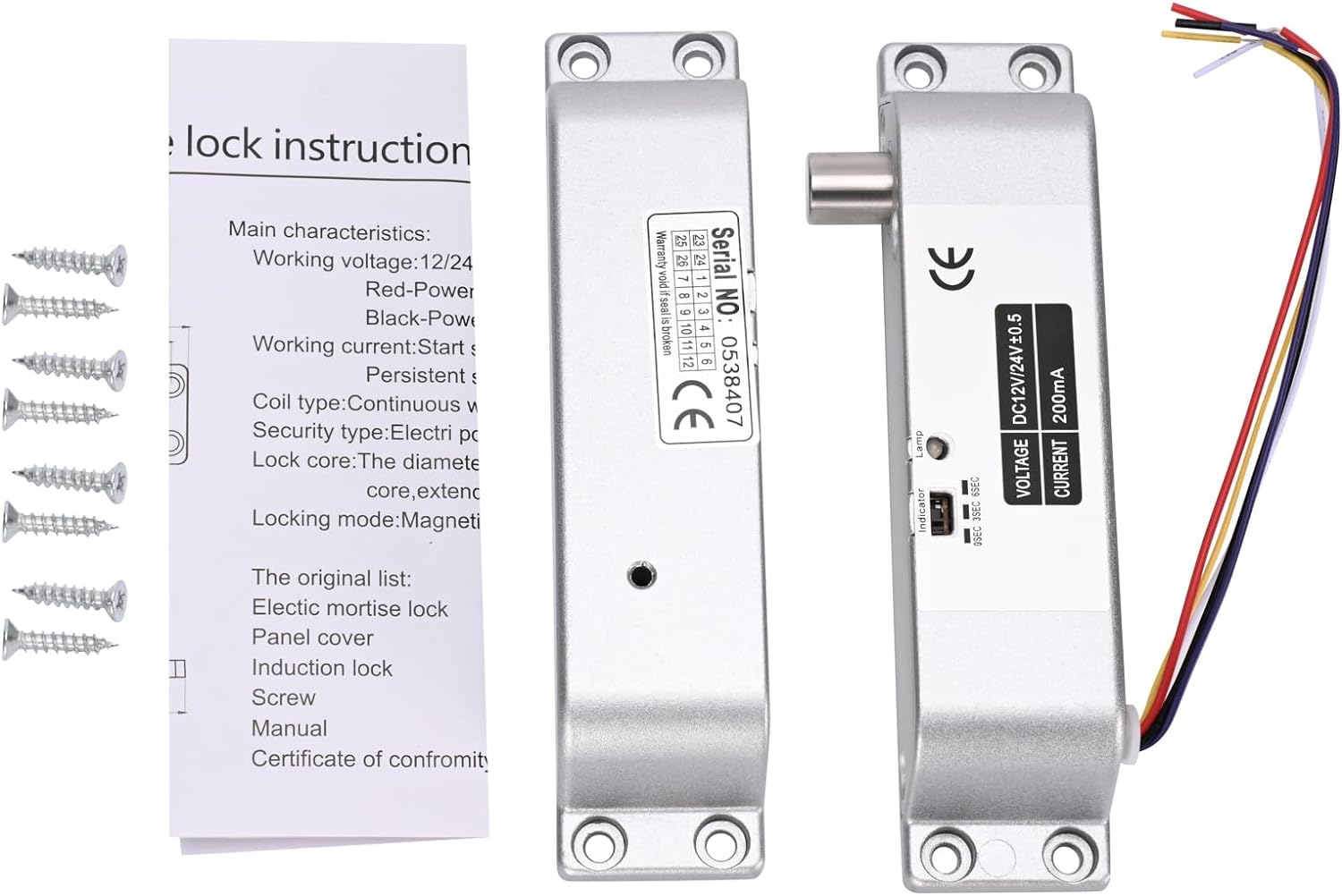
Image 3.1: Contents typically included in the product package, showing the lock units, screws, and a small instruction sheet.
4. Awọn pato
| Ẹya ara ẹrọ | Sipesifikesonu |
|---|---|
| Orukọ awoṣe | Electric-Bolt-Lock01-NO |
| Awọn ọna Voltage | DC 12V |
| Ṣiṣẹ lọwọlọwọ | 200mA |
| Titiipa Iru | Drop Bolt, Fail-Security (NO Mode) |
| Idaduro akoko | 0s / 3s / 6s (Adjustable) |
| Ohun elo | Aluminiomu |
| Awọn iwọn (L x W x H) | 6 x 1.3 x 1 inches (isunmọ. 150mm x 33mm x 27mm) |
| Iṣagbesori Iru | Dada Agesin |
| Suitable Door Types | Wooden door, metal door, fireproof door, etc. |

Image 4.1: Detailed dimensions of the electric drop bolt lock for installation planning.
5. Eto ati fifi sori
5.1 Ṣíṣe Títì Papọ̀
- Mura Ilẹkun ati Férémù: Identify the desired mounting location on the door frame and the corresponding position on the door for the bolt to engage. The lock is surface-mounted.
- Samisi Awọn aaye Liluho: Use the lock unit as a template to mark the screw holes on both the door frame and the door.
- Awọn Iho Pilot Lilu: Drill appropriate pilot holes for the mounting screws.
- Ṣíṣe ààbò sí Títì: Attach the main lock unit to the door frame and the induction lock component to the door using the provided screws. Ensure proper alignment for smooth bolt operation.
5.2 Awọn itọnisọna Wiring
The electric drop bolt lock requires connection to a DC 12V power supply and an access control system. Refer to the wiring diagram below for proper connections.
- Red Cable: Sopọ si awọn + 12V terminal of your power supply control.
- Black Cable: Sopọ si awọn GND (Ground) terminal of your power supply control.
- Purple Cable: Sopọ si awọn RARA (Normally Open) terminal in your power supply control or access control panel. This connection is crucial for the Fail-Security (NO Mode) operation.
- Other Cables: Yellow and White cables are typically for door status feedback (NC/COM), which may or may not be used depending on your access control system's requirements. Consult your access control system manual for these connections.

Image 5.1: Wiring diagram illustrating connections for the electric bolt lock within a typical access control system, including power supply, keypad, and exit button.
6. Awọn ilana Iṣiṣẹ
6.1 NO Mode (Fail-Security) Operation
This electric drop bolt lock operates in NO Mode (Fail-Security). This means:
- When there is no power, or in case of a power failure, the lock remains in a locked state.
- The lock will only unlock when power is supplied to the lock and an authorized signal is received from the access control system (e.g., pressing a push button, using a remote controller, or entering a code on a keypad).
6.2 Time Delay Function
The lock features an adjustable time delay function, which controls how long the door remains unlocked after an authorized signal is received. The delay can be set to 0 seconds, 3 seconds, or 6 seconds.
To adjust the time delay, locate the small switch or jumper on the side of the lock unit (refer to Image 6.1). Move the switch or adjust the jumpers to select the desired delay setting (0s, 3s, or 6s).

Aworan 6.1: Isunmọ view of the time delay adjustment switch on the lock unit, allowing selection between 0, 3, and 6 seconds.
7. Itọju
- Ninu: Wipe the lock's exterior with a soft, dry cloth. Avoid using abrasive cleaners or solvents that could damage the finish or internal components.
- Ayewo: Periodically check all mounting screws to ensure they are tight. Inspect wiring for any signs of wear, fraying, or loose connections.
- Idanwo Iṣẹ ṣiṣe: Regularly test the lock's operation with your access control system to ensure it locks and unlocks correctly and that the time delay functions as expected.
8. Laasigbotitusita
| Isoro | Owun to le Fa | Ojutu |
|---|---|---|
| Lock does not engage (stay locked) | No power to the lock; Incorrect wiring for NO Mode. | Check power supply (DC 12V). Verify Red and Black wire connections. Ensure Purple wire is correctly connected to NO terminal. |
| Lock does not disengage (unlock) | No signal from access control; Insufficient power; Faulty access control component. | Confirm access control system is functioning. Check power supply voltage. Inspect Purple wire connection. |
| Time delay not working correctly | Incorrect time delay setting. | Adjust the time delay switch/jumper on the lock unit to the desired setting (0s, 3s, or 6s). |
| Lock is loose or misaligned | Loose mounting screws; Improper initial installation. | Tighten all mounting screws. If misalignment persists, re-evaluate mounting positions and re-install if necessary. |
9. Atilẹyin ọja ati Support
For warranty information or technical support, please contact your retailer or the manufacturer directly. Keep your purchase receipt as proof of purchase for any warranty claims.
Manufacturer: YuHan
Nọmba awoṣe: 769894490600