
1. Ifihan
This manual provides essential instructions for the proper installation, operation, and maintenance of your SP CONNECT Phone Case Xtreme for Samsung S24+. Please read this manual thoroughly before using the product to ensure optimal performance and longevity.
2. Ọja Ipariview
The SP CONNECT Phone Case Xtreme is engineered to provide robust protection for your Samsung S24+ smartphone. It features a durable design with military-standard certification for drop tests (MIL-STD 810) and IP68 material for water and dust resistance, offering 360-degree protection. The integrated magnetic mount allows for quick and secure attachment to compatible SP CONNECT mounting systems. It also supports wireless charging and is compatible with MagSafe accessories.

olusin 2.1: Ẹyìn view of the SP CONNECT Phone Case Xtreme, highlighting the integrated magnetic mounting mechanism.

Figure 2.2: Interior of the case, indicating its MIL-STD 810 drop protection, IP68 water resistance, and 360-degree protective capabilities.
3. Eto ati fifi sori
Follow these steps to properly install your Samsung S24+ into the SP CONNECT Phone Case Xtreme:
- Ṣii Ẹran naa: Carefully separate the front and back sections of the phone case.
- Fi Foonu sii: Place your Samsung S24+ into the back section of the case, ensuring it sits flush and all edges are aligned.
- Pade ni aabo: Align the front section with the back section and press firmly around all edges until you hear a click, indicating a secure seal. Verify that all ports and buttons are properly covered and functional.
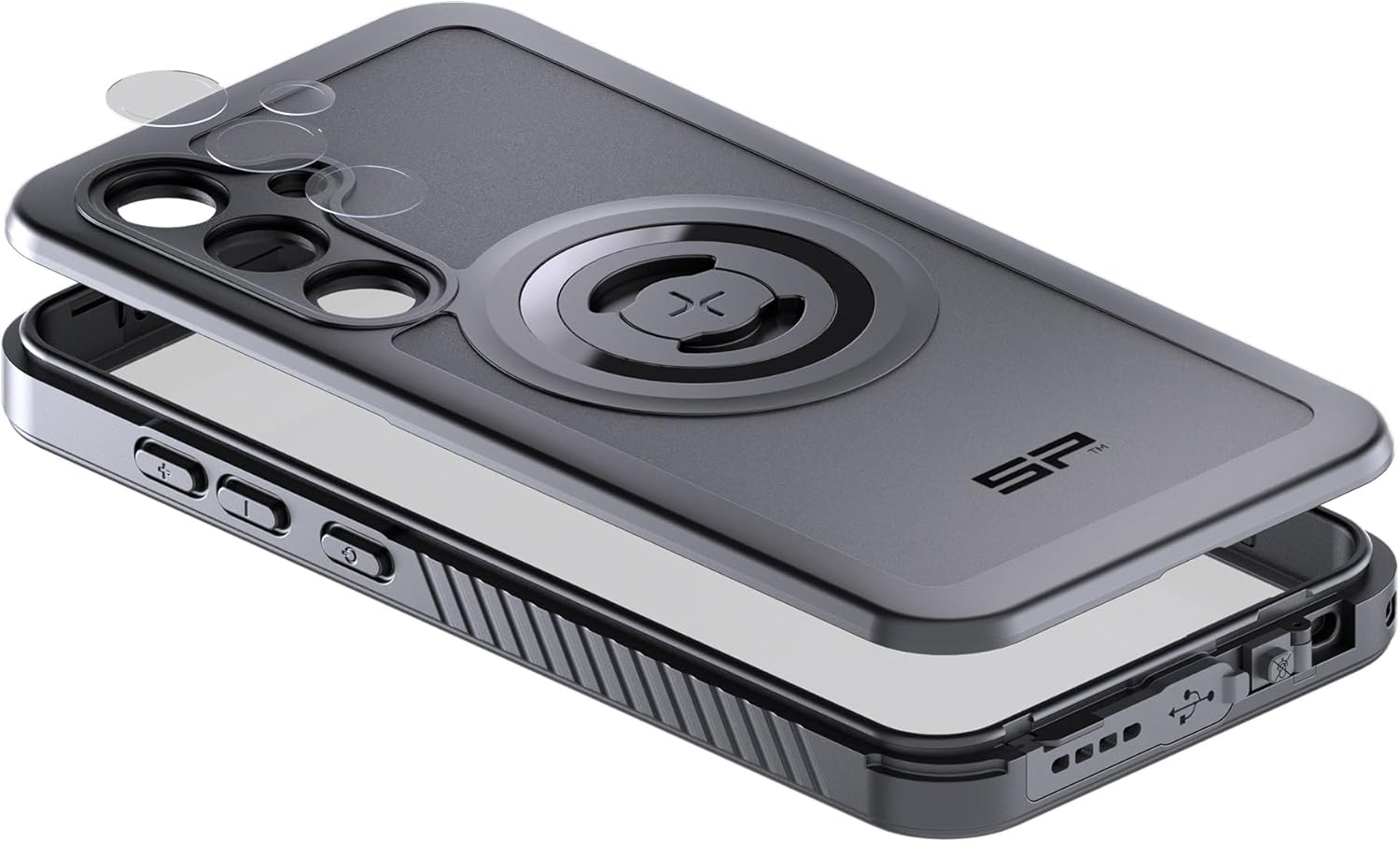
Figure 3.1: Illustration of the phone installation process, showing the two parts of the case and the phone being placed inside.
4. Isẹ
4.1 Iṣagbesori oofa
The integrated magnetic interface allows for quick attachment to any SP CONNECT magnetic mount. Simply align the case with the mount until it securely snaps into place. Ensure a firm connection before use, especially in dynamic environments.
4.2 Ngba agbara Alailowaya
The case is designed to be compatible with wireless charging. Place your phone, while in the case, onto a compatible wireless charging pad. Ensure proper alignment for efficient charging. Remove the phone from the case if wireless charging performance is hindered.
Ibamu MagSafe 4.3
The case supports MagSafe accessories, allowing for enhanced magnetic attachment and compatibility with MagSafe chargers and other accessories.
4.4 Button and Port Access
The case provides access to all essential buttons and ports. Ensure that the buttons operate smoothly and that the charging port is accessible when needed. The case's design maintains the waterproof integrity around the ports.
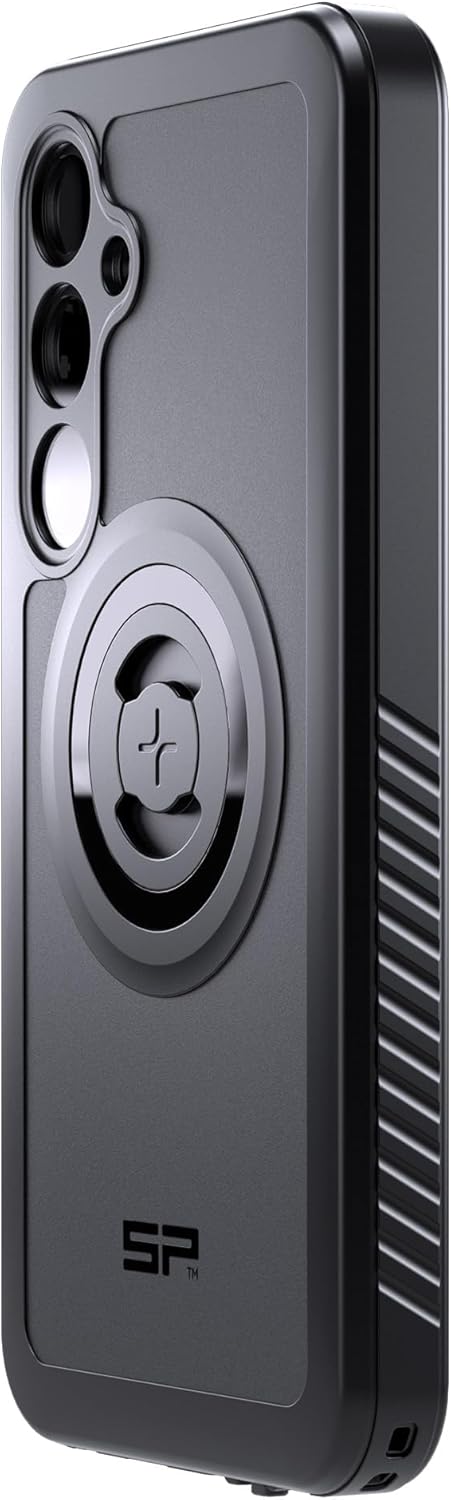
olusin 4.1: Ẹgbẹ profile of the case, illustrating button covers and textured grip for enhanced handling.
5. Itọju
To maintain the integrity and appearance of your SP CONNECT Phone Case Xtreme:
- Ninu: Pa apoti naa nigbagbogbo pẹlu asọ, damp Aṣọ. Yẹra fún lílo àwọn kẹ́míkà líle tàbí àwọn ohun ìfọmọ́ tí ó lè pa ara, nítorí pé àwọn wọ̀nyí lè ba ohun èlò náà jẹ́.
- Ayewo: Periodically inspect the case for any signs of wear, cracks, or damage, especially around the seals and ports. If significant damage is observed, replace the case to ensure continued protection.
- Ibi ipamọ: Tọ́jú àpò náà sí ibi gbígbẹ tí ó tutù, tí kò sí ìmọ́lẹ̀ oòrùn tààrà nígbà tí o kò bá lò ó.
6. Laasigbotitusita
If you encounter issues with your SP CONNECT Phone Case Xtreme, consider the following:
- Difficulty with Buttons: Ensure your phone is correctly seated within the case. Re-open and re-seal the case, making sure all edges are properly aligned.
- Gbigba agbara Alailowaya Ko Ṣiṣẹ: Verify that your wireless charger is compatible and properly aligned with the phone's charging coil through the case. Remove any metal objects or cards from between the phone and the case.
- Awọn oran iṣagbesori: Check that the magnetic mount surface on the case and the SP CONNECT mount are clean and free of debris. Ensure the case is fully engaged with the mount.
- Gbigbe omi: If you suspect water has entered the case, immediately remove your phone and allow both the phone and case to dry completely before reassembly. Ensure the case is properly sealed during installation to prevent future issues.
7. Awọn pato
| Ẹya ara ẹrọ | Ẹ̀kúnrẹ́rẹ́ |
|---|---|
| Ọja Mefa | 3.94 x 3.94 x 3.94 inches |
| Iwọn Nkan | 10.6 iwon |
| Awọn awoṣe Foonu ibaramu | Samsung S24 + |
| Ohun elo | IP68 rated material |
| Àwọ̀ | Dudu |
| Olupese | SP Asopọmọra |
8. Atilẹyin ọja ati Support
For warranty information and customer support, please refer to the official SP CONNECT webojula tabi kan si alagbata rẹ. Jeki ẹri rira rẹ fun eyikeyi awọn ibeere atilẹyin ọja.


