
1. Ifihan
Thank you for choosing the Conambo JBT600 Bluetooth Headset. This headset is designed for clear and stable communication in various environments, including trucking, home office, and general mobile use. It features advanced CVC8.0 three-mic noise cancellation, Bluetooth 5.1 connectivity, and a long-lasting battery. This manual provides detailed instructions on how to set up, operate, and maintain your headset to ensure optimal performance.
2. Package Awọn akoonu
Jọwọ ṣayẹwo awọn akoonu package lati rii daju pe gbogbo awọn ohun kan wa:
- Conambo JBT600 Bluetooth Headset
- Okun USB-C
- Ọran Idaabobo
- Afowoyi Olumulo (iwe-ipamọ yii)
3. Ọja Ipariview
Familiarize yourself with the components and controls of your Conambo JBT600 headset.

Image: The Conambo JBT600 Bluetooth Headset, showcasing its over-ear design and adjustable microphone boom.
3.1 Key Awọn ẹya ara ẹrọ
- CVC8.0 Three-Mic Noise Cancellation: Designed to eliminate up to 96% of background noise for clear voice transmission.
- Bluetooth 5.1 Asopọmọra: Ensures faster pairing and a stable wireless connection up to 69 feet (21 meters).
- Multipoint Technology: Allows connection to two devices simultaneously.
- Igbesi aye batiri gigun: Titi di wakati 35 ti akoko ọrọ lori idiyele kan.
- Apẹrẹ itunu: Features large cushioned earcups and medical silicone non-slip cushions for extended wear.
- Awọn iṣakoso irọrun: Dedicated buttons for volume, multi-function, and mute.
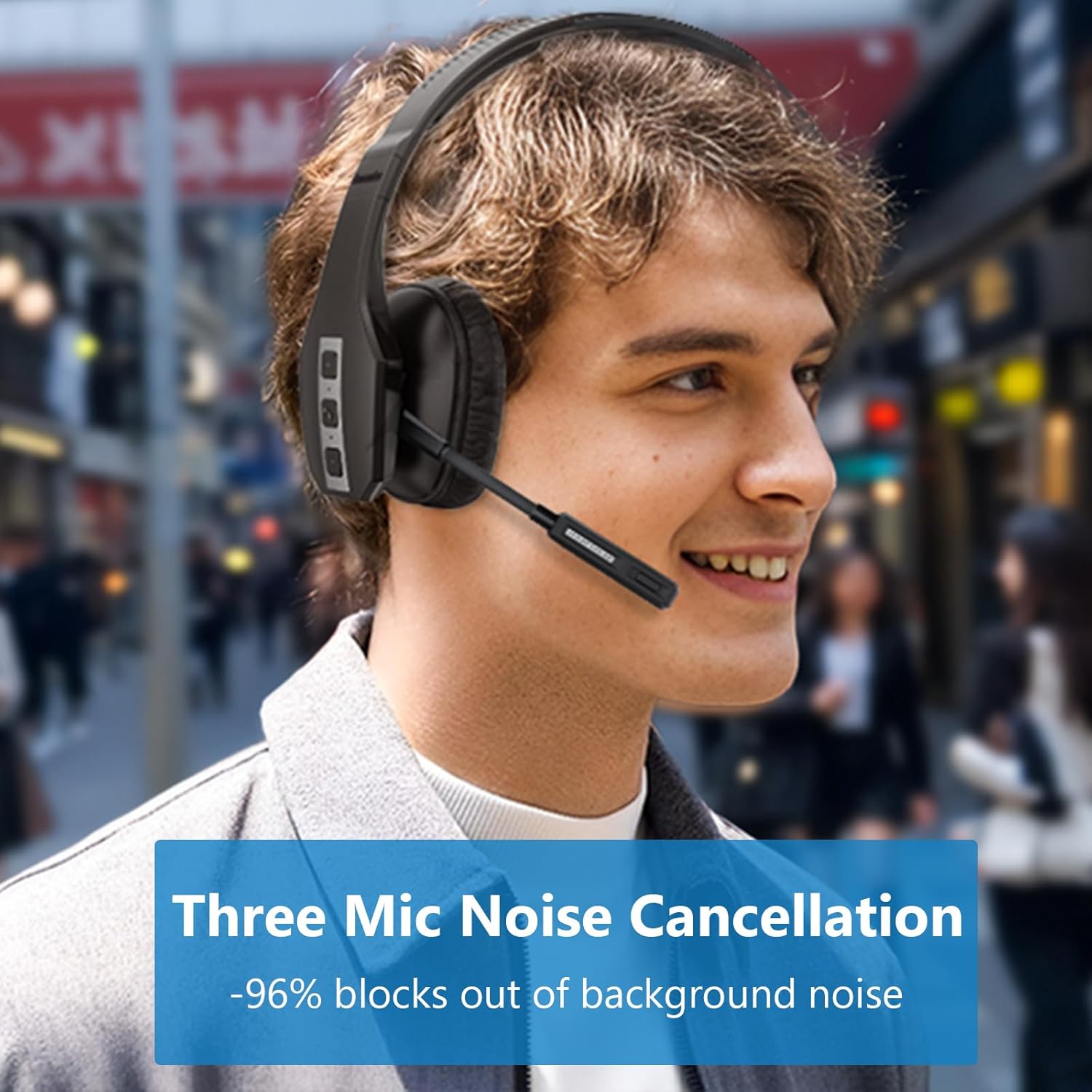
Image: A user wearing the Conambo JBT600 headset, illustrating the effectiveness of its three-mic noise cancellation technology in blocking out background noise.
3.2 Agbekọri irinše
- Akọkọ ti o le ṣatunṣe: Fun kan itura ati ni aabo fit.
- Cushioned Earcup: Provides comfort for prolonged use.
- Ariwo Gbohungbohun: Flexible arm with three noise-cancelling microphones.
- Bọtini iṣẹ-ọpọlọpọ (MFB): For power, pairing, call control, and music playback.
- Iwọn didun Up / isalẹ Awọn bọtini: Ṣe atunṣe iwọn didun ohun.
- Bọtini Mute: Toggles microphone mute. The mute indicator light turns red when active.
- Ibudo Ngba agbara USB-C: Fun gbigba agbara agbekari.
4. Eto
4.1 Ngba agbara si Agbekọri
Before first use, fully charge the headset. A full charge takes approximately 2 hours.
- Connect the provided USB-C cable to the charging port on the headset.
- Connect the other end of the USB-C cable to a USB power source (e.g., computer USB port, wall adapter).
- The LED indicator on the headset will show charging status (e.g., red for charging, blue for fully charged).

Image: The Conambo JBT600 headset illustrating its long battery life, including 35 hours of talk time, 60 hours of music time, and 500 hours of standby time.
4.2 Sisopọ pọ pẹlu Ẹrọ Bluetooth kan
The Conambo JBT600 uses Bluetooth 5.1 for stable connections.
- Agbara Tan: Tẹ bọtini Multi-function (MFB) ki o si di mu fun awọn aaya mẹta titi ti ifihan LED yoo fi tan bulu.
- Tẹ Ipo Sisopọ: With the headset powered on, continue to hold the MFB for an additional 2-3 seconds until the LED indicator flashes red and blue alternately. This indicates the headset is in pairing mode.
- Mu Bluetooth ṣiṣẹ lori Ẹrọ rẹ: On your smartphone, tablet, or computer, go to the Bluetooth settings and turn Bluetooth on.
- Select Headset: In the list of available devices, select "JBT600".
- Jẹrisi Asopọmọra: Once paired, the LED indicator on the headset will flash blue slowly, and you will hear a voice prompt confirming the connection.
The headset can maintain a wireless range of up to 69 feet (21 meters) from your paired device.

Image: The Conambo JBT600 headset showing its ability to connect to two devices simultaneously (multipoint connectivity) and its wireless range of 69 feet (21 meters).
4.3 Multipoint Asopọ
The JBT600 supports multipoint technology, allowing you to connect to two Bluetooth devices simultaneously (e.g., a smartphone and a laptop).
- Pair the headset with the first device as described in Section 4.2.
- Disable Bluetooth on the first device. The headset will re-enter pairing mode (red and blue flashing LED).
- Pa agbekari pọ pẹlu ẹrọ keji.
- Re-enable Bluetooth on the first device. The headset should automatically connect to both devices.
When connected to two devices, the headset will intelligently switch between them for calls or audio playback.
5. Awọn ilana Iṣiṣẹ
5.1 Agbara Tan / Pa
- Agbara Tan: Tẹ mọlẹ MFB fun iṣẹju-aaya 3.
- Agbara Pa: Tẹ mọlẹ MFB fun iṣẹju-aaya 5.
5.2 ipe Management
- Idahun/Ipe Ipari: Tẹ MFB lẹẹkan.
- Kọ Ipe: Tẹ mọlẹ MFB fun iṣẹju-aaya 2.
- Nọmba Ikẹhin Tun Tun: Tẹ MFB lẹẹmeji.
5.3 dakẹ Išė
The dedicated mute button allows for quick microphone muting.
- Pa ẹ / Mu Gbohungbohun dakẹ: Press the Mute button once during a call.
- The mute indicator light on the microphone boom will turn red when muted, serving as a visual reminder.

Image: A user demonstrating the one-button mute feature on the Conambo JBT600 headset, with the microphone's mute indicator glowing red.
5.4 iwọn didun tolesese
- Mu iwọn didun pọ si: Tẹ bọtini Iwọn didun Up.
- Din iwọn didun silẹ: Tẹ bọtini Iwọn didun isalẹ.
5.5 Olùrànlọ́wọ́ Ohùn Tí Ń Ṣiṣẹ́
You can activate your device's voice assistant (Siri, Google Assistant, etc.) directly from the headset.
- Mu Oluranlọwọ Ohun ṣiṣẹ: Tẹ mọlẹ bọtini Mute fun iṣẹju-aaya 2.
This allows you to make calls, access maps, or perform other voice commands hands-free.
6. Itọju
Proper care and maintenance will extend the life of your Conambo JBT600 headset.
- Ninu: Lo aṣọ rírọrùn tí ó gbẹ láti nu agbekọri naa. Maṣe lo awọn ohun elo fifọ tabi awọn ohun elo olomi.
- Ibi ipamọ: When not in use, store the headset in its protective case to prevent damage. Avoid extreme temperatures.
- Itọju Batiri: Lati tọju igbesi aye batiri, yago fun gbigba agbara agbekari ni kikun nigbagbogbo. Gba agbara rẹ nigbagbogbo, paapaa ti kii ṣe ni lilo igbagbogbo.
- Yago fun Ọrinrin: Jẹ́ kí agbekọri naa kuro ninu omi ati ọriniinitutu pupọ.
7. Laasigbotitusita
Tí o bá ní ìṣòro pẹ̀lú agbekọri rẹ, wo àwọn ìṣòro àti ìdáhùn tó wọ́pọ̀ wọ̀nyí.
| Isoro | Owun to le Fa | Ojutu |
|---|---|---|
| Agbekọri ko ni agbara. | Batiri kekere. | Gba agbara agbekọri naa fun o kere ju iṣẹju 30. |
| Ko le so pọ pẹlu ẹrọ. | Agbekọri ko si ni ipo isopo; Bluetooth ti ku lori ẹrọ; ẹrọ naa ti jinna ju. | Ensure headset is in pairing mode (red/blue flashing LED). Turn on Bluetooth on your device. Move headset closer to device (within 69 feet). Try restarting both devices. |
| Ko si ohun tabi didara ohun ti ko dara. | Iwọn didun kere ju; agbekọri ko sopọ mọ; idamu. | Increase volume on headset and device. Ensure headset is properly paired. Move away from other wireless devices. |
| Gbohungbohun ko ṣiṣẹ. | Microphone muted; incorrect audio input selected on device. | Press the Mute button to unmute. Check your device's audio settings to ensure the headset is selected as the input device. |
| Agbekọri ma n ge asopọ nigbagbogbo. | Kò sí ní ìpele tó yẹ; bátìrì kékeré; ìdènà. | Stay within 69 feet of your device. Charge the headset. Reduce interference from other wireless devices. |
8. Awọn pato
Detailed technical specifications for the Conambo JBT600 Bluetooth Headset.
| Ẹya ara ẹrọ | Sipesifikesonu |
|---|---|
| Orukọ awoṣe | JBT600 |
| Asopọmọra Technology | Ailokun (Bluetooth) |
| Ẹya Bluetooth | 5.1 |
| Bluetooth Ibiti | Ẹsẹ 69 (mita 21) |
| Ariwo Iṣakoso | Active Noise Cancellation (CVC8.0 Three Mic) |
| Igbesi aye batiri (Aago Ọrọ) | Awọn wakati 35 |
| Akoko gbigba agbara | Awọn wakati 2 |
| Awọn ẹrọ ibaramu | Awọn foonu alagbeka |
| Iṣakoso Iru | Iṣakoso ohun, Iṣakoso bọtini |
| Ohun elo | Ṣiṣu, Silikoni |
| Iwọn Igbohunsafẹfẹ | 20 Hz - 20,000 Hz |
| Iwọn Nkan | 12 iwon |
| UPC | 644925633945 |
9. Atilẹyin ọja ati Support
Conambo is committed to providing high-quality products and customer satisfaction.
- Atilẹyin ọja: The Conambo JBT600 headset typically comes with a 2-year warranty. Please refer to your purchase documentation for specific warranty terms and conditions.
- Atilẹyin Onibara: For technical assistance, troubleshooting beyond this manual, or warranty claims, please contact Conambo customer support through the official webaaye tabi alagbata rẹ.