Ọrọ Iṣaaju
Thank you for choosing the MONKEY LOOP ML-DT1 Distortion Pedal. This pedal is designed to provide a wide range of distortion effects for electric guitars, allowing you to sculpt your sound with precision. Featuring intuitive controls for Tone, Gain, and Level, along with True Bypass circuitry, the ML-DT1 ensures signal integrity and versatile sound shaping. Please read this manual carefully to understand the pedal's features and ensure proper operation.
Ọja Pariview
The MONKEY LOOP ML-DT1 is a compact and robust distortion pedal for electric guitars. It features three primary control knobs and a footswitch for engaging the effect.
Awọn ẹya pataki:
- Distortion Effect: Delivers a powerful distortion sound for electric guitars.
- Iṣakoso ohun orin: Adjusts the tonal characteristics of the distorted sound.
- Iṣakoso Iṣakoso: Manages the amount of distortion applied to the signal.
- Iṣakoso Ipele: Sets the overall output volume of the effect.
- Otitọ Fori: Ensures that your guitar's signal remains unaffected when the pedal is disengaged.
- Apẹrẹ Iwapọ: Small footprint for easy integration into any pedalboard.
- Lilo Agbara to munadoko: Operates on a standard DC 9V power supply with low current draw.
Awọn iṣakoso ati awọn isopọ:
Familiarize yourself with the pedal's layout:
- KỌRỌ NIPA: Controls the intensity of the distortion. Turn clockwise for more distortion.
- Bọlu TONE: Adjusts the equalization of the distorted sound, from darker to brighter tones.
- Ipele koko: Sets the output volume of the effect.
- Ẹsẹ ẹlẹsẹ: Toggles the effect on/off. The LED indicator illuminates when the effect is active.
- NI Jack: 1/4-inch input for your guitar.
- Jack jade: 1/4-inch output to your amplifia tabi pedal tókàn ninu ẹwọn naa.
- Iṣawọle DC 9V: Power input for a standard 9V DC adapter (center negative).
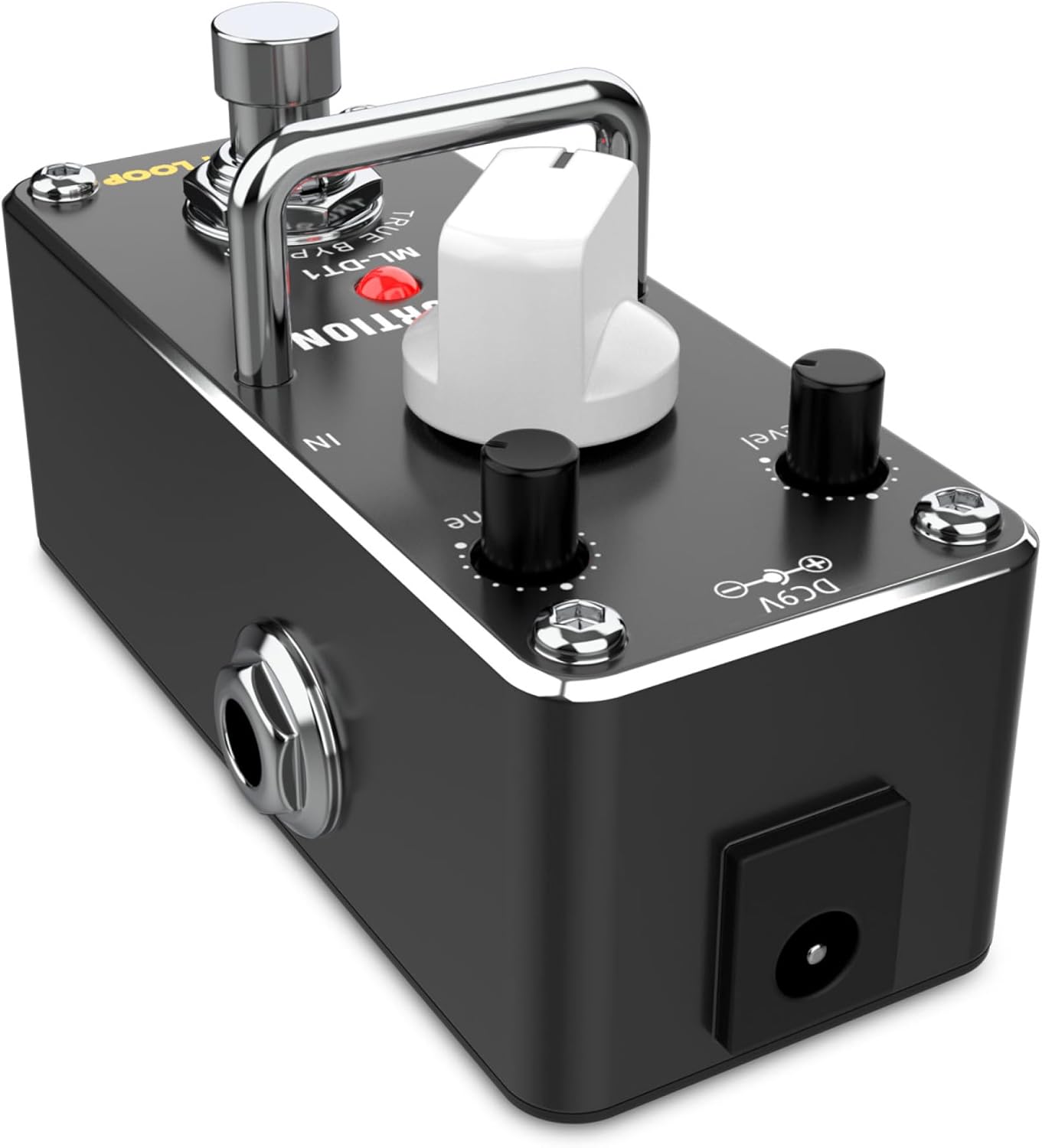
This image displays the top surface of the ML-DT1 Distortion Pedal. Visible are the three control knobs: GAIN, TONE, and LEVEL, which allow for precise adjustment of the distortion effect. The prominent footswitch is located at the front, used to activate or deactivate the pedal. The red LED indicator, when lit, signifies that the distortion effect is engaged. The "TRUE BYPASS" label is also visible, indicating the pedal's signal routing when off.
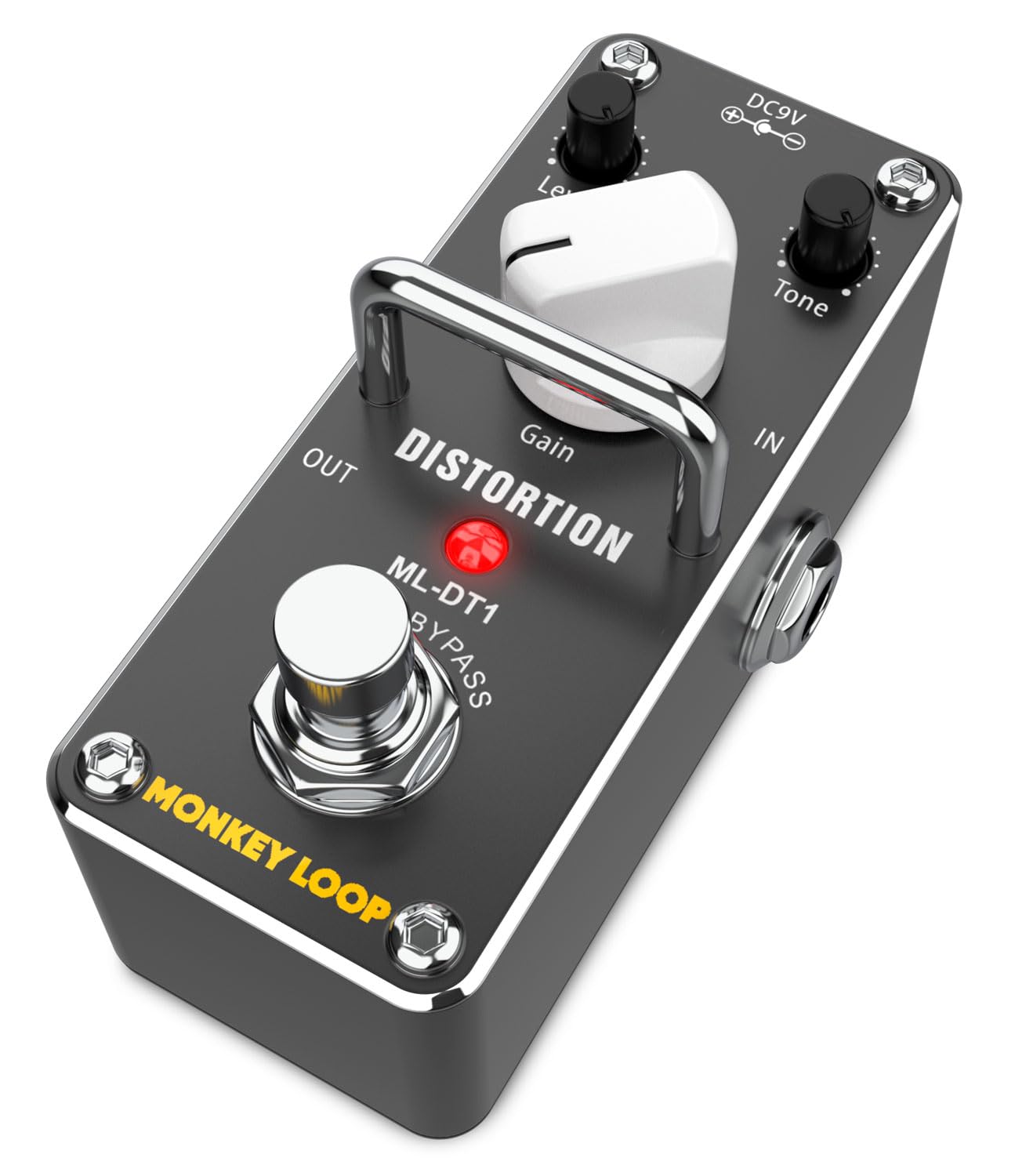
This image provides an angled perspective of the ML-DT1 Distortion Pedal. It clearly shows the 1/4-inch input jack labeled "IN" on the right side, where the guitar signal enters. The 1/4-inch output jack labeled "OUT" is on the left side, connecting to an amplifier or subsequent effects. The DC 9V power input is visible on the rear, indicating where the power adapter should be connected. The control knobs and footswitch are also visible from this angle.
Ṣeto
Follow these steps to set up your ML-DT1 Distortion Pedal:
- Asopọ agbara: Connect a standard 9V DC power adapter (center negative, not included) to the DC 9V input jack on the pedal. Ensure the power supply meets the specifications (5.5 mA current consumption).
- Iṣawọle Gita: Connect your electric guitar to the "IN" jack on the right side of the pedal using a 1/4-inch instrument cable.
- Ijade si Ampolutọpa: Connect the "OUT" jack on the left side of the pedal to your guitar amplifier's input or to the input of the next effect pedal in your signal chain, using another 1/4-inch instrument cable.
- Awọn Eto Ibẹrẹ: Ṣaaju ki o to tan-an rẹ amplifier, set the GAIN, TONE, and LEVEL knobs to their minimum positions (fully counter-clockwise) to avoid sudden loud sounds.
- Agbara Tan: Tan-an rẹ amplifier, then apply power to the ML-DT1 pedal.

Aworan yii fihan ẹgbẹ kan view of the ML-DT1 pedal, emphasizing the 1/4-inch audio input and output jacks. The "IN" jack is on the right, and the "OUT" jack is on the left. This view helps in understanding the correct orientation for connecting instrument cables from your guitar and to your amplifier tabi awọn miiran pedals.
Awọn ilana Iṣiṣẹ
Once the pedal is set up, you can begin to explore its distortion capabilities:
- Ngba ipa naa: Press the footswitch to activate the distortion effect. The red LED indicator will light up. Press it again to bypass the effect (LED off).
- Èrè Títúnṣe: Start with the GAIN knob at a low setting. Slowly turn it clockwise to increase the amount of distortion, from a subtle crunch to heavy saturation.
- Adjusting Tone: Use the TONE knob to shape the frequency response of the distorted sound. Turn it counter-clockwise for a warmer, darker tone, and clockwise for a brighter, more cutting sound.
- Adjusting Level: The LEVEL knob controls the overall output volume of the pedal when the effect is engaged. Adjust it to match the volume of your bypassed signal or to boost your sound for solos.
- Idanwo: The interaction between GAIN, TONE, and LEVEL allows for a wide variety of distortion sounds. Experiment with different settings to find your desired tone.

This image shows the ML-DT1 pedal on the floor, connected with cables, and a foot positioned to press the footswitch. This illustrates the typical usage scenario for a guitar effect pedal, where the musician uses their foot to engage or disengage the effect during performance. A guitar is visible in the background, indicating the context of use.
Itoju
Proper care will ensure the longevity and optimal performance of your ML-DT1 pedal:
- Ninu: Lo aṣọ rírọrùn tí ó gbẹ láti nu ìta pedal náà. Yẹra fún lílo àwọn ohun ìfọṣọ, àwọn ohun olómi, tàbí epo, nítorí pé wọ́n lè ba ìparí tàbí àwọn ohun èlò inú jẹ́.
- Ibi ipamọ: Store the pedal in a cool, dry place away from direct sunlight and extreme temperatures. If not in use for an extended period, disconnect the power supply.
- Mimu: Handle the pedal with care. Avoid dropping it or subjecting it to strong impacts.
- Ibi ti ina elekitiriki ti nwa: Always use a regulated 9V DC power supply with a center-negative polarity. Using an incorrect power supply can damage the unit and void the warranty.
Laasigbotitusita
If you encounter issues with your ML-DT1 pedal, refer to the following common problems and solutions:
| Isoro | Owun to le Fa | Ojutu |
|---|---|---|
| Ko si ohun nigba ti efatelese wa ni npe. |
|
|
| Ariwo tabi ariwo ti ko fẹ. |
|
|
| LED not lighting up. |
|
|
Awọn pato
Technical specifications for the MONKEY LOOP ML-DT1 Distortion Pedal:
| Awoṣe | ML-DT1 |
| Iru Ipa | Idarudapọ |
| Input Impedance | 500 Kohm |
| Imudaniloju ijade | 150 ohm |
| Ariwo Input deede | -90 dBu tabi kere si |
| Agbara ibeere | DC 9V (odi aarin) |
| Lilo lọwọlọwọ | 5.5 mA |
| Awọn iwọn (L x W x H) | 94 mm × 42 mm × 48 mm |
| Iwọn | 133 g |
| Ohun elo | Ṣiṣu, Irin |
| Ni wiwo Hardware | 1/4-inch Audio Jack |

This image presents an angled view of the ML-DT1 pedal, similar to Figure 2, but with an overlay of text detailing several key specifications. These include "DISTORTION EFFECT WITH TONE AND GAIN CONTROL", "INPUT IMPEDANCE: 500 KOHM", "OUTPUT IMPEDANCE: 150 OHMS", "EQUIVALENT INPUT NOISE: -90 DBU OR LESS", and "CURRENT CONSUMPTION: 5.5 MA (DC 9V)". This visual summary reinforces the technical data provided in the specifications table.

This image shows the bottom panel of the ML-DT1 pedal. Clearly visible are the power specifications: "Power: DC 9V Adapter" and "Polarity: Center Negative". Regulatory compliance marks such as "FC CE" and "RoHS" are also present, along with "Made in China". This information is crucial for ensuring correct power supply usage and understanding product certifications.
Atilẹyin ọja ati Support
For warranty information and technical support, please refer to the documentation provided with your purchase or visit the official MONKEY LOOP webojula. Jeki ẹri rira rẹ fun eyikeyi awọn ibeere atilẹyin ọja.