
Strong SRT24HE4023C
Strong 24-inch HD TV SRT24HE4023C User Manual
Model: SRT24HE4023C
1. Ifihan
This user manual provides essential information for the safe and efficient operation of your Strong 24-inch HD TV, model SRT24HE4023C. Please read this manual thoroughly before using the product and retain it for future reference.
The Strong SRT24HE4023C is a compact and versatile 24-inch (60 cm) HD Ready television, specifically designed for portability with its 12V power input, making it ideal for use in caravans, campers, or other mobile environments. It features a triple tuner for various signal receptions and multiple connectivity options.
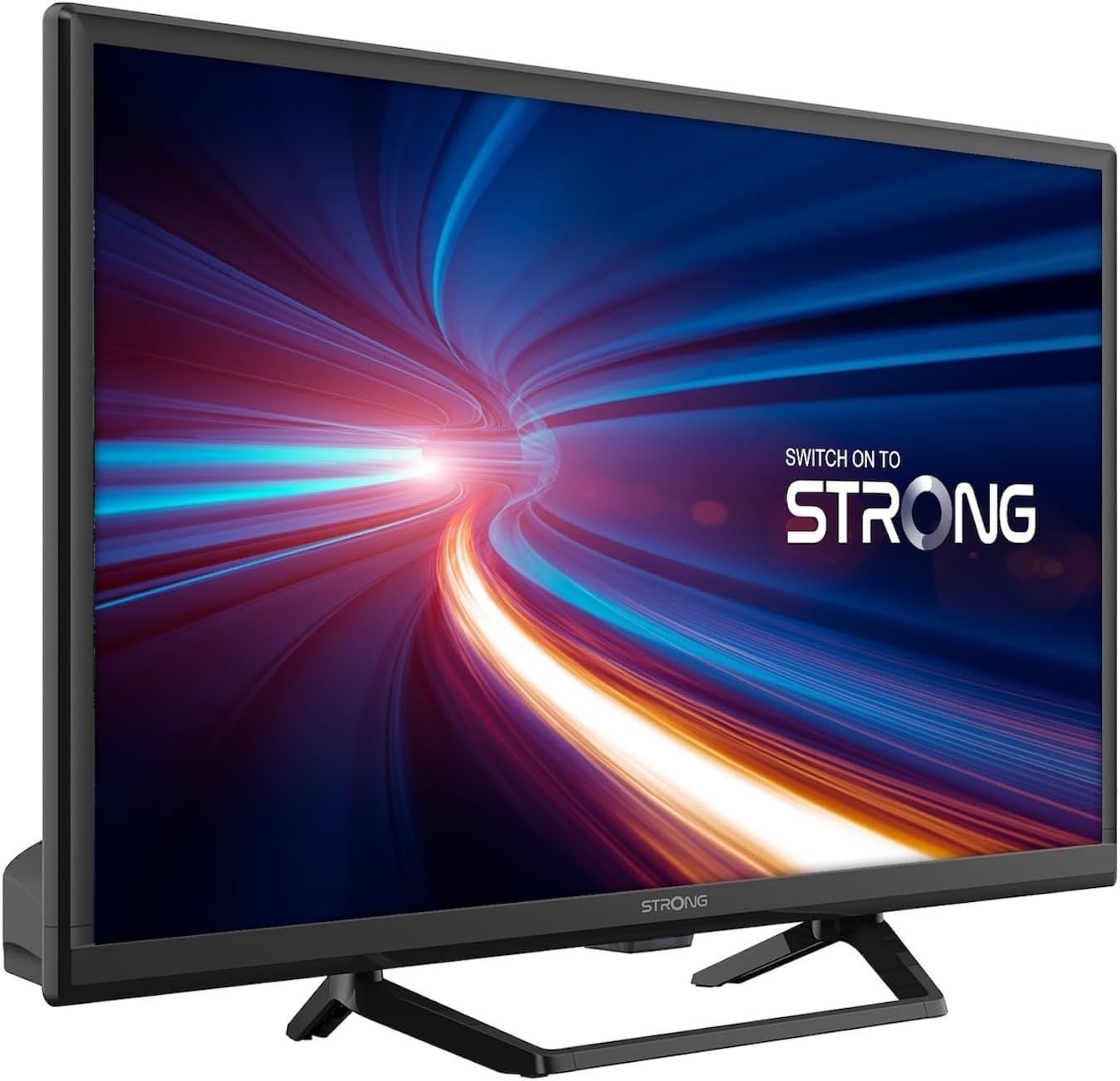
olusin 1.1: Iwaju view of the Strong 24-inch HD TV.
2. Package Awọn akoonu
Upon unpacking, please ensure all items listed below are present and in good condition. If any items are missing or damaged, contact your retailer immediately.
- Strong 24-inch HD TV (SRT24HE4023C)
- Iduro TV
- Iṣakoso latọna jijin (nilo awọn batiri AAA 2, pẹlu)
- Afowoyi Olumulo (iwe-ipamọ yii)
3. Eto
3.1. Nto Iduro
Carefully place the TV screen-down on a soft, clean surface to prevent scratches. Attach the provided stand to the base of the TV using the designated screws. Ensure the stand is securely fastened before placing the TV upright.
3.2. Asopọ agbara
This TV operates on a 12V DC power supply, making it suitable for mobile applications. Connect the 12V power adapter to the TV's power input port and then to a compatible 12V power source. Ensure the power source can provide sufficient current for the TV's operation.
3.3. Nsopọ Ita Awọn ẹrọ
TV nfunni ni ọpọlọpọ awọn aṣayan Asopọmọra:
- Awọn ibudo HDMI (x2): Connect Blu-ray players, game consoles, or other HDMI-enabled devices. One port supports ARC (Audio Return Channel).
- Ibudo USB (x1): Láti gbá multimedia jáde files lati USB ipamọ awọn ẹrọ.
- Iṣawọle AV Mini: Fun sisopọ awọn ẹrọ agbalagba pẹlu fidio akojọpọ ati awọn igbejade ohun sitẹrio.
- Antenna Input (ANT in): Connect a terrestrial antenna for DVB-T/T2 reception.
- Satellite Input (SAT in): Connect a satellite dish for DVB-S/S2 reception.
- CI Iho: Insert a Common Interface module for encrypted channels.
- Ijade SPDIF: For digital audio output to an external sound system.
- Jack agbekari: Fun ikọkọ gbigbọ.

olusin 3.1: Ẹyìn view showing various connectivity ports.
4. Awọn ilana Iṣiṣẹ
4.1. First Time fifi sori
When you power on the TV for the first time, a setup wizard will guide you through initial settings such as language, country, and channel scanning. Follow the on-screen prompts to complete the setup.
4.2. Ikanni wíwo
The TV features a triple tuner (DVB-T/T2, DVB-C, DVB-S/S2) for receiving digital terrestrial, cable, and satellite broadcasts. To scan for channels:
- Tẹ awọn Akojọ bọtini lori rẹ isakoṣo latọna jijin.
- Lilö kiri si awọn ikanni or Fifi sori ẹrọ akojọ aṣayan.
- Yan Ṣiṣayẹwo aifọwọyi or Afọwọṣe wíwo depending on your preference and connection type.
- Follow the on-screen instructions to start the scan.
4.3. Using the Electronic Program Guide (EPG)
The EPG provides a schedule of current and upcoming TV programs. To access the EPG, press the EPG button on your remote control. You can browse programs, view details, and set reminders.
4.4. Sisisẹsẹhin Multimedia nipasẹ USB
Insert a USB storage device into the USB port. The TV will typically prompt you to open the media browser. You can play various multimedia files, including videos, photos, and music.
4.5. Parental Control and Hotel Mode
The TV includes parental control features to restrict access to certain channels or programs based on age ratings. Hotel mode provides advanced settings for managing TV functions in a multi-unit environment.
5. Itọju
5.1. Ninu TV
Before cleaning, always unplug the TV from the power source. Use a soft, dry cloth to wipe the screen and cabinet. For stubborn marks, lightly dampFi omi tàbí ohun ìfọmọ́ ìbòjú díẹ̀ tí kò ní bàjẹ́ bò aṣọ náà. Má ṣe fọ́n omi sí ara TV tààrà.
5.2. Latọna jijin Iṣakoso Batiri Rirọpo
The remote control uses two AAA batteries. If the remote control's range decreases or it stops responding, replace both batteries with new ones, ensuring correct polarity.
6. Laasigbotitusita
Ti o ba pade awọn ọran pẹlu TV rẹ, tọka si awọn iṣoro ti o wọpọ ati awọn solusan ṣaaju ki o to kan si atilẹyin alabara.
| Isoro | Owun to le Fa | Ojutu |
|---|---|---|
| Ko si agbara | Power cable disconnected; no power from source. | Check power cable connection. Ensure 12V power source is active. |
| Ko si aworan, ṣugbọn ohun wa | Incorrect input source selected; loose cable connection. | Tẹ awọn ORISUN button to select the correct input. Check HDMI/AV cable connections. |
| Ko si ohun, ṣugbọn aworan wa | Volume too low or muted; audio settings incorrect. | Increase volume. Check mute status. Adjust audio output settings in the menu. |
| Didara aworan ti ko dara | Weak signal; incorrect resolution. | Check antenna/satellite connection. Perform a channel scan. Adjust picture settings. |
| Isakoṣo latọna jijin ko ṣiṣẹ | Batteries depleted or incorrectly inserted. | Replace batteries, ensuring correct polarity. Ensure no obstructions between remote and TV. |
7. Awọn pato
| Ẹya ara ẹrọ | Ẹ̀kúnrẹ́rẹ́ |
|---|---|
| Awoṣe | SRT24HE4023C |
| Iwon iboju | 24 inches (60 cm) |
| Ifihan ọna ẹrọ | LED, IPS Panel |
| Ipinnu | 1366 x 768p (HD Ready) |
| Apakan Ipin | 16:9 |
| Oṣuwọn sọtun | 60 Hz |
| Akoko Idahun | 5 Milise-aaya |
| Tuners | DVB-T/T2, DVB-C, DVB-S/S2 |
| Kodẹki fidio | HEVC 265 10-bit |
| Awọn ibudo HDMI | 2 (1 with ARC support) |
| Awọn ibudo USB | 1 |
| Other Inputs/Outputs | Mini AV In, CI Slot, SPDIF Out, Headphone Jack |
| Iyipada ohun | DTS |
| Ibi ti ina elekitiriki ti nwa | 12 folti DC |
| Awọn iwọn (W x H x D) | 55.29 x 36.6 x 14.78 cm (pẹlu iduro) |
| Iwọn | 2.5 kg |
| VESA Odi Oke | Atilẹyin |
| Agbara Agbara Kilasi | E (View EPREL details) |
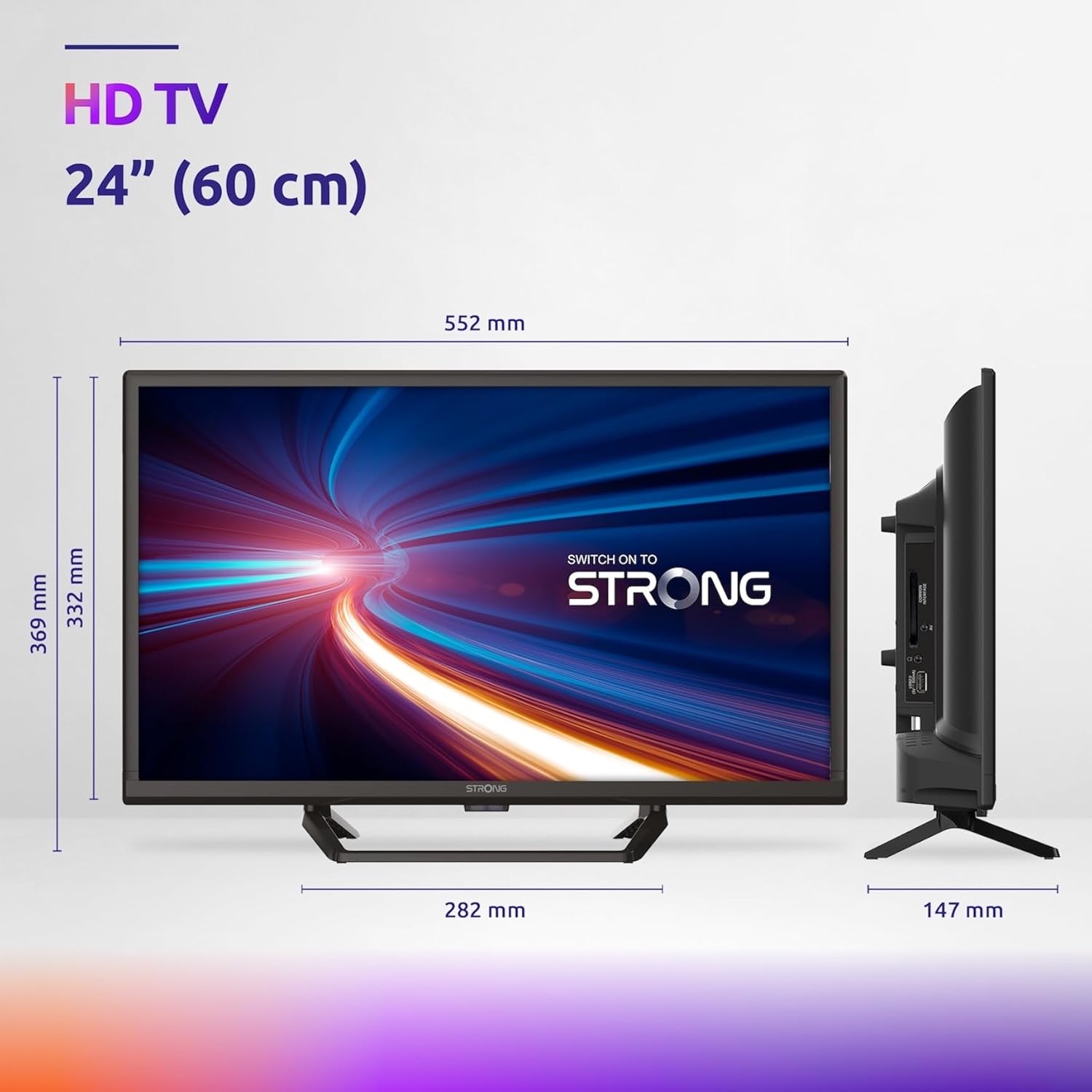
Figure 7.1: Product dimensions of the Strong 24-inch HD TV.

Figure 7.2: Energy efficiency label for the Strong SRT24HE4023C TV.
8. Atilẹyin ọja ati Support
Strong products are designed for reliability and performance. For warranty information and technical support, please refer to the warranty card included with your product or visit the official Strong webojula. Tọju iwe-ẹri rira rẹ bi ẹri rira fun awọn iṣeduro atilẹyin ọja.
Fun iranlọwọ siwaju, o tun le tọka si Strong Brand Store on Amazon fun afikun ọja alaye ati oro.
Ask a question about this manual
Ask about setup, troubleshooting, compatibility, parts, safety, or missing instructions. Manuals+ will review the question and use this page’s manual context to help answer it.