
1. Ifihan
Thank you for choosing the Micool BT-X Bluetooth V5.3 Clip-On Wireless Headphones. This manual provides essential information for setting up, operating, and maintaining your headphones to ensure optimal performance and longevity. Please read this manual thoroughly before first use and retain it for future reference.
2. Package Awọn akoonu
- Micool BT-X Wireless Headphones (Left and Right)
- Ngba agbara Case
- USB-C Ngba agbara Cable
- Itọsọna olumulo
3. Ọja Ipariview
The Micool BT-X headphones are designed for comfort and high-quality audio, featuring an open-ear design with earhooks. They incorporate Bluetooth 5.3 technology for stable connections and 28mm speakers for clear stereo sound and powerful bass. Four integrated microphones enhance call clarity by reducing ambient noise.

Image: Micool BT-X Headphones and Charging Case

Image: Internal structure highlighting the 28mm neodymium magnetic horn for enhanced sound quality.

Image: User demonstrating clear call functionality with Micool BT-X headphones, featuring 4 microphones for noise cancellation.
4. Getting Started: First Use and Pairing
4.1 Ni ibẹrẹ Oṣo
Before first use, ensure you remove the charging protection insulation film from both earbuds. This film prevents charging during shipping.
Video: Demonstrates removing the charging protection insulation film and initiating Bluetooth pairing for first-time use.
4.2 Sisopọ Bluetooth
- Ensure the headphones are fully charged and the insulation film has been removed.
- Open the charging case lid. The headphones will automatically enter Bluetooth pairing mode, indicated by a green light flashing intermittently on the earbuds.
- Lori ẹrọ rẹ (foonuiyara, tabulẹti, kọǹpútà alágbèéká), mu Bluetooth ṣiṣẹ.
- Wa fun available Bluetooth devices and select 'Micool BT-X' from the list.
- Once connected, the green light on the earbuds will stop flashing, indicating successful pairing.
The headphones will automatically reconnect to the last paired device when removed from the charging case and within range.
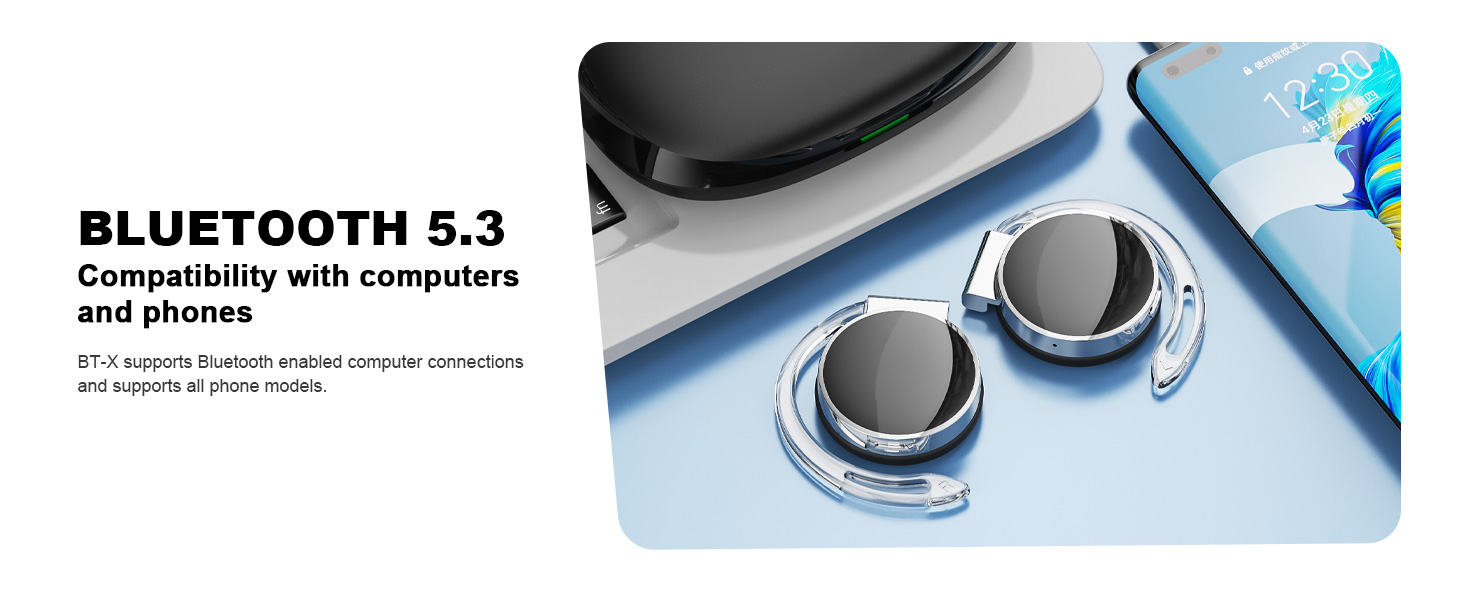
Image: Micool BT-X headphones demonstrating compatibility with various devices including laptops and smartphones via Bluetooth 5.3.
5. Wọ awọn Agbekọri
For optimal sound and comfort, wear the headphones correctly as shown below:

Image: Step-by-step guide on how to wear the Micool BT-X headphones.
- Igbesẹ 1: Separate the earhooks at a 30-degree angle.
- Igbesẹ 2: Rotate the earhook along the inside of your ear to the bottom.
- Igbesẹ 3: Press the headphones gently until they feel secure on your ears.
- Igbesẹ 4: Adjust for a comfortable and stable fit. The sponge earmuffs are designed for comfort during extended wear.
6. Awọn ilana Iṣiṣẹ
The Micool BT-X headphones feature multi-function buttons on each earbud for easy control.
6.1 Iṣakoso Orin
- Ṣiṣẹ/Daduro: Tẹ bọtini iṣẹ-pupọ lori earbud mejeeji lẹẹkan.
- Orin to nbọ: Tẹ bọtini iṣẹ-pupọ lẹẹmeji lori eti ọtun.
- Orin ti tẹlẹ: Tẹ bọtini iṣẹ-pupọ lẹẹmeji lori eti osi.
- Iwọn didun Up: Tẹ bọtini iṣẹ-pupọ mẹta lori eti ọtun.
- Iwọn didun isalẹ: Tẹ bọtini iṣẹ-pupọ ni apa osi eti lẹẹmẹta.
6.2 Iṣakoso ipe
- Idahun/Ipe Ipari: Tẹ bọtini iṣẹ-pupọ lori earbud mejeeji lẹẹkan.
- Kọ Ipe: Tẹ mọlẹ bọtini iṣẹ-ọpọlọpọ lori boya agbekọri fun iṣẹju meji 2.
6.3 Iranlọwọ ohun
- Mu Oluranlọwọ Ohun ṣiṣẹ: Tẹ mọlẹ bọtini iṣẹ-ọpọlọpọ lori boya agbekọri fun iṣẹju meji 3.
7. Gbigba agbara
The Micool BT-X headphones offer extended battery life with their charging case.
- Headphone Battery Life: Up to 15 hours of music playback on a single full charge.
- Total Battery Life with Case: The charging case provides approximately 3 additional full charges, extending total listening time up to 42 hours.
- Gbigba agbara si ọran naa: Connect the provided USB-C cable to the charging port on the case and a power source. The battery indicator on the case will show the charging status and remaining battery capacity.
- Gbigba agbara awọn Agbekọri: Place the headphones into the charging case. They will automatically begin charging.

Image: Visual representation of the extended battery life for Micool BT-X headphones and their charging case.
8. Awọn pato
| Ẹya ara ẹrọ | Sipesifikesonu |
|---|---|
| Brand | Micool |
| Nọmba awoṣe | BT-X |
| Ẹya Bluetooth | 5.3 |
| Asopọmọra Technology | Ailokun |
| Gbigbe Eti | Lori Eti |
| Batiri Apapọ Life | 15 Hours (Headphones), 42 Hours (with Charging Case) |
| Iṣakoso Iru | Iṣakoso ohun |
| Ọna Iṣakoso | Fọwọkan, Ohùn |
| Audio Driver Type | Awakọ Dynamic (awọn agbọrọsọ 28mm) |
| Awọn gbohungbohun | 4 (with Noise Cancelling) |
| Awọn ẹrọ ibaramu | Foonu alagbeka, Awọn tabulẹti, Awọn kọǹpútà alágbèéká, Awọn tabili kọmputa |
9. Laasigbotitusita
- Ko le So pọ pẹlu Ẹrọ:
Ensure the headphones are charged and the insulation film is removed. Turn off Bluetooth on other nearby devices. Restart your device and try pairing again. If issues persist, reset the headphones (refer to manufacturer's webAaye fun awọn ilana atunṣe pato ti ko ba si ni itọnisọna). - Ko si ohun tabi iwọn kekere:
Check the volume levels on both your device and the headphones. Ensure the headphones are properly connected to your device. Try playing audio from a different application or device. - Asopọmọra Laarin:
Ensure there are no obstructions between the headphones and your device. Stay within the Bluetooth range (up to 10 meters). Avoid environments with strong electromagnetic interference. - Àwọn Agbọ́rọ̀kàsí Tí Kò Ń Gba Ohùn Síṣẹ́:
Verify the USB-C cable is securely connected to both the charging case and the power source. Ensure the headphones are correctly seated in the charging case. Check the charging case's battery level.
10. Alaye Aabo
- Ma ṣe fi agbekọri tabi apoti gbigba agbara si awọn iwọn otutu to gaju, ọriniinitutu, tabi awọn olomi.
- Yẹra fún jíjá sílẹ̀, kí ó ba nǹkan jẹ́, tàbí kí ó tú gbogbo nǹkan náà ká.
- Lo okun gbigba agbara ti a pese nikan tabi okun USB-C ti a fọwọsi fun gbigba agbara.
- Clean the headphones with a soft, dry cloth. Do not use harsh chemicals.
- Gbigbọ gigun ni iwọn giga le fa ibajẹ igbọran. Ṣatunṣe iwọn didun si ipele ailewu.
- Be aware of your surroundings when using headphones, especially in traffic or hazardous situations.
11. Atilẹyin ọja ati Support
Micool products come with a standard warranty. For detailed warranty information, product support, or service inquiries, please refer to the official Micool website or contact customer service through your purchase platform.
Micool is committed to providing 24-hour after-sales service for all purchased items.
Webojula: Visit the Micool Store on Amazon