
NOPAARD 52-YJ306
NOPAARD 52 Inch Smart Ceiling Fan User Manual
Model: 52-YJ306
Ọrọ Iṣaaju
Thank you for choosing the NOPAARD 52 Inch Smart Ceiling Fan. This manual provides detailed instructions for the safe installation, operation, and maintenance of your new ceiling fan. Please read this manual thoroughly before installation and keep it for future reference.
This smart ceiling fan features a quiet DC reversible motor, 5 plywood blades with dual-finish (matte black and walnut), a 3CCT dimmable LED light, and multiple control options including remote, Tuya APP, Alexa, and Google Assistant voice control.
Alaye Aabo pataki
Nigbagbogbo tẹle awọn iṣọra aabo ipilẹ nigba fifi sori ẹrọ ati sisẹ ohun elo yii lati dinku eewu ina, mọnamọna, ati ipalara ti ara ẹni.
- Ka gbogbo awọn ilana ṣaaju ki o to bẹrẹ fifi sori ẹrọ.
- Ensure the electrical supply is disconnected at the circuit breaker before installation or servicing.
- Gbogbo onirin gbọdọ wa ni ibamu pẹlu awọn koodu itanna ti orilẹ-ede ati agbegbe.
- The fan must be mounted to a ceiling joist or support capable of withstanding a minimum of 35 lbs (15.9 kg).
- Do not operate the fan with damaged wiring or if the motor is making unusual noises.
- Keep hands, feet, and other objects away from the rotating fan blades.
Package Awọn akoonu
Rii daju pe gbogbo awọn paati wa ṣaaju ki o to bẹrẹ fifi sori ẹrọ.
- Aja Fan Motor Housing
- 5 Plywood Blades (Dual-finish: Matte Black / Walnut)
- Ohun elo Ina LED
- Isakoṣo latọna jijin pẹlu Odi Oke
- 2 Down-rods (6-inch and 10-inch)
- Iṣagbesori akọmọ ati Hardware
- Ilana itọnisọna

Eto ati fifi sori
Professional installation is recommended. Ensure power is off at the circuit breaker before proceeding.
1. Iṣagbesori akọmọ
Secure the mounting bracket to a ceiling joist or a suitable electrical junction box rated for fan support. Use the provided hardware.
2. Assembling the Down-rod and Fan Motor
Choose either the 6-inch or 10-inch down-rod based on your ceiling height and desired fan clearance. Feed the electrical wires through the down-rod and attach it securely to the fan motor housing.

3. Wiring the Fan
Connect the fan's electrical wires to your household wiring according to the wiring diagram provided in the separate wiring guide (if applicable) or standard electrical practices. Ensure all connections are secure and insulated.
4. So Àwọn Abẹ́ pọ̀ mọ́ra
Attach the 5 plywood blades to the fan motor. The blades are dual-finish, allowing you to choose between matte black and walnut to match your decor. Ensure all screws are tightened securely.

5. Installing the LED Light Kit
Connect the LED light kit to the fan motor's designated light wires and secure it to the fan housing.
Awọn ilana Iṣiṣẹ
Your NOPAARD smart ceiling fan offers multiple control methods.
Awọn ọna Iṣakoso
- Isakoṣo latọna jijin: Use the included remote to control fan speed, light settings, and fan direction.
- Tuya APP Control: Download the Tuya Smart app to control the fan from your smartphone or tablet. Follow the app's instructions for pairing.
- Iṣakoso ohun: Integrate with Alexa or Google Assistant devices for voice commands. Enable the NOPAARD skill/action in your smart home app.
- Iṣakoso odi: The fan can also be operated via a standard wall switch (on/off for fan and light together).
Atunṣe Iyara Fan
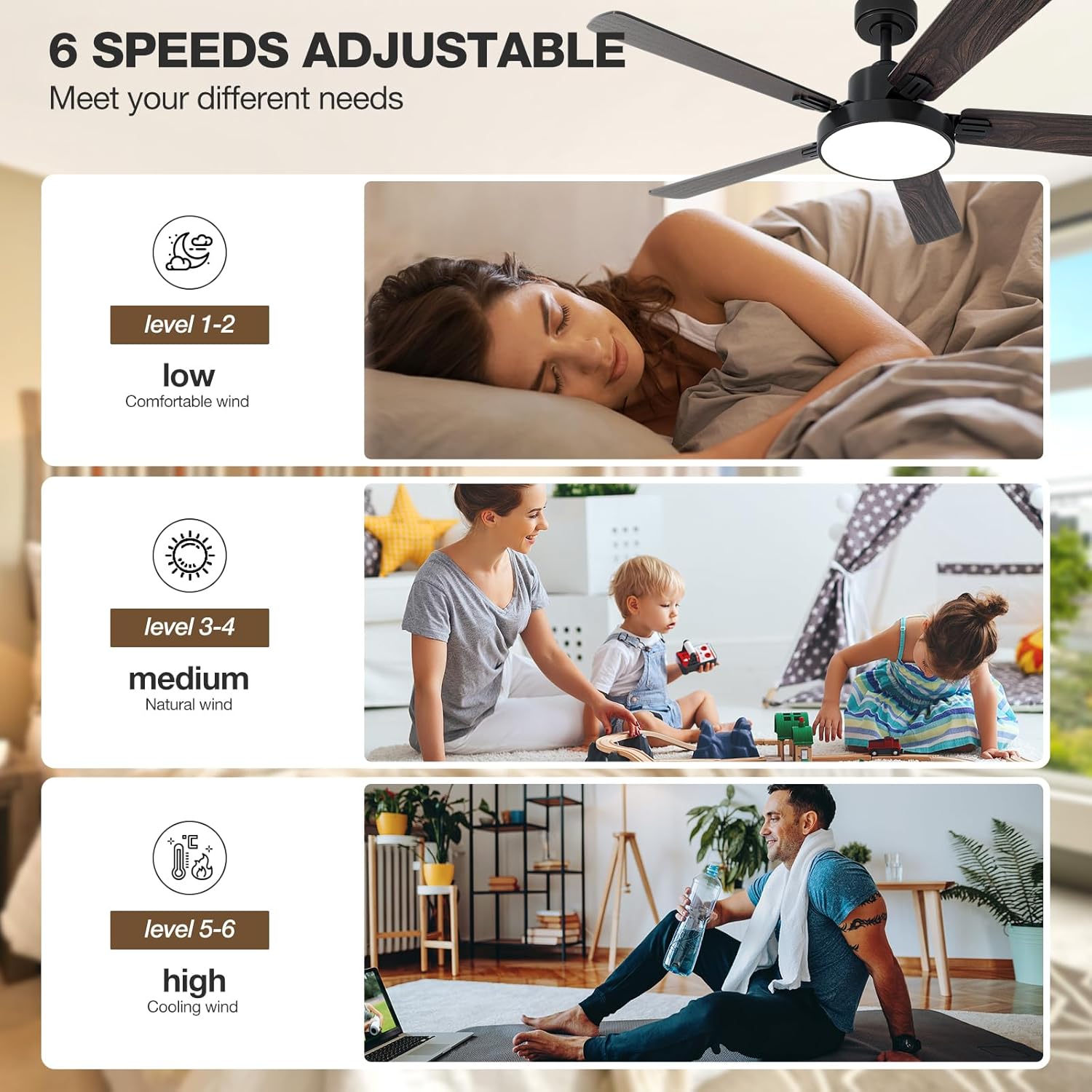
The fan features 6 variable speeds to adjust airflow according to your preference. Speeds 1-2 provide a low, comfortable breeze, speeds 3-4 offer a medium, natural wind, and speeds 5-6 deliver high, cooling airflow.

Light Control and Dimming
The integrated LED light offers 3 color temperatures (3000K warm yellow, 4000K bright daylight, 6000K cool white) and is dimmable from 10% to 100% (0-2000 lumens). Use the remote or app to cycle through color temperatures and adjust brightness.

Iṣẹ́ Mọ́tò Tí A Lè Rí
The DC reversible motor allows the fan to operate in two directions. In summer, the fan rotates counter-clockwise to create a cooling downdraft. In winter, it rotates clockwise to circulate warm air trapped near the ceiling, helping to reduce heating costs.

Itoju
Itọju deedee n ṣe idaniloju iṣẹ ṣiṣe to dara julọ ati gigun igbesi aye afẹfẹ aja rẹ.
- Ninu: Lẹ́ẹ̀kọ̀ọ̀kan, nu àwọn abẹ́ afẹ́fẹ́ àti ilé mọ́tò pẹ̀lú ìrọ̀rùn, damp asọ. Ma ṣe lo abrasive ose tabi epo.
- Wiwọn Abẹ: Check blade screws annually to ensure they are tight. Loose blades can cause wobbling and noise.
- Apo Imọlẹ: The LED light source is designed for long life and typically does not require replacement.
- Mọto: The DC motor is sealed and requires no lubrication.
Always disconnect power to the fan at the circuit breaker before performing any cleaning or maintenance.
Laasigbotitusita
If you experience issues with your NOPAARD ceiling fan, refer to the following common problems and solutions.
| Isoro | Owun to le Fa | Ojutu |
|---|---|---|
| Fan ko bẹrẹ | Ko si agbara si awọn àìpẹ; Awọn asopọ okun alaimuṣinṣin; Batiri iṣakoso latọna jijin kekere tabi ko so pọ. | Ṣayẹwo Circuit fifọ; Rii daju pe gbogbo awọn asopọ waya wa ni aabo; Rọpo batiri latọna jijin tabi tun-bata latọna jijin. |
| Fan wobbles | Awọn skru abẹfẹlẹ alaimuṣinṣin; Awọn abẹfẹlẹ ti ko ni iwọntunwọnsi; Loose iṣagbesori akọmọ. | Tighten all blade screws; Ensure blades are balanced (use balancing kit if needed); Secure mounting bracket. |
| Imọlẹ ko ṣiṣẹ | Loose wire connection to light kit; Light kit failure. | Check light kit wiring; Contact customer support if light kit is faulty. |
| Isakoṣo latọna jijin ko dahun | Low battery; Remote not paired; Interference. | Replace battery; Re-pair remote with fan (refer to pairing instructions); Reduce interference sources. |
| Fan jẹ alariwo | Loose screws; Motor issue; Blades hitting an obstruction. | Check all screws; Ensure no obstructions; Contact customer support if motor noise persists. |
| Kò le sopọ̀ mọ́ Wi-Fi/Àpù | Incorrect Wi-Fi password; Router too far; 5GHz Wi-Fi network (fan requires 2.4GHz). | Verify Wi-Fi password; Move router closer or use Wi-Fi extender; Ensure router is broadcasting 2.4GHz. |
Awọn pato
| Ẹya ara ẹrọ | Ẹ̀kúnrẹ́rẹ́ |
|---|---|
| Orukọ awoṣe | 52-YJ306 |
| Brand | NOPAARD |
| Iwọn | 52 Inṣi |
| Àwọ̀ | Black & Walnut (Dual-finish blades) |
| Motor Iru | Quiet DC Reversible Motor |
| Nọmba ti Blades | 5 |
| Blade elo | Itẹnu |
| Imọlẹ Iru | LED ti a ṣepọ |
| Light Awọ otutu | 3000K (Warm Yellow), 4000K (Bright Daylight), 6000K (Cool White) |
| Light Dimming Range | 10%-100% (0-2000 Lumens) |
| Awọn iyara Fan | 6 Awọn iyara iyipada |
| Air Sisan Agbara | 12688 Onigun Ẹsẹ Fun iseju |
| Ariwo Ipele | 40 dB |
| Awọn ọna Iṣakoso | Remote, Tuya APP, Voice (Alexa, Google Assistant) |
| Down-rod Lengths | 6 inch, 10 inch |
| Iṣagbesori Aw | Flat Ceiling, Sloped Ceiling (up to 20°) |
| inu ile / ita gbangba Lilo | Indoor, Covered Outdoor (Damp-ti won won) |
| Awọn iwe-ẹri | Akojọ ETL |
Atilẹyin ọja ati Support
NOPAARD offers a comprehensive warranty for your peace of mind.
- Didara ìdánilójú: 24 months quality assurance from the date of purchase.
- DC Motor Warranty: 10-year warranty for the DC motor.
For product installation assistance, troubleshooting, or quality-related concerns, please contact NOPAARD customer service. Refer to your purchase documentation for contact details or visit the official NOPAARD webojula.
Note: This warranty does not cover damage caused by improper installation, misuse, or natural disasters.
Ask a question about this manual
Ask about setup, troubleshooting, compatibility, parts, safety, or missing instructions. Manuals+ will review the question and use this page’s manual context to help answer it.