
1. Ifihan
The DEPSTECH DS300 Industrial Endoscope is a versatile inspection camera designed for detailed visual inspection in hard-to-reach areas. It features both dual-lens and single-lens probe options, providing high-definition imaging for various applications.
2. Ọja irinše
The DEPSTECH DS300 Industrial Endoscope package includes the main display unit, a semi-rigid camera cable with either dual or single lens, a USB charging cable, and various accessories.
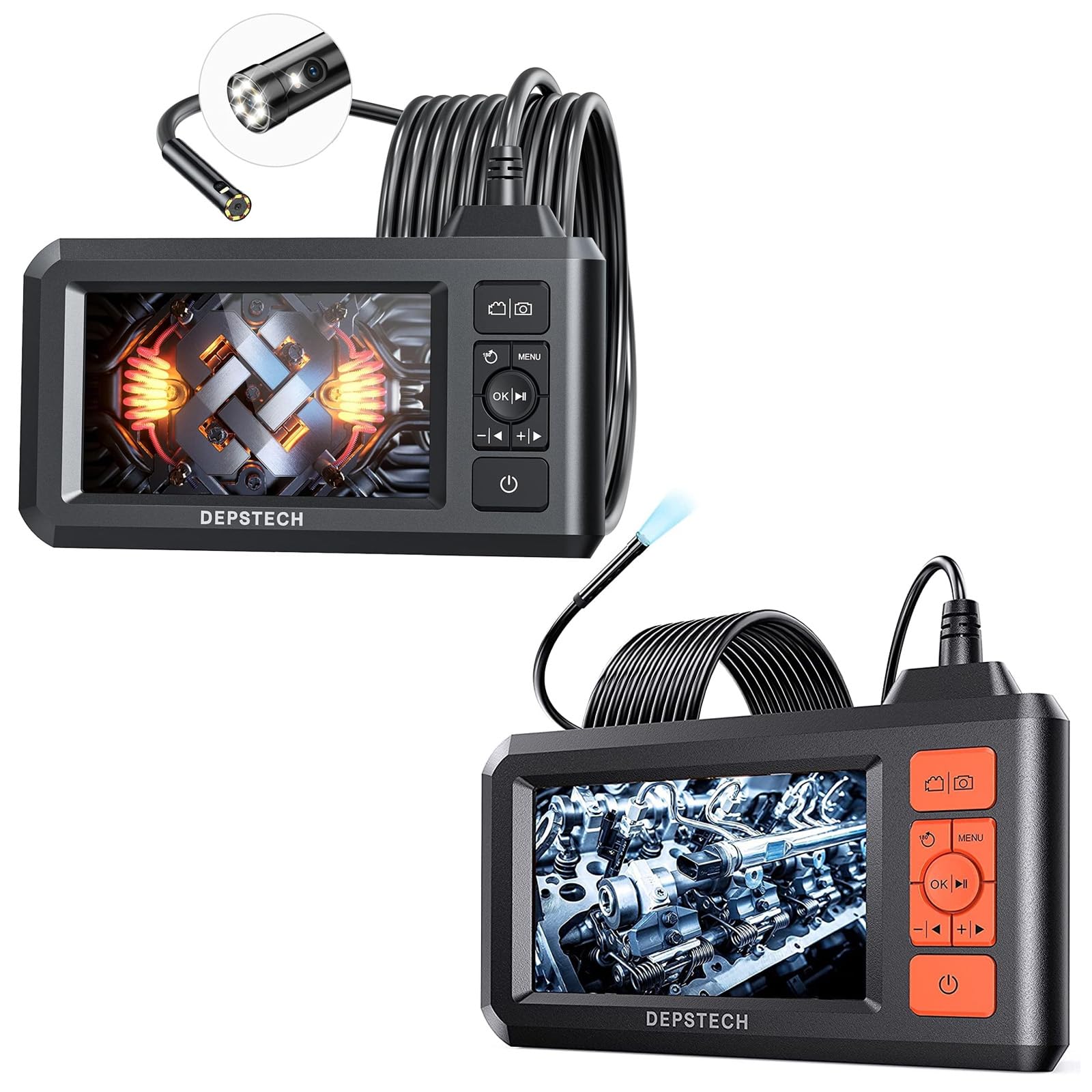
Image: The main display unit of the DEPSTECH DS300 Industrial Endoscope, featuring a 4.3-inch screen, control buttons, and a coiled semi-rigid camera cable connected to the top. Various small accessories are also visible.
Akọkọ Ifihan Unit
- Iboju LCD TFT 4.3-inch: Provides a horizontal viewing angle of approximately 170°.
- Awọn bọtini Iṣakoso: For navigation, settings, photo/video capture, and power.
- Batiri ti a ṣe sinu: Rechargeable, offering approximately 4 hours of continuous operation.
Ibeere Kamẹra
- Dual-Lens Technology (DS300 Dual Lens): Allows switching between front and side viewing angles without additional mirrors. Features FOV 70° for wider views.
- Single-Lens Technology (DS300 5.5mm Single Lens): 0.21-inch diameter for accessing very confined spaces.
- 1080P HD Video & 2.0 MP Pictures: Captures clear images and fluent video.
- Awọn imọlẹ LED ti o ṣatunṣe: 7 LED lights with Bluart 2.0 technology for enhanced visibility.
- IP67 Mabomire: Suitable for wet environments like drains or shallow water.
- Cable-Rigid Cable: 16.5 ft (5M) in length, can be bent and hold its shape for flexible inspection.

Image: The DEPSTECH DS300 Endoscope display unit with the camera probe illustrating the three observation modes: Front Camera, Side Camera, and Dual Camera, which combines both views.

Image: A close-up of the DEPSTECH DS300 camera probe partially submerged in water, highlighting its IP67 waterproof rating. The adjustable LED lights on the probe tip are shown in various brightness settings.
3. Eto
- Gba agbara si Ẹrọ naa: Connect the USB charging cable to the device's charging port and a power source. The built-in battery provides approximately 4 hours of use on a full charge.
- Fi Káàdì TF sii: Locate the TF card slot on the side of the display unit. Insert the provided TF card to enable photo and video recording.
- Attach Camera Probe: Securely connect the semi-rigid camera cable to the designated port on the main display unit.
- Agbara Tan: Press and hold the power button on the display unit for a few seconds until the screen illuminates and the DEPSTECH logo appears.
4. Awọn ilana Iṣiṣẹ
Awọn iṣakoso ipilẹ
The display unit features intuitive buttons for easy operation:
- Bọtini agbara: Tẹ mọlẹ lati tan/pa ẹrọ naa.
- Bọtini Akojọ: Awọn eto wiwọle ati awọn aṣayan.
- O dara/Bọtini Ṣiṣẹ: Confirm selections or play recorded media.
- Awọn bọtini lilọ kiri (Soke/isalẹ/osi/ọtun): Navigate through menus and adjust settings.
- Bọtini Fọto/Fidio: Short press to take a photo, long press to start/stop video recording.
- Lens Switch Button (for Dual Lens models): Quickly switch between front, side, and combined dual-lens views.
Siṣàtúnṣe Eto
From the menu, you can adjust various parameters:
- Ipinnu: Select desired video/photo resolution (e.g., 1080P).
- Èdè: Yan ede ti o fẹ julọ.
- Paa-aifọwọyi: Set the device to automatically power off after a period of inactivity.
- Imọlẹ iboju: Adjust the display's brightness for optimal viewing.
- LED Light Brightness: Use dedicated buttons on the display unit to cycle through 3 adjustable brightness levels for the camera's LED lights.
Using the Camera Probe
- Ipo Rọ: The semi-rigid cable can be bent and will retain its shape, allowing you to maneuver the camera into tight or angled spaces.
- Yipada Views (Dual Lens models): Utilize the lens switch button to toggle between the front-facing camera, side-facing camera, or a combined dual-view fún àyẹ̀wò pípéye.
- 180° Image Rotation: For better observation, the image on the screen can be rotated 180° with a dedicated button.

Image: The DEPSTECH DS300 display unit highlighting its 4.3-inch TFT LCD screen and a 170-degree viewing angle, ensuring clear visibility during inspections.
5. Itọju
- Ninu: After each use, especially in wet or dirty environments, gently clean the camera probe with a soft, damp cloth. Ensure no debris obstructs the lens or LED lights.
- Itọju Ailokun: While the probe is IP67 waterproof, avoid prolonged submersion in deep water or exposure to corrosive liquids. Ensure the rubber cover for the charging port is securely closed when not in use.
- Itọju Batiri: Recharge the device regularly. For long-term storage, ensure the battery is partially charged (around 50%) to prolong its lifespan.
- Ibi ipamọ: Store the endoscope and its accessories in a cool, dry place, away from direct sunlight and extreme temperatures.
6. Laasigbotitusita
- Ko si Agbara: Ensure the device is fully charged. If it still doesn't power on, try resetting the device (refer to the full manual for reset instructions).
- Ko si aworan loju iboju: Check if the camera probe is securely connected to the display unit. Ensure the device is powered on.
- Didara Aworan Ko dara: Clean the camera lens. Adjust the LED light brightness. Ensure the camera is within its optimal focal range (1.96~3.93 inches or 5-10cm).
- Ẹrọ Didi: Perform a soft reset by pressing the reset button (if available) or powering off and on again.
7. Awọn pato
| Ẹya ara ẹrọ | Sipesifikesonu |
|---|---|
| Awoṣe | DS300 |
| Iboju Iru | 4.3-inch TFT LCD |
| Ipinnu Yaworan fidio | 1920 x 1080 (1080P) |
| Ipinnu Aworan | 2.0 MP |
| Mabomire Rating | IP67 (Ìwádìí Kámẹ́rà) |
| USB Ipari | 16.5 FT (5M) Semi-Rigid |
| Opin lẹnsi | 7.9mm (Dual Lens), 5.5mm (Single Lens) |
| Igbesi aye batiri | Isunmọ. wakati meji 4 |
| Awọn imọlẹ LED | 7 adjustable LEDs with Bluart 2.0 tech |
| Agbegbe Ibiti | 1.96~3.93 inches (5-10cm) |
| Ifihan Iṣakoso Iru | Laifọwọyi |
| Sun-un Iru | Digital Sisun |
8. Atilẹyin ọja ati Support
For detailed warranty information, technical support, or service inquiries, please refer to the official DEPSTECH webojula tabi kan si wọn onibara iṣẹ taara. Tọju iwe-ẹri rira rẹ bi ẹri rira fun awọn iṣeduro atilẹyin ọja.