
MAXPOWER EU-331416
MaxPower EU-331416 Lawn Mower Blade Instruction Manual
Model: EU-331416 | Brand: MAXPOWER
Ọja Pariview
The MaxPower EU-331416 Lawn Mower Blade is a high-quality replacement part designed to meet OEM specifications for MTD and CUB CADET lawn mowers. Manufactured in Glennville, Georgia, USA, this blade is crafted from durable 10B38 boron steel, ensuring excellent wear resistance and a long-lasting sharp edge.

Image: The MaxPower EU-331416 lawn mower blade, a black, flat metal blade with a central bow-tie shaped hole and two smaller circular holes, designed for cutting grass.
Awọn ẹya pataki:
- Replaces OEM reference: 742-0738, 742-0738-637
- Blade length: 457.2 millimeters (18 inches)
- Center hole diameter/shape: Bow-Tie
- Material thickness: 3.4 millimeters
- Manufactured from high-quality 10B38 boron steel
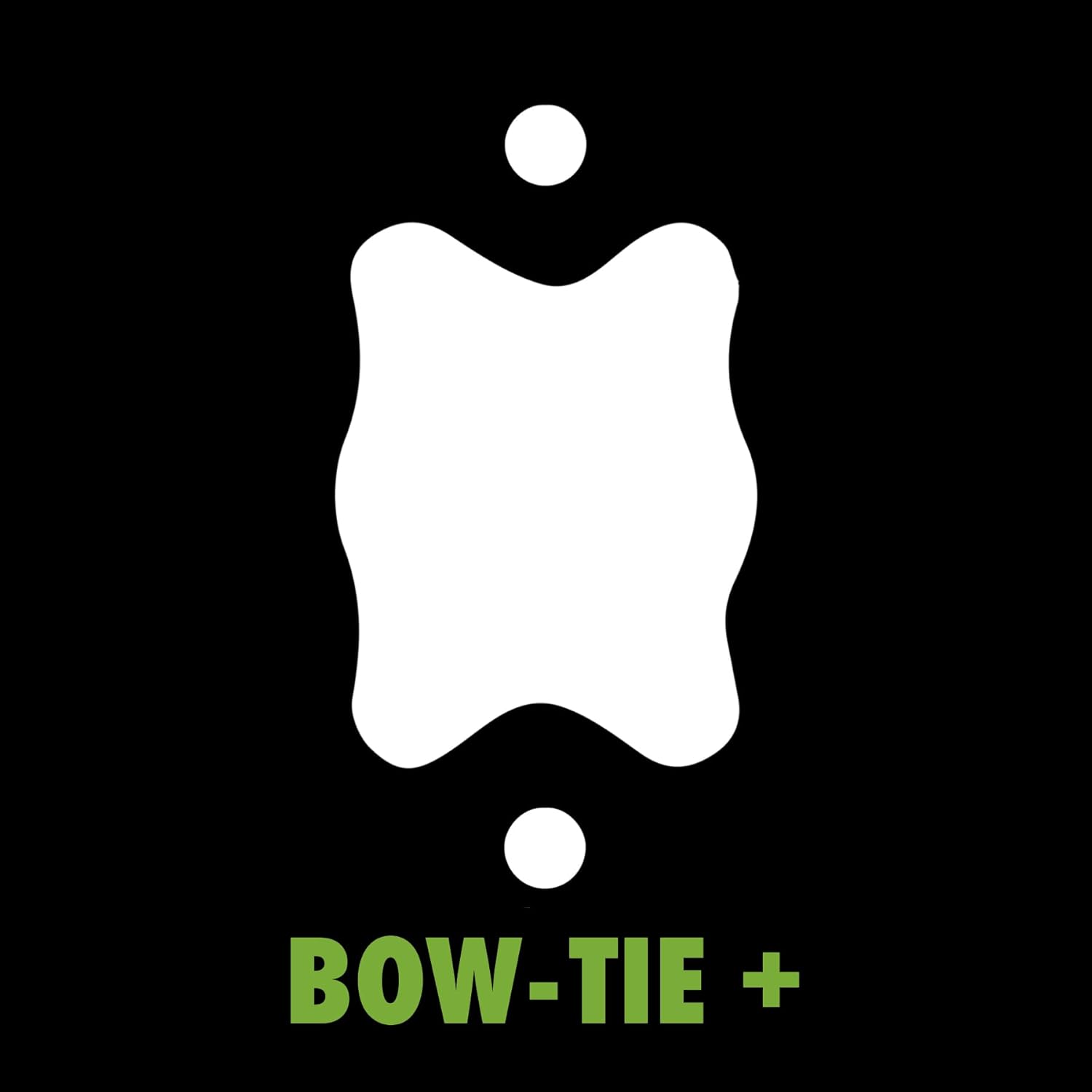
Image: A diagram illustrating the "Bow-Tie" shape of the central mounting hole on the blade, shown in white against a black background with green text "BOW-TIE +".

Image: The "Made in USA" logo, featuring a stylized American flag design with a star and stripes, indicating the product's origin.
Awọn Ikilọ Abo
Ifarabalẹ: Before commencing any work on your lawn mower, always refer to the maintenance instructions provided in your appliance's user manual. Ensure the engine is completely turned off and the spark plug wire is disconnected to prevent accidental starting.
Always wear appropriate personal protective equipment (PPE), including heavy-duty gloves and eye protection, when handling or replacing the mower blade.
Awọn ilana fifi sori ẹrọ
- Mura Mower: Ensure the lawn mower engine is off and cool. Disconnect the spark plug wire to prevent accidental starting. If possible, tilt the mower onto its side with the carburetor facing up to prevent fuel leakage.
- Yọ Blade atijọ kuro: Secure the old blade from rotating (e.g., by wedging a block of wood between the blade and the mower deck). Using a wrench, loosen and remove the blade bolt(s) holding the old blade in place. Carefully remove the old blade, noting its orientation.
- Ṣayẹwo Awọn ohun elo: Inspect the blade mounting area for any damage or debris. It is highly recommended to replace the blade bolt(s) and washer(s) when installing a new blade to ensure proper torque and secure fitting.
- Fi Blade Tuntun sori ẹrọ: Position the new MaxPower blade onto the mower shaft, ensuring the cutting edge faces the correct direction (usually indicated by an arrow on the blade or the mower deck). The "Bow-Tie" center hole should align perfectly with the mower's shaft.
- Tighten Blade Bolt: Reinstall the blade bolt(s) and washer(s). Using a torque wrench, tighten the blade bolt(s) to the manufacturer's specified torque setting (refer to your mower's user manual for the exact torque specification). Ma ṣe juju tabi ki o tẹriba.
- Verify Free Rotation: After tightening, manually rotate the new blade to ensure it spins freely without touching the mower housing or any other components.
- Tún So Plug Spark Sopọ̀: Once installation is complete and verified, reconnect the spark plug wire.
Note: For specific torque values and detailed steps, always consult your lawn mower's original instruction manual.

Image: An informational graphic titled "CUT OUT THE CONFUSION" explaining what an OEM number is and how to find it, with text in English, Dutch, and French.
Itọju ati Itọju
While the MaxPower blade is designed for durability, regular inspection is crucial for optimal performance and safety. Periodically check the blade for:
- Dinku: A sharp blade provides a clean cut, promoting healthier grass. If the blade becomes dull, it can be sharpened by a professional or with appropriate tools, ensuring proper balance afterward.
- Bibajẹ: Inspect for bends, cracks, or excessive wear. A damaged blade can cause vibrations, poor cutting performance, and pose a safety risk. Replace any damaged blade immediately.
- Iwọntunwọnsi: An unbalanced blade can cause excessive vibration, leading to premature wear on mower components and an uneven cut. If sharpening, ensure the blade remains balanced.
Clean the blade and the underside of the mower deck after each use to prevent grass clippings from building up, which can affect cutting performance and lead to corrosion.
Laasigbotitusita
Blade Vibrates Excessively:
- Ṣayẹwo fifi sori: Ensure the blade is correctly installed and the blade bolt(s) are tightened to the manufacturer's specified torque.
- Ṣayẹwo fun ibajẹ: A bent or damaged blade can cause vibration. Replace the blade if it is damaged.
- Ṣayẹwo iwọntunwọnsi: An unbalanced blade will vibrate. If the blade has been sharpened, ensure it is properly balanced.
- Idoti: Check for any debris caught on the blade or mower deck that might be causing imbalance.
Iṣe Ige Ko dara:
- Òrúnmìlà abẹfẹlẹ: The blade may be dull and require sharpening or replacement.
- Fifi sori ẹrọ ti ko tọ: Ensure the blade is installed with the cutting edge facing the correct direction.
- Mower Deck Issues: Check if the mower deck is clogged with grass clippings or if the cutting height is set too low for the grass conditions.
Awọn pato
| Iwa | Iye |
|---|---|
| Nọmba awoṣe | EU-331416 |
| Rọpo OEM Apá NỌMBA | 742-0738, 742-0738-637 |
| Blade Ipari | 457.2 mm (18 inches) |
| Center Hole Type | Bow-Tie |
| Sisanra ohun elo | 3.4 mm |
| Ohun elo | 10B38 Boron Steel |
| Àwọ̀ | Dudu |
| Awọn iwọn Ọja (L x W x H) | 45.72 x 5.72 x 0.34 cm |
| Iwọn Nkan | 958.36 giramu |
| Ilu isenbale | Orilẹ Amẹrika ti Amẹrika |
Atilẹyin ọja ati Support
MaxPower products are manufactured to high standards. For specific warranty information or technical support, please refer to the official MaxPower website or contact their customer service directly. Always ensure you have your product model number (EU-331416) and any relevant purchase information ready when seeking support.

Image: The MaxPower company logo, featuring "MAX" in black and "POWER" in green, with a stylized green arrow within the "A" of MAX.
Ask a question about this manual
Ask about setup, troubleshooting, compatibility, parts, safety, or missing instructions. Manuals+ will review the question and use this page’s manual context to help answer it.