
Ọrọ Iṣaaju
This manual provides comprehensive instructions for the setup, operation, and maintenance of your AOPICK 7" LCD Digital Microscope. Designed for detailed observation and analysis, this microscope is suitable for various applications including electronic repair, coin identification, and biological observation. Please read this manual thoroughly before using the device to ensure optimal performance and longevity.
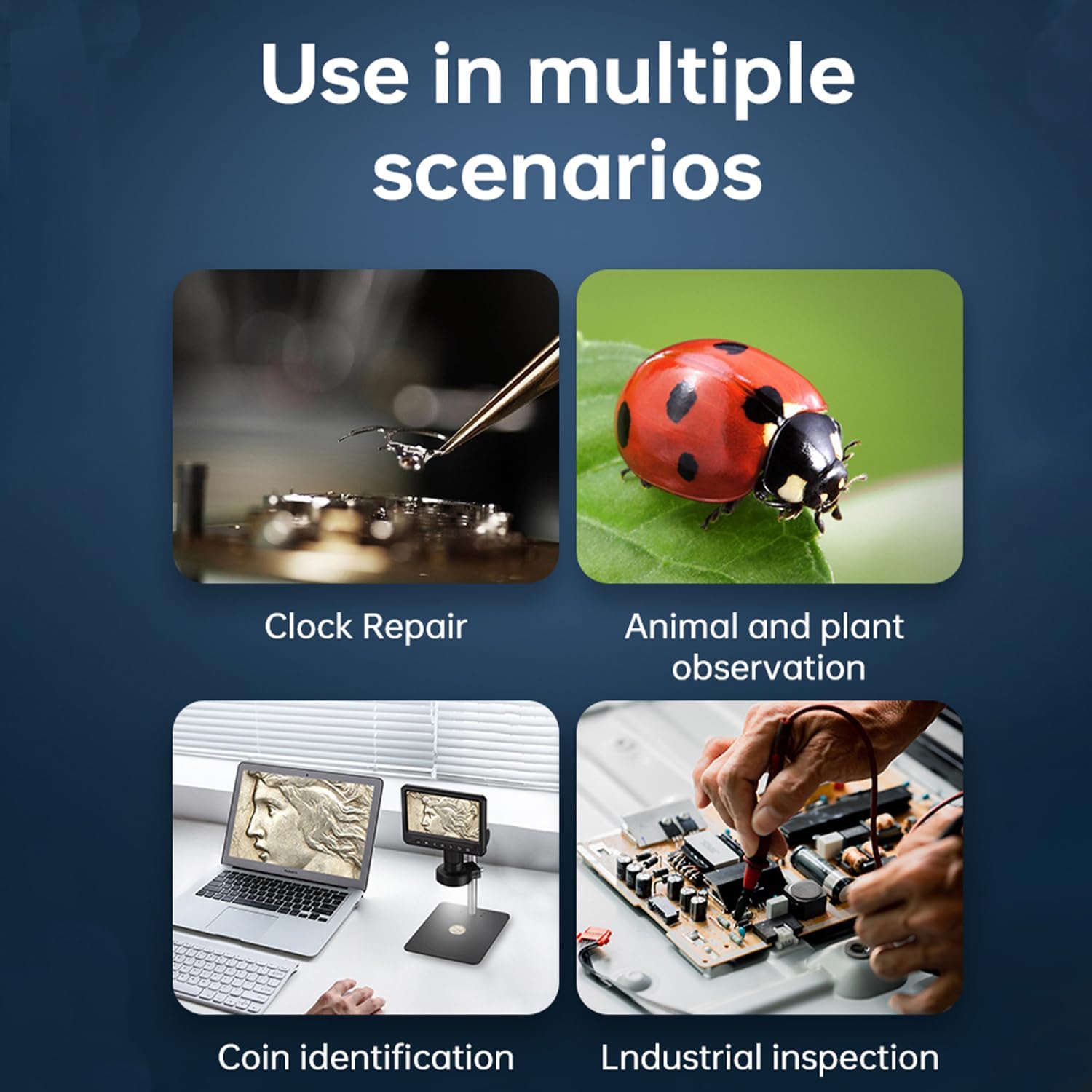
Nọmba 1: The AOPICK digital microscope is versatile, suitable for applications such as clock repair, observing plants and animals, coin identification, and industrial inspection.
Package Awọn akoonu
- AOPICK 7" LCD Digital Microscope Unit
- Metal Stand Assembly (Base, Pillar, Holder)
- Alailowaya isakoṣo latọna jijin
- 32GB Micro SD Kaadi
- Okun USB-C
- Afowoyi Olumulo (iwe-ipamọ yii)
Ọja Pariview
Familiarize yourself with the components and key features of your digital microscope.
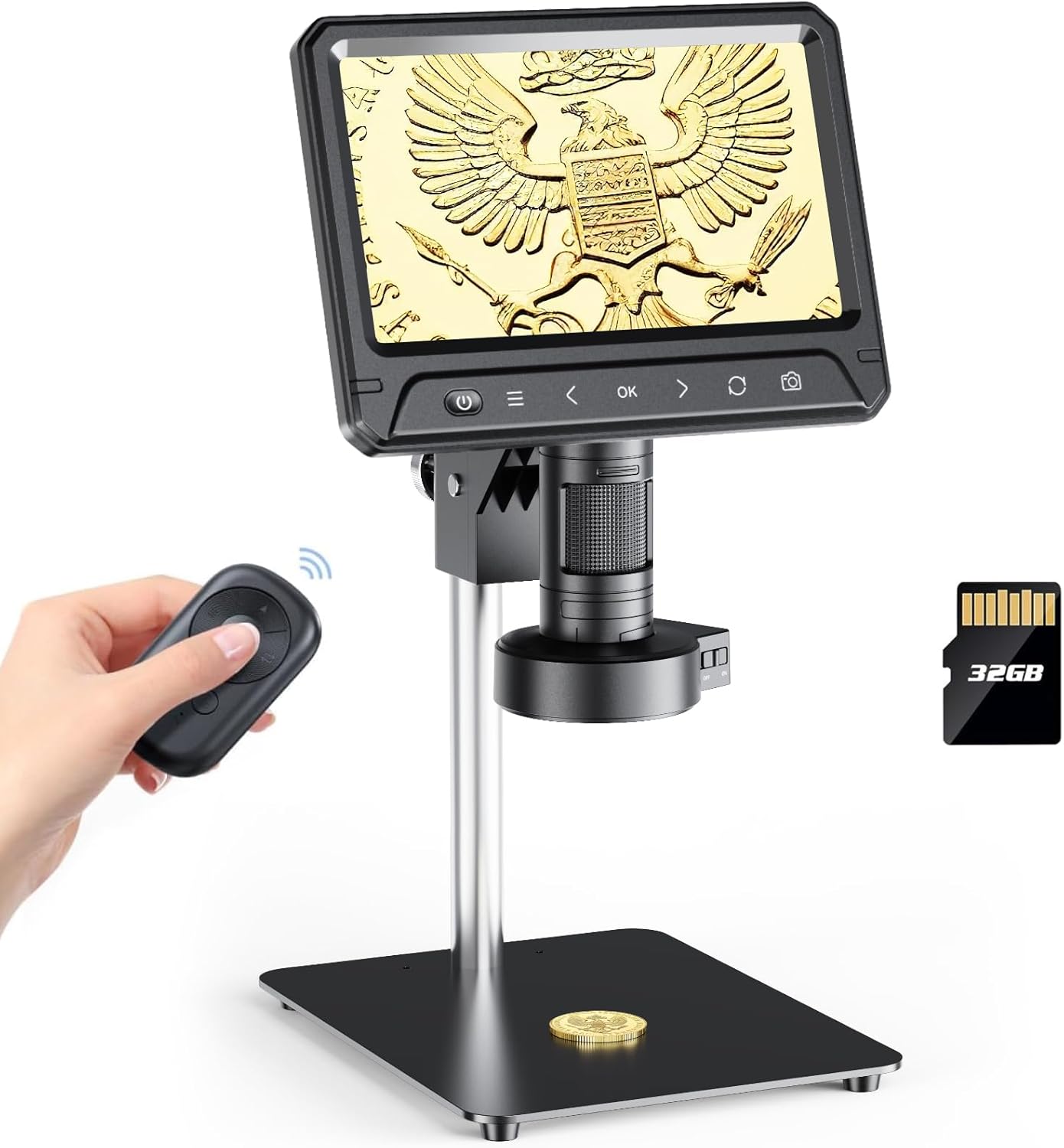
Nọmba 2: Main components of the AOPICK 7" LCD Digital Microscope, including the display unit, stand, remote control, and Micro SD card.

Nọmba 3: Detailed product dimensions for the AOPICK 7" LCD Digital Microscope, showing height, width, and depth measurements.
Awọn ẹya pataki:
- Iboju IPS 7-inch: Ifihan nla fun itunu viewing and detailed analysis.
- Sensọ kamẹra 12MP: Captures high-resolution images and 1080P HD video.
- 30-LED Ring Light: Provides uniform and bright illumination for clear observation.
- 50X-1600X Imudara: Adjustable magnification for various levels of detail.
- Sensitive Touch Control & 2.4G Wireless Remote: Easy and precise operation.
- 6.9" Metal Workspace: Spacious and stable platform for objects.
- Ibamu PC: Connects to Windows/MacOS for larger display and data analysis.
- Photo and Video Functions: Records observations directly to a Micro SD card.
- Apẹrẹ Ergonomic: Screen rotates 90 degrees for comfortable viewing awọn igun.
- Solid Metal Frame: Durable aluminum alloy construction for stability.

Nọmba 4: Examples of the 50-1200 times magnification capability, showcasing rich layers and detailed views of various objects.
Ṣeto
- Ṣe apejọ Iduro naa: Secure the metal pillar to the base. Attach the microscope holder to the pillar.
- Mount the Microscope Unit: Slide the microscope display unit into the holder and tighten the securing knob.
- Fi kaadi Micro SD sii: Locate the Micro SD card slot on the microscope unit and insert the provided 32GB card until it clicks into place.
- Agbara Tan: Connect the USB-C cable to the microscope and a power source (e.g., USB adapter, computer USB port). The microscope has a built-in battery; ensure it is charged for portable use.
Awọn ilana Iṣiṣẹ
Isẹ ipilẹ:
- Titan/Apapa: Press and hold the power button on the microscope unit or remote control to turn the device on or off.
- Ṣatunṣe Iṣatunṣe ati Idojukọ: Rotate the focus knob on the microscope lens to achieve a clear image. Adjust the height of the microscope unit on the stand to change the working distance and overall magnification.
- Yiyi iboju: The 7-inch IPS screen can be rotated up to 90 degrees for optimal viewing awọn igun.
- Adjusting LED Illumination: The 30-LED ring light provides uniform illumination. Use the controls on the microscope or remote to adjust brightness levels.

Nọmba 5: The 7-inch HD screen offers clear picture quality and can be rotated 90 degrees for ergonomic viewing.

Nọmba 6: The 30-LED ring light provides comfortable, even illumination without ghosting, with adjustable brightness settings.
Photo and Video Recording:
- Press the "Photo" button on the microscope or remote to capture still images.
- Press the "Video" button to start and stop video recording.
- All captured images and videos are saved to the inserted Micro SD card.
PC Asopọ:
The microscope can be connected to a Windows or MacOS computer for a larger display and data analysis.
- Connect the microscope to your computer using the provided USB-C cable.
- For Windows, open the default "Windows Camera" application.
- For MacOS, open the "Photo Booth" application.
- The microscope should be recognized as a webcam, displaying the live feed on your computer screen.

Nọmba 7: The microscope can be connected to a PC (Windows XP/Vista/7/8/10/11, MacOS X 11.0 or higher) for a larger viewiriri iriri.
Itoju
- Ninu awọn lẹnsi ati iboju: Use a soft, lint-free cloth specifically designed for optical surfaces to clean the lens and screen. Do not use abrasive cleaners or solvents.
- Ninu ara: Nu ara microscope naa ki o si duro pẹlu gbigbẹ tabi die-die damp asọ.
- Ibi ipamọ: Store the microscope in a clean, dry, and dust-free environment when not in use.
- Itọju Batiri: For optimal battery life, avoid fully discharging the battery frequently. Charge the device regularly, especially if stored for long periods.

Nọmba 8: The microscope is equipped with a high-quality 3000mAh lithium battery, providing approximately 120 minutes of use on a 180-minute charge.
Laasigbotitusita
| Isoro | Owun to le Fa | Ojutu |
|---|---|---|
| Maikirosikopu ko ni agbara lori. | Batiri kekere tabi okun agbara ko sopọ. | Charge the battery or ensure the USB-C cable is securely connected to a power source. |
| Aworan jẹ blurry. | Incorrect focus or working distance. | Adjust the focus knob and/or the height of the microscope on the stand. |
| Ko si aworan lori PC nigba ti a ti sopọ. | Incorrect software selected or USB connection issue. | Ensure "Windows Camera" (Windows) or "Photo Booth" (MacOS) is open and the microscope is selected as the camera source. Check USB-C cable connection. |
| Ko le fi awọn fọto/fidio pamọ. | Micro SD card full, not inserted correctly, or corrupted. | Check if the Micro SD card is properly inserted. Delete old files or replace the card if full/corrupted. Ensure the card is formatted correctly (FAT32). |
Awọn pato
| Ẹya ara ẹrọ | Ẹ̀kúnrẹ́rẹ́ |
|---|---|
| Orukọ awoṣe | 331B |
| Iwon iboju | 7-inch IPS |
| Apoti Kamẹra | 12 Megapiksẹli |
| Ipinnu fidio | 1080P HD |
| Ibiti Imudara | 50X - 1600X |
| Orisun Imọlẹ | 30-LED Ring Light |
| Ibi ipamọ | Kaadi SD Micro (to 128GB, 32GB pẹlu) |
| PC Ibamu | Windows XP/Vista/7/8/10/11, MacOS X 11.0 or higher |
| Agbara Batiri | 3000mAh |
| Ohun elo | Aluminum Alloy (Stand), Plastic (Microscope Unit) |
| Ọja Mefa | 11.41"L x 5.11"W x 13.85"H |
| Iwọn Nkan | 4.6 iwon |
Atilẹyin ọja ati Support
For warranty information and technical support, please refer to the contact details provided with your purchase or visit the official AOPICK webojula. Tọju iwe-ẹri rira rẹ bi ẹri rira fun awọn iṣeduro atilẹyin ọja.
Awọn orisun Ayelujara:
- AOPICK Official Store: https://www.amazon.com/stores/Aopick/page/3554E35C-AFDE-482E-B0EC-8FD4AF1B0AF6