
Ọrọ Iṣaaju
The Uncaged Ergonomics Cube Power Strip is designed to provide a compact and efficient power solution for your devices. This power strip features multiple AC outlets, USB-A ports, and a USB-C port, all integrated with surge protection and a convenient on/off switch. Its space-saving design and 10-foot extension cord offer flexibility for various environments, from home offices to entertainment systems.
Ọja Awọn ẹya ara ẹrọ
The Cube Power Strip offers a range of features to enhance your charging experience:
- Ọpọ iÿë: Equipped with 5 AC outlets, 3 USB-A ports (5V/2.4A), and 1 fast-charging USB-C port (20W) to power up to 9 devices simultaneously.
- Idaabobo iṣẹ abẹ: Integrated 320J surge protection safeguards your devices from power fluctuations.
- Long Extension Cord: A 10-foot heavy-duty 18 AWG copper wire cable provides ample de ọdọ.
- Apẹrẹ fifipamọ aaye: Compact cube shape with non-blocking outlets and a 45-degree right-angled flat plug.
- Mountable: Features mounting slots and anti-slip pads for secure placement on surfaces or walls.
- Tan/Pa Yipada: A master on/off switch for easy power control.
- Eto Aabo 8-Point: Includes over-current, over-temperature, short-circuit, grounded, surge, overload, fire-resistance, and over-voltage Idaabobo.

The Uncaged Ergonomics Cube Power Strip, showing its compact design and multiple outlets.

An illustration highlighting the power strip's capacity to charge up to 9 devices simultaneously, with 5 AC outlets, 3 USB-A ports, and 1 USB-C port.
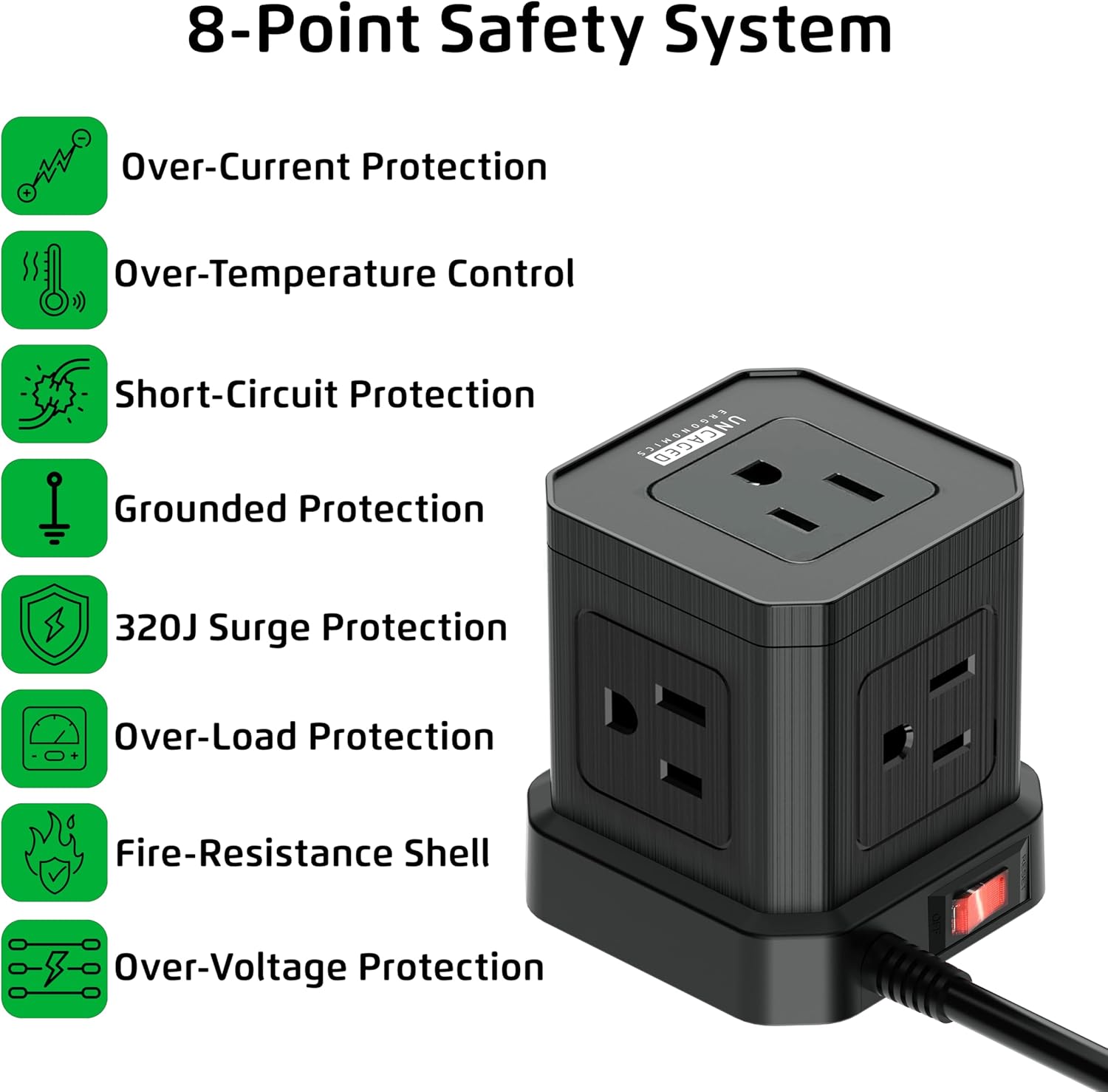
This image details the eight safety features integrated into the power strip, including over-current, over-temperature, short-circuit, grounded, surge, overload, fire-resistance, and over-voltage Idaabobo.

The power strip features a 45-degree right-angled flat plug, designed to fit flush against walls and furniture, saving space.

A 'before and after' comparison showing how the Cube Power Strip helps organize cables and reduce clutter compared to a messy setup.
Awọn ilana iṣeto
- Yọ Ẹrọ naa kuro: Carefully remove the Cube Power Strip from its packaging. Inspect for any damage.
- Yan Ibi kan: Select a suitable location for the power strip. Consider proximity to devices needing power and the length of the 10-foot cord.
- Pulọọgi sinu iṣan odi: Insert the 45-degree right-angled flat plug into a standard 120V AC wall outlet. Ensure the connection is secure.
- Gbigbe (Aṣayan): If desired, use the integrated mounting slots on the bottom of the power strip to secure it to a wall or desk surface. Screws or adhesive strips (not included) can be used for this purpose. The anti-slip pads provide stability if placed on a flat surface.

The underside of the power strip, featuring anti-slip rubber feet for stability, mounting slots for wall installation, and a convenient on/off power switch.
Awọn ilana Iṣiṣẹ
- Titan/Apapa: Use the red on/off switch located on the side of the power strip to control the power supply to all connected devices. Press 'ON' to supply power and 'OFF' to cut power.
- So awọn ẹrọ AC pọ: Plug your AC-powered devices into any of the 5 available AC outlets. The non-blocking design allows for larger adapters.
- So awọn ẹrọ USB pọ: Plug your USB-A compatible devices into the 3 USB-A ports for standard charging. For faster charging, use the dedicated USB-C port for compatible devices.
- Abojuto gbigba agbara: Ensure devices are charging correctly. The power strip's surge protection indicator (if present, typically a small LED) will confirm active protection.
Òṣìṣẹ́ kan ti pariview video demonstrating the features and benefits of the Uncaged Ergonomics Cube Power Strip, including its multiple outlets, USB ports, and compact design.
Alaye Aabo
Your Uncaged Ergonomics Cube Power Strip is built with an 8-Point Safety System to ensure the protection of your devices and your safety:
- Idabobo ti o ti lọ lọwọlọwọ: Ṣe idilọwọ ibajẹ lati ṣiṣan lọwọlọwọ pupọ.
- Over-Temperature Control: Ṣe abojuto ati ṣe ilana iwọn otutu inu lati ṣe idiwọ igbona.
- Idaabobo Iyika kukuru: Ni adaṣe gige agbara ni ọran ti Circuit kukuru kan.
- Ipilẹ Idaabobo: Ensures a safe path for electrical current in case of a fault.
- 320J Idaabobo Iṣẹ abẹ: Absorbs sudden voltage spikes to protect connected electronics.
- Idaabobo Akopọ-ju: Prevents damage when total power draw exceeds the rated capacity (1250W).
- Fire-Resistance Shell: Constructed with fire-resistant materials for added safety.
- Lori-Voltage Idaabobo: Shields devices from excessive voltage.
Awọn iṣọra Aabo pataki:
- Do not exceed the maximum load of 1250W.
- Use indoors only. Avoid exposure to moisture or wet conditions.
- Má ṣe tú tàbí ṣe àtúnṣe sí ìlà agbára náà.
- Jeki kuro ni arọwọto awọn ọmọde.
Itoju
To ensure the longevity and optimal performance of your Cube Power Strip, follow these maintenance guidelines:
- Ninu: Yọ okun ina kuro ninu ibudo ogiri ṣaaju ki o to nu. Lo aṣọ rirọ ati gbigbẹ lati nu ita. Maṣe lo awọn ohun elo afọmọ omi tabi awọn ohun elo fifọ.
- Ibi ipamọ: Tí o kò bá lò ó fún ìgbà pípẹ́, tọ́jú ẹ̀rọ agbára náà sí ibi gbígbẹ tí ó tutù, tí kò sí ìmọ́lẹ̀ oòrùn àti ọ̀rinrin.
- Ayewo: Periodically inspect the power cord and the power strip for any signs of damage, such as frayed wires, cracks, or loose connections. If damage is found, discontinue use immediately.
Laasigbotitusita
If you encounter issues with your Cube Power Strip, refer to the following common problems and solutions:
| Isoro | Owun to le Fa | Ojutu |
|---|---|---|
| Ko si agbara si awọn ẹrọ | Power switch is off; Power strip not plugged in; Wall outlet not working; Overload protection tripped. | Ensure the on/off switch is in the 'ON' position. Verify the power strip is securely plugged into a live wall outlet. Check the wall outlet with another device. Reduce the number of connected devices to prevent overload. |
| Awọn ebute oko USB ko gba agbara | Device not compatible; Cable issue; Power strip is off. | Ensure your device is compatible with USB charging. Try a different USB cable. Confirm the power strip is turned on. |
| Surge protection indicator off | Surge protection has been compromised. | If the surge protection indicator light is off, the surge protection feature may no longer be active. Replace the power strip to ensure continued protection. |
Awọn pato
| Ẹya ara ẹrọ | Ẹ̀kúnrẹ́rẹ́ |
|---|---|
| Brand | Ergonomics ti ko ni idalẹnu |
| Nọmba awoṣe | PC-B-C |
| Àwọ̀ | Dudu |
| Lapapọ Power iÿë | 9 (5 AC, 3 USB-A, 1 USB-C) |
| AC iletslets | 5 |
| Awọn ibudo USB-A | 3 (5V/2.4A) |
| Ibudo USB-C | 1 (20W Fast Charging) |
| Voltage | 120 Volts |
| O pọju Lọwọlọwọ | 11 Amps |
| Agbara Rating | 1250W |
| gbaradi Idaabobo Rating | 320 ayokele |
| USB Ipari | 10 ẹsẹ |
| USB Iru | Heavy-duty 18 AWG Copper Wire |
| Pulọọgi Iru | Type A - 2 pin (North American), 45-degree flat plug |
| Ohun elo apade | Copper, Plastic, Rubber |
| Iṣeduro Lilo | Ninu ile |
| UPC | 810150310016 |
Atilẹyin ọja ati Support
Uncaged Ergonomics products are designed for reliability and performance. For specific warranty information and customer support, please refer to the documentation included with your purchase or visit the official Uncaged Ergonomics webAaye ayelujara. Ti o ba ni ibeere eyikeyi tabi o nilo iranlọwọ, jọwọ kan si ẹgbẹ iṣẹ alabara wa.