
HyperGear f77e1861-dee6-44da-9fa4-1771211b27d1
Ìwé Ìtọ́ni fún gbígbé foonu HyperGear MagSafe
Model: f77e1861-dee6-44da-9fa4-1771211b27d1
Ọrọ Iṣaaju
This manual provides instructions for the installation, operation, and maintenance of your HyperGear MagSafe Magnetic Phone Holder Car Mount. This device is designed to securely hold your smartphone in your vehicle, offering convenient access for navigation and hands-free communication.
Package Awọn akoonu
- HyperGear MagSafe Magnetic Phone Holder Car Mount
- Adhesive-Backed Adapter Ring Plate (for non-MagSafe phones & cases)
Fifi sori Itọsọna
Attaching the Mount to Your Air Vent
Follow these steps to securely attach the car mount to your vehicle's air vent:
- Twist the collar open: Rotate the collar on the vent clip counter-clockwise to open the clip jaws.
- Slide into vent: Carefully slide the vent clip onto one of your car's air vent blades. Ensure it is firmly seated.
- Twist the collar closed: Rotate the collar clockwise to tighten the clip, securing the mount firmly to the vent. The anti-slip silicone padding helps ensure a stable hold.

Image: Quick installation steps for the HyperGear MagSafe Magnetic Phone Holder Car Mount.
Attaching Your Phone
- For MagSafe-compatible phones/cases: Simply place your MagSafe-compatible iPhone or case directly onto the magnetic surface of the mount. The magnets will automatically align and secure your device.
- For non-MagSafe phones/cases: Apply the included adhesive-backed adapter ring plate to the back of your phone or phone case. Ensure it is centered for optimal magnetic connection. Once the adapter ring is attached, you can place your device onto the magnetic mount.

Image: Illustration of universal compatibility for iPhone and Android devices, including the use of an adapter ring for non-MagSafe phones.
Awọn ilana Iṣiṣẹ
Securing Your Device
Once the mount is installed, simply bring your phone close to the magnetic surface. The powerful magnets will securely hold your device in place, allowing for one-handed operation. This ensures your phone remains stable even on uneven roads.
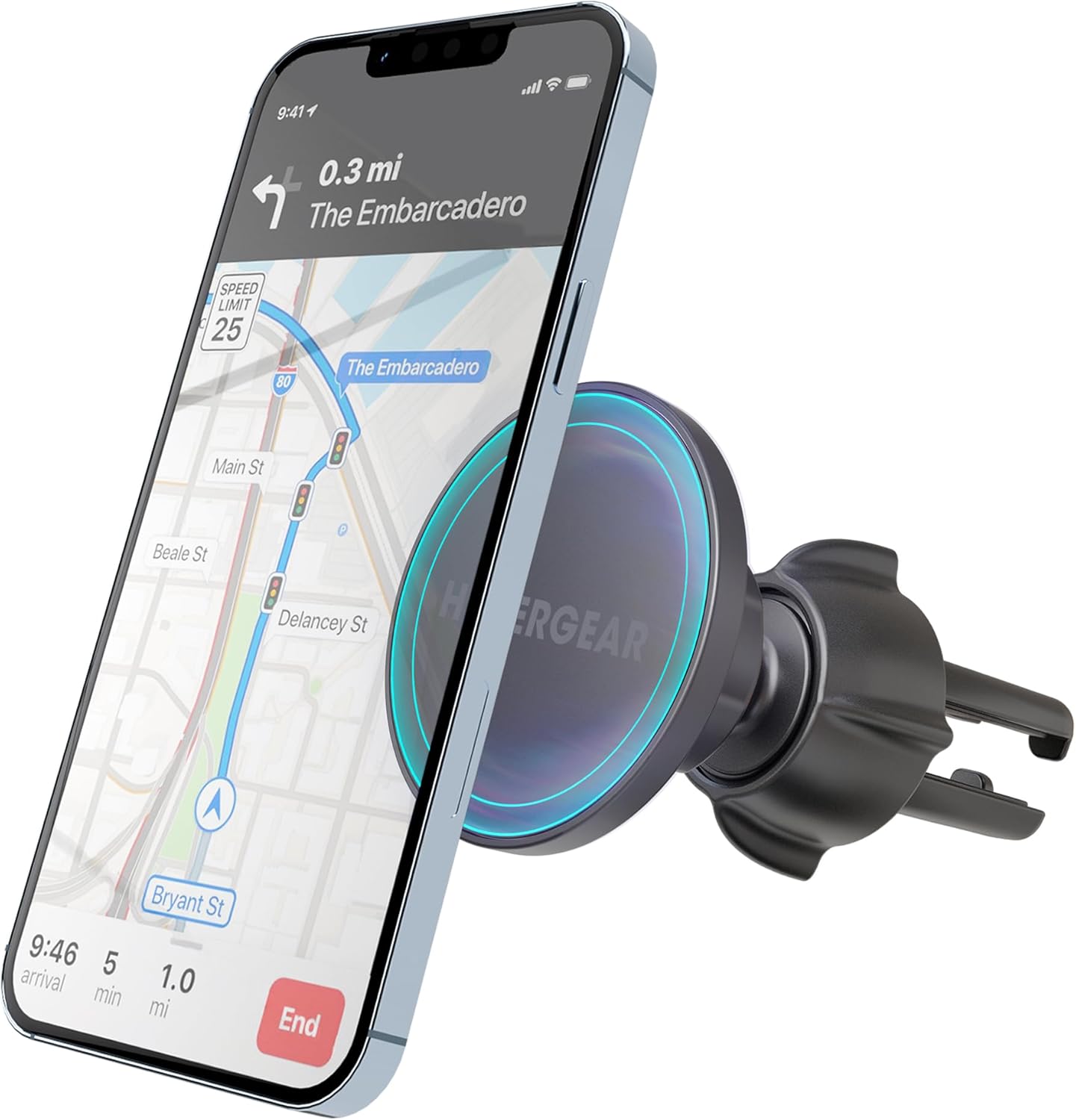
Image: The HyperGear car mount holding a smartphone with navigation displayed.
Títúnṣe Viewigun igun
The mount features a 360-degree swivel ball joint, allowing you to adjust your phone to any desired viewing angle. This flexibility supports both portrait and landscape orientations, optimizing visibility for navigation or other applications.
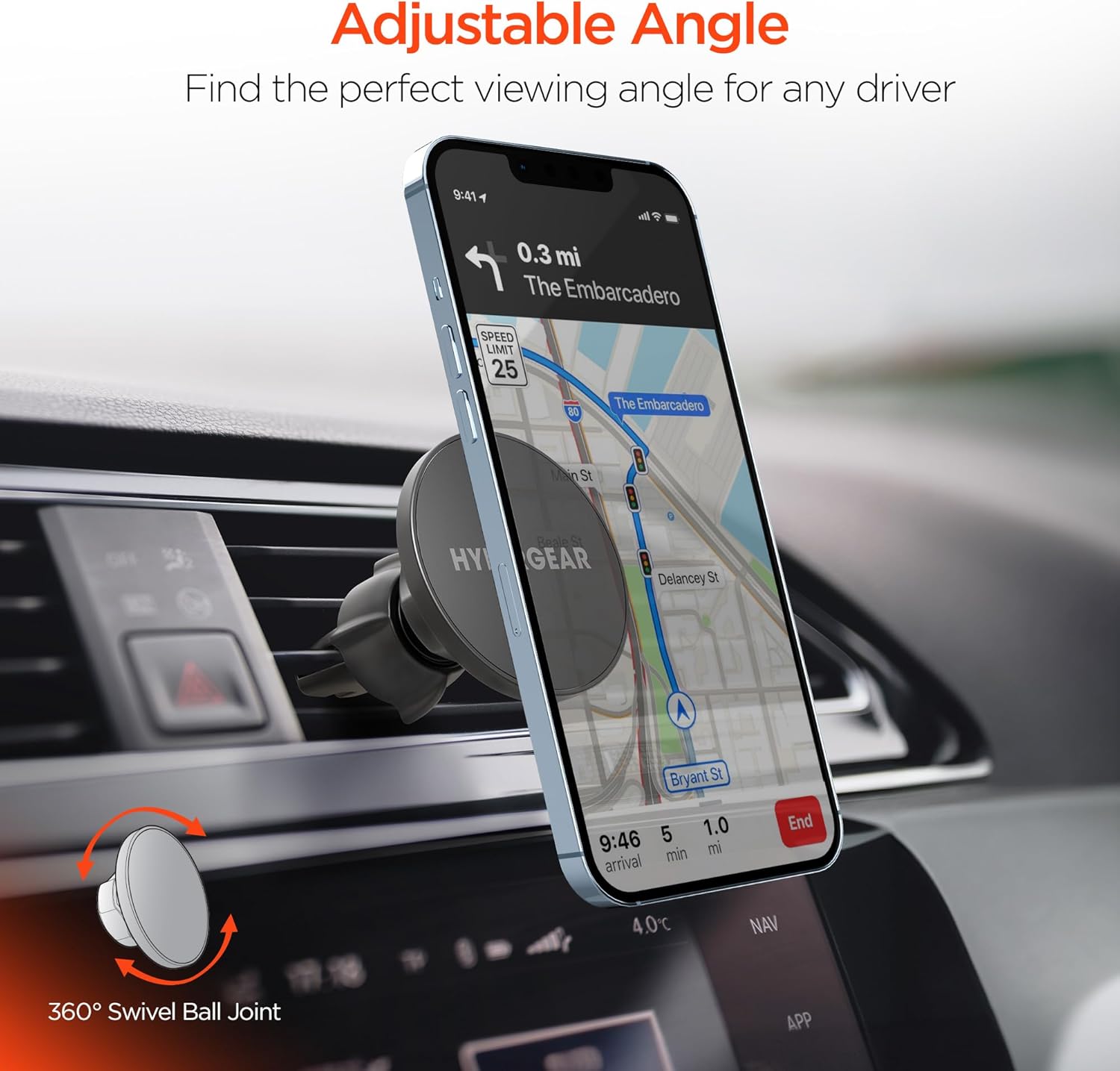
Image: The mount's 360-degree swivel feature for flexible viewing awọn igun.
Ibamu ẹrọ
This magnetic phone holder is compatible with a wide range of smartphones. It offers direct compatibility with MagSafe-enabled iPhones (e.g., iPhone 16/15/14/13 Pro and similar models). For other devices, including various Android phones (e.g., Samsung S24, S23, S22) and non-MagSafe cases, the included adhesive adapter ring ensures broad compatibility.
Itoju ati Itọju
- Ninu: Use a soft, dry cloth to wipe the surface of the mount. Avoid using harsh chemicals or abrasive cleaners.
- Ibi ipamọ: Tí o kò bá lò ó fún ìgbà pípẹ́, tọ́jú àpótí náà sí ibi gbígbẹ tí ó tutù, tí kò sí ìmọ́lẹ̀ oòrùn tààrà.
- Agekuru afẹfẹ: Periodically check the vent clip for tightness to ensure continued secure attachment.
Laasigbotitusita
| Oro | Owun to le Fa | Ojutu |
|---|---|---|
| Foonu ko so mọra daradara. | Not a MagSafe-compatible device or adapter ring is not properly installed. | Ensure your phone is MagSafe-compatible or that the adapter ring is correctly applied and centered on your device/case. |
| Mount feels loose on the air vent. | Vent clip is not tightened sufficiently. | Rotate the collar clockwise to tighten the vent clip firmly onto the air vent blade. |
| Difficulty adjusting the viewigun igun. | Ball joint might be stiff or obstructed. | Apply gentle, firm pressure to adjust the ball joint. Ensure no debris is obstructing movement. |
Awọn pato ọja
| Ẹya ara ẹrọ | Ẹ̀kúnrẹ́rẹ́ |
|---|---|
| Ọja Mefa | 4.7 x 1.6 x 4.7 inches |
| Iwọn Nkan | 3.68 iwon |
| Nọmba Awoṣe Nkan | f77e1861-dee6-44da-9fa4-1771211b27d1 |
| Pataki Awọn ẹya ara ẹrọ | Extra-Secure Air Vent Clip, MagSafe-Compatible, Secure & Go with Just One Hand |
| Àwọ̀ | Dudu |
| Iṣagbesori Iru | Fẹnti |
| Awọn ẹrọ ibaramu | All Cell Phones (with or without adapter ring) |
Atilẹyin ọja ati Support
HyperGear products are designed for reliability and performance. For information regarding warranty coverage, technical support, or customer service, please refer to the official HyperGear webaaye tabi kan si atilẹyin alabara wọn taara. Tọju iwe-ẹri rira rẹ fun awọn ẹtọ atilẹyin ọja.
Atilẹyin Ayelujara: www.hypergear.com/support
Awọn iwe aṣẹ ti o jọmọ - f77e1861-dee6-44da-9fa4-1771211b27d1
 |
User Manual: Foldable Magnetic Phone Holder with Magsafe Compatibility This user manual provides detailed instructions for operating and maintaining your foldable, 360° adjustable magnetic phone holder. Learn about its features, installation, and best practices for secure phone mounting. |
 |
iTap 3 Oofa Air Vent Mount User Afowoyi User manual for the iOttie iTap 3 Magnetic Air Vent Mount, providing instructions on installation, device compatibility, and usage for secure phone mounting in vehicles. |
 |
MagSafe Compatible Car Phone Holder for Air Vent User Guide User guide for the MagSafe Compatible Car Phone Holder for Air Vent, including overview and installation instructions. Model NBPHLDMGAVA. Features magnetic mounting for MagSafe phones and air vent attachment. |
 |
Hinyx Magnetic Car Vent Mount User Manual - Model A02 Comprehensive user manual for the Hinyx Magnetic Car Vent Mount, Model A02, detailing installation, usage with various iPhone and Android models, and metal ring attachment for optimal magnetic phone mounting in your car. |
 |
Belkin WIC003 Oofa Car Vent Mount – Awọn ibeere Nigbagbogbo Wa awọn idahun si awọn ibeere ti o wọpọ nipa Belkin WIC003 Magnetic Car Vent Mount, pẹlu ibamu, awọn ẹya, fifi sori ẹrọ, ati awọn pato. |
 |
Arkon MGSRM223 MagSafe Magnetic Car Phone Holder with Cup Holder Mount - Assembly & Installation Guide Detailed assembly and installation instructions for the Arkon MGSRM223 MagSafe Magnetic Holder with Cup Holder Mount and Dual Shaft Arm. Includes component list, step-by-step guide, and important warnings. |
Ask a question about this manual
Ask about setup, troubleshooting, compatibility, parts, safety, or missing instructions. Manuals+ will review the question and use this page’s manual context to help answer it.