
1. Eto Itọsọna
This section provides instructions for setting up your SwanScout 706M Dual Magnetic Wireless Charging Station.
1.1 Unboxing and Initial Connection
Carefully remove all components from the packaging. The box should contain the SwanScout 706M charging station, a 30W charging brick, and a USB-C to USB-C charging cable.

Image: The SwanScout 706M charging station in use, charging two iPhones magnetically and a pair of AirPods on the base.
Connect the provided USB-C to USB-C cable to the charging station and the 30W charging brick. Plug the charging brick into a power outlet. The indicator lights on the base will illuminate briefly to confirm power connection.
1.2 Yọ Fíìmù Ààbò kúrò
Before first use, ensure you remove any protective films from the magnetic charging surfaces to ensure optimal magnetic connection and charging efficiency.
Video: Instructions on how to remove the protective film from the charging surfaces of the SwanScout 706M.
2. Awọn ilana Iṣiṣẹ
The SwanScout 706M is designed for convenient and efficient wireless charging of multiple Apple devices.
2.1 Charging iPhones
Place your compatible iPhone (iPhone 12 series and newer, or iPhone 8-11 series with a MagSafe-compatible case) onto one of the two magnetic charging pads. The strong N52 magnets will ensure precise alignment for optimal charging. The phone will snap into place securely.
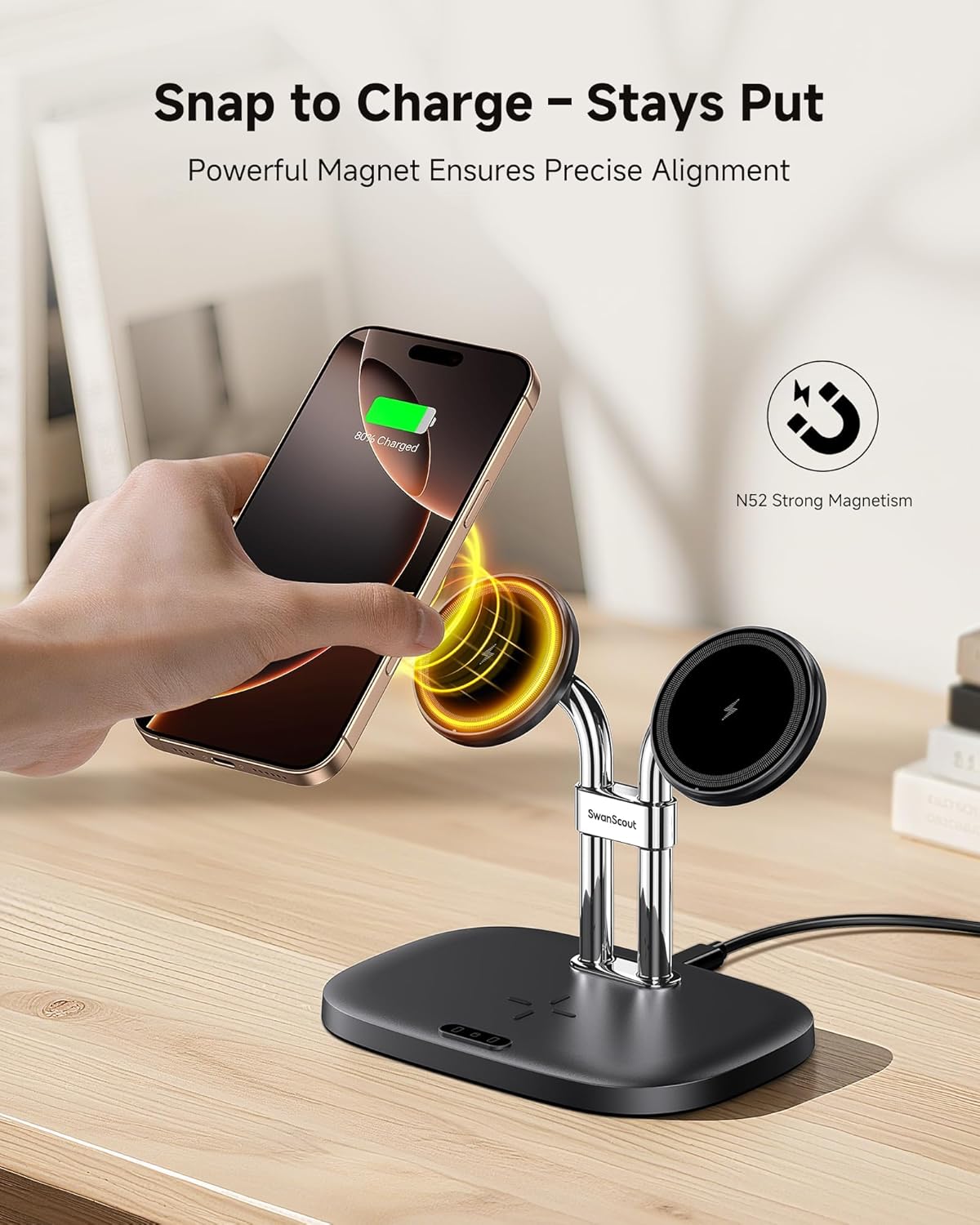
Image: A hand demonstrating how an iPhone magnetically snaps onto one of the charging pads.
Video: A demonstration of how to use the SwanScout Dual Magnetic Charger for iPhone.
The charging station can charge two iPhones simultaneously, each receiving up to 10W of power. Charging status icons on the base indicate when a device is actively charging.

Image: Close-up of the charging station's base, displaying illuminated charging status icons for phones and earbuds.
Fidio: Ipariview of the SwanScout Dual Charger for iPhone, highlighting its features and use.
2.2 Charging Earbuds
Place your wireless charging compatible earbuds (e.g., AirPods Pro 3/Pro 2/Pro, AirPods 4/3) on the designated charging pad on the base of the station. The earbuds will receive up to 3.5W of power.
2.3 Case ibamu
For optimal magnetic attachment and charging, use magnetic cases (thickness ≤ 0.2 inches / 5 mm). Non-magnetic cases, cases with metal rings, or credit cards attached to the case may interfere with charging.

Image: Visual guide illustrating which types of phone cases are compatible or incompatible with the magnetic charging feature.
3. Itọju
To ensure the longevity and optimal performance of your SwanScout 706M charging station, follow these maintenance guidelines:
- Ninu: Disconnect the power adapter before cleaning. Use a soft, dry cloth to wipe the surfaces of the charging station. Avoid using abrasive cleaners, solvents, or harsh chemicals, as these can damage the finish.
- Ibi ipamọ: Nigbati o ko ba wa ni lilo fun awọn akoko ti o gbooro sii, tọju aaye gbigba agbara si ni itura, aye gbigbẹ kuro lati orun taara ati awọn iwọn otutu to gaju.
- Mimu: Handle the device with care. Avoid dropping it or subjecting it to strong impacts, which could damage internal components or the magnetic charging pads.
4. Laasigbotitusita
If you encounter issues with your SwanScout 706M charging station, refer to the following common problems and solutions:
- Ẹrọ ko gba agbara:
- Ensure the charging station is properly connected to the 30W power adapter and a working power outlet.
- Verify that your device is correctly aligned on the magnetic charging pad or the earbud charging area.
- Ṣàyẹ̀wò bóyá àwọn ohun àjèjì kan wà láàárín ẹ̀rọ náà àti ibi tí wọ́n ti ń gba agbára.
- Remove any non-magnetic or overly thick phone cases that might interfere with wireless charging.
- Gbigba agbara lọra:
- Ensure you are using the provided 30W QC/PD charging brick and cable. Lower wattage adapters may result in slower charging speeds.
- Avoid charging multiple power-intensive devices simultaneously if you require maximum speed for a single device.
- Igbóná púpọ̀:
- The charging station is designed with multiple protection features including over-temperature protection. If the device feels excessively hot, temporarily remove devices and disconnect power.
- Ensure adequate ventilation around the charging station.
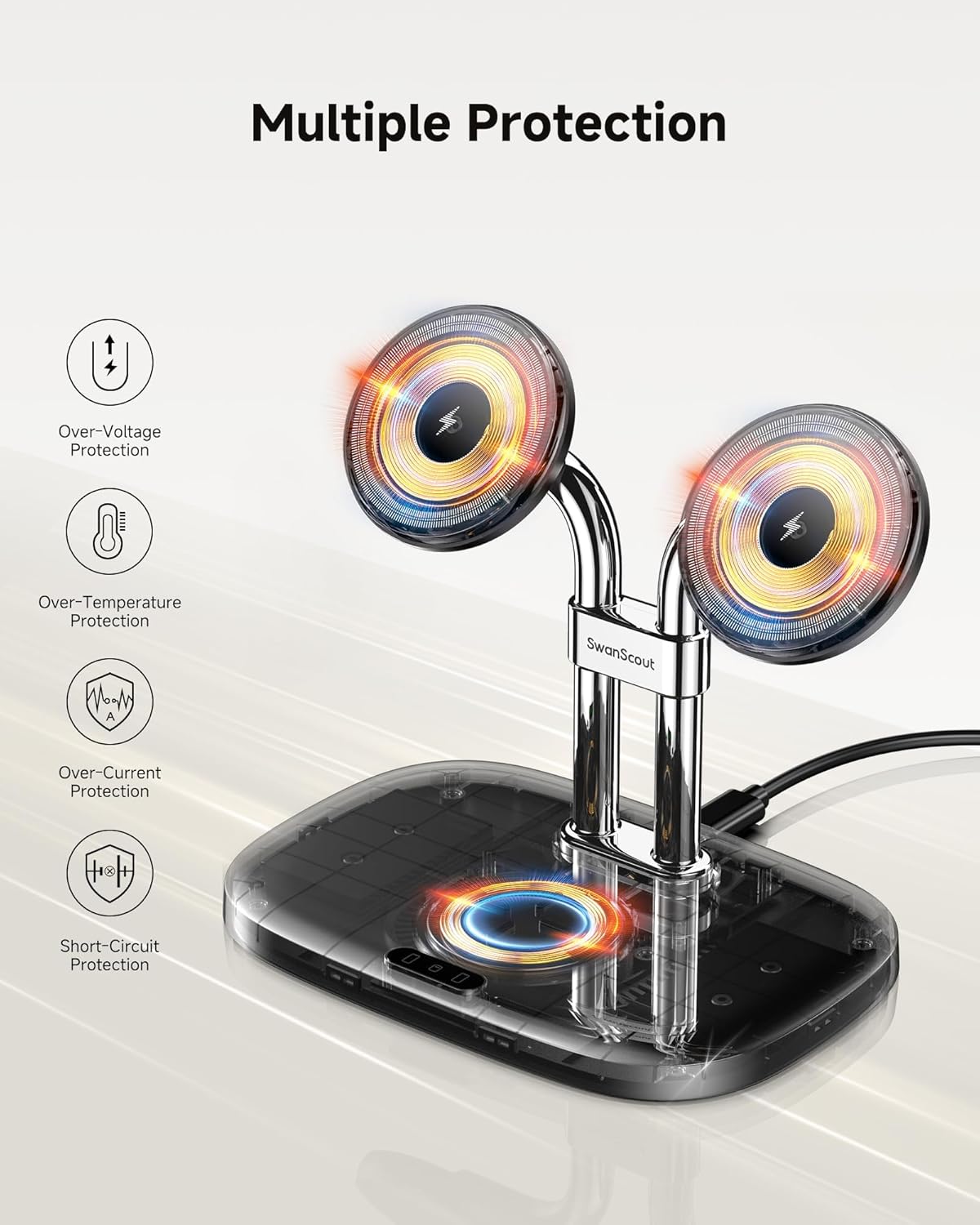
Image: Illustration of the various safety features integrated into the SwanScout 706M, including over-voltage, over-current, over-temperature, ESD, overcharge, foreign object, and short-circuit protection.
5. Awọn alaye ọja
| Ẹya ara ẹrọ | Ẹ̀kúnrẹ́rẹ́ |
|---|---|
| Nọmba awoṣe | S10027 |
| Brand | SwanScout |
| Asopọmọra Technology | Ngba agbara Alailowaya |
| Pataki Awọn ẹya ara ẹrọ | Dual Magnetic Charger for iPhone, Magnetic, Multi Device Charging, Short Circuit Protection, Wireless Charging |
| Fọọmù ifosiwewe | Duro |
| Àwọ̀ | Dudu |
| Asopọmọra Iru | USB Iru C |
| Iṣagbewọle Voltage | 9 Volts |
| Ampigba | 3 Amps |
| Lapapọ Awọn ibudo USB | 1 |
| Awọn awoṣe Foonu ibaramu | iPhone Air/17 Pro/17 Pro Max/17/16 Pro Max/16 Pro/16 Plus/16/15 Pro Max/15 Pro/15 Plus/15/14 Pro Max/14 Pro/14 Plus/14/13 Pro Max/13 Pro/13/13 mini/12 Pro Max/12 Pro/12 mini/12, and iPhone 8-11 Series with MagSafe case |
| Earbuds ibaramu | AirPods Pro 3/Pro 2/Pro, AirPods 4/3, and other earbuds with wireless charging case |
| Package Mefa | 6.38 x 5.55 x 4.61 inches |
| Iwọn Nkan | 11.3 iwon |
| Olupese | Shenzhen Swanscout Innovations Technology Co., Ltd. |
6. Atilẹyin ọja ati Support
6.1 Atilẹyin ọja
The SwanScout 706M Dual Magnetic Wireless Charging Station comes with a 1-year warranty from the date of purchase. This warranty covers manufacturing defects and issues arising from normal use. It does not cover damage caused by misuse, accidents, unauthorized modifications, or improper installation.
6.2 onibara Service
For any questions, concerns, or technical support regarding your SwanScout 706M, please contact SwanScout customer service. Our team is available to assist you with product inquiries, troubleshooting, and warranty claims.
Please refer to the contact information provided in your product packaging or visit the official SwanScout webaaye fun awọn alaye atilẹyin ti ode-ọjọ julọ.