
1. Ifihan
Thank you for choosing the NGS Roller Furia 1 portable speaker. This device is designed to provide high-quality audio with advanced features such as Bluetooth 5.0 connectivity, True Wireless Stereo (TWS) functionality, RGB lighting, and IPX6 water resistance. This manual provides essential information for the safe and efficient use of your speaker.
2. Package Awọn akoonu
Jọwọ ṣayẹwo package fun awọn nkan wọnyi:
- NGS Roller Furia 1 Portable Speaker
- USB Iru-C Ngba agbara USB
- Okun gbigbe
- Ilana Afowoyi (iwe yii)
3. Ọja Ipariview
Mọ ararẹ pẹlu awọn paati ati awọn idari ti agbọrọsọ.
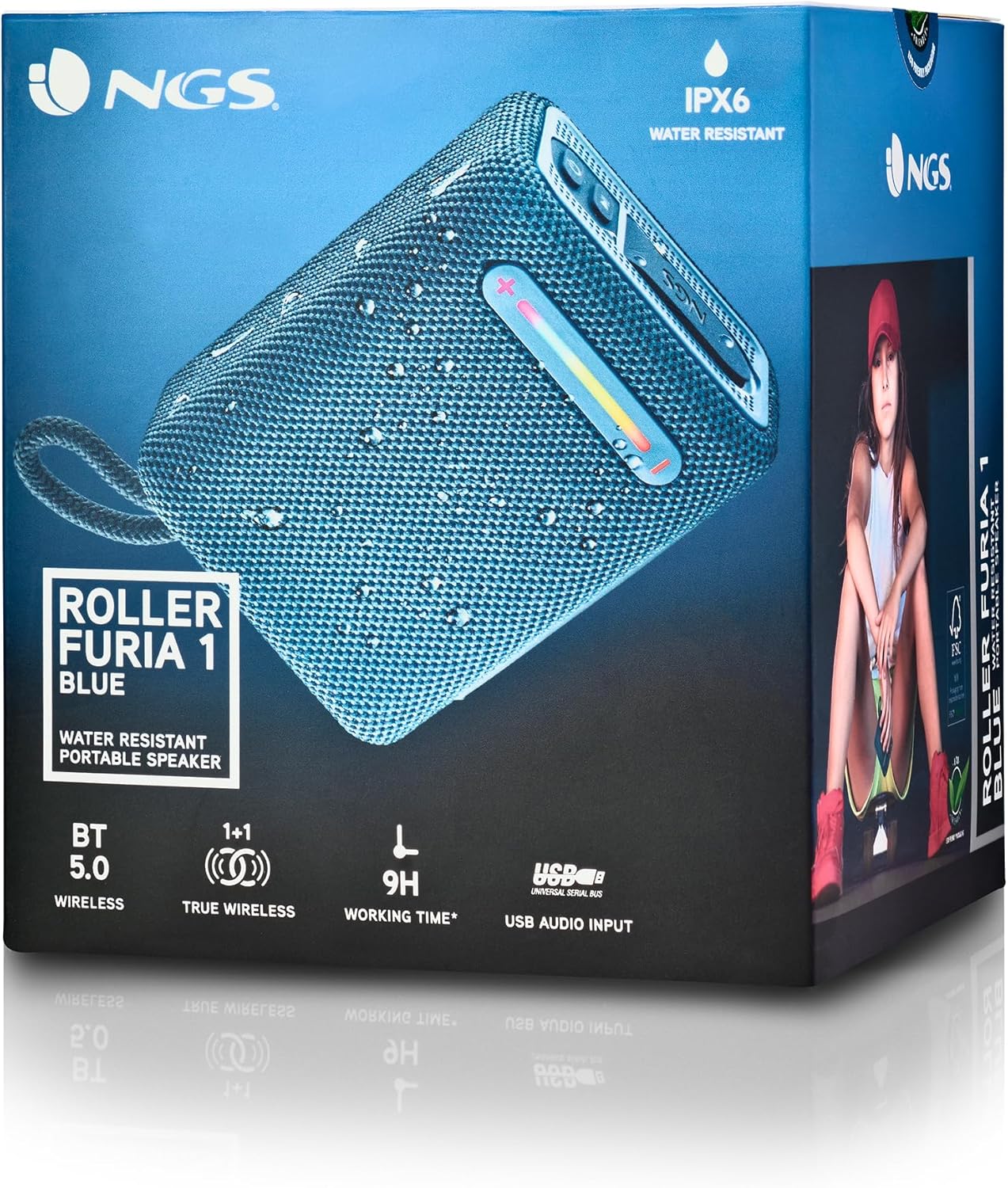
Aworan yii pese alaye kan view of the NGS Roller Furia 1 speaker, indicating its approximate dimensions (10cm length, 7.5cm height) and labeling the USB input and AUX input ports. It also highlights the RGB light strip and the power button.
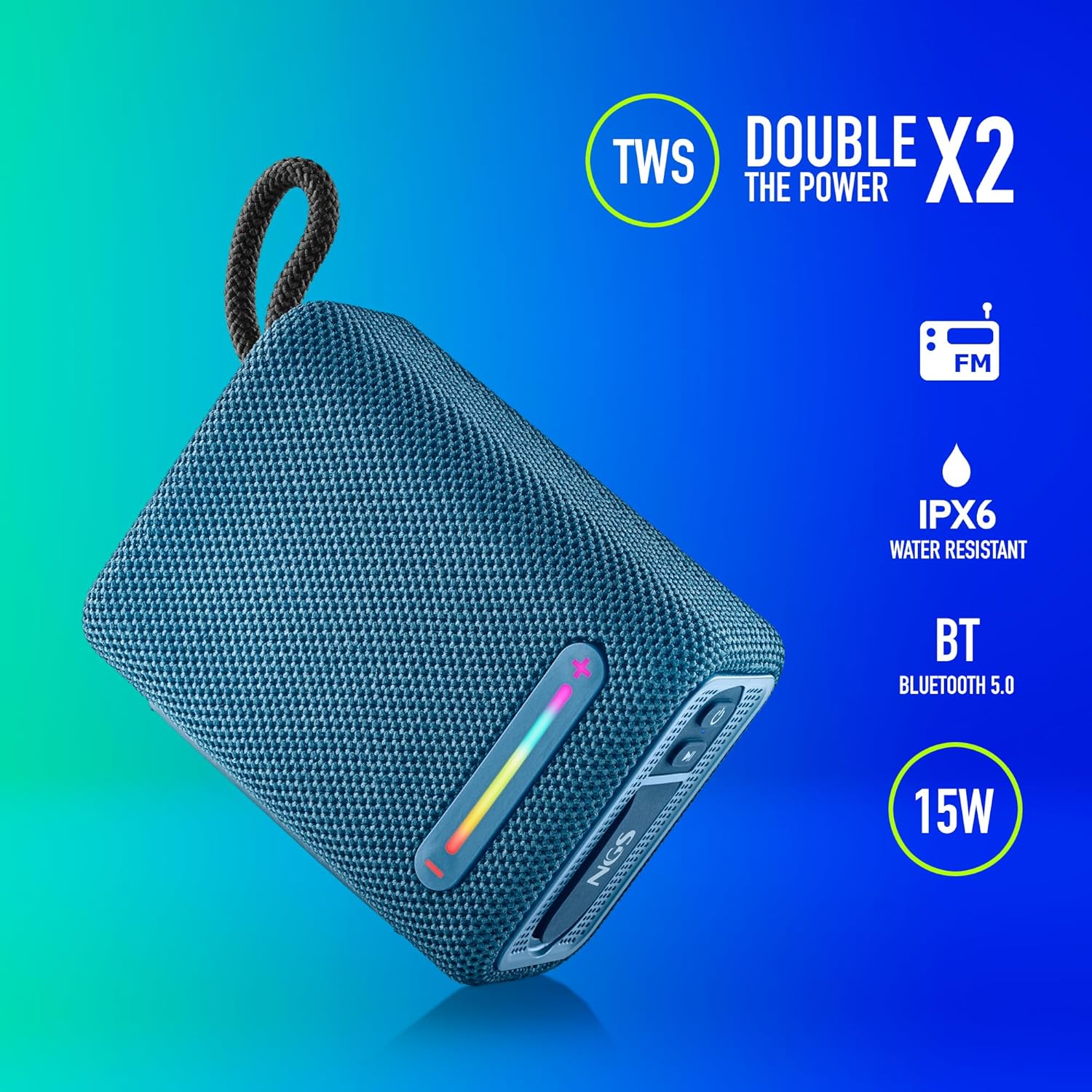
This image illustrates the NGS Roller Furia 1 Blue speaker from an angled view, emphasizing its key features: True Wireless Stereo (TWS) for pairing two speakers, IPX6 water resistance, Bluetooth 5.0 connectivity, and 15 Watts of audio power.
Awọn iṣakoso ati awọn ibudo:
- Bọtini agbara: Press and hold to turn the speaker on or off. Short press to play/pause audio.
- Bọtini Ilọsoke Iwọn didun / Bọtini Orin ti nbọ (+): Tẹ kukuru lati mu iwọn didun pọ si. Tẹ gun lati fo si orin ti o tẹle.
- Ìwọ̀n Ìsàlẹ̀ / Bọ́tìnì Orin Tẹ́lẹ̀ (-): Tẹ kukuru lati dinku iwọn didun. Tẹ gun lati lọ si orin ti tẹlẹ.
- Bọtini Ipo (M): Short press to switch between Bluetooth, USB, and AUX input modes.
- Bọtini Imọlẹ RGB: Press to cycle through different RGB light modes or turn them off.
- Ibudo Nwọle USB: For playing audio from USB memory devices (up to 32GB).
- Ibudo Iwọle AUX: Fún síso àwọn ẹ̀rọ ohùn ìta pọ̀ nípasẹ̀ okùn ohùn 3.5mm (kò sí nínú rẹ̀).
- Ibudo Ngba agbara Iru-C USB: Fun gbigba agbara ti abẹnu agbohunsoke.
4. Eto
4.1 Gbigba agbara si Agbọrọsọ
- So okùn gbigba agbara USB Iru-C ti a pese mọ ibudo gbigba agbara agbọrọsọ naa.
- So opin okun miiran pọ si ohun ti nmu badọgba agbara USB (kii ṣe pẹlu) tabi ibudo USB ti kọnputa kan.
- The charging indicator light will illuminate. Once fully charged, the light will change or turn off (refer to the speaker's LED behavior).
- A full charge provides approximately 9 hours of playback at 50% volume.
4.2 Titan / Pa a
- Lati tan -an, tẹ mọlẹ Bọtini agbara until you hear an audible prompt and the indicator lights illuminate.
- Lati fi agbara si pipa, tẹ mọlẹ Bọtini agbara again until you hear an audible prompt and the indicator lights turn off.
5. Awọn ilana Iṣiṣẹ
5.1 Sisopọ Bluetooth
- Ensure the speaker is powered on and in Bluetooth mode (the indicator light will flash, indicating it's ready for pairing). If not, press the Bọtini Ipo (M) lati yipada si ipo Bluetooth.
- Lori ẹrọ alagbeka rẹ, mu Bluetooth ṣiṣẹ ki o wa awọn ẹrọ to wa.
- Yan"NGS ROLLER FURIA 1"lati inu akojọ awọn ẹrọ".
- Once paired, the speaker will emit an audible confirmation, and the Bluetooth indicator light will stop flashing and remain solid.
- Agbọrọsọ naa yoo gbiyanju lati tun so mọ ẹrọ ti a so pọ mọ nikẹhin nigbati o ba tan ina.
5.2 Otitọ Sitẹrio Alailowaya (TWS) Sisọpọ
TWS allows you to pair two NGS Roller Furia 1 speakers together for a stereo sound experience.
- Ensure both NGS Roller Furia 1 speakers are powered on and in Bluetooth pairing mode (indicator lights flashing).
- Lori ọkan ninu awọn agbohunsoke (eyi yoo jẹ agbọrọsọ akọkọ), tẹ lẹẹmeji Bọtini Ipo (M). The speaker will emit a sound, indicating it's searching for another TWS speaker.
- The two speakers will automatically connect to each other. Once connected, you will hear a confirmation sound, and the indicator light on the primary speaker will flash slowly, while the secondary speaker's light will remain solid.
- Bayi, so ẹrọ alagbeka rẹ pọ si agbọrọsọ akọkọ nipasẹ Bluetooth gẹgẹbi a ti ṣalaye ni apakan 5.1.
5.3 USB Sisisẹsẹhin
- Insert a USB memory device (up to 32GB) containing MP3 audio files into the USB Input Port.
- The speaker will automatically switch to USB mode and begin playing audio. If not, press the Bọtini Ipo (M) lati yan ipo USB.
- Lo awọn Iwọn didun soke (+) ati Iwọn didun isalẹ (-) buttons for track control and volume adjustment.
5.4 Iṣawọle AUX
- Connect one end of a 3.5mm audio cable (not included) to the AUX Input Port on the speaker.
- Connect the other end of the cable to the audio output jack of your external device.
- Agbọrọsọ yoo yipada laifọwọyi si ipo AUX. Ti kii ba ṣe bẹ, tẹ bọtini naa Bọtini Ipo (M) lati yan ipo AUX.
- Ṣakoso ṣiṣiṣẹsẹhin ati iwọn didun lati ẹrọ ita rẹ.
5.5 Awọn ọna Imọlẹ RGB
The speaker features an integrated RGB light strip.
- Tẹ awọn Bọtini Imọlẹ RGB to cycle through various light patterns and colors.
- Continue pressing the button to turn the lights off.
5.6 Volume Control and Call Management
- Atunse iwọn didun: Kukuru tẹ awọn Iwọn didun soke (+) or Iwọn didun isalẹ (-) awọn bọtini.
- Idahun/Ipe Ipari: When a call comes in while connected via Bluetooth, short press the Bọtini agbara to answer or end the call.
- Kọ Ipe: Gun tẹ awọn Bọtini agbara lati kọ ipe ti nwọle.
6. Itọju
6.1 Ninu
- Mu agbohunsoke nu pẹlu asọ ti o gbẹ.
- Do not use abrasive cleaners, alcohol, benzene, or other chemical solvents, as these may damage the surface or components.
6.2 Ibi ipamọ
- Tọju agbohunsoke ni itura, aye gbigbẹ kuro lati orun taara ati awọn iwọn otutu to gaju.
- Tí o bá ń tọ́jú rẹ̀ fún ìgbà pípẹ́, gba agbára léraléra láti jẹ́ kí ó pẹ́.
6.3 Omi Resistance (IPX6)
- The NGS Roller Furia 1 is IPX6 water resistant, meaning it can withstand powerful water jets. It is suitable for outdoor use and can resist rain or splashes.
- Ma ṣe tẹ agbọrọsọ sinu omi.
- Ensure the rubber flap covering the ports is securely closed to maintain water resistance.
7. Laasigbotitusita
| Isoro | Owun to le Fa | Ojutu |
|---|---|---|
| Agbọrọsọ ko ni tan. | Batiri ti dinku. | Gba agbara si agbọrọsọ naa nipa lilo okun USB Type-C ti a pese. |
| Ko si ohun. | Volume is too low or muted. Incorrect input mode. Device not paired. | Increase volume on speaker and connected device. Press the Bọtini Ipo (M) to select the correct input. Re-pair the Bluetooth device. |
| Asopọ Bluetooth kuna. | Agbọrọsọ ko si ni ipo sisopọ. Ẹrọ naa ti jinna pupọ. kikọlu. | Ensure speaker is in pairing mode (flashing light). Move device closer (within 10m). Turn off other Bluetooth devices. |
| TWS sisopọ kuna. | Speakers are too far apart. One speaker is already paired to a device. | Ensure both speakers are close to each other. Disconnect any Bluetooth devices from both speakers before initiating TWS pairing. |
| Iparun ohun. | Volume too high. Low battery. | Din iwọn didun. Gba agbara si agbọrọsọ. |
8. Awọn pato
| Ẹya ara ẹrọ | Ẹ̀kúnrẹ́rẹ́ |
|---|---|
| Orukọ awoṣe | Roller Furia 1 |
| Nọmba awoṣe | ELEC-SPK-0865 |
| Brand | NGS |
| Asopọmọra Technology | Bluetooth 5.0, Auxiliary, USB |
| Agbọrọsọ o wu Power | 15 Wattis |
| Idahun Igbohunsafẹfẹ | 2480 MHz |
| Ifihan Ibuwọlu-si-Noise | 80 dB |
| Omi Resistance Rating | IPX6 |
| Batiri Iru | 3.7V / 2500mAh Litiumu Batiri |
| Batiri Apapọ Life | Titi di awọn wakati 9 (ni iwọn 50%) |
| Alailowaya Ibiti | Ti o to awọn mita 10 |
| USB Support | Up to 32GB memory devices |
| Iwọn (D x W x H) | 5D x 9.9W x 7.5H centimetres (approximate) |
| Ohun elo | Stoff (Fabric) |
9. Atilẹyin ọja ati Support
The NGS Roller Furia 1 portable speaker comes with a limited warranty. Please refer to the warranty card included in your package or visit the official NGS webAaye fun alaye atilẹyin ọja ofin ati ipo.
For technical support, troubleshooting assistance, or inquiries about your product, please contact NGS customer service through their official webaaye tabi alaye olubasọrọ ti a pese ninu iwe ọja rẹ.