
NGS Roller Furia 2
NGS Roller Furia 2 Portable Bluetooth Speaker User Manual
Model: Roller Furia 2 | Brand: NGS
1. Ifihan
Thank you for choosing the NGS Roller Furia 2 Portable Bluetooth Speaker. This manual provides essential information for the safe and efficient use of your device. Please read it carefully before use and retain it for future reference.
2. Alaye Aabo
- Ma ṣe fi agbọrọsọ si awọn iwọn otutu to gaju tabi imọlẹ orun taara.
- Yago fun sisọ tabi tẹriba agbọrọsọ si awọn ipa to lagbara.
- Jeki agbohunsoke kuro lati awọn ẹrọ iwosan.
- Ma ṣe gbiyanju lati tu tabi tun agbọrọsọ naa ṣe funrararẹ. Kan si oṣiṣẹ iṣẹ ti o peye.
- Ensure the charging port cover is securely closed when near water to maintain IPX7 waterproofing.
3. Package Awọn akoonu
Package pẹlu awọn nkan wọnyi:
- NGS Roller Furia 2 Portable Bluetooth Speaker
- USB Iru-C Ngba agbara USB
- Afowoyi Olumulo (iwe-ipamọ yii)
4. Awọn ẹya Ọja
- Bluetooth 5.3 Asopọmọra: Advanced and stable wireless connection for music streaming.
- Ohun Alagbara: 30W output for high-quality audio.
- IPX7 mabomire: Can be submerged up to 1 meter for 30 minutes.
- Sitẹrio Alailowaya otitọ (TWS): Pair two Roller Furia 2 speakers for enhanced sound.
- Awọn aṣayan Sisisẹsẹhin lọpọlọpọ: Bluetooth, USB port, TF card slot, and 3.5mm AUX input.
- Igbesi aye batiri gigun: Up to 9 hours of playback at 50% volume.
- Awọn iṣakoso Iṣọkan: Easy music control directly from the speaker.
- Awọn imọlẹ LED: Party mode with dynamic LED lighting.
5. Awọn iṣakoso ati Awọn isopọ
Mọ ara rẹ pẹlu awọn idari agbọrọsọ ati awọn ibudo asopọ.

Image: Top controls and side connection panel of the NGS Roller Furia 2 speaker.
5.1. Top Controls
- Bọtini agbara: Press and hold to turn on/off. Short press to play/pause.
- Iwọn didun soke (+): Mu iwọn didun pọ si.
- Iwọn didun isalẹ (-): Din iwọn didun silẹ.
- Bọtini Ipo: Switch between Bluetooth, AUX, USB, and TF card modes.
- Bọtini Imọlẹ LED: Change LED light modes or turn off lights.
5.2. Àwọn Ibudo Ìsopọ̀

Aworan: Alaye view of the connection ports on the NGS Roller Furia 2 speaker, including AUX, USB, and Micro SD slots.
- Ìbáwọlé AUX (Jack 3.5mm): So awọn ẹrọ ohun afetigbọ ita ni lilo okun ohun 3.5mm kan.
- Input USB: Connect a USB flash drive for MP3 playback (up to 32GB).
- TF Card Slot (Micro SD): Insert a TF/Micro SD card for MP3 playback (up to 32GB).
- Ibudo Ngba agbara Iru-C USB: So okùn USB-C tí a pèsè pọ̀ fún gbígbà agbára.
6. Eto
6.1. Ikọju akọkọ
Before first use, fully charge the speaker. Connect the USB Type-C cable to the speaker's charging port and the other end to a USB power adapter (not included) or a computer's USB port. The LED indicator will show charging status.
6.2. Agbara Tan / Paa
Tẹ mọlẹ bọtini agbara (ⓘ) for approximately 3 seconds to turn the speaker on or off.
7. Awọn ilana Iṣiṣẹ
7.1. Sisopọ Bluetooth
- Tan agbohunsoke. Yoo tẹ ipo sisopọ pọ si Bluetooth laifọwọyi, tọka nipasẹ LED didan.
- Mu Bluetooth ṣiṣẹ lori foonu alagbeka rẹ, tabulẹti, tabi ẹrọ miiran.
- Wa fun "NGS Roller Furia 2" in the list of available Bluetooth devices.
- Select it to connect. Once connected, you will hear a confirmation sound, and the LED will stop flashing.
- The speaker will automatically reconnect to the last paired device when turned on, if available.
7.2. Iṣẹ Sitẹrio Alailowaya otitọ (TWS).
To pair two NGS Roller Furia 2 speakers for a stereo sound experience:
- Ensure both speakers are turned on and not connected to any Bluetooth device.
- On one speaker (this will be the primary speaker), press and hold the TWS button (often indicated by a Wi-Fi-like symbol or two interlocking circles) for 2-3 seconds.
- Agbọrọsọ akọkọ yoo wa agbọrọsọ keji. Ni kete ti o ti sopọ, iwọ yoo gbọ ohun ìmúdájú kan.
- Now, connect your Bluetooth device to the primary speaker as described in section 7.1. Both speakers will play audio in stereo.
7.3. Playing Music from USB/TF Card
- Insert a USB flash drive or TF/Micro SD card (with MP3 files) into the corresponding port.
- The speaker will automatically switch to USB/TF card mode and begin playing music. If not, press the Mode button to select the correct input.
7.4. Apọju AX
- So opin kan ti okun ohun afetigbọ 3.5mm (kii ṣe pẹlu) si ibudo titẹ sii AUX lori agbọrọsọ.
- So opin miiran pọ si iṣelọpọ ohun ti ẹrọ ita rẹ (fun apẹẹrẹ, MP3 ẹrọ orin, kọnputa).
- The speaker will automatically switch to AUX mode. If not, press the Mode button to select AUX input.
7.5. Awọn ọna Imọlẹ LED
Press the LED Light button to cycle through different light modes or turn the lights off. The speaker features dynamic LED lighting for a party atmosphere.
Video: Demonstrates the NGS Roller Furia series features, including LED lights, TWS pairing, robust design, waterproofing, various connection options, and battery life.
8. Gbigba agbara
When the battery is low, the speaker will indicate this with an audible alert or LED behavior. Connect the USB Type-C cable to the speaker and a power source to recharge. A full charge takes approximately 3-4 hours. The speaker can be used while charging.
9. Itọju
- Sọ agbọrọsọ mọ pẹlu asọ asọ ti o gbẹ. Ma ṣe lo abrasive ose tabi epo.
- Tọju agbohunsoke ni itura, ibi gbigbẹ nigbati o ko ba lo fun awọn akoko gigun.
- Ensure the charging port cover is sealed when not charging, especially in wet environments.
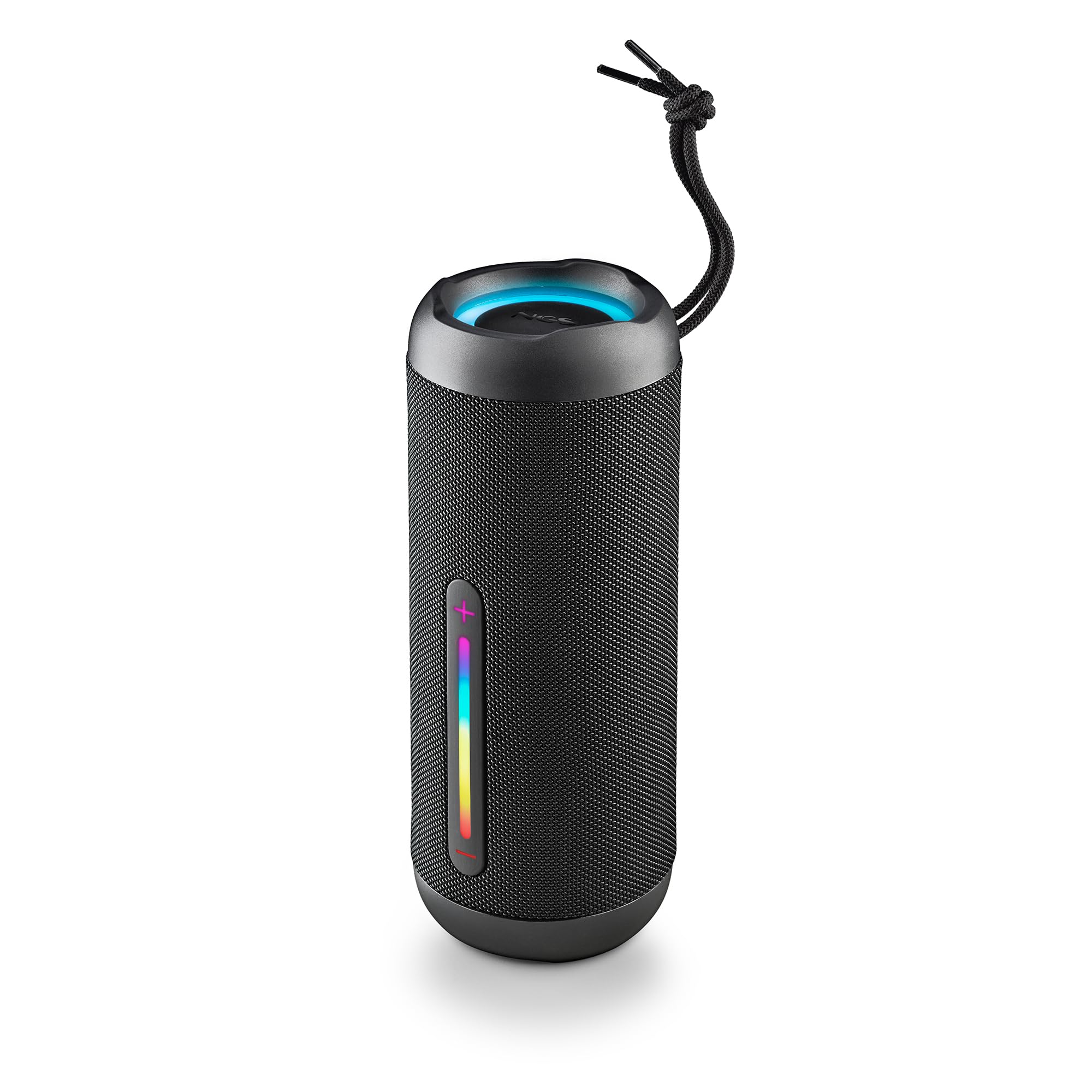
Image: The NGS Roller Furia 2 speaker demonstrating its IPX7 water resistance by being partially submerged in water.
10. Laasigbotitusita
| Isoro | Owun to le Solusan |
|---|---|
| Agbọrọsọ ko ni tan. | Rii daju pe batiri ti gba agbara. Sopọ si orisun agbara ati gbiyanju lẹẹkansi. |
| Ko le so pọ nipasẹ Bluetooth. | Rí i dájú pé agbọ́hùnsọ̀ náà wà ní ipò ìsopọ̀. Dá Bluetooth dúró kí o sì tún un ṣiṣẹ́ lórí ẹ̀rọ rẹ. Rí i dájú pé kò sí ẹ̀rọ mìíràn tí ó so mọ́ agbọ́hùnsọ̀ náà. Sún mọ́ agbọ́hùnsọ̀ náà. |
| Ko si ohun. | Ṣayẹwo awọn ipele iwọn didun lori mejeeji agbọrọsọ ati ẹrọ ti o sopọ. Rii daju pe ipo titẹ sii to pe (Bluetooth, AUX, USB, TF) ti yan. |
| TWS sisopọ kuna. | Ensure both speakers are not connected to any other Bluetooth device before initiating TWS pairing. Try resetting both speakers. |
11. Awọn pato
| Ẹya ara ẹrọ | Ẹ̀kúnrẹ́rẹ́ |
|---|---|
| Orukọ awoṣe | Roller Furia 2 Black |
| Nọmba awoṣe | ELEC-SPK-0871 |
| Brand | NGS |
| Asopọmọra Technology | Bluetooth 5.3, AUX, USB, Kaadi TF |
| Agbọrọsọ o wu Power | 30W (RMS) |
| Omi Resistance Ipele | IPX7 (Mabomire) |
| Batiri Iru | 2 Lithium-ion (pẹlu) |
| Agbara Batiri | 7.4V / 2500mAh |
| Akoko Sisisẹsẹhin | Titi di awọn wakati 9 (ni iwọn 50%) |
| Bluetooth Ibiti | Ti o to awọn mita 10 |
| Awọn iwọn (L x W x H) | 7.4 x 7.4 x 19.4 cm |
| Iwọn | 712 giramu |
| Awọn ẹrọ ibaramu | MP3 Player, Laptop, Projector, Smartphone, Tablet, TV |
12. Atilẹyin ọja ati Support
Ọja yi wa pẹlu kan 2-odun lopin atilẹyin ọja lati ọjọ ti o ra. Jọwọ ṣe idaduro ẹri rira rẹ fun awọn iṣeduro atilẹyin ọja.
For technical support or warranty inquiries, please visit the official NGS webaaye ayelujara tabi kan si alagbata agbegbe rẹ.
Ask a question about this manual
Ask about setup, troubleshooting, compatibility, parts, safety, or missing instructions. Manuals+ will review the question and use this page’s manual context to help answer it.