
CANDY CSO 696TWM6-80
Ìwé Ìtọ́sọ́nà Olùlò Ẹ̀rọ Ìfọṣọ Candy Smart Pro 9 kg 1600rpm
Model: CSO 696TWM6-80
1. Alaye Aabo pataki
Please read this manual carefully before installing and using your washing machine. Keep it for future reference.
Gbogbogbo Abo
- Ensure the appliance is disconnected from the power supply before any cleaning or maintenance.
- Do not allow children or persons with reduced physical, sensory or mental capabilities, or lack of experience and knowledge to use the appliance without supervision.
- Keep pets and children away from the appliance when it is in operation.
Itanna Aabo
- Ohun elo naa gbọdọ wa ni ilẹ.
- Ma ṣe lo awọn okun itẹsiwaju tabi awọn oluyipada pupọ.
- Má ṣe fa okùn agbára náà láti yọ pulọọgi náà kúrò. Máa di pulọọgi náà mú dáadáa nígbà gbogbo.
Omi Aabo
- Ensure water hoses are correctly connected and tightened to prevent leaks.
- Do not operate the machine if there is a visible leak.
2. Ọja Ipariview
The Candy Smart Pro Inverter washing machine is designed for efficient and convenient laundry care. It features an innovative Speed-Drive Motor and Quick&Clean system for fast and effective washing.


Awọn ẹya pataki:
- Speed-Drive Motor: Enhances washing performance and reduces cycle times.
- Quick&Clean System: Allows for a full load wash in as little as 39 minutes.
- Imọ ọna ẹrọ oluyipada: Provides quiet operation and energy efficiency.
- Asopọmọra Smart: Control and monitor your machine via a smartphone app (Wi-Fi enabled).
3. Eto ati fifi sori
Proper installation is crucial for the safe and efficient operation of your washing machine.
Unpacking and Transit Bolt Removal
Before use, remove all transit bolts located at the rear of the machine. These bolts secure the drum during transport and must be removed to prevent damage during operation.
Ipele ẹrọ
Use a spirit level to ensure the machine is perfectly level. Adjust the adjustable feet at the bottom of the machine until it is stable and does not wobble.
Omi Asopọ
- Connect the cold water inlet hose to a cold water tap with a 3/4" thread.
- Ensure the drain hose is securely placed into a standpipe or hooked over the edge of a sink, ensuring it is not kinked.
Asopọ Itanna
Plug the machine into a grounded electrical outlet. Ensure the voltage àti ìgbagbogbo bá àwọn ìlànà tó wà lórí àwo ìdíyelé ẹ̀rọ náà mu.
First Use / Calibration Wash
Before washing clothes, run an empty wash cycle at 60°C with a small amount of detergent to clean the drum and remove any manufacturing residues.

4. Awọn ilana Iṣiṣẹ
Tẹle awọn igbesẹ wọnyi fun awọn abajade fifọ to dara julọ.
ikojọpọ ifọṣọ
- Too ifọṣọ nipasẹ iru aṣọ, awọ, ati iwọn ile.
- Open the door and load the laundry into the drum, ensuring not to overload the machine. Leave enough space for clothes to tumble freely.
Fifi Detergent ati Additives
Pull out the detergent dispenser drawer and add the appropriate amount of detergent and fabric softener to the designated compartments.

Yiyan Eto kan
Turn the program selector dial to choose the desired wash program based on your laundry type. The display will show the default temperature and spin speed for the selected program.
Awọn aṣayan atunṣe
Use the option buttons to modify the program settings, such as temperature, spin speed, or to add functions like pre-wash or extra rinse.
Bibẹrẹ ọmọ Wẹ
Press the 'Start/Pause' button to begin the wash cycle. The machine will automatically adjust water levels and cycle duration based on the load.
Smart Features (Wi-Fi Connectivity)
This machine can be connected to the Candy Simply-Fi app via Wi-Fi. Download the app to access additional programs, monitor cycles, and receive notifications.
5. Programs and Options
The Candy Smart Pro Inverter offers a variety of programs and options to suit different laundry needs.
Common Wash Programs:
- Owu: For heavily soiled cottons, whites, and colored items.
- Sintetiki: Fún àwọn aṣọ oníṣọ̀nà tàbí àwọn aṣọ tí a dìpọ̀.
- Awọn elege: Fun awọn ohun elege to nilo itọju onírẹlẹ.
- Fọ irun/Ọwọ́: Fún àwọn aṣọ ìbora àti àwọn ohun èlò tí a lè fi ọwọ́ fọ.
- Wẹ Kíákíá (Iṣẹ́jú 39): Fun awọn nkan ti o ni idọti fẹẹrẹ nilo fifọ yara.
- Fi omi ṣan: Fún fífọ àti yíyí àwọn ohun èlò.
- Yipada: Fún fífún omi àti fífọ aṣọ.
Awọn aṣayan to wa:
- Iwọn otutu: Ṣe àtúnṣe iwọn otutu fifọ.
- Iyara Iyipo: Select the desired spin speed (up to 1600 RPM).
- Ṣaaju fifọ: Adds an extra pre-wash cycle for heavily soiled items.
- Fi omi ṣan ni afikun: Ṣe afikun iyipo fi omi ṣan.
- Irin ti o rọrun: Reduces creasing for easier ironing.
- Ibẹrẹ Idaduro: Delays the start of the wash cycle.
6. Itọju ati Cleaning
Regular maintenance ensures the longevity and performance of your washing machine.
Ninu Dispenser Detergent
Lọkọọkan yọọ kuro ki o sọ dirafu dispenser di mimọ labẹ omi ṣiṣiṣẹ lati ṣe idiwọ iṣelọpọ iyokù.
Ninu ilu
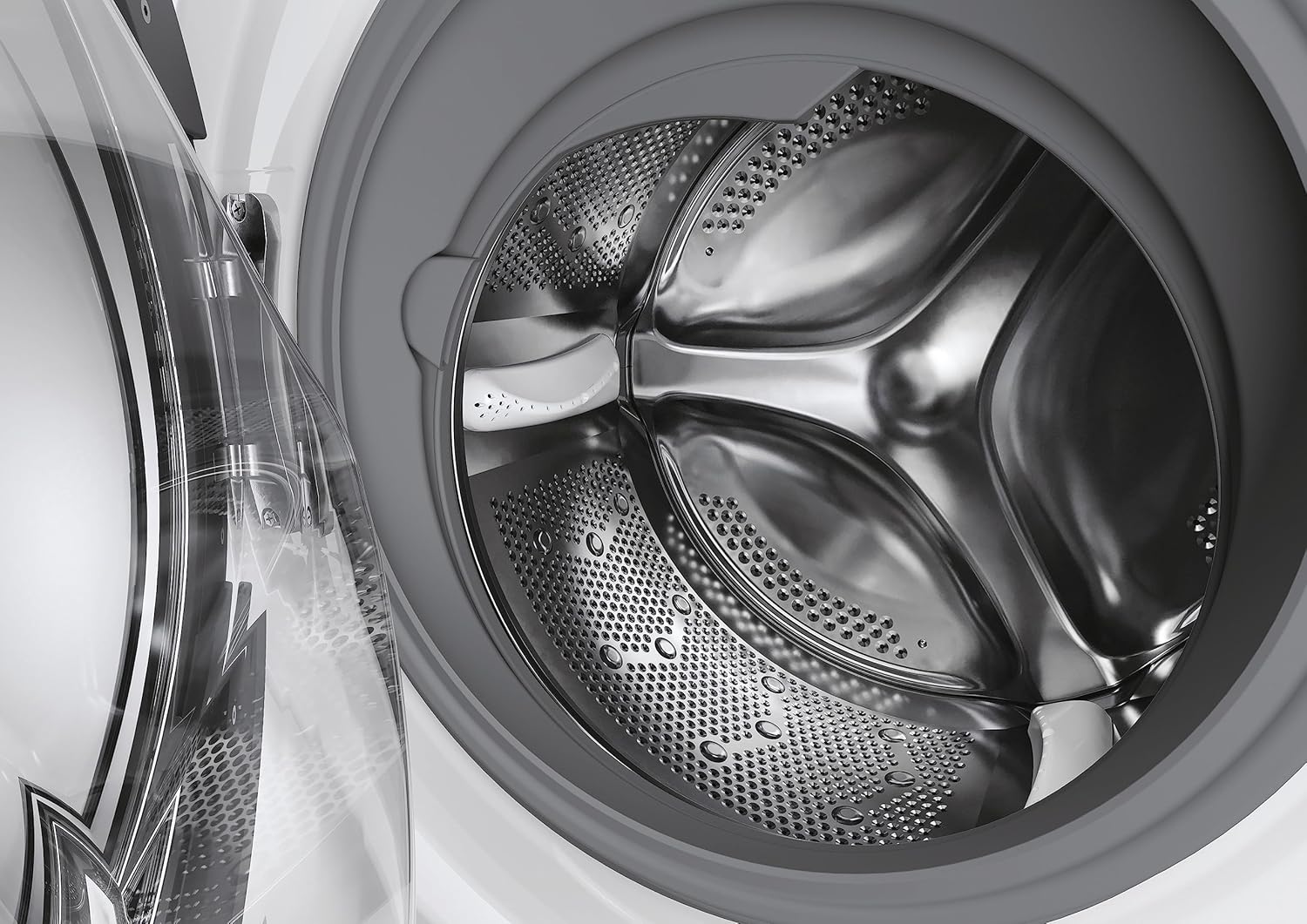
Run a maintenance wash (e.g., a hot cycle with no laundry and a descaling agent) every few months to clean the drum and remove any odors or residue.
Ninu Ajọ
Locate the filter at the bottom front of the machine. Open the cover, drain any residual water, and unscrew the filter. Clean it thoroughly and reinsert.
Ninu Ode
Mu ese ita gbangba pẹlu asọ, damp asọ. Ma ṣe lo abrasive ose tabi epo.
7. Laasigbotitusita
Tọkasi apakan yii fun awọn ọran ti o wọpọ ati awọn ojutu wọn.
| Isoro | Owun to le Fa | Ojutu |
|---|---|---|
| Ẹrọ ko bẹrẹ | Ko si ipese agbara; Ilekun ko tii daradara; Eto ko yan. | Ṣayẹwo pulọọgi agbara ati fiusi; Rii daju pe ilẹkun ti wa ni pipade ṣinṣin; Yan eto kan ki o tẹ Bẹrẹ. |
| Omi ko kun | Omi tẹ ni pipade; Inlet okun kikan; Omi titẹ ju kekere. | Ṣii omi tẹ ni kia kia; Titọ okun; Ṣayẹwo titẹ omi inu ile. |
| Omi ti ko ṣan | Drain hose kinked or blocked; Filter blocked. | Straighten or clear drain hose; Clean the pump filter. |
| Gbigbọn pupọ/ariwo | Transit bolts not removed; Machine not level; Laundry unevenly distributed. | Remove transit bolts; Adjust feet to level machine; Redistribute laundry in drum. |
| Iyoku Detergent ni apanirun | Too much detergent; Water pressure too low; Dispenser blocked. | Use less detergent; Check water pressure; Clean dispenser drawer. |
| Ilẹ̀kùn kò ṣí | Cycle not finished; Water still in drum; Safety lock engaged. | Wait for cycle to complete; Run a drain cycle; Wait a few minutes for safety lock to disengage. |
8. Awọn pato
Detailed technical specifications for your Candy Smart Pro Inverter washing machine.
| Ẹya ara ẹrọ | Sipesifikesonu |
|---|---|
| Brand | Swiwiti |
| Nọmba awoṣe | CSO 696TWM6-80 |
| Agbara | 9 kilo |
| Iyara Yiyipo ti o pọju | 1600 RPM |
| Awọn iwọn Ọja (HxWxD) | 85 x 60 x 54 cm |
| Iwọn Nkan | 63 kg |
| Ipele Ariwo (Iyiyi) | 78 dB |
| Lododun Lilo Lilo | Awọn wakati kilowatt 45 |
| Voltage | 240 Volts |
| Ohun elo Iru | ABS |
| Iru fifi sori ẹrọ | Sisun |
| Pataki Awọn ẹya ara ẹrọ | Inverter |
| Awọn irinše to wa | Machine, User Manual, Energy Label, Pipes |


9. Atilẹyin ọja ati Support
Your Candy Smart Pro Inverter washing machine comes with a manufacturer's guarantee.
Alaye atilẹyin ọja
The minimum duration of the guarantee offered by the supplier is 12 months from the date of purchase. Please retain your proof of purchase for warranty claims.
Onibara Support
For technical assistance, spare parts, or service requests, please refer to the contact information provided with your purchase documentation or visit the official Candy webojula fun support oro.
Ask a question about this manual
Ask about setup, troubleshooting, compatibility, parts, safety, or missing instructions. Manuals+ will review the question and use this page’s manual context to help answer it.