
1. Ọja Ipariview
The Kungfuking Wall Mount Power Strip with USB is designed to provide convenient power access and charging capabilities for multiple devices. This unit features 3 standard AC outlets, 2 USB-A ports with QC 3.0 fast charging, and 1 USB-C port with 18W power delivery. It includes surge protection and a 6-foot extension cord, making it suitable for various mounting applications such as under desks, on walls, or on tabletops.
Awọn ẹya pataki:
- Awọn iṣan AC 3: Provides standard power connections for electronic devices (100V-125V, 12A=1500W).
- 3 Awọn ibudo USB: Includes 2 QC 3.0 USB-A ports and 1 18W USB-C port for fast charging of compatible devices.
- Idaabobo iṣẹ abẹ: Ṣe aabo awọn ẹrọ ti a ti sopọ lati awọn agbara agbara.
- Apẹrẹ ti a gbe soke: Features mounting holes for secure installation on various surfaces (walls, desks, table legs).
- 6-Foot Extension Cord: Nfun ni irọrun ni placement.
- UL Akojọ: Certified for safety standards.

olusin 1: Iwaju view of the Kungfuking Wall Mount Power Strip, showing 3 AC outlets, 2 USB-A ports, 1 USB-C port, an on/off switch, and the coiled 6-foot power cord.
2. Awọn Ilana Aabo pataki
Please read and follow all safety instructions carefully before using this product to prevent injury or damage.
- Má ṣe ju agbára ẹrù tó pọ̀ jù lọ lọ ti 12A / 1500W.
- This product is for indoor use only. Do not expose to moisture or use in wet environments.
- Má ṣe tú tàbí ṣe àtúnṣe sí ìlà iná mànàmáná náà. Tọ́ka gbogbo iṣẹ́ ìtọ́jú náà sí àwọn òṣìṣẹ́ tó péye.
- Jeki kuro lati awọn ọmọde ati awọn ohun ọsin.
- Rí i dájú pé okùn agbára náà ti wà ní ìsàlẹ̀ pátápátá nínú ihò ìtajà ògiri tí a fi ilẹ̀ sí.
- Avoid running the power cord under carpets or in areas where it can be tripped over or damaged.
- If the power strip shows signs of damage, discontinue use immediately.
- The surge protector feature protects against power surges; however, it is not a substitute for proper grounding or protection against direct lightning strikes.
3. Eto ati fifi sori
The Kungfuking Wall Mount Power Strip offers flexible installation options. Choose the method that best suits your needs.
Awọn itọnisọna fifi sori ẹrọ:
- Yan Ibi kan: Choose a flat, stable surface for mounting, such as a wall, under a desk, or on table legs. Ensure the location is dry and free from obstructions.
- Samisi Awọn aaye Igbesoke: Position the power strip in the desired location. Use a pencil to mark the positions of the four mounting holes located on the flanges at each end of the power strip.
- Awọn Ihò Awakọ Lu (ti o ba jẹ dandan): Depending on the mounting surface material, you may need to drill small pilot holes at the marked points. Use an appropriate drill bit size for the screws provided (or suitable screws for your surface).
- Secure the Power Strip: Align the mounting holes on the power strip with the pilot holes (or marks) and secure the unit using screws. Ensure the power strip is firmly attached and does not wobble.
- Sopọ si Agbara: Plug the 6-foot extension cord into a standard grounded wall outlet.

Figure 2: Illustration of the power strip's mounting holes for secure installation.

Olusin 3: Examples of mounting locations: tabletop, under desk, and table legs.
4. Awọn ilana Iṣiṣẹ
Once installed and connected to power, the power strip is ready for use.
Titan/Apapa:
- Locate the red ON/OFF switch on the power strip.
- Press the switch to the "ON" position to supply power to the outlets and USB ports. The switch will illuminate when power is active.
- Press the switch to the "OFF" position to cut power to all connected devices.
Lilo awọn iṣan AC:
- Plug your electronic devices directly into the 3 AC outlets.
- Ensure that the total power consumption of all connected devices does not exceed 1500W.
Lilo awọn ibudo gbigba agbara USB:
- USB-A Ports (QC 3.0): Connect compatible devices using a USB-A cable for fast charging. These ports support Quick Charge 3.0 for accelerated charging speeds.
- USB-C Port (18W): Connect compatible devices using a USB-C cable for 18W power delivery. This port is suitable for charging smartphones, tablets, and other USB-C powered devices.
- The USB ports provide power automatically when a device is connected and the power strip is on.
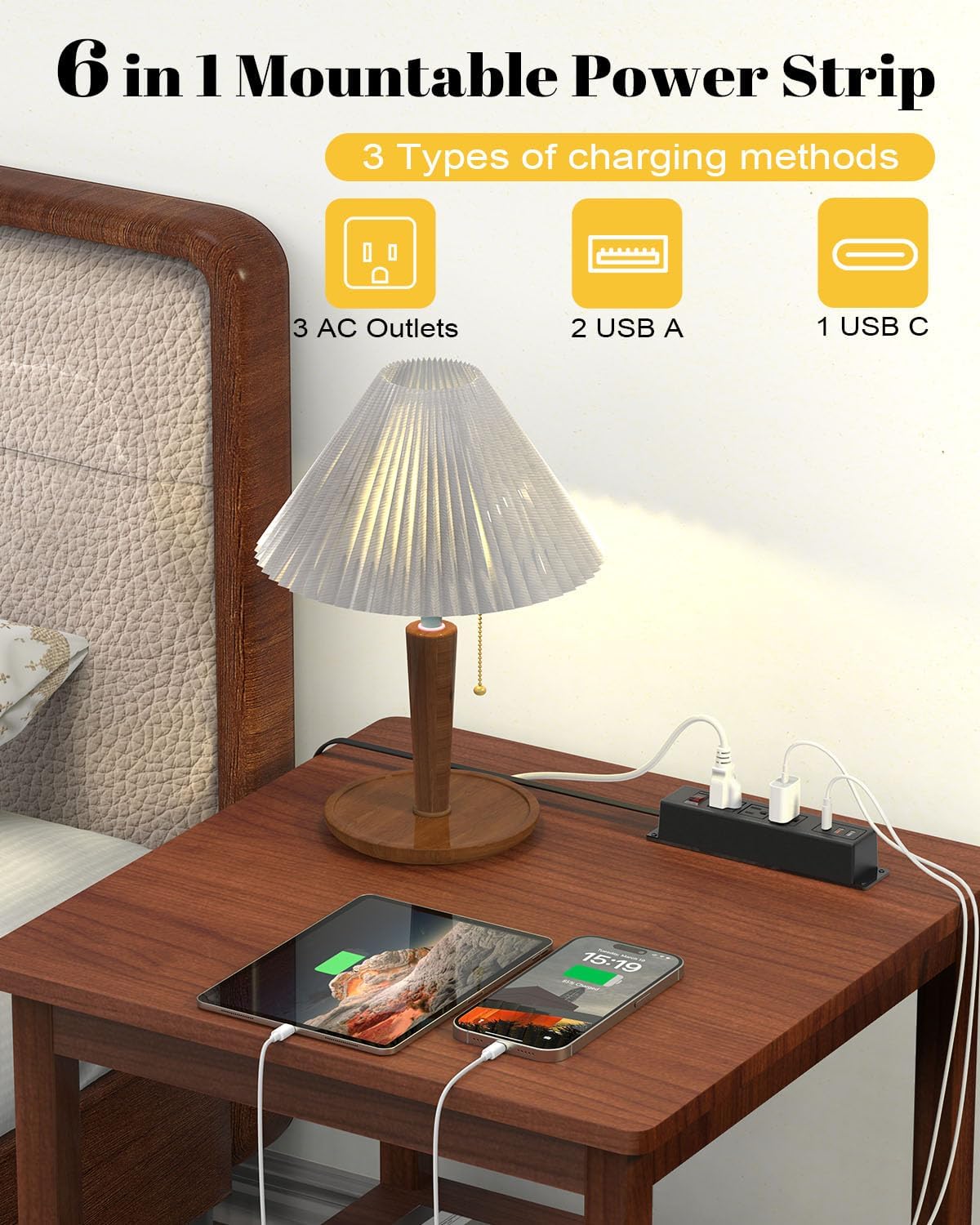
Figure 4: The power strip providing power to a lamp, phone, and tablet via AC and USB ports.

Figure 5: A device charging rapidly via the 18W USB-C port.
5. Itọju
Proper maintenance ensures the longevity and safe operation of your power strip.
- Ninu: Disconnect the power strip from the wall outlet before cleaning. Use a dry, soft cloth to wipe the exterior. Do not use liquid cleaners or aerosols.
- Ayewo: Periodically inspect the power cord and the power strip for any signs of damage, such as frayed wires, cracks, or loose connections. If damage is found, discontinue use and replace the unit.
- Ibi ipamọ: If storing the power strip, ensure it is disconnected from power and stored in a dry, cool place away from direct sunlight.
6. Laasigbotitusita
Tí o bá ní ìṣòro pẹ̀lú ìlà agbára rẹ, wo àwọn ìṣòro àti ìdáhùn tí ó wọ́pọ̀ wọ̀nyí:
| Isoro | Owun to le Fa | Ojutu |
|---|---|---|
| No power to outlets/USB ports. |
|
|
| Awọn ẹrọ ko gba agbara nipasẹ USB. |
|
|
| Igi agbara naa gbona. |
|
|
7. Awọn pato
| Ẹya ara ẹrọ | Ẹ̀kúnrẹ́rẹ́ |
|---|---|
| Brand | Kungfuking |
| Awoṣe | B0CT5QM5KD |
| AC iletslets | 3 |
| Awọn ibudo USB | 2 x USB-A (QC 3.0), 1 x USB-C (18W) |
| Voltage Rating | 100V-125V |
| Ijade AC | 12A / 1500W (Max) |
| Ifaagun Okun Ipari | 6 ẹsẹ |
| Iwọn Nkan | 15.8 iwon |
| Awọn iwọn (Apapọ) | 9.21 x 3.62 x 2.87 inches |
| Pataki Awọn ẹya ara ẹrọ | Desk Mount, Wall Mount, On/Off Switch, USB Slot, Surge Protection |
| Awọn iwe-ẹri | UL Akojọ |
8. Atilẹyin ọja ati Support
For warranty information or technical support, please contact Kungfuking customer service. You can find more information and contact details on the official Kungfuking store page: